APC - 224650 Issue 1.pdf - 第44页
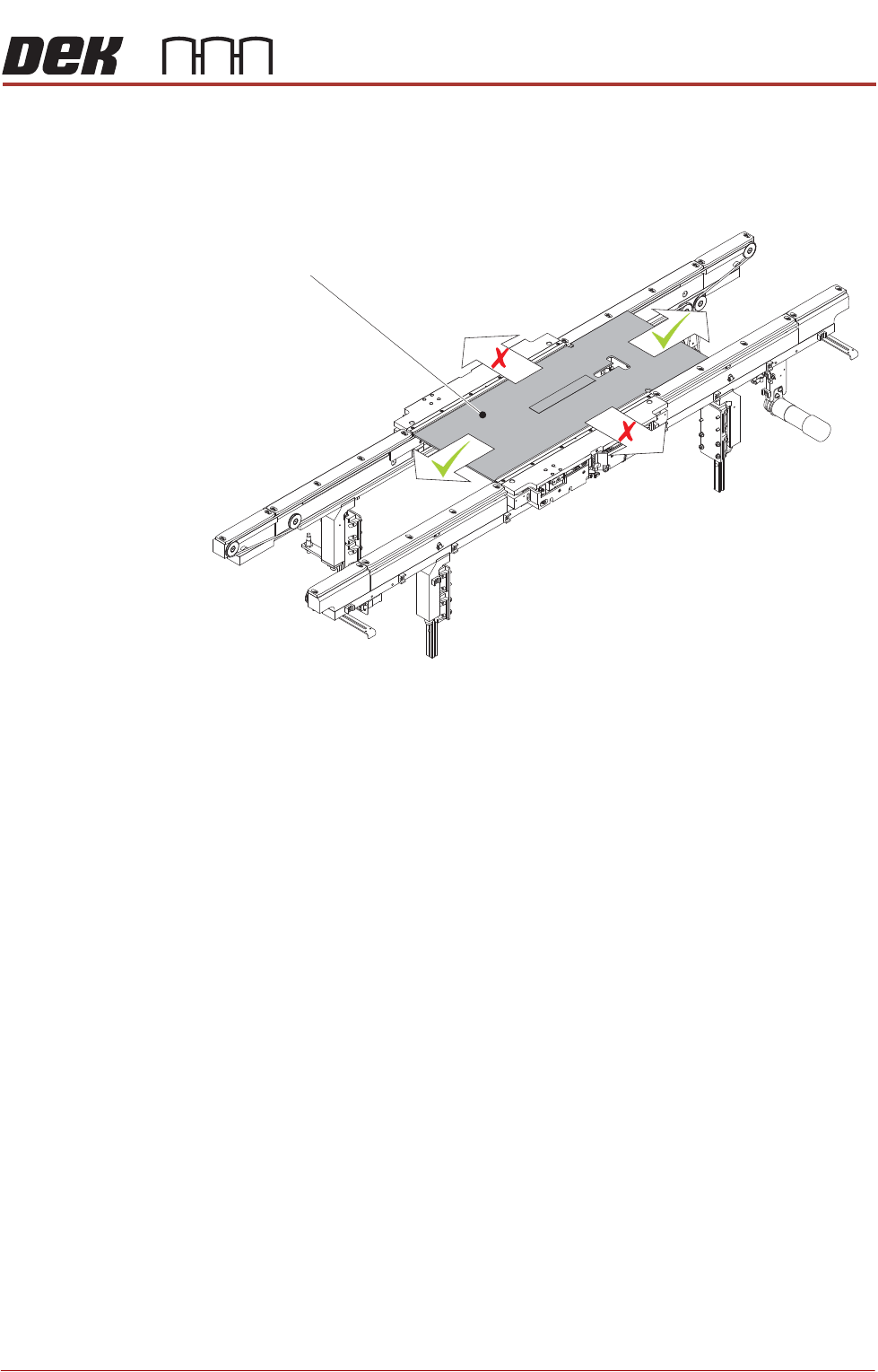
ALL PURPOSE CLAMPING (APC) ADJUSTMENTS AND SETTINGS 1.32 All Purpose Clamping (APC) Manual Chapter Issue 1 Nov 16 37. Remove the setting jig from the machin e. Flip over and replace in the print area. Align the right-han…
ALL PURPOSE CLAMPING (APC)
ADJUSTMENTS AND SETTINGS
Chapter Issue 1 Nov 16 All Purpose Clamping (APC) Manual 1.31
28. Open the front printhead cover.
29. Check that the jig can be moved left to right along the conveyor belts but not
back and forth in the Y axis. Any movement in the Y axis indicates too much
clearance and the offset requires further adjustment.
30. If the rail width requires further adjustment, close the front printhead cover,
press the System button and repeat Steps 26 to 29.
31. If the rail width is correct, close the front printhead cover, press the System
button and select Set.
32. Select Yes to save the information.
33. Open the front printhead cover.
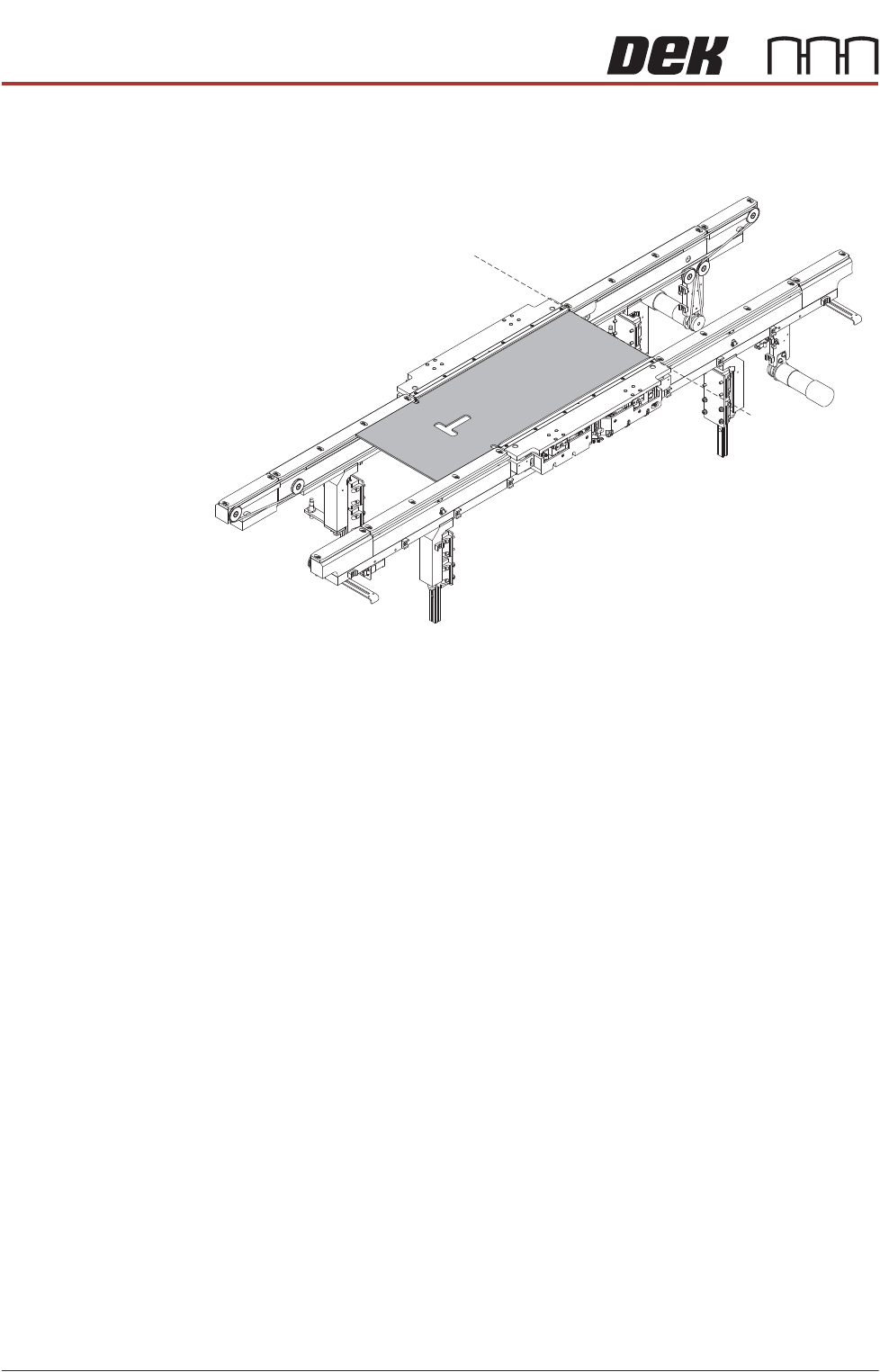
34. Push the front and rear mid rail board guides (output end) up against the jig.
Tighten the eight M3 retaining screws (four per guide).
35. Slide the jig to the right, until level with the end rail board guides.
36. Push the front and rear end rail board guides (output end) up against the jig.
Tighten the four M3 retaining screws (two per guide).
APC Conveyor Setting Jig
ALL PURPOSE CLAMPING (APC)
ADJUSTMENTS AND SETTINGS
1.32 All Purpose Clamping (APC) Manual Chapter Issue 1 Nov 16
37. Remove the setting jig from the machine. Flip over and replace in the print
area. Align the right-hand edge of the jig with the right-hand end of the APC
modules.
38. Repeat Steps 34 to 36 for the input end rail board guides.
39. Remove the setting jig from the machine.
40. Close the front printhead cover, press the System button.
41. Use Next or Previous to highlight Home Rail Width is highlighted.
42. Select Run Diagnost.
43. Select Adjust and set the board width to 250mm.
44. Select Exit.
45. Use Next or Previous to highlight Drive Rail to Board Width.
46. Select Run Diagnost.
47. Open the front printhead cover.
48. Place the calibration board on the input transport rail belts.
Alignment
ALL PURPOSE CLAMPING (APC)
ADJUSTMENTS AND SETTINGS
Chapter Issue 1 Nov 16 All Purpose Clamping (APC) Manual 1.33
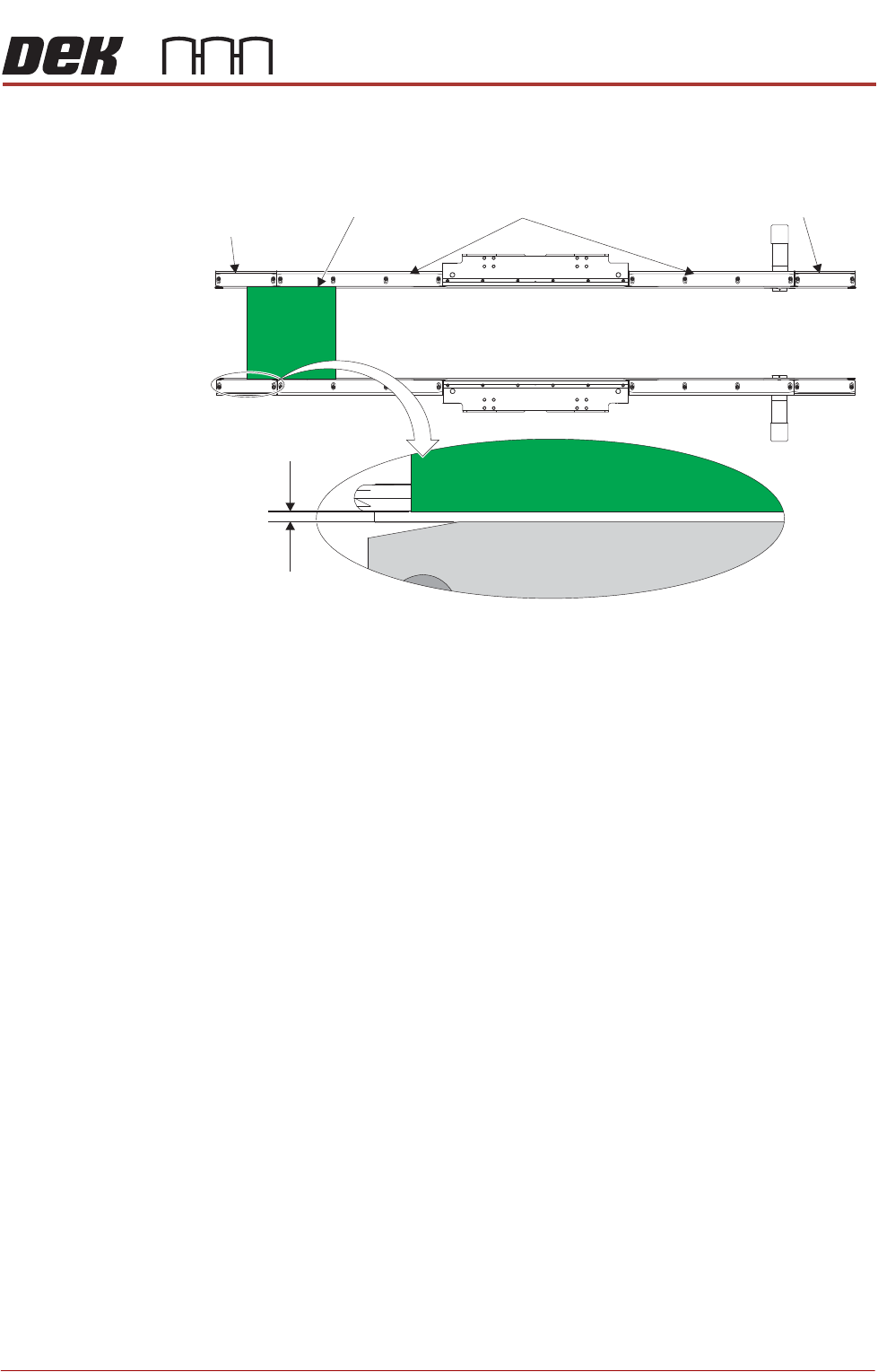
49. With the calibration board level with the input end rail board guides, push
the board hard against the rear rail end board guide. Ensure that the gap
between the board and the front rail end board guide is 1.0mm.
50. Repeat Step 49 for both sets of mid rail board guides and the output end rail
board guides.
51. If any of the gaps measured are larger/smaller than 1.0mm, then the board
guide positions require adjustment. Repeat Steps 9 to 50.
52. Once all gaps are measured correctly as 1.0mm, remove calibration board
from the rails.
53. Close the front printhead cover, press the System button.
54. Select Exit.
55. Select Exit.
56. Select Back.
57. Perform Board Transit Clearance check.
Board Transit
Clearance Check
These checks are performed to ensure that boards run freely when transported
on the rails.
Input Conveyor
Check
1. Select Setup Product.
2. Select Load Product. Ensure that the product name selected matches the
board to be used for this test procedure.
3. Select Tooling. Ensure that the desired APC clamping mode and other APC
parameters are correctly defined.
4. Select Setup Tooling.
5. Select Load Board.
6. Position the board to be loaded on the input rails.
7. Select Auto Board.
=1.0mm
Close Up View on Board Guide Gap
End Rail Board Guide
End Rail
Board Guide
Calibration Board
Mid Rail Board Guide