APC - 224650 Issue 1.pdf - 第39页
ALL PURPOSE CLAMPING (APC) ADJUSTMENTS AND SETTINGS Chapter Issue 1 Nov 16 All Purpose Clamping (APC) Manual 1.27 5. Locate the lower bearing carriages on the front transport rail lef t and right leg linear guides. Remov…
ALL PURPOSE CLAMPING (APC)
ADJUSTMENTS AND SETTINGS
1.26 All Purpose Clamping (APC) Manual Chapter Issue 1 Nov 16
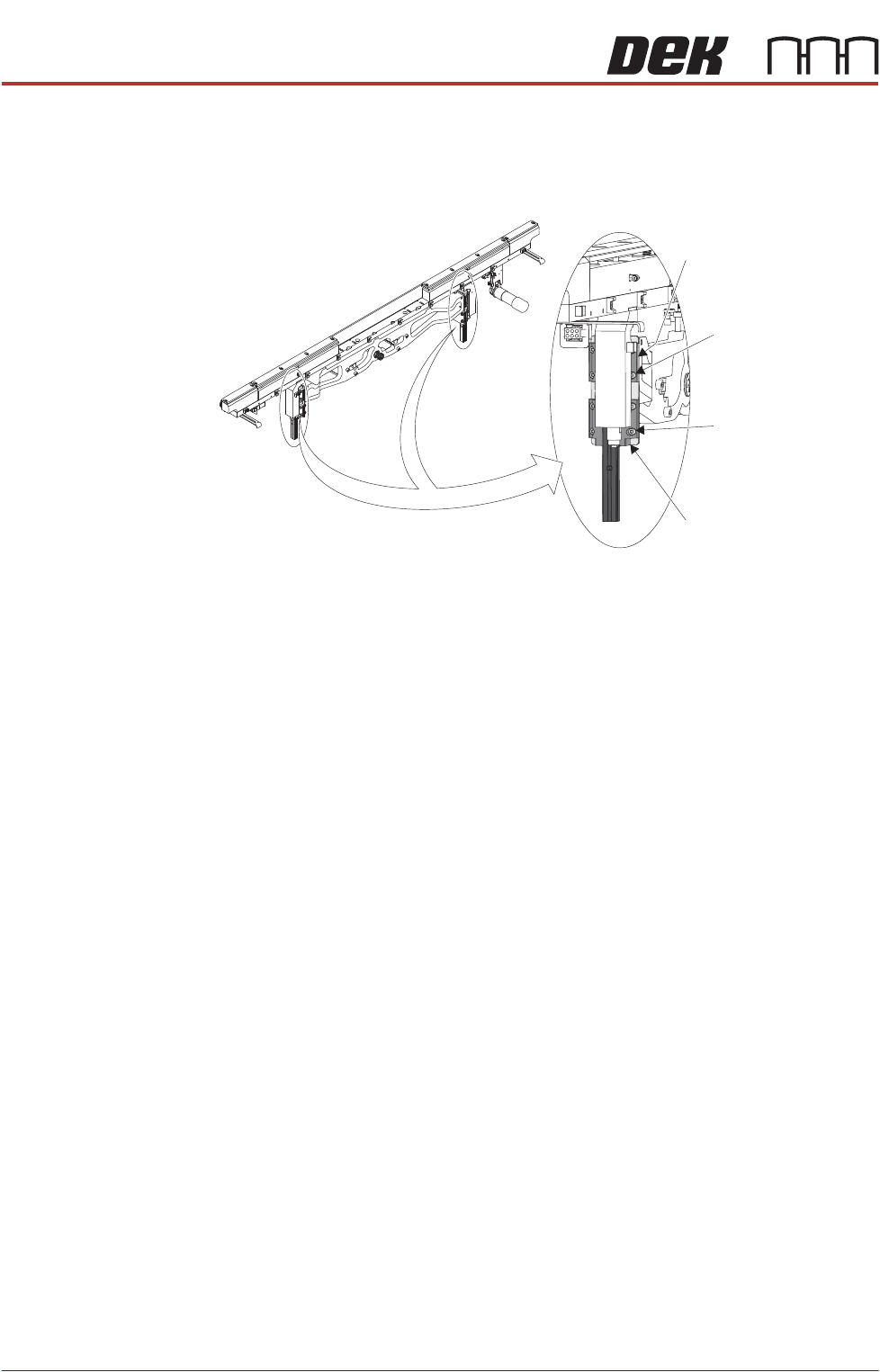
25. Using a 3mm Allen key slacken the four retaining screws, passing through
the upper bearing carriage and connecting mount, and attaching the left
hand transport leg to the rail support arm. Repeat for the lower bearing
carriage.
26. Repeat Step 25 for the right hand transport leg.
27. Move the transport rail until it sits snugly in both rail setting jigs. The correct
setting is shown in Step 24.
28. Tighten the retaining screws on both the left and right hand upper bearing
carriages.
29. Recheck the parrallelism as detailed in Step 24.
30. Tighten the retaining screws on both the left and right hand lower bearing
carriages.
31. Remove the rail setting jigs from the rising table.
32. Close the front printhead cover.
33. Press the System button.
34. Select Exit.
35. Select Exit.
36. Select Back.
Rear Rail
Parallelism
NOTE
Ensure Front Rail Parallelism has been carried out prior to commencing this
procedure. It is recommended that the rear rail parallelism procedure is carried
out by two persons.
1. Select Shut Down.
2. Select Continue.
3. Switch the mains isolator to OFF.
4. Remove the left and right hand side panels (if necessary, disconnect the air
and electrical supplies and remove the printer from the production line).
Upper Bearing Carriage
Upper Rail Support
Arm Screws (4 off)
Lower Bearing Carriage
Lower Rail Support
Arm Screws (4 off)
ALL PURPOSE CLAMPING (APC)
ADJUSTMENTS AND SETTINGS
Chapter Issue 1 Nov 16 All Purpose Clamping (APC) Manual 1.27
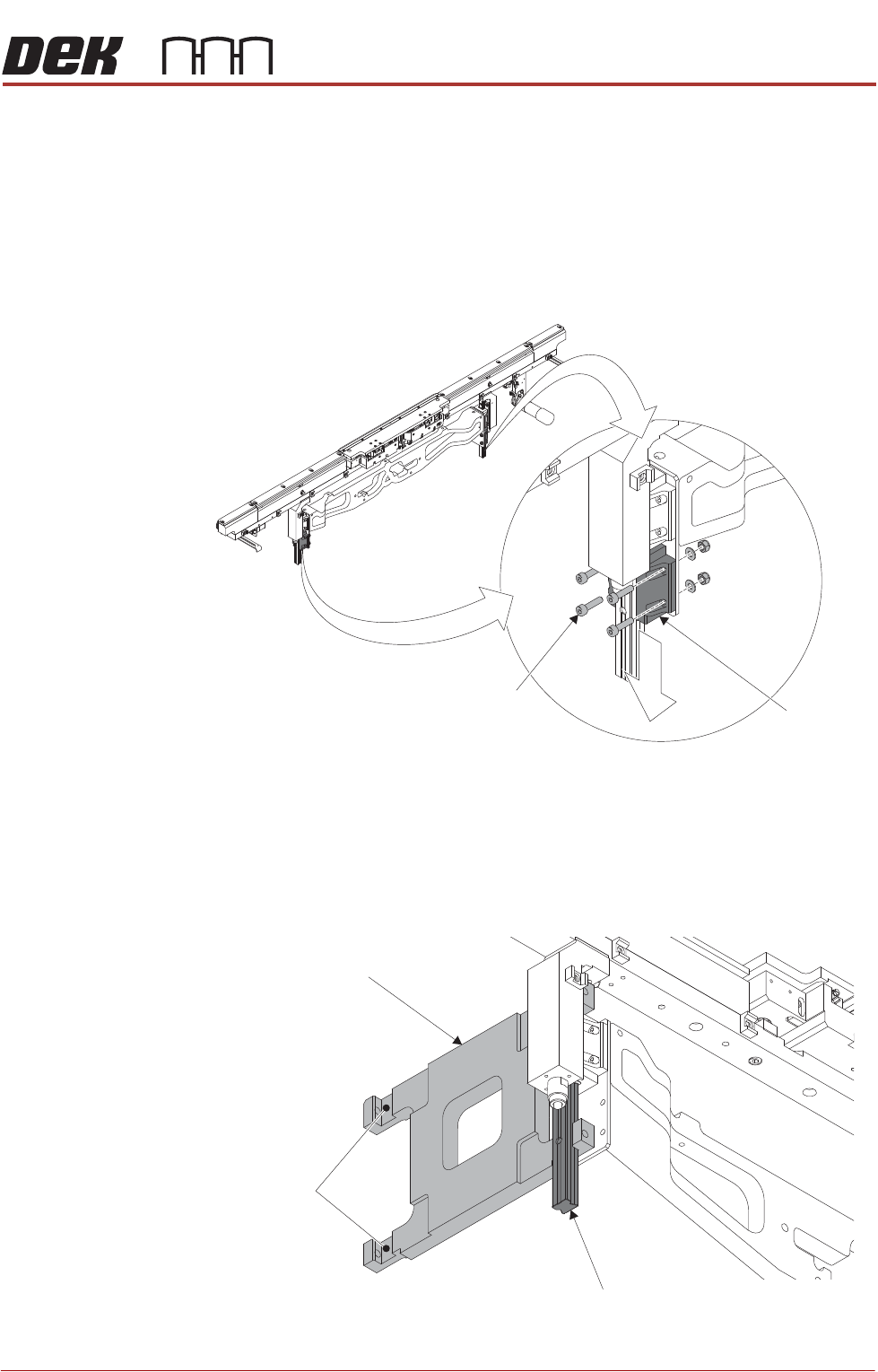
5. Locate the lower bearing carriages on the front transport rail left and right
leg linear guides. Remove the four retaining screws from each lower car
-
riage, and then remove the carriage by sliding off the bottom of the linear
guide.
NOTE
The upper and lower bearing carriages on each leg are matched sets, to
enable correct position and orientation on re-assembly they should be
marked/identified in some way.
6. Repeat Step 5 for the rear transport rail left and right leg lower bearing
carriages.
7. Using a pair of rail parallelism H jigs (Part No 158109) fit the jigs to the front
transport rail left and right leg linear guides. Ensure the linear guides fit
snugly in the jig slots.
Front Rail
Lower
Bearing
Carriage
Retaining Screw
(4 positions)
H Jig
Front Left Linear Guide
Rear Linear
Guide Slot
ALL PURPOSE CLAMPING (APC)
ADJUSTMENTS AND SETTINGS
1.28 All Purpose Clamping (APC) Manual Chapter Issue 1 Nov 16
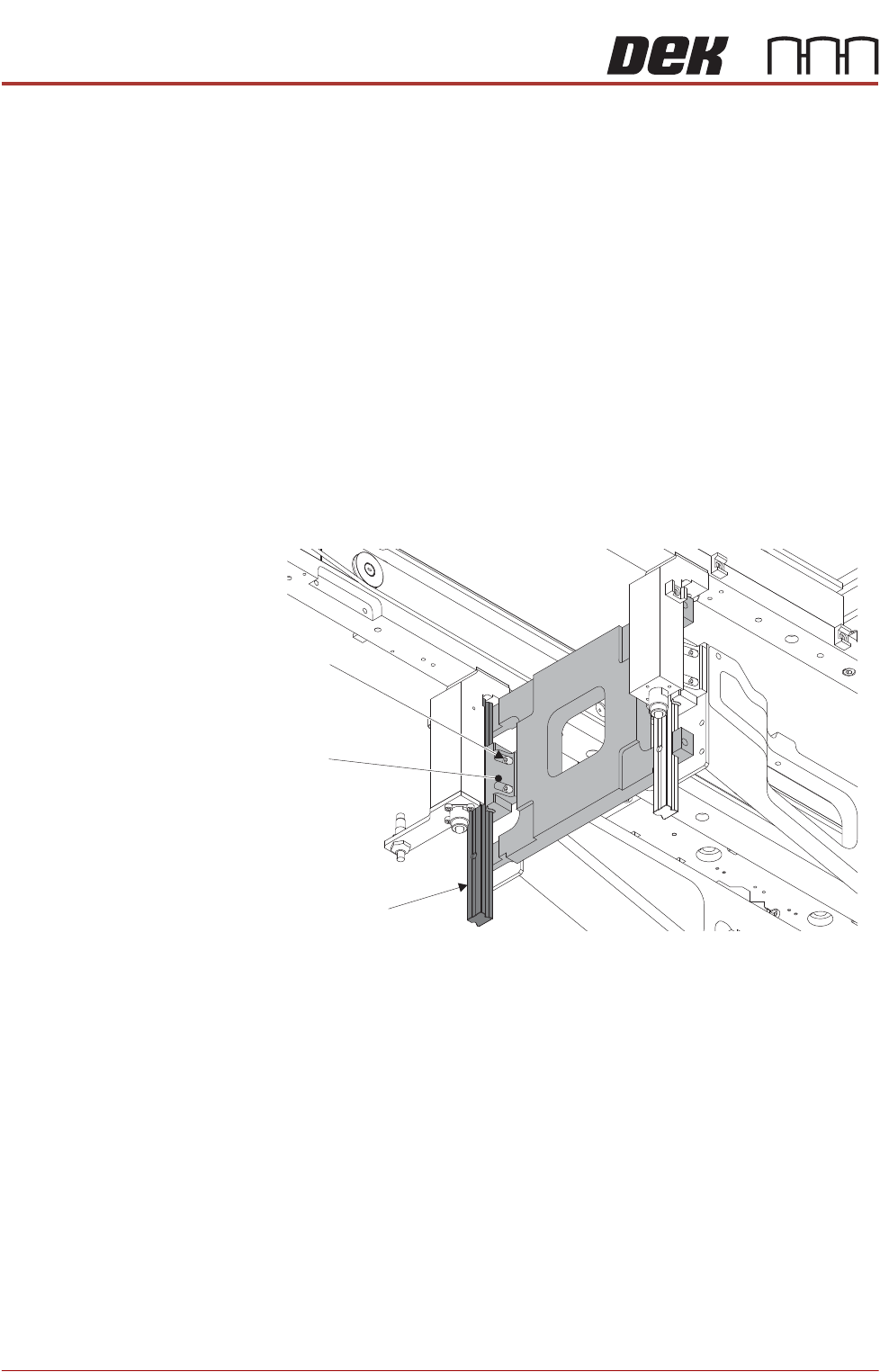
8. Move the rear transport rail forwards, towards the front rail, until the rear leg
linear guides fit into the slots of the H jigs.
If both sets of linear guides fit snugly in the slots of the jigs, the rear transport
rail is parallel to the front rail, go to Step 15.
If both sets of linear guides do not fit snugly in the slots of the jigs, continue
at Step 9.
9. Remove the H jigs and carry out the Front Rail Parallelism check as detailed
earlier in this chapter (reconnect air and electrical supplies as required).
10. Refit the H jigs.
If both sets of linear guides fit snugly in the slots of the jigs, the rear transport
rail is parallel to the front rail, go to Step 15.
If both sets of linear guides do not fit snugly in the slots of the jigs, continue
at Step 11.
11. Loosen the four screws securing the rear left hand side upper bearing
carriage to the rear table rail.
12. Repeat Step 11 on the rear right hand side.
13. Reposition the rear rail until the linear guides fit snugly in the jig slots.
14. Tighten all eight securing screws loosened in Steps 11 and 12.
15. Remove the H jigs.
16. Reinstall the four lower bearing carriages, removed at Steps 5 and 6. Use
the marking/identification to ensure the carriages are installed on the correct
rail leg.
17. Refit the machine panels removed in Step 4.
APC Clamp Setting
Procedure
The APC clamps are set up using Setting Jig Kit (part number 205909). This kit
is used to set both the front and the rear clamps. The complete procedure is
detailed in Setting Jig Manual (part number 205910) supplied in the kit.
Retaining Screw
(four positions)
Rear Left Linear Guide
Upper Bearing
Carriage