APC - 224650 Issue 1.pdf - 第41页
ALL PURPOSE CLAMPING (APC) ADJUSTMENTS AND SETTINGS Chapter Issue 1 Nov 16 All Purpose Clamping (APC) Manual 1.29 Home Position Rail Wid th and Board Guide Setting 1. Select Open Cover Comma nds . 2. Select Carriage T o …
ALL PURPOSE CLAMPING (APC)
ADJUSTMENTS AND SETTINGS
1.28 All Purpose Clamping (APC) Manual Chapter Issue 1 Nov 16
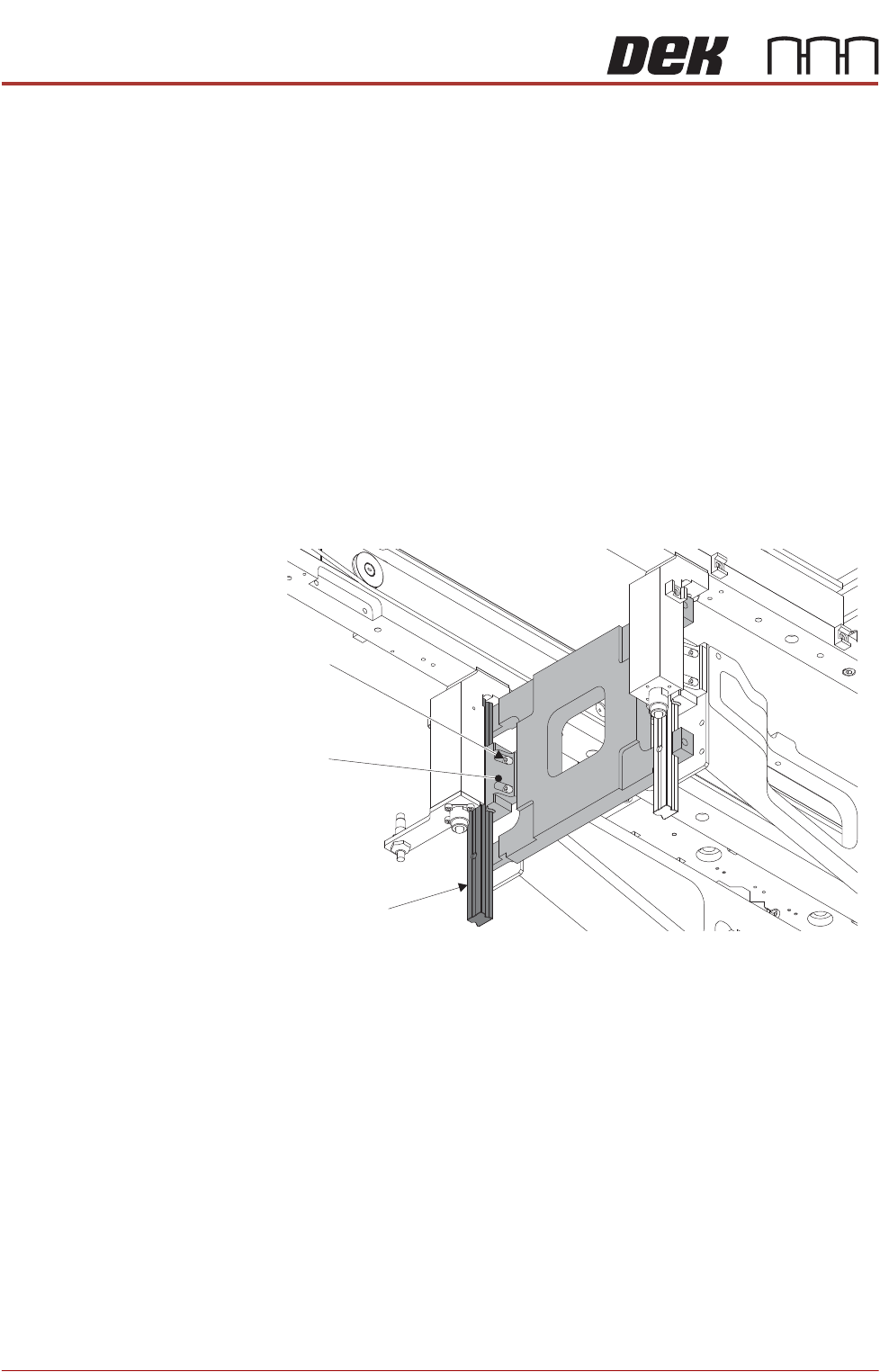
8. Move the rear transport rail forwards, towards the front rail, until the rear leg
linear guides fit into the slots of the H jigs.
If both sets of linear guides fit snugly in the slots of the jigs, the rear transport
rail is parallel to the front rail, go to Step 15.
If both sets of linear guides do not fit snugly in the slots of the jigs, continue
at Step 9.
9. Remove the H jigs and carry out the Front Rail Parallelism check as detailed
earlier in this chapter (reconnect air and electrical supplies as required).
10. Refit the H jigs.
If both sets of linear guides fit snugly in the slots of the jigs, the rear transport
rail is parallel to the front rail, go to Step 15.
If both sets of linear guides do not fit snugly in the slots of the jigs, continue
at Step 11.
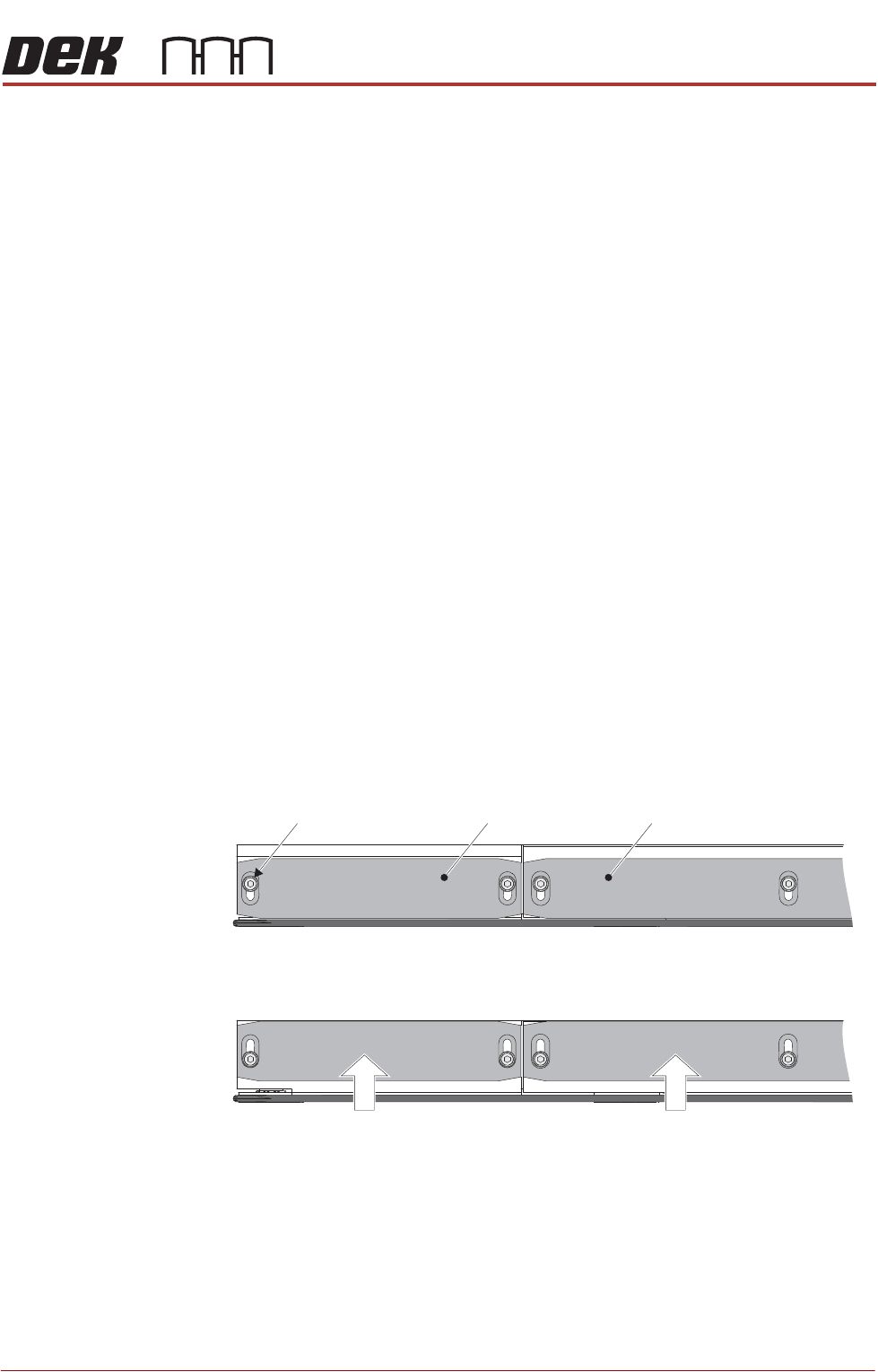
11. Loosen the four screws securing the rear left hand side upper bearing
carriage to the rear table rail.
12. Repeat Step 11 on the rear right hand side.
13. Reposition the rear rail until the linear guides fit snugly in the jig slots.
14. Tighten all eight securing screws loosened in Steps 11 and 12.
15. Remove the H jigs.
16. Reinstall the four lower bearing carriages, removed at Steps 5 and 6. Use
the marking/identification to ensure the carriages are installed on the correct
rail leg.
17. Refit the machine panels removed in Step 4.
APC Clamp Setting
Procedure
The APC clamps are set up using Setting Jig Kit (part number 205909). This kit
is used to set both the front and the rear clamps. The complete procedure is
detailed in Setting Jig Manual (part number 205910) supplied in the kit.
Retaining Screw
(four positions)
Rear Left Linear Guide
Upper Bearing
Carriage
ALL PURPOSE CLAMPING (APC)
ADJUSTMENTS AND SETTINGS
Chapter Issue 1 Nov 16 All Purpose Clamping (APC) Manual 1.29
Home Position Rail
Width and Board
Guide Setting
1. Select Open Cover Commands.
2. Select Carriage To Rear.
3. Select Unload Screen.
4. Open the front printhead cover.
5. Remove the screen from the machine.
6. Close the front printhead cover.
7. Press the System button.
8. Select Back.
9. Select Maintenance.
10. Select Diagnostics.
11. Use Next or Previous to highlight Rail System.
12. Select Select Module.
13. Ensure that Home Rail Width is highlighted.
14. Select Run Diagnost.
15. Select Adjust and set the board width to 200mm.
16. Select Exit.
17. Use Next or Previous to highlight Drive Rail to Board Width.
18. Select Run Diagnost.
19. Open the front printhead cover.
20. Loosen all board guide retaining screws (12 per rail), and slide all board
guides outwards away from the conveyor belt.
End Rail
Mid Rail
Retaining Screw
Part View of Rear Rail - Pre-Move
Part View of Rear Rail - Post-Move
ALL PURPOSE CLAMPING (APC)
ADJUSTMENTS AND SETTINGS
1.30 All Purpose Clamping (APC) Manual Chapter Issue 1 Nov 16
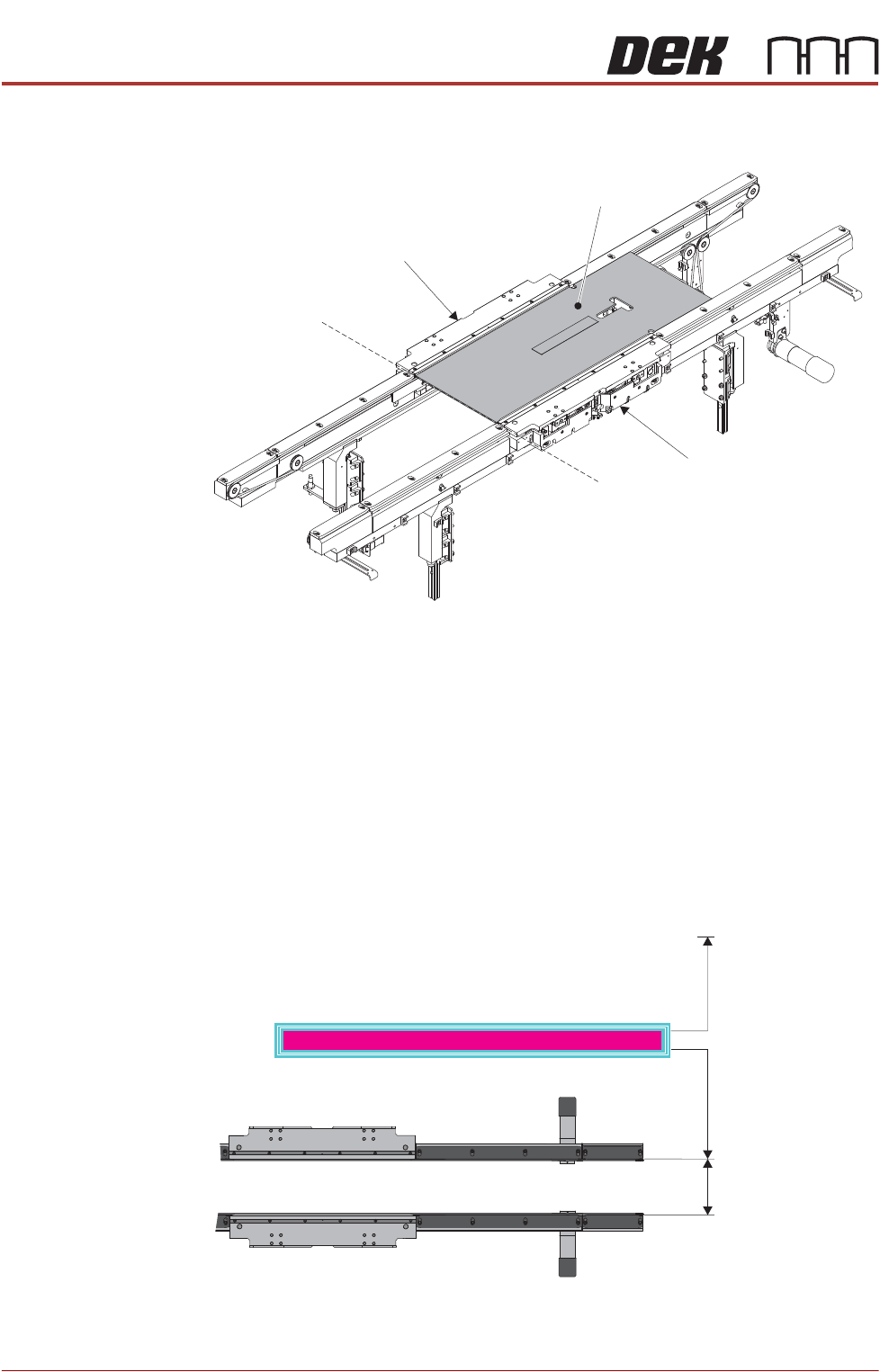
21. Load the APC Conveyor Setting Jig (Pt No. 225240) into the print area. Align
the left-hand edge of the jig with the left-hand end of the APC modules.
22. Close the front printhead cover.
23. Press the System button.
24. Use Next or Previous to highlight Set Rail Board Width Calibration.
25. Select Run Diagnost to open the Rail Width Offset window.
26. Use Incr. or Decr. to set the offset required to hold the jig.
NOTE
Increasing the offset increases the dimension between the rear rail and the
home position, therefore decreasing the width between the front and rear
rails.
27. Select Move.
APC Conveyor Setting Jig
APC Rear Module
APC Front Module
Alignment
Rear of Machine
Rail Width
RAIL WIDTH OFFSET 0.00 mm