NPM-D3维修手册.pdf - 第201页
NPM-D3 Service Manual 5.6 2D Inspection Head EJM6D3-MB-05SM-00( 編集中 ).DOC Page 5-73 15. Put down the brackets A and B of the check box as shown below. 検査 BOX のブラケット A 、およびブラケット B を収納時状態にする。 使检查 BOX 的托架 A 以及托架 B 成为收纳时的状态。…
NPM-D3
Service Manual
5.6 2D Inspection Head
Page 5-72 EJM6D3-MB-05SM-00(
編集中
).DOC
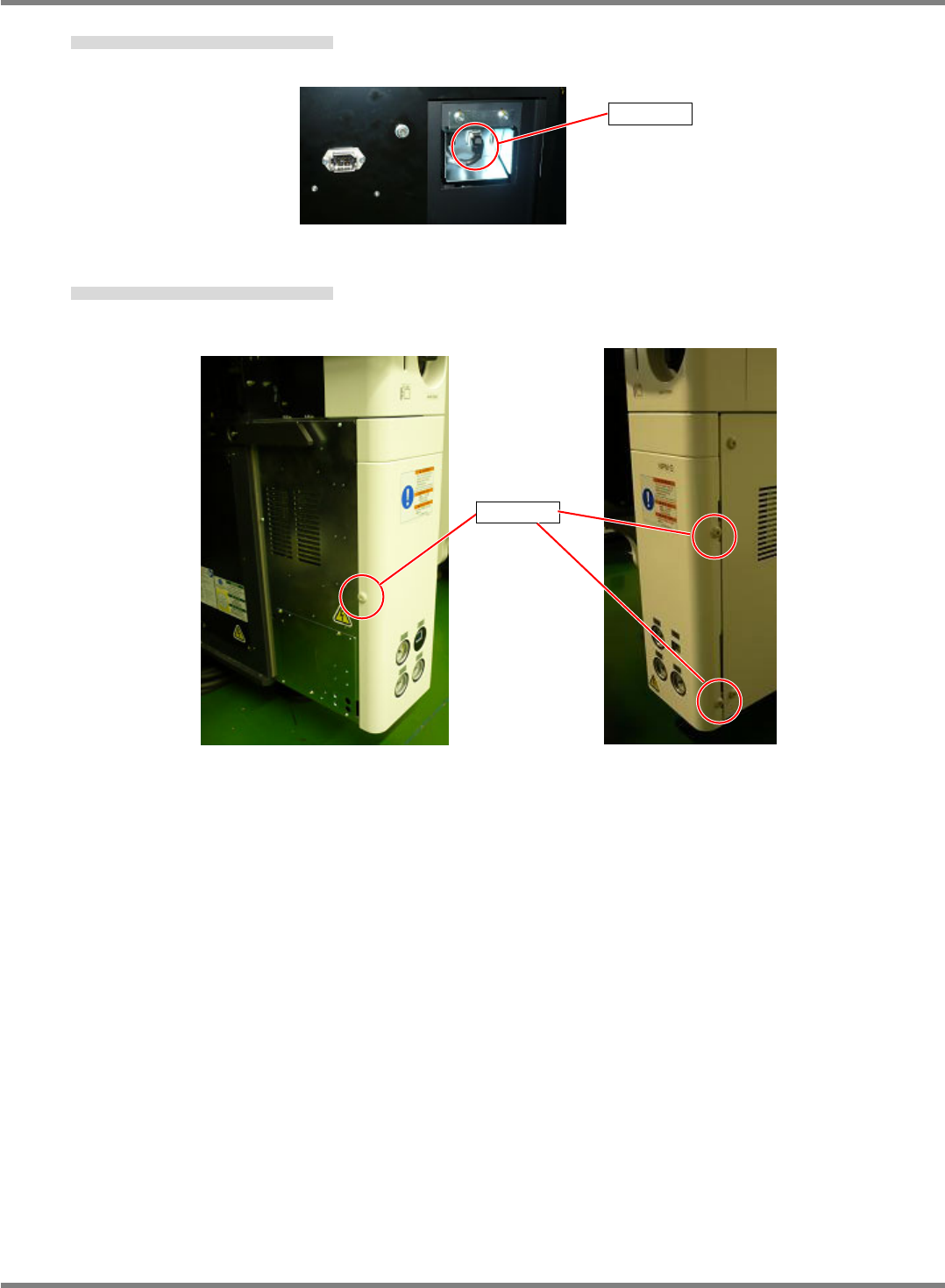
Screw
13. Connect the LAN cable from the NPM to the LAN1 port.
NPM 本体からの LAN ケーブルをコネクタに接続する。
将来自于 NPM 主体的 LAN 电缆连接到连接器。
14. Reattach the screw of the cover of the NPM and tighten it to secure the cover. (3 positions)
NPM 本体のカバーのネジを取り付けて締める。(3 か所)
装上 NPM 主体罩盖的螺丝并拧紧。(3 处)
LAN1
NPM-D3
Service Manual
5.6 2D Inspection Head
EJM6D3-MB-05SM-00(
編集中
).DOC Page 5-73
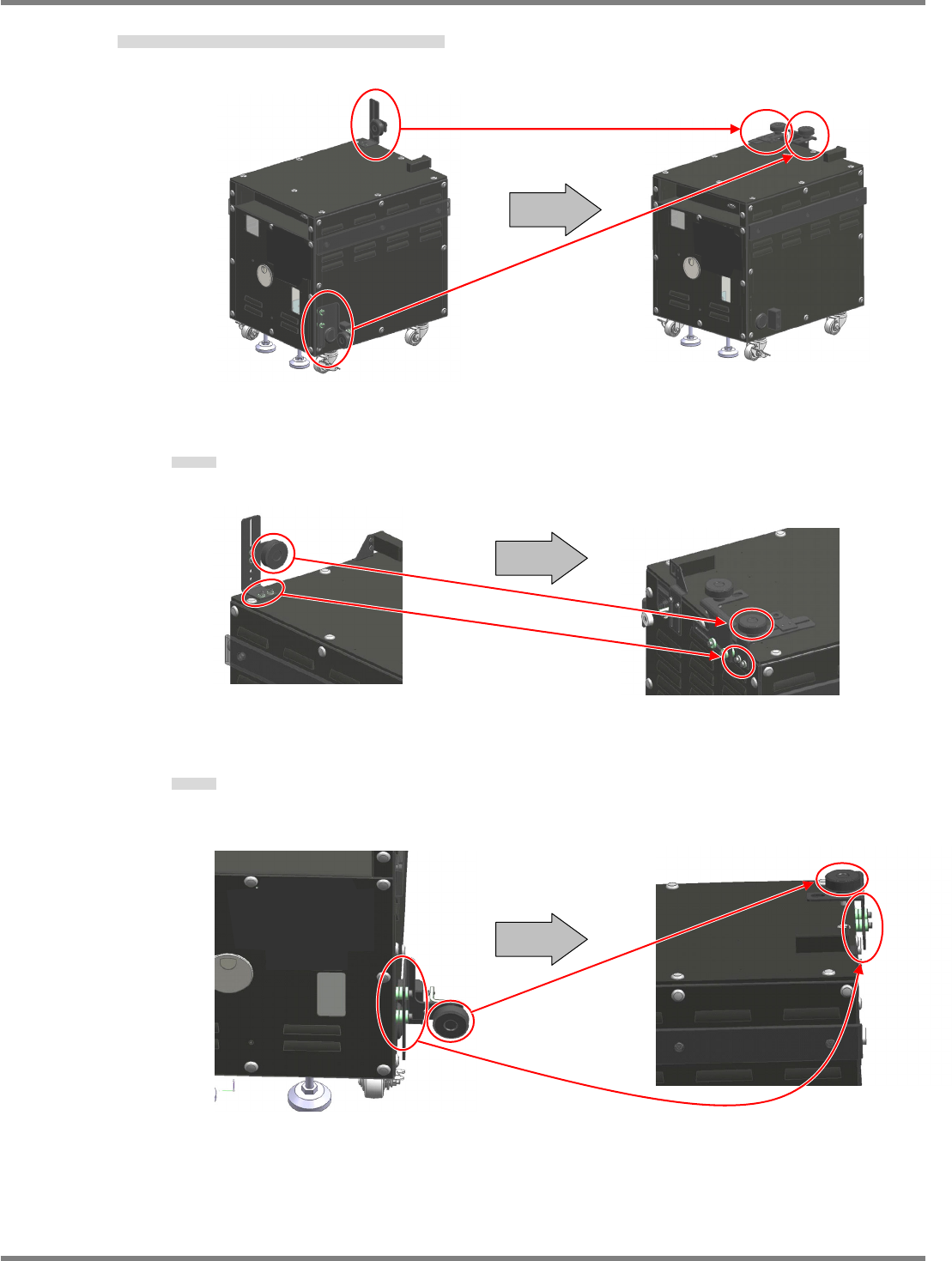
15. Put down the brackets A and B of the check box as shown below.
検査 BOX のブラケット A、およびブラケット B を収納時状態にする。
使检查 BOX 的托架 A 以及托架 B 成为收纳时的状态。
Bracket A
Bracket A
托架 A
Bracket B
Bracket B
托架 B
Bracket A
Bracket B
Rear
Top
Top
Front
NPM-D3
Service Manual
5.6 2D Inspection Head
Page 5-74 EJM6D3-MB-05SM-00(
編集中
).DOC
Safety cover
5.6.3 Detaching the Safety Cover
安全カバー取り外し
卸下安全盖
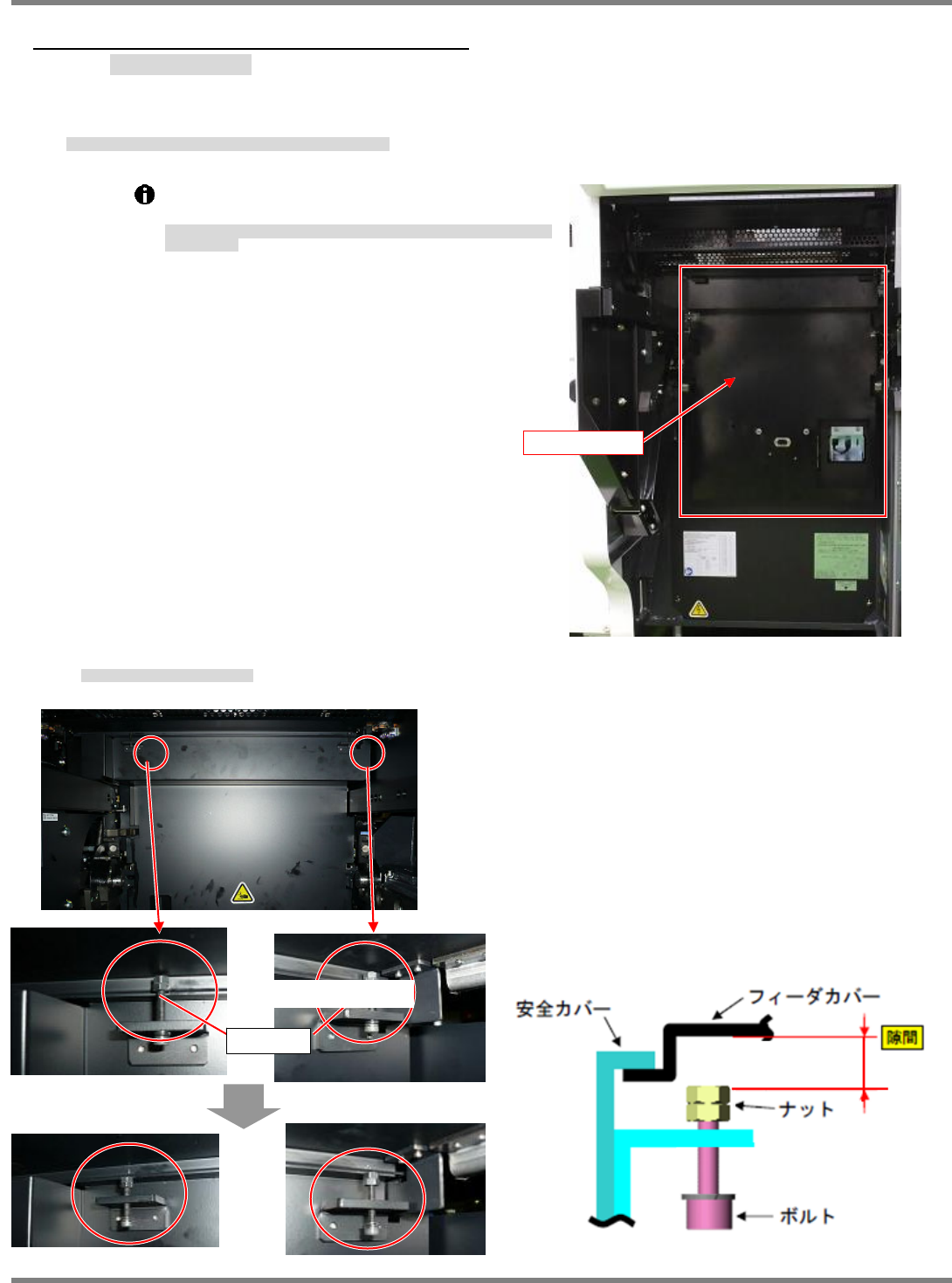
Detach the safety cover from the NPM and store it in the dedicated case B.
安全カバーを NPM 本体から取り外し、専用ケース B に収納します。
从 NPM 主体上卸下安全盖,收纳到专用盒中。
Note that there is a connector on the back of the
safety cover that is connected to the NPM.
安全カバーの背面にはコネクタがあり、NPM 本体と接続されていますので、注意
してください。
安全盖的背面有连接器,是与 NPM 主体连接着的,请注意。
31.
1. Loosen the upper bolts. (2 positions)
上部のボルト (2 か所) を緩めます。
松开上部的螺栓(2 处)。
Bolt
Safety cover
Feeder cover