NPM-D3维修手册.pdf - 第287页
NPM-D3 SERVICE MANUAL 7.2 System Version Up EJM6D3-MB-07SM-00( 編集中 ).DOC Page 7-27 7.2.2 Preparing for Software Update (Copying Files) ソフトのアップデートの準備 ( ファイルをコピーする ) 软件的更新准备 ( 复制文件 ) When the machine system softwa re needs…
NPM-D3
SERVICE MANUAL
7.2 System Version Up
Page 7-26 EJM6D3-MB-07SM-00(
編集中
).DOC
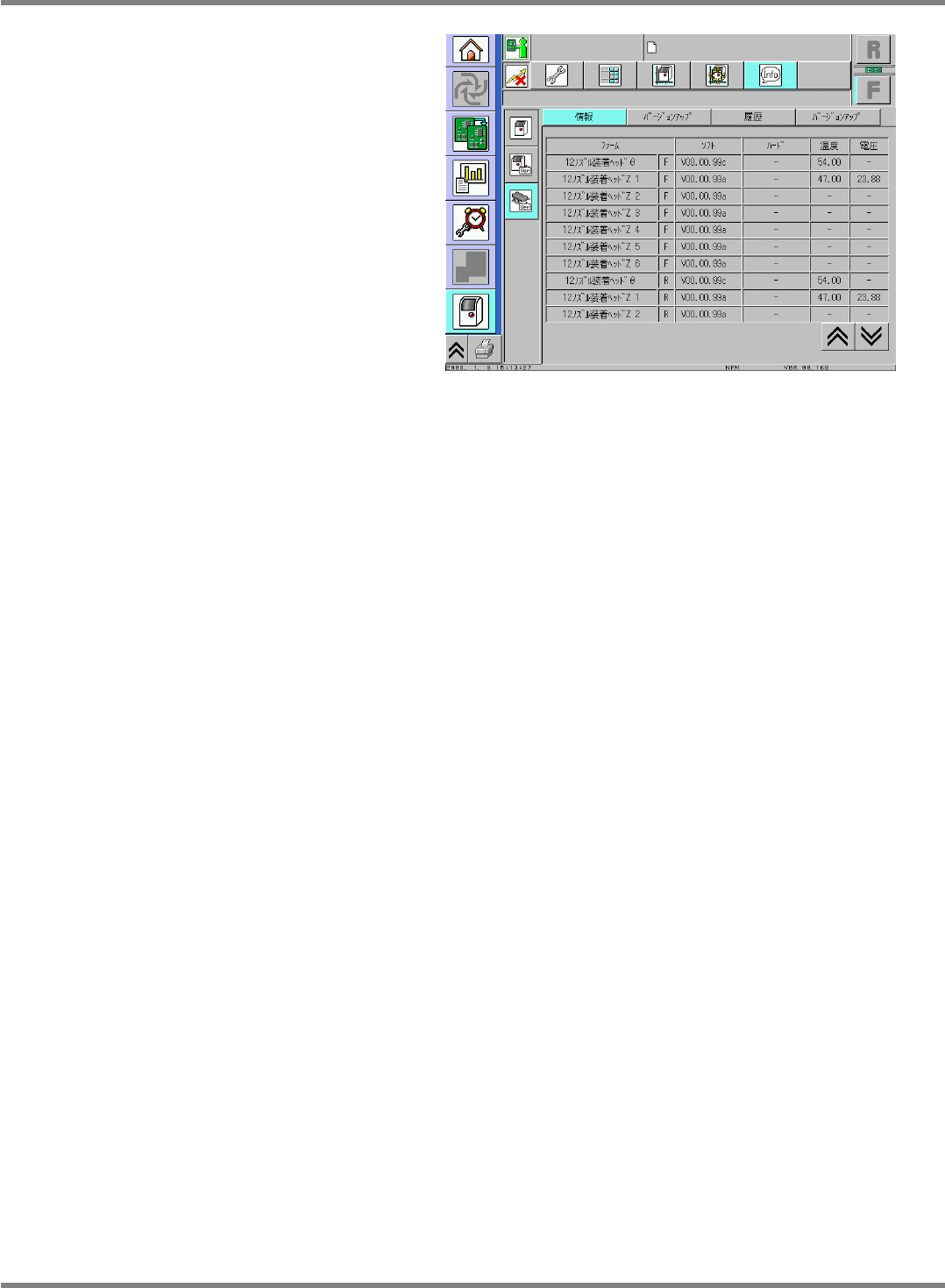
3. Versions of the configuration units
構成ユニットのバージョンの表示
构成装置的版本显示
Version information of the configuration
units are displayed.
構成ユニットのバージョンが表示されます。
将会显示构成装置的版本。
NPM-D3
SERVICE MANUAL
7.2 System Version Up
EJM6D3-MB-07SM-00(
編集中
).DOC Page 7-27
7.2.2 Preparing for Software Update (Copying Files)
ソフトのアップデートの準備 (ファイルをコピーする)
软件的更新准备 (复制文件)
When the machine system software needs to be updated because of upgrades, we will send you a system
CD. Follow the instructions below to update your software.
機能向上などでマシンシステムソフトのアップデートが必要になった場合、弊社よりシステム CD を送付させていただきます。以下の手順にしたがいアップデートを行ってください。
为了提高功能,需要机器系统软件的更新时,本公司将寄送给您系统 CD。按照以下步骤,请进行更新。
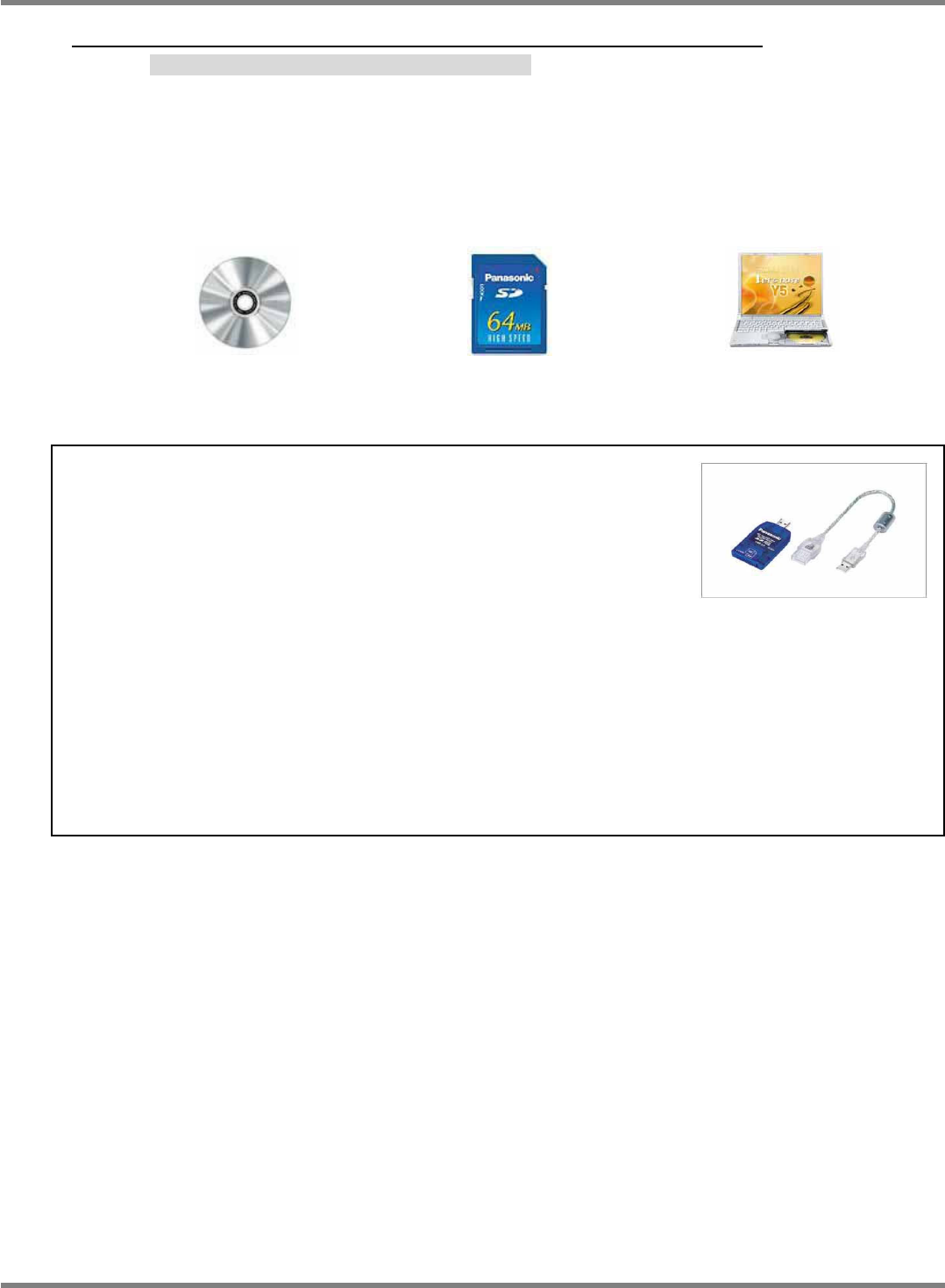
Items to be prepared
準備するもの
需要准备的物品
System CD provided by
Panasonic
弊社より送付したシステム CD
从本公司寄送给您的系统 CD
*SD card is to be prepared by the user.
(64MB or more).
SD カードは準備ください (64MB 以上)
请准备 SD 卡 (64MB 以上)
PC to write to SD card.
SD カードに書き込みできるパソコン
在 SD 卡中可以写入的电脑
NOTICE
お知らせ
通知
・
If your PC has no SD slot, purchase a commercially
available SD card reader.
お持ちのパソコンに
SD
カードを読み込む環境がない場合、市販の
SD
カードリーダをご購入ください。
现有的电脑没有读取
SD
卡的环境时,请购买市面销售的
SD
卡读取器。
Recommended item
推奨品
推荐品
(System requirements)
(動作環境)
(动作环境)
USB2.0 reader for
SD / mini SD card
BN-SDCGP3
SD / mini SD カード用
USB2.0 リーダ
SD / mini SD 卡用
USB2.0 读取器
OS:
対応 OS
对应 OS
Windows XP / 2000 / Me / 98 (including the Second Edition)
Excluding Windows XP Professional x64 Edition and Server OS.
Windows XP, Windows 2000, Windows Me, Windows 98 (Second Edition 含む)
Windows XP Professional x64 Edition およびサーバ OS を除く
Windows XP, Windows 2000, Windows Me, Windows 98 (包括 Second Edition)
Windows XP Professional x64 Edition 以及服务器 OS 除外
Supported
computer:
対応機種
对应机种
PC/AT compatible machine with USB port, PC98NX series (NEC)
USB ポートを持つ PC / AT 互換機、PC98NX シリーズ
备有 USB 端口的 PC / AT 互换机,PC98NX 系列
4.
NPM-D3
SERVICE MANUAL
7.2 System Version Up
Page 7-28 EJM6D3-MB-07SM-00(
編集中
).DOC
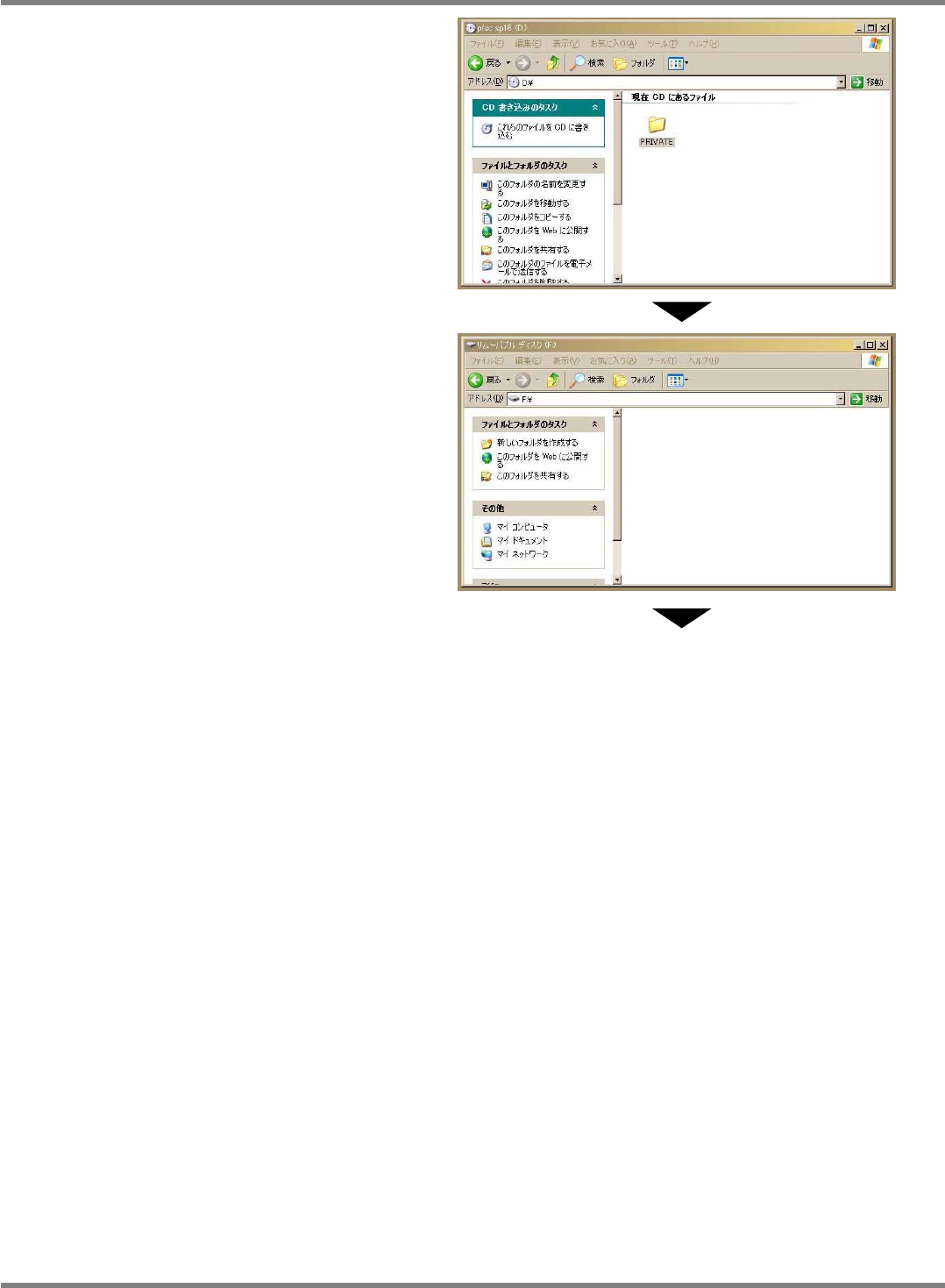
1. Read the system CD.
システム CD を読み込みます。
读取系统 CD。
Check that the CD contains a folder named
as “PRIVATE”.
“PRIVATE” というフォルダがあることを確認してください。
请确认有“PRIVATE” 文件夹。
2. Check for folders on SD card.
SD カードのフォルダを確認します。
确认 SD 卡中的文件夹。
Make sure that there is no data in the SD card.
SD カードにデータが入っていないことを確認してください。
请确认 SD 卡中没有数据。
If any data exists, save it in the PC to empty
the SD card.
データが入っていましたらパソコンへデータを移動し、SD カードをブランクとしてく
ださい。
如果有数据,请将其移动到电脑上,使 SD 卡中没有数据的状态。
To the next page