NPM-D3维修手册.pdf - 第76页
NPM-D3 SERVICE MANUAL 4.5 Sensors Page 4-38 EJM6D3-MB-04SM-02.DOC Multi Recognition Camera Attaching マルチ認識カメラの取り付け 多功能识别照相机的安装 18. 1. Secure the body of the multi recognition came ra in position. マルチ認識カメラ本体を固定します。 固定住多…
NPM-D3
SERVICE MANUAL
4.5 Sensors
EJM6D3-MB-04SM-02.DOC Page 4-37
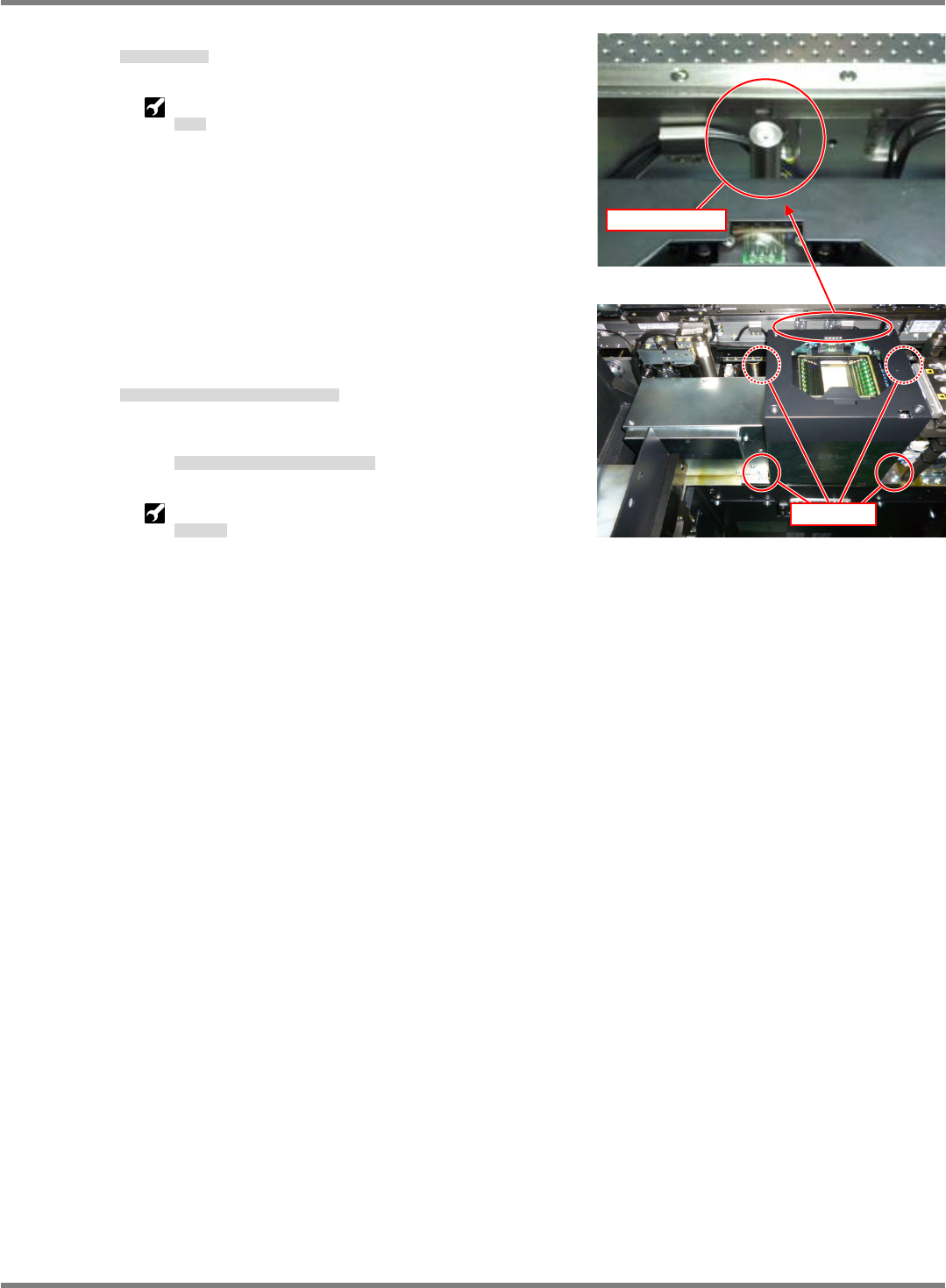
4. Remove the recognition pole.
認識ポールを外す。
拆下识别柱。
Spanner: 10 mm
スパナ
扳手
5. Remove the screws securing the body of the multi
recognition camera.
マルチ認識カメラ本体を固定しているネジを外す。
拆下固定多功能识别照相机主体的螺钉。
Remove the four screws at the black chassis.
黒い筐体部分の
4
か所のネジを外します。
拆下黑色框体部分的
4
处螺钉。
Allen wrench: M5
六角レンチ
六角扳手
Fig. 2
Fig. 1
Recognition pole
4 positions
NPM-D3
SERVICE MANUAL
4.5 Sensors
Page 4-38 EJM6D3-MB-04SM-02.DOC
Multi Recognition Camera Attaching
マルチ認識カメラの取り付け
多功能识别照相机的安装
18.
1. Secure the body of the multi recognition camera in position.
マルチ認識カメラ本体を固定します。
固定住多功能识别照相机的主体。
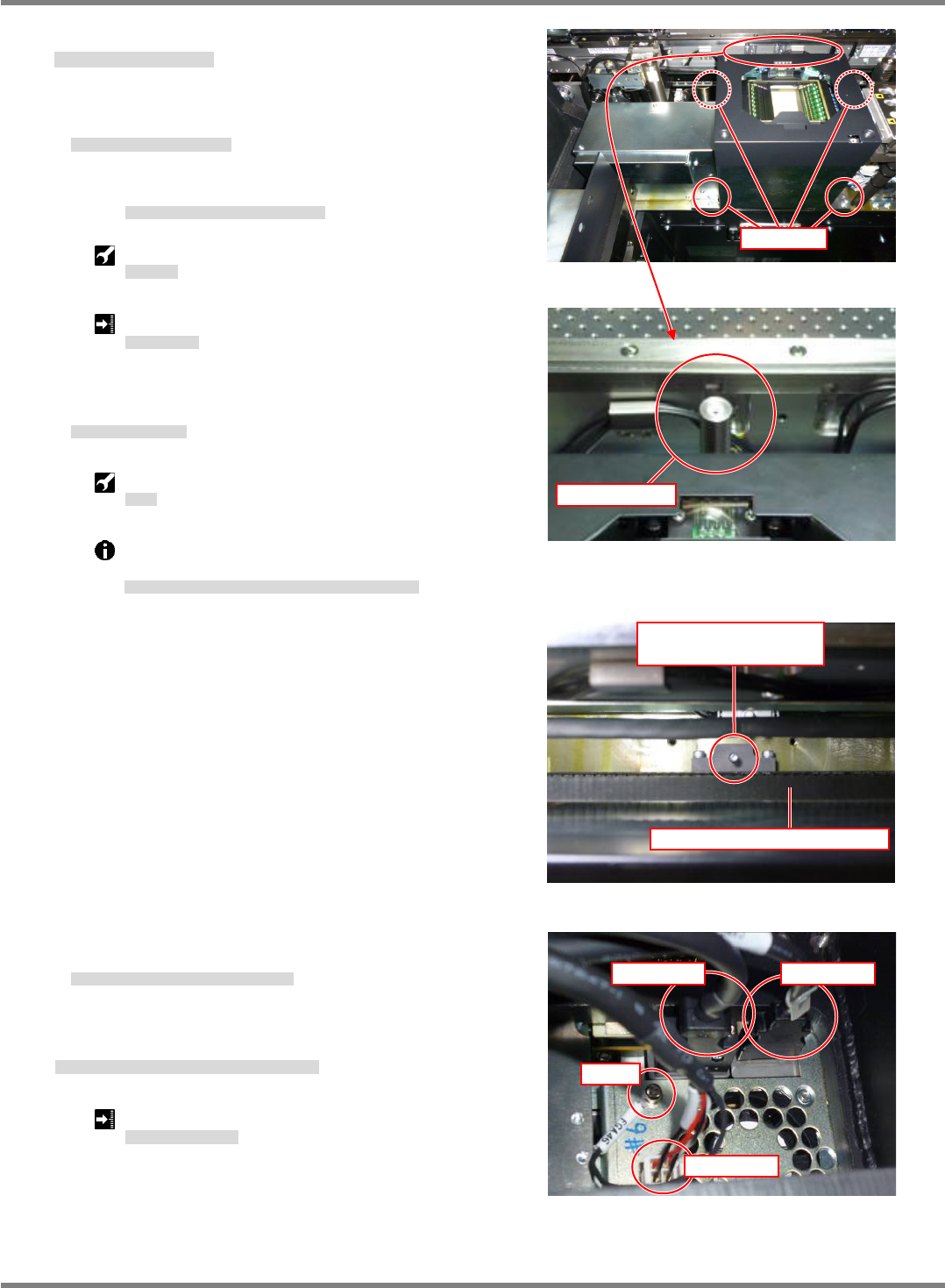
Secure the black chassis with four screws.
黒い筐体部分を
4
本のネジで固定します。
用
4
根螺钉固定住黑色框体部分。
Allen wrench: M5
六角レンチ
六角扳手
Tightening torque: 9.8 N
・
m
締め付けトルク
拧紧扭矩
2. Reattach the recognition pole.
認識ポールを取り付ける。
安装识别柱。
Spanner: 10 mm
スパナ
扳手
Cross the pole over the conveyor width adjustment
belt on the front side.
フロント側は、幅寄せベルトをまたいで取り付けてください。
前侧请跨在宽度调整皮带处安装。
3. Reconnect the cables of the machine to the multi
recognition camera.
設備側のケーブルをマルチ認識カメラに接続する。
将设备侧的电缆连接到多功能识别照相机上。
Reconnect the connectors CN2A45, CN3A45, CN1RA45 and
FG45 as before.
CN2A45
、
CN3A45
、
CN1RA45
、
FG45
を接続します。
连接
CN2A45
、
CN3A45
、
CN1RA45
、
FG45
。
Tightening torque of FG45: 180 cN
・
m
FG45
の締め付けトルク
FG45
的拧紧扭矩
4 positions
Fig. 1
Fig. 2
Recognition pole
Fig. 4
CN3A45 CN2A45
CN1RA45
FG45
Fig. 3
Reattach the recognition
pole here
Conveyor width adjustment belt
NPM-D3
SERVICE MANUAL
4.5 Sensors
EJM6D3-MB-04SM-02.DOC Page 4-39
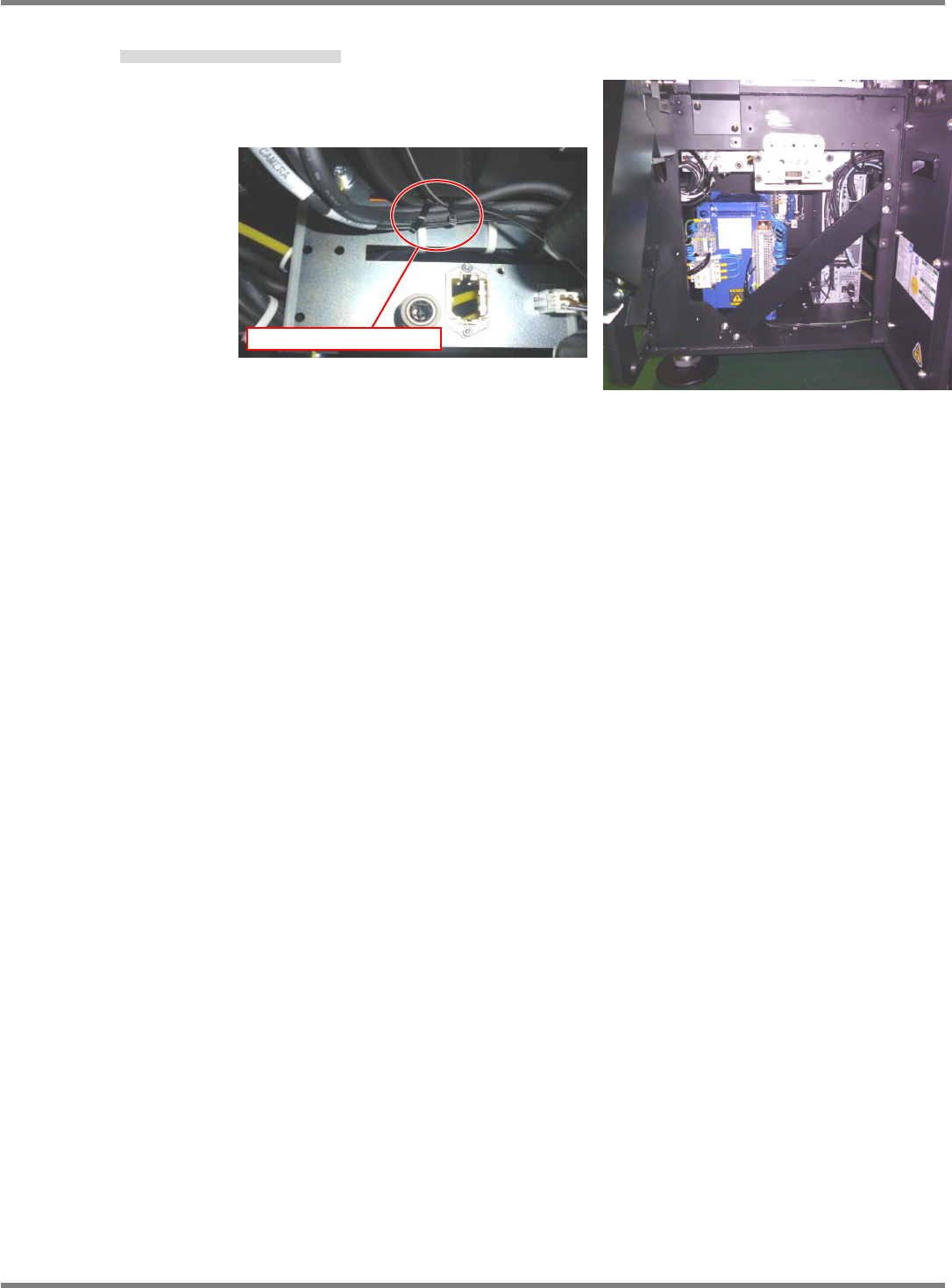
4. Secure the cables of the multi recognition camera with cable ties.
マルチ認識カメラの配線を結束バンドで固定する。
用绑扎带固定住多功能识别照相机的电线。
Fig. 6
Secure with cable ties
Fig. 5