NPM-D3维修手册.pdf - 第212页
NPM-D3 Service Manual 5.6 2D Inspection Head Page 5-84 EJM6D3-MB-05SM-00( 編集中 ).DOC 9. Connect the LAN cable to the NPM. LAN ケーブルを NPM 本体に取り付けます。 将 LAN 电缆装到 NPM 主体上。 Run the LAN cable through the left hole of the bracket…
NPM-D3
Service Manual
5.6 2D Inspection Head
EJM6D3-MB-05SM-00(
編集中
).DOC Page 5-83
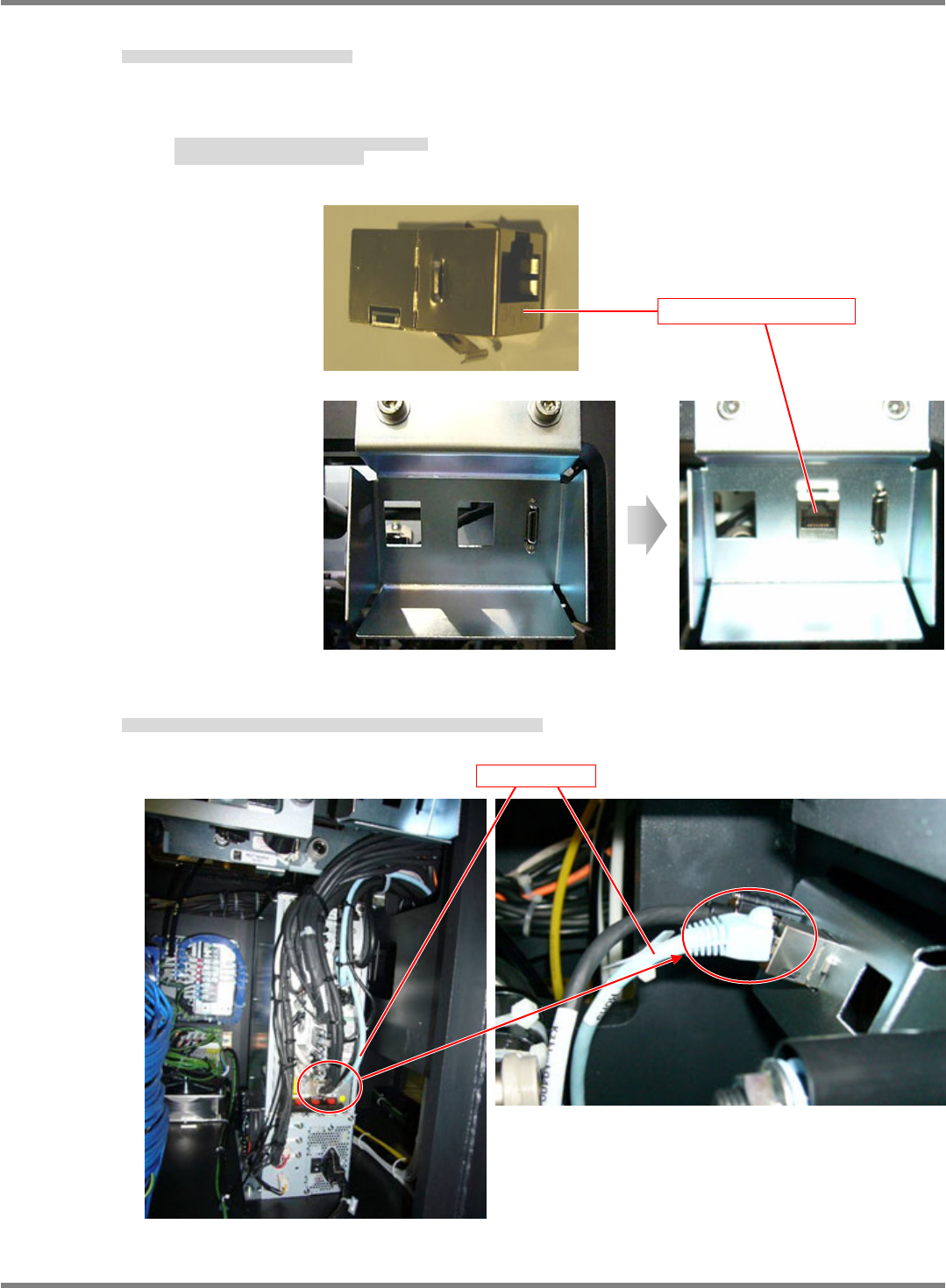
7. Connect the LAN relay connector to the NPM.
LAN 中継コネクタを NPM 本体に取り付けます。
将 LAN 中继连接器装到 NPM 主体上。
Insert the connector from behind the bracket as shown in Fig. 1.
First, hook the spring at the bottom.
図 1 のような状態でブラケットの裏側より挿入する。
先に下側のバネを引っ掛けて挿入する。
按照图 1 的状态从托架的里侧插入。
先挂住下侧的弹簧再插入。
8. Disconnect the LAN cable connected to the CPU board and connect it to the LAN relay connector.
CPU ボードに差し込んでいる LAN ケーブルを抜き、LAN 中継コネクタに差し込みます。
拔出插在 CPU 板上的 LAN 电缆,插入到 LAN 中继连接器中。
Fig. 1
LAN relay connector
LAN cable
NPM-D3
Service Manual
5.6 2D Inspection Head
Page 5-84 EJM6D3-MB-05SM-00(
編集中
).DOC
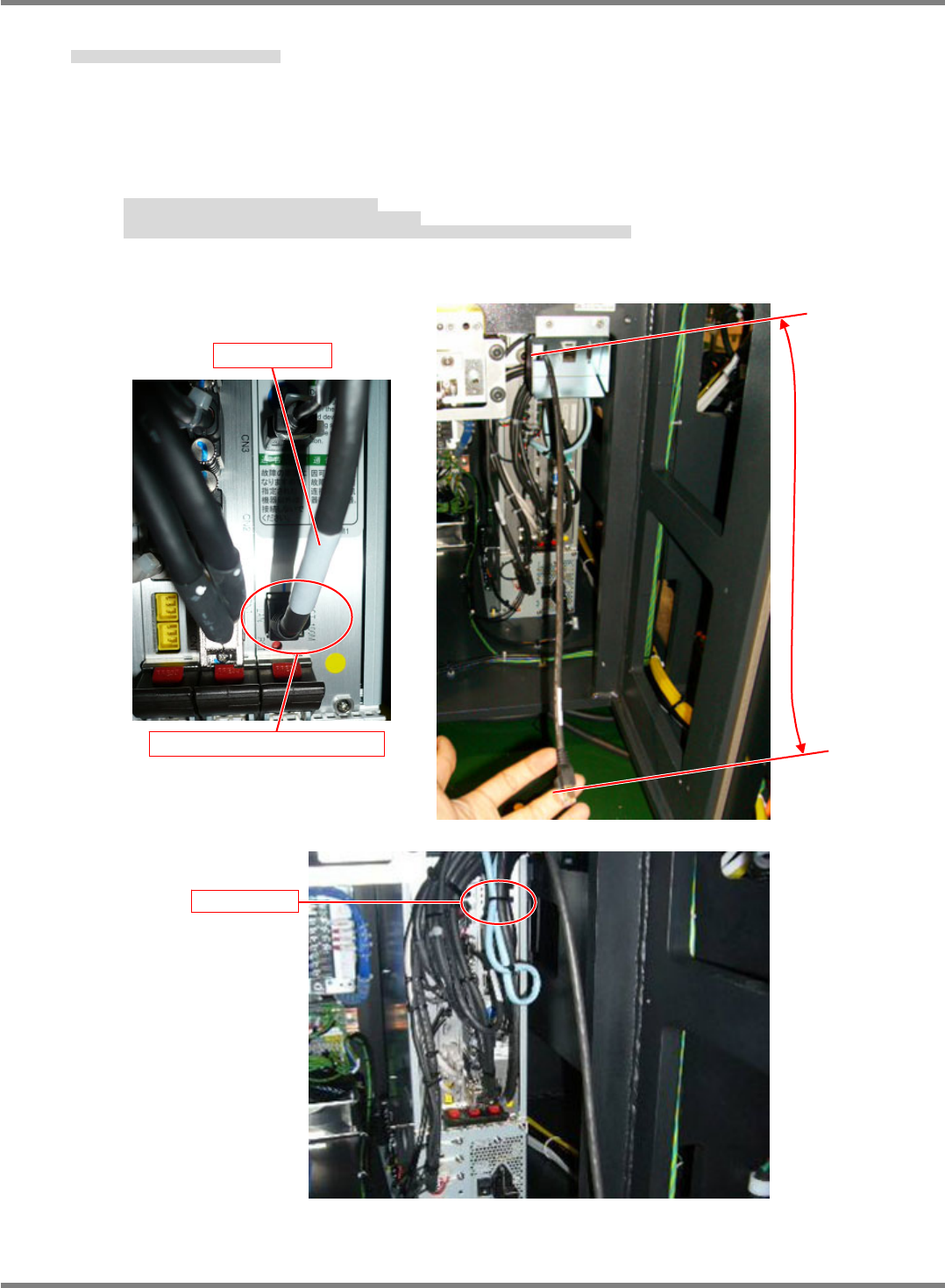
9. Connect the LAN cable to the NPM.
LAN ケーブルを NPM 本体に取り付けます。
将 LAN 电缆装到 NPM 主体上。
Run the LAN cable through the left hole of the bracket.
Connect the LAN cable to the LAN connector of the CPU board.
With the cable length adjusted to 400 mm from the bracket, secure the LAN cable with a cable tie
(100 mm).
LAN ケーブルをブラケットの左側の穴から通します。
LAN ケーブルを CPU ボードの LAN コネクタに差し込みます。
ブラケットからのケーブル長が 400mm になる状態で LAN ケーブルをインシュロック(100mm)で固定する。
使 LAN 电缆穿过托架左侧的孔。
将 LAN 电缆插入到 CPU 板的 LAN 连接器中。
用绝缘绑扎带(100 mm)固定 LAN 电缆,使得来自于托架的电缆长度为 400 mm。
400 mm
CPU board/LAN connector
LAN cable
Cable tie
NPM-D3
Service Manual
5.6 2D Inspection Head
EJM6D3-MB-05SM-00(
編集中
).DOC Page 5-85
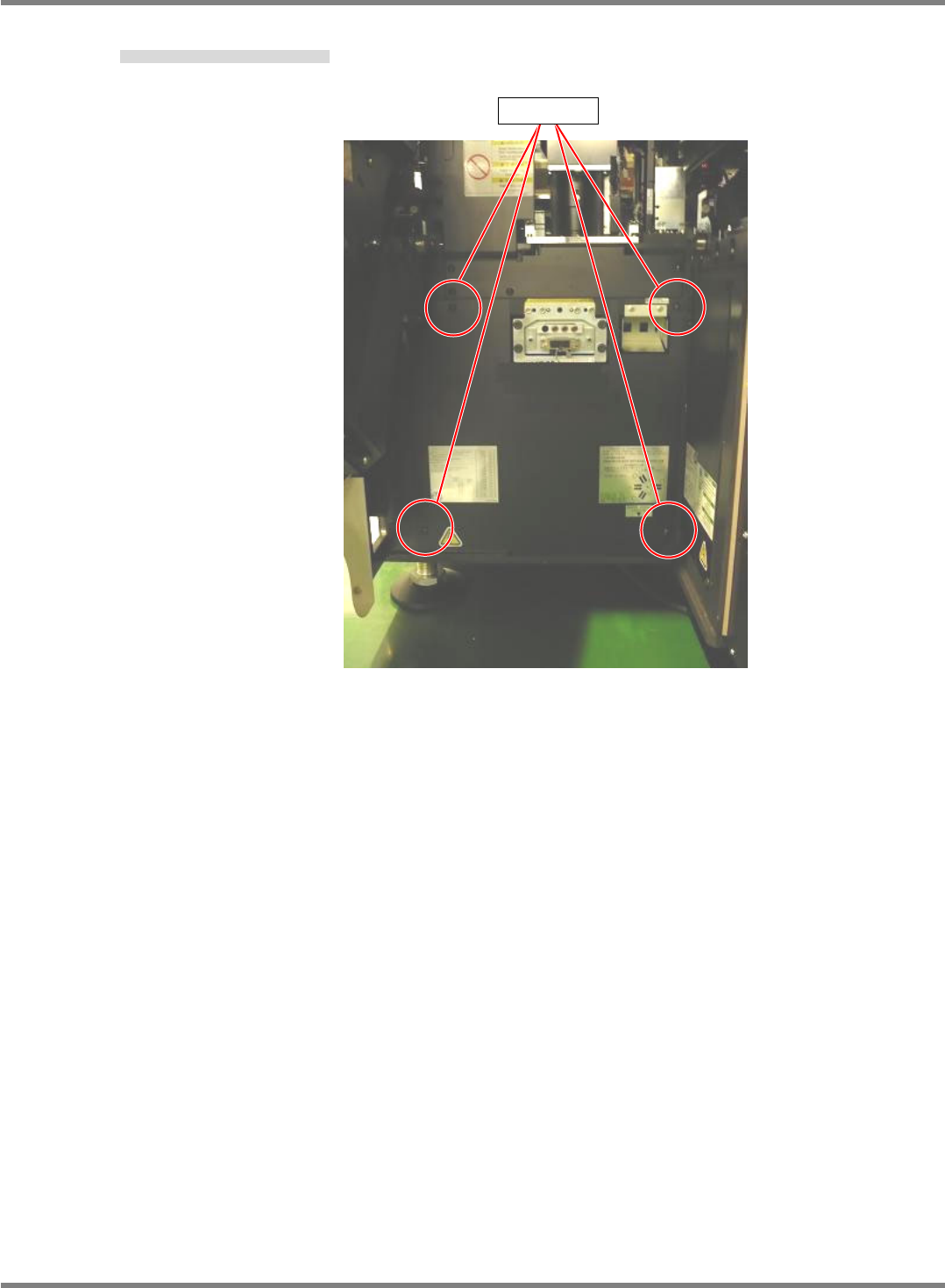
10. Tighten the screws of the cover of the NPM. (4 positions)
NPM 本体のカバーをネジで締める。(4 か所)
将 NPM 主体盖用螺丝拧紧。(4 处)
Screw