SIPLACE D4-D4i 工程师手册_EN.pdf - 第113页
Service Work 4.4.2 Replacing the Complete Drive Unit [00359284] PCB conveyor system Service Manual SIPLACE D4/D4i 113 4.4.2 4 . 4 . 2 R e p la c in g t h e C o m p le t e D r iv e U n it [ 0 0 3 5 9 2 8 4 ] Replacing the…
Service Work
4.4.2 Replacing the Complete Drive Unit [00359284] PCB conveyor system
Service Manual SIPLACE D4/D4i 113
4.4.2
4.4.2 Replacing the Complete Drive Unit [00359284]
Replacing the Complete Drive Unit [00359284]
Overview
Removal
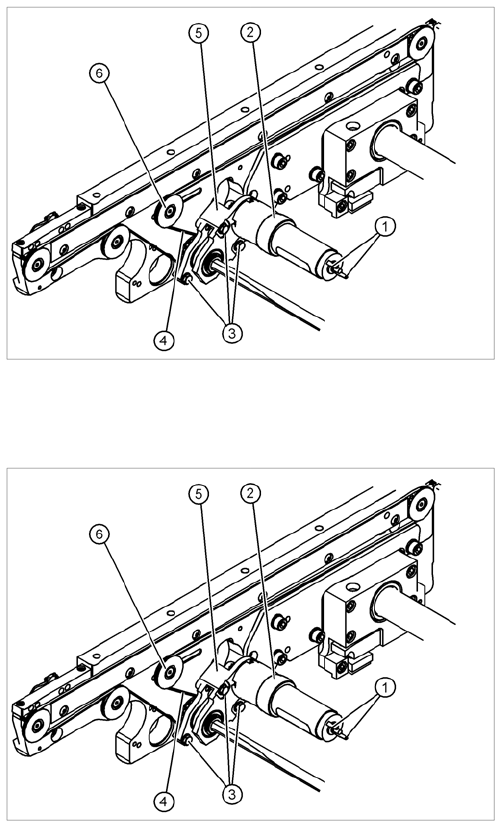
Legend
1. Cable connections
2. Heat-shrinkable sleeve
3. Fastening screws
4. Conveyor toothed belt
5. Motor mount
6. Deflection pulley with slot
The DC geared motors, including the motor mounts of all
5 conveyor areas, are of like construction. Please bear in
mind the following differences during assembly and dis-
assembly:
▪ The motor mount is installed at an angle (tilted), ac-
cording to the requirements of the installation site.
► Move the conveyor system apart until the motor fix-
ture screws (3) are accessible. This may differ ac-
cording to the conveyor type and area.
► Move the Y gantries into the area outside the PCB
conveyor.
► Switch off the machine and secure it to prevent unau-
thorized reactivation.
► Mark the polarity (+ / -) of the cable connections (1) -
important for the direction of rotation!
► Disconnect the cable shoes from the motor terminals
(1).
Service Work
PCB conveyor system 4.4.2 Replacing the Complete Drive Unit [00359284]
114 Service Manual SIPLACE D4/D4i
Installation
See also
6.5.1 Adjusting the Tension of the Conveyor Toothed Belt [ ➙ 224]
► Strip the heat-shrinkable sleeve, (2) used to fasten
the connection cable, from the circumference of the
DC geared motor.
NOTICE! If necessary, loosen the deflection pul-
ley at the slot (6). This will make it easier to unthread the
motor mount.Then correct the belt tension.
► Remove the 3 screws (3) holding the motor mount in
place (5).
► Push the hexagonal shaft back and carefully remove
the motor mount (5). At the same time, carefully un-
thread the conveyor toothed belt.
CAUTION! Do not damage the toothed belt!
The toothed belts must not be stretched or kinked!
NOTICE
The way in which the conveyor toothed belt is run around the belt guide depends upon the
transport area concerned. Please observe this belt guidance during assembly.
NOTICE
If you have discovered a break in the motor cable during a continuity check, the motor cable
must be unthreaded as far as the conversion board of the conveyor side (see circuit diagrams
of the same name) and unplugged at the corresponding point. This might be somewhat com-
plicated depending on the routing of cables inside the machine base.
► You may wish to contact Siemens AG SMD Service regarding this work.
► Fit the new drive unit in the reverse order.
► Please check:
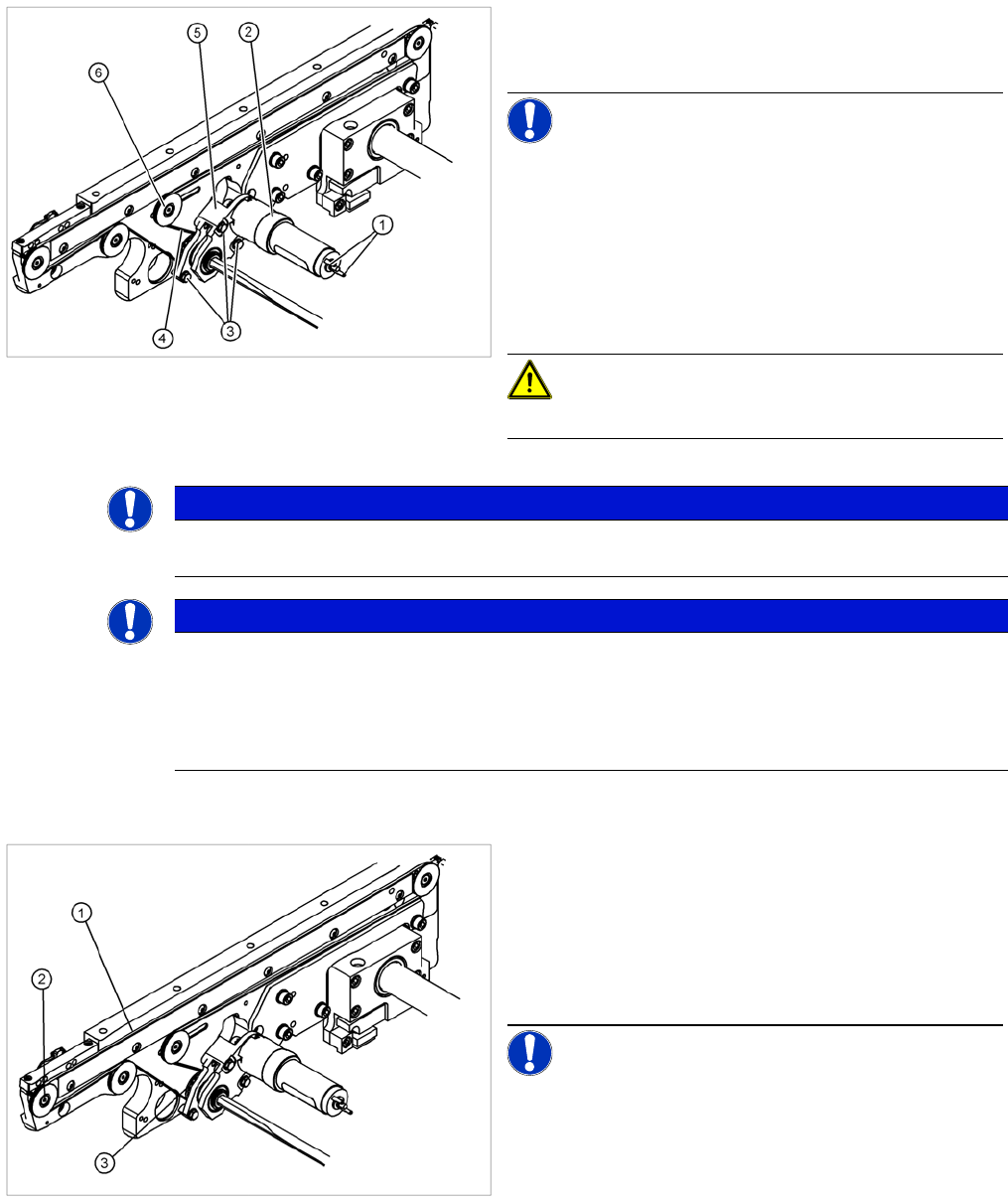
⇨ The entire width of the conveyor toothed belt (1)
must engage at all toothed disks (2) and be run
around the belt guide (3).
► Perform the Final steps including function test.
NOTICE! After the new drive has been installed,
you must make certain that the direction of rotation and
the conveyor speed (motor voltage) are correct.After re-
connecting the geared motor, you only need to check the
direction of rotation.