00193688-06_Installation SIPLACE Explorer2.1_EN.pdf - 第24页
3 Installing SIPLACE Explorer Installation and Configuration Guide SIPLACE Explorer 3.1 Initial Installation of SIPLACE Explorer 2.1 Edition 11/2006 EN 24 3.1.1 Inst allation of Java J2SE Run time Environment 5.0 NOTE Y …
Installation and Configuration Guide SIPLACE Explorer 3 Installing SIPLACE Explorer
Edition 11/2006 EN 3.1 Initial Installation of SIPLACE Explorer 2.1
23
– MS XML Core Services 4.0 SP2 (see page 45)
Install these components if you wish to generate factory reports and reports for certain
production lines. 3
– Microsoft Internet Explorer 6.0
Microsoft Internet Explorer 6.0 is required to view and edit websites. 3
– MSDE 2000 (see page 48)
Install this component if you do not wish to work with MS SQL Server 2000. Install MSDE
2000 on the computer on which the system databases are to be installed. 3
– Adobe Reader 6.0
This component is needed for reading the SIPLACE Explorer V.2.1 documentation. 3
– SIPLACE Explorer V.2.1 options:
The two options Backflush V1.0 and SIPLACE Traceability Option V1.0 are not included in
the SIPLACE Explorer V2.1 delivery package and must be ordered (installed) separately.3
3 Installing SIPLACE Explorer Installation and Configuration Guide SIPLACE Explorer
3.1 Initial Installation of SIPLACE Explorer 2.1 Edition 11/2006 EN
24
3.1.1 Installation of Java J2SE Runtime Environment 5.0
NOTE
You must have Windows administrator privileges to perform installation. 3
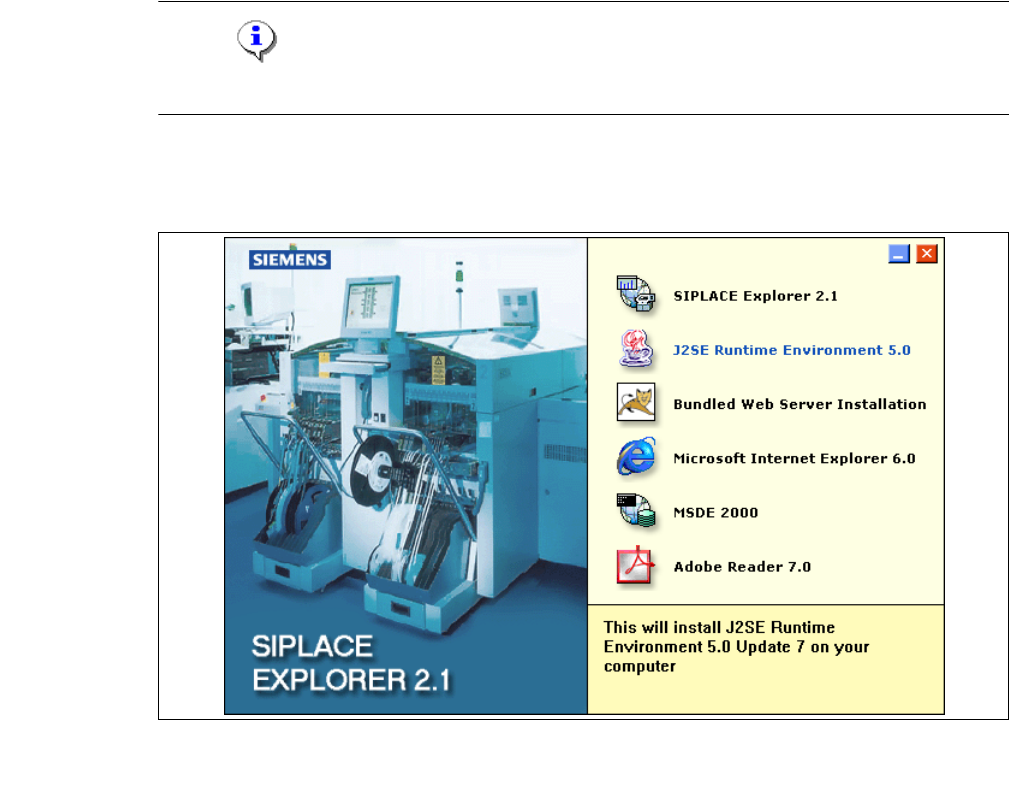
→ Place the SIPLACE Explorer CD in your CD-ROM drive.
→ The Start screen will appear.
3
Fig. 3 - 1 SIPLACE Explorer setup - Start screen
→ Select J2SE Runtime Environment 5.0. You will be guided through the Java J2SE installation
procedure.
Installation and Configuration Guide SIPLACE Explorer 3 Installing SIPLACE Explorer
Edition 11/2006 EN 3.1 Initial Installation of SIPLACE Explorer 2.1
25
3
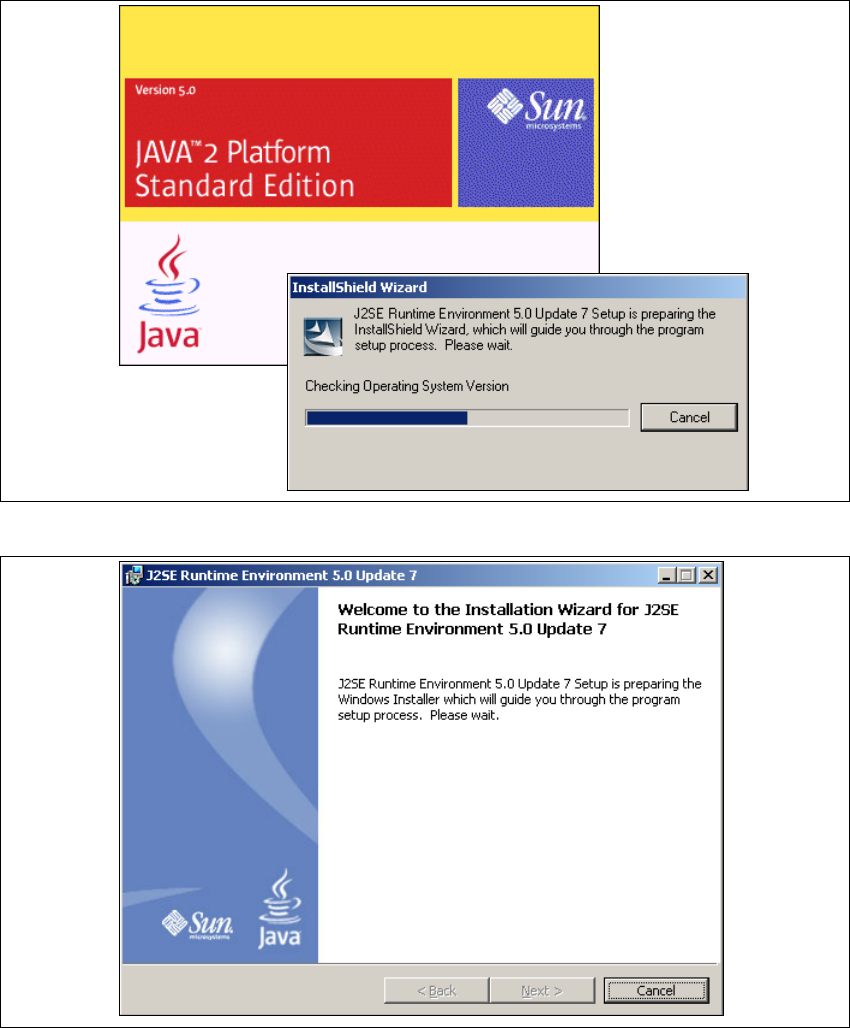
Fig. 3 - 2 Install shield wizard - preparing the installation
3
Fig. 3 - 3 Java 2SE setup - welcome to SIPLACE Explorer
→ Exit all other programs and then click on Next. The License Agreement dialog box will open.
→ Select the option Custom Setup.