00193688-06_Installation SIPLACE Explorer2.1_EN.pdf - 第40页
3 Installing SIPLACE Explorer Installation and Configuration Guide SIPLACE Explorer 3.1 Initial Installation of SIPLACE Explorer 2.1 Edition 11/2006 EN 40 3 Fig. 3 - 26 Apache T omcat setup - license agreement → The Choo…
Installation and Configuration Guide SIPLACE Explorer 3 Installing SIPLACE Explorer
Edition 11/2006 EN 3.1 Initial Installation of SIPLACE Explorer 2.1
39
3.1.3.1 Bundled Web Server Installation - Tomcat 5.5.9
NOTE
Before installing Tomcat 5.5.9, make sure that all versions of Tomcat < 5.5 have been
uninstalled. Use the Apache Tomcat Uninstaller via the Windows menu
Start → Programs → Apache Tomcat 5.5 → Uninstall Tomcat. 3
→ You will be guided through the Tomcat installation procedure.
3
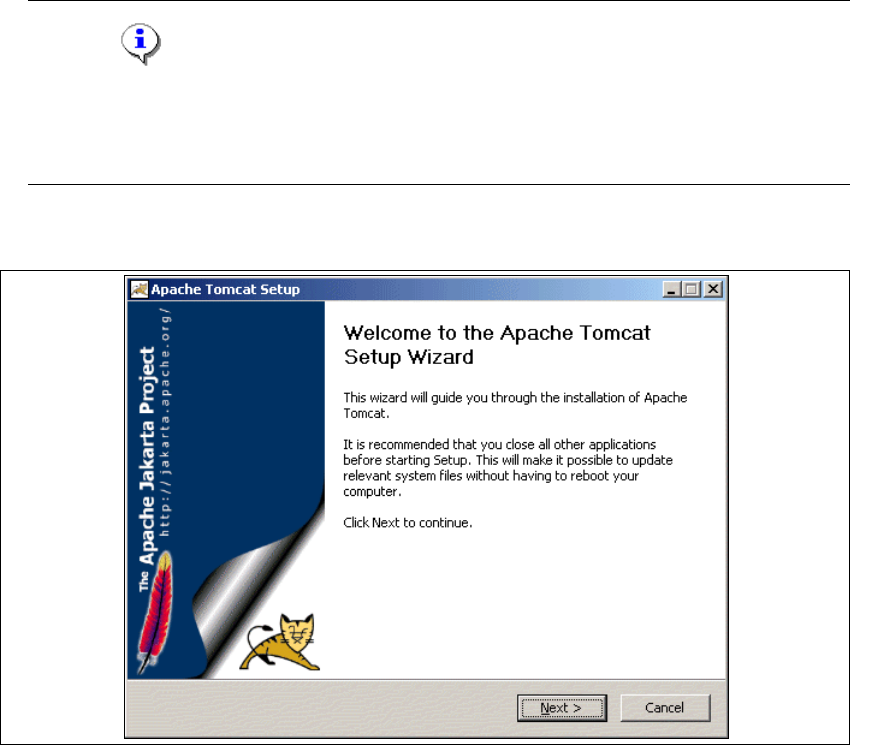
Fig. 3 - 25 Apache Tomcat setup - welcome screen
→ Exit all other programs and then click on Next. The License Agreement dialog box will open.
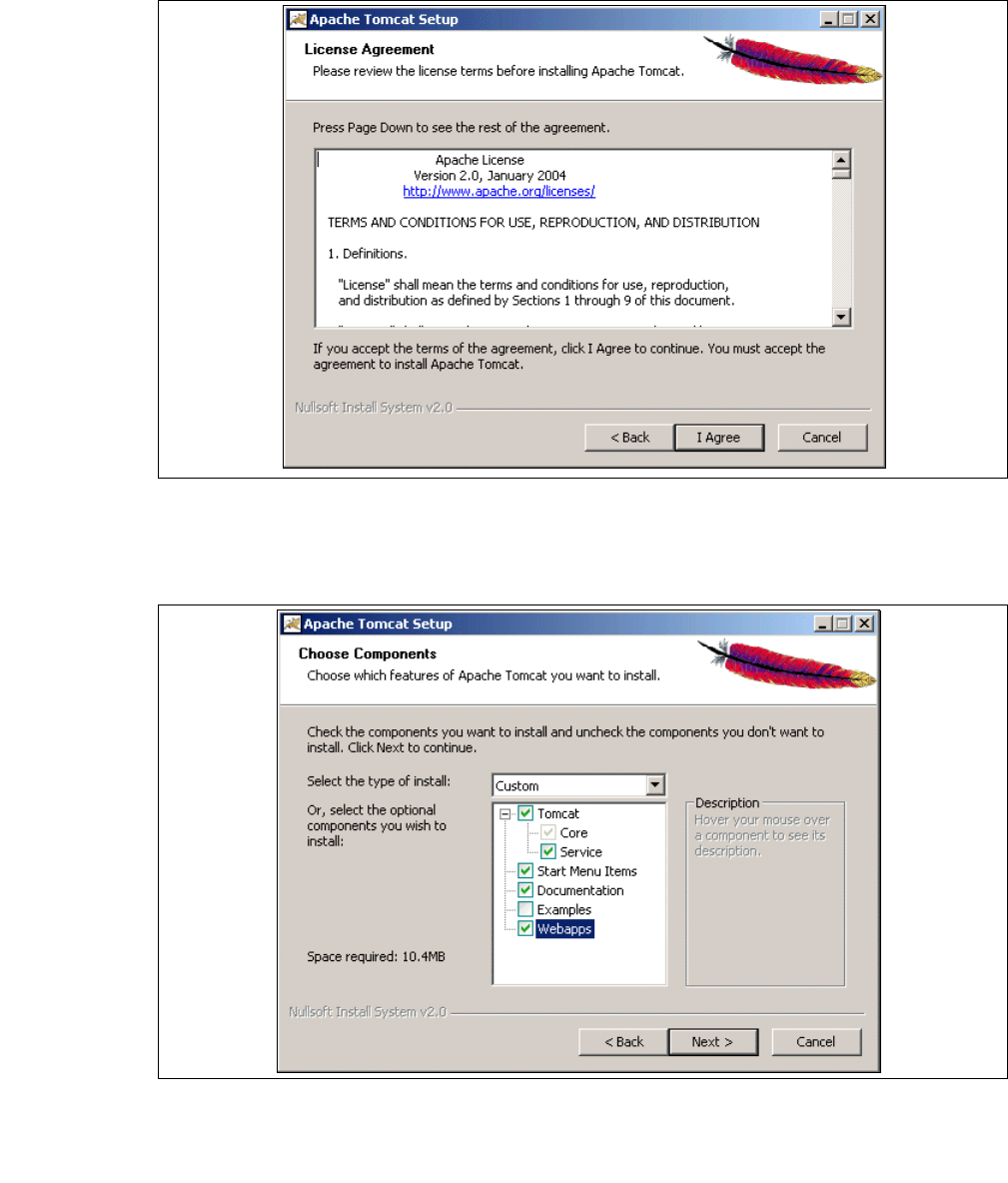
→ Read the license agreement. If you agree click I Agree, otherwise click Cancel. Clicking on
Cancel terminates the installation.
3 Installing SIPLACE Explorer Installation and Configuration Guide SIPLACE Explorer
3.1 Initial Installation of SIPLACE Explorer 2.1 Edition 11/2006 EN
40
3
Fig. 3 - 26 Apache Tomcat setup - license agreement
→ The Choose Components dialog box will open.
→ Now select the features you wish to install.
3
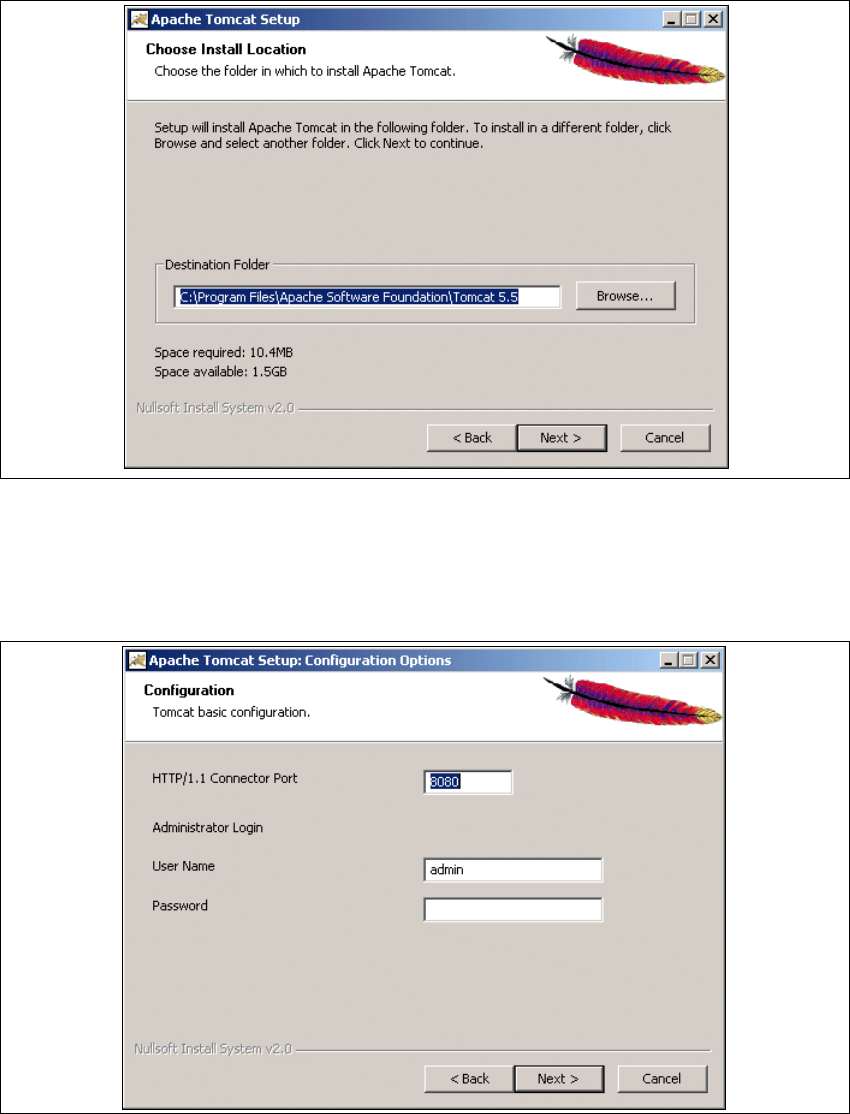
Fig. 3 - 27 Apache Tomcat setup - selecting features
→ Select the installation variant Custom.
→ Click the Tomcat option Service. Click on Next to continue. The Choose Install Location
dialog box will open.
Installation and Configuration Guide SIPLACE Explorer 3 Installing SIPLACE Explorer
Edition 11/2006 EN 3.1 Initial Installation of SIPLACE Explorer 2.1
41
→ Now specify the folder in which you wish to install the application.
3
Fig. 3 - 28 Apache Tomcat setup - select installation destination folder
→ You can alter the default installation folder by using the Browse button.
→ Click on Next to continue. The Configuration dialog box will open.
→ Now enter the port number and the administrator access data for Tomcat.
3
Fig. 3 - 29 Apache Tomcat setup - configuration