SM411 Service Manual(CHI).pdf - 第440页
Samsung Component Placer SM41 1 Service Manual 11-2 4-layer PCB with ground/power plans High quality Molex connectors LED power indicators : +5V , -5V , +12V , -12V and +3.3V 20 pin A TX connector , standard A T …
PC
11-1
第 11 章. PC
11.1. PC 配置
Single Board Computer : HICORE-I9451VLG
CPU Intel Pentium™ 4 3.4E
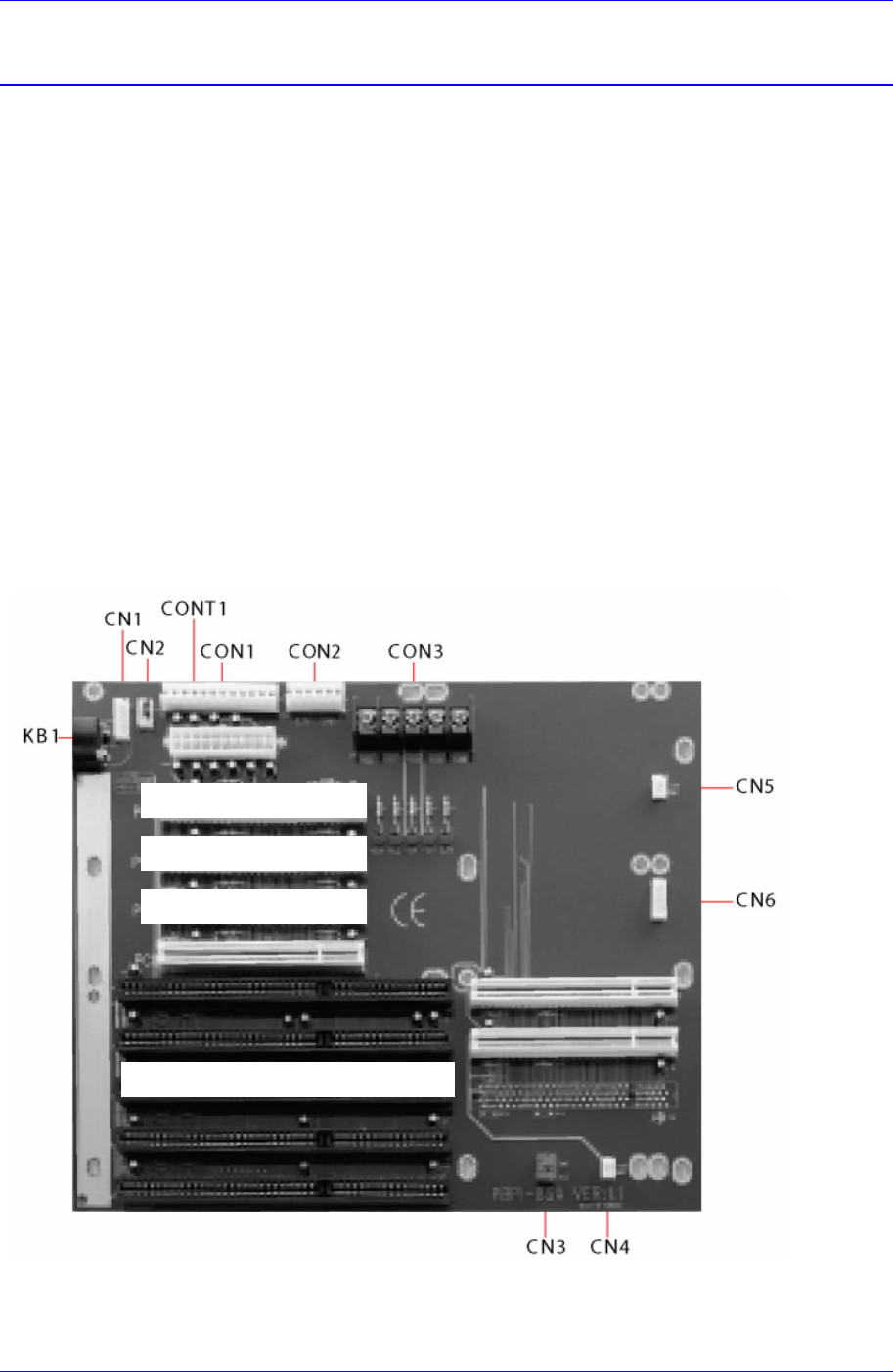
Back Plane : PBPI-8SA
Memory: 512M ( DDR 256M PC3200*2 )
As the memory, 2 sets of 256M modules must be used to utilize the dual channel.
HDD: 80Gbyte and greater (Use an existing commercialized model)
CD-ROM, HDD Rack (Absolute Mobile Dock)
OS : Windows XP Embedded
11.2. 硬件/ Device Driver 安装方法
11.2.1. Backplane/ Mono Camera Board/ DP-RAM/ SBC
11.2.1.1. PBPI-6SA backplane 设置
8-slot PC/AT passive backplane with 2×ISA. 4×PCI AND 3×PICMG
N
exte
y
e Ima
g
e Grabe
r
PCI IO Board
(
DRAM
)
Sin
g
le Board Com
p
uter
(
SBC
)
N
exte
y
e Ima
g
e Grabe
r
Samsung Component Placer SM411 Service Manual
11-2
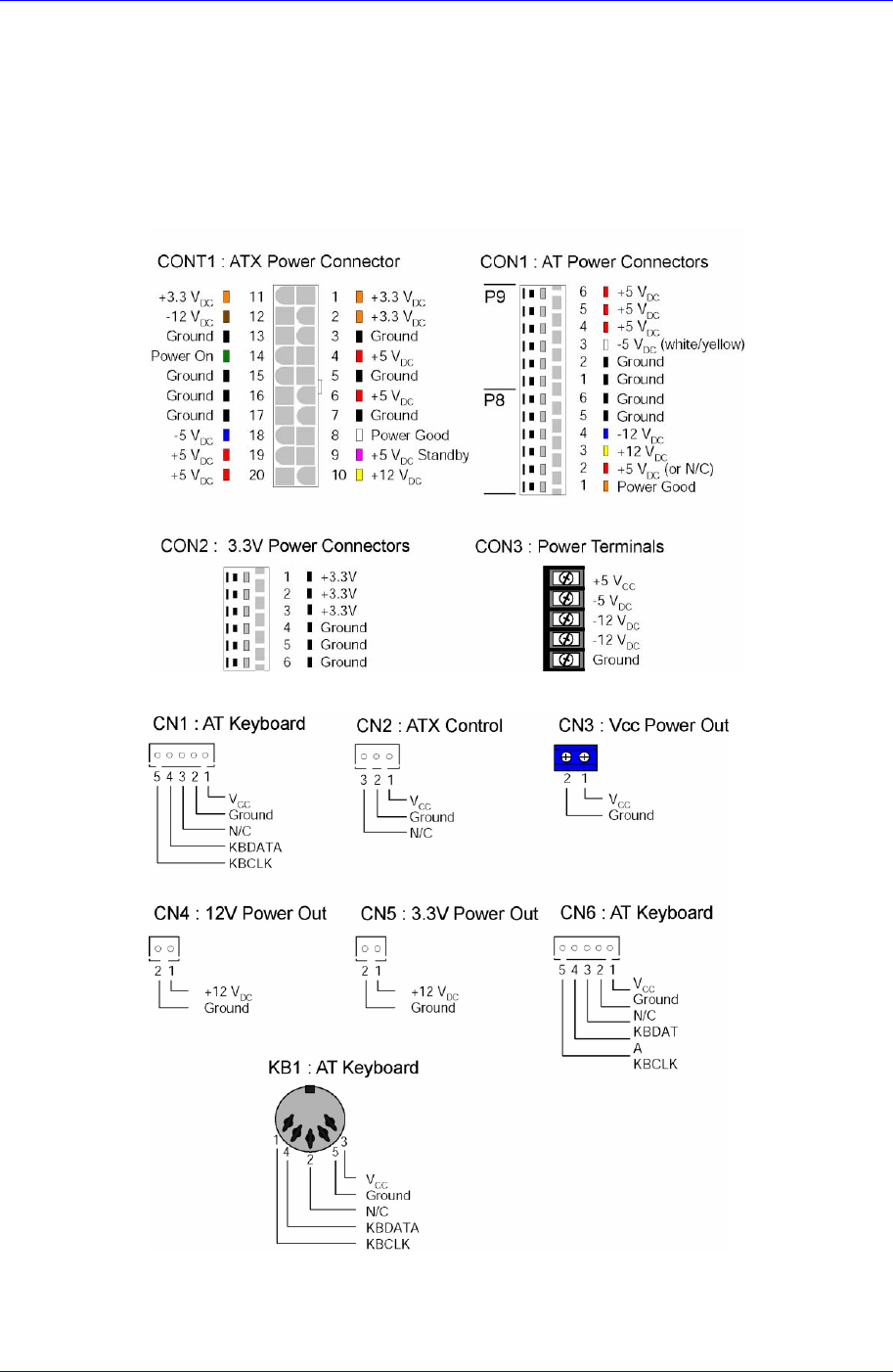
4-layer PCB with ground/power plans
High quality Molex connectors
LED power indicators : +5V, -5V, +12V, -12V and +3.3V
20 pin ATX connector, standard AT connector, 5-pin terminal block
Size : 264.2 × 221.6 mm
PC
11-3
11.2.2. Nexteye Image Graber (SAMC62) 设置
11.2.2.1. 硬件安装
1
2
3
4
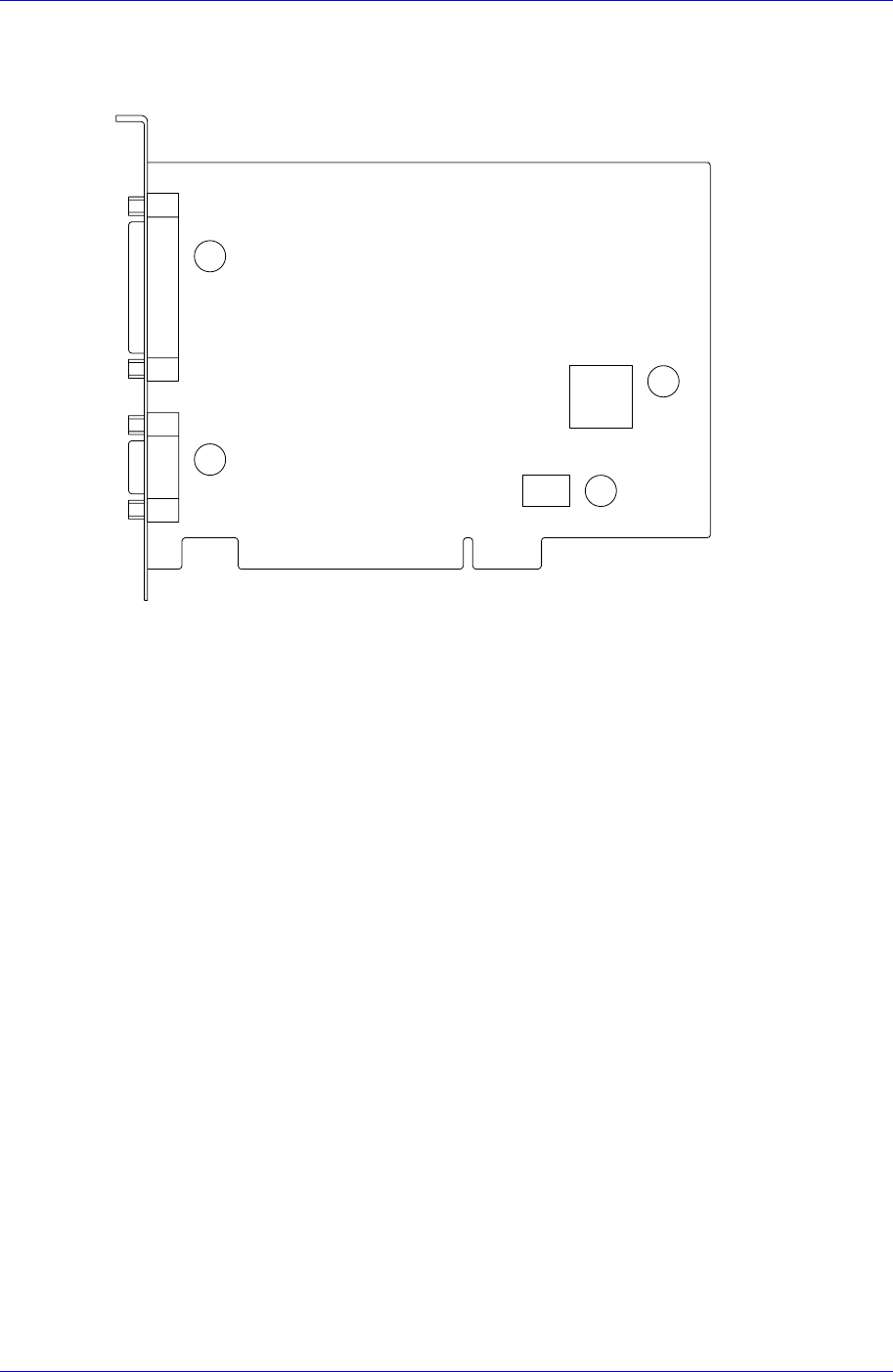
○1 3列 44pin Female D-Sub连接器
○2 3列 15pin Male D-Sub连接器
○3 摄像机控制逻辑EEPROM
○4 bord初始化 EEPROM
SAMC62贴装到PBPI-6SA Backplane的指定插槽
从保护用信封拿出bord
此时, 为防止受到静电影响,用手抓住边缘,镀金的连接器部位注意碰手
PC的空PCI slot上贴装bord
拧紧螺丝,把bord固定到电脑
连接预备的摄像机电缆和bord
11.2.2.2. 硬件安装
SAMC62支持Plug & Play。因此把SAMC62贴装到PC后启动PC则Windows自动
识别SAMC62显示如下窗口开始安装。
选择<目录或特定位置中安装(高级)>选项按钮后点击 <下一步>按钮,进行下一
步。