SM411 Service Manual(CHI).pdf - 第488页
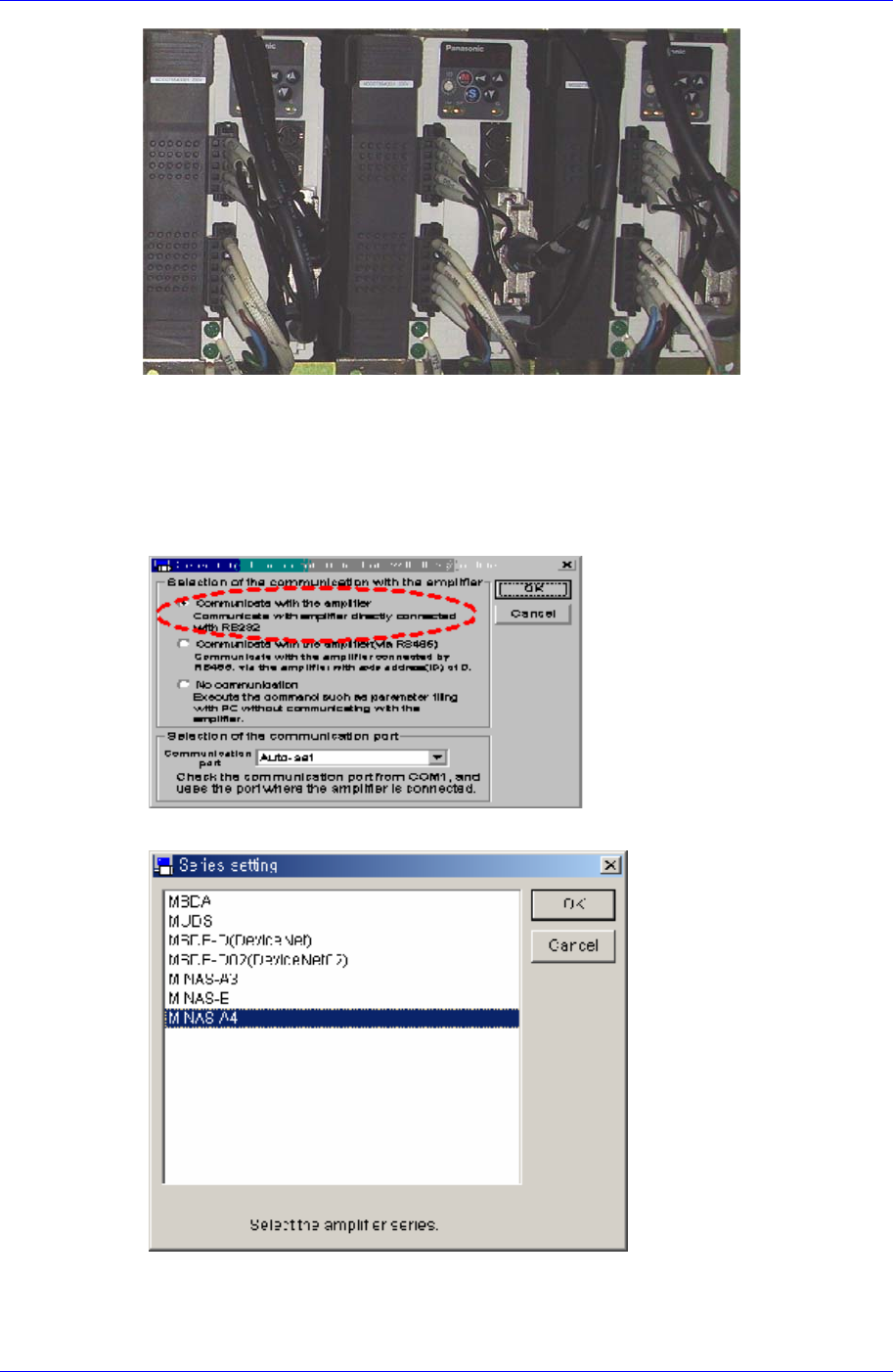
Samsung Component Placer SM41 1 Service Manual 13-10 13.2.5.3. Software 执行 1. 请执行 Computer 的 Panaterm Software 2. 执行 Panaterm Software 则显示如下画面,请选择 “Com municate with Amplifier directly connected with RS232” 部分后点击 <OK&…
Motor Driver
13-9
注 意
新Driver中已设置制造商的标准Parameter. 但,本公司 Tunin
g时Parameter可能会有所变更。
4. 在已有的Driver中不能卸载Parameter时,请卸载分发的标准parameter。
注 意
Service部件供应时,已卸载标准Parameter。
Servo motor的Parameter种类基本上如下区分。
以轴区分: X,Y,Z(1,3,5 / 2,4,6 ), Swing, Width(C/V)
5. 重新关闭设备电源。
6. 请分离连接在所要替换Driver的电缆。
7. 替换不良Motor Driver。
8. 组装时为拆卸的倒序。
9. 设备通电后确认设备是否正常起动。
警 告
Servo电动机的Parameter调整除发布Service Information以
外的任何情况均不允许。
13.2.5. Parameter Download/Upload 次序
13.2.5.1. 必要工具
扳手
十字 十字形(+)螺丝刀, 一字 一字形(-)螺丝刀
T Wrench or Hex Wrench
Motor Driver Data Cable (P-Motor用):Interface Cable
Software
Panaterm Software (panaterm version 3.70.0 )
13.2.5.2. Panasonic driver 与 Computer 连接
1. 按设备前面的<EMG>开关,切断电动机电源。此时应打开设备全部电源或相应
Motor AMP有电。
2. 利用Driver分离设备后盖。
3. 请准备安装好Panaterm Software的Note Book。 (可当设备的PC使用)
4. 准备专用Interface Cable,与Computer (RS232 Port)连接。
5. 相应 Amplifier相应Port中Port上连接电缆。
Samsung Component Placer SM411 Service Manual
13-10
13.2.5.3. Software 执行
1. 请执行Computer的 Panaterm Software
2. 执行Panaterm Software则显示如下画面,请选择 “Communicate with Amplifier
directly connected with RS232” 部分后点击<OK>按钮。
3. 如下图显示“Series Setting” ,请选择最下面部分的MINAS-A4。
4. 若显示“Detect the Amplifier at COM#. Do you connect?”信息,请点击<Yes>
按钮。
Motor Driver
13-11
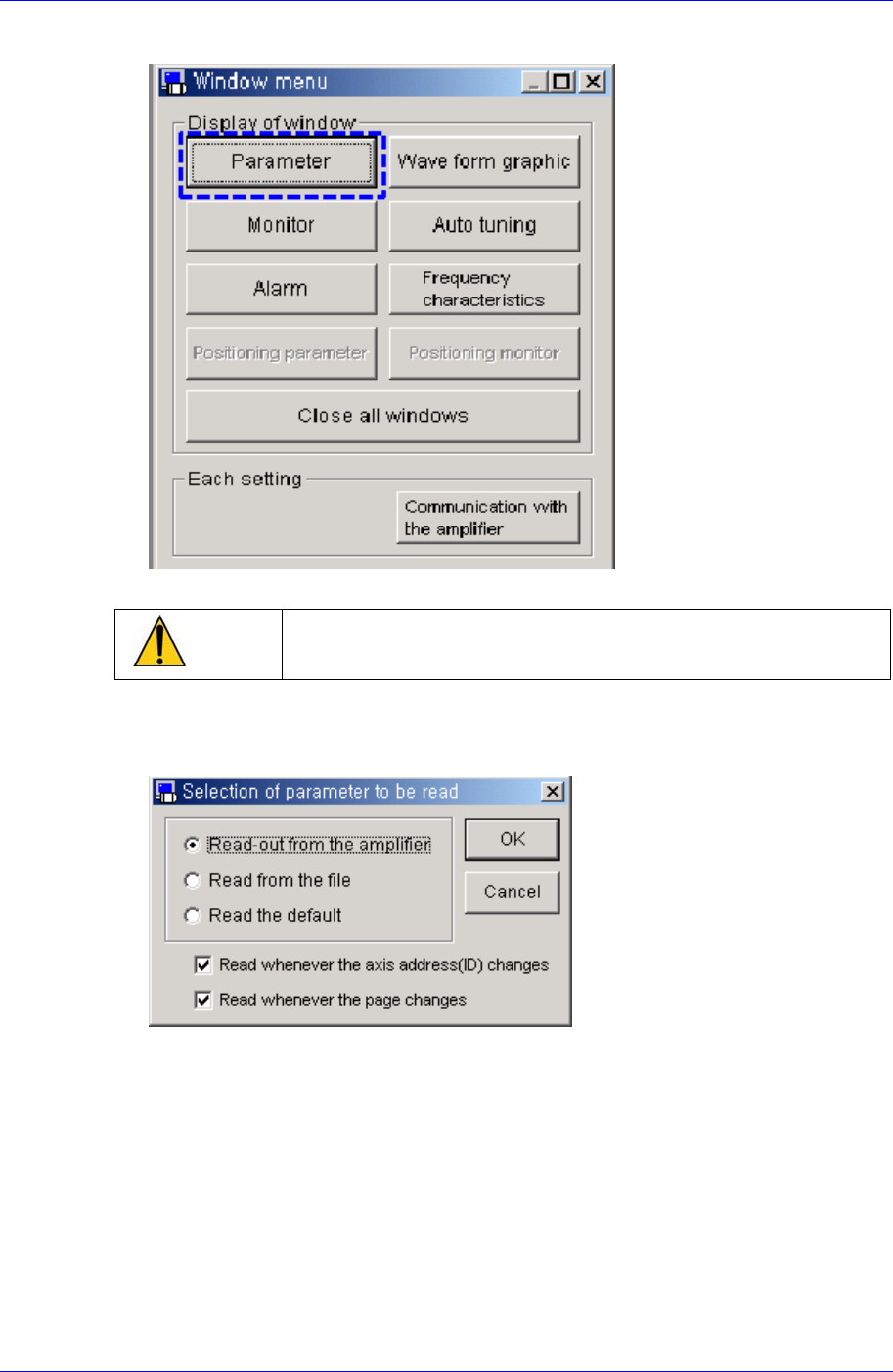
5. 如下图在Window Mode点击<Parameter>按钮。
注 意
不使用其它按钮。
6. 如下图在 “Selection of parameter to be read” window选择 “Read-out from th
e amplifier”。
7. 与当前Amplifier的正常连接状态(下图)。