ServiceInstruction_Vision XP.pdf - 第101页
Vision XP+ V AC Page 97 3 Setup Instructions 3.9 Filter F9 Parameter Operating Instructions V ersion 1.5 H) Real maximu m value Real value corres ponding to the analog maximum value . I) N2 consumption limit value N2 con…
Page 96 Vision XP+ VAC
3 Setup Instructions
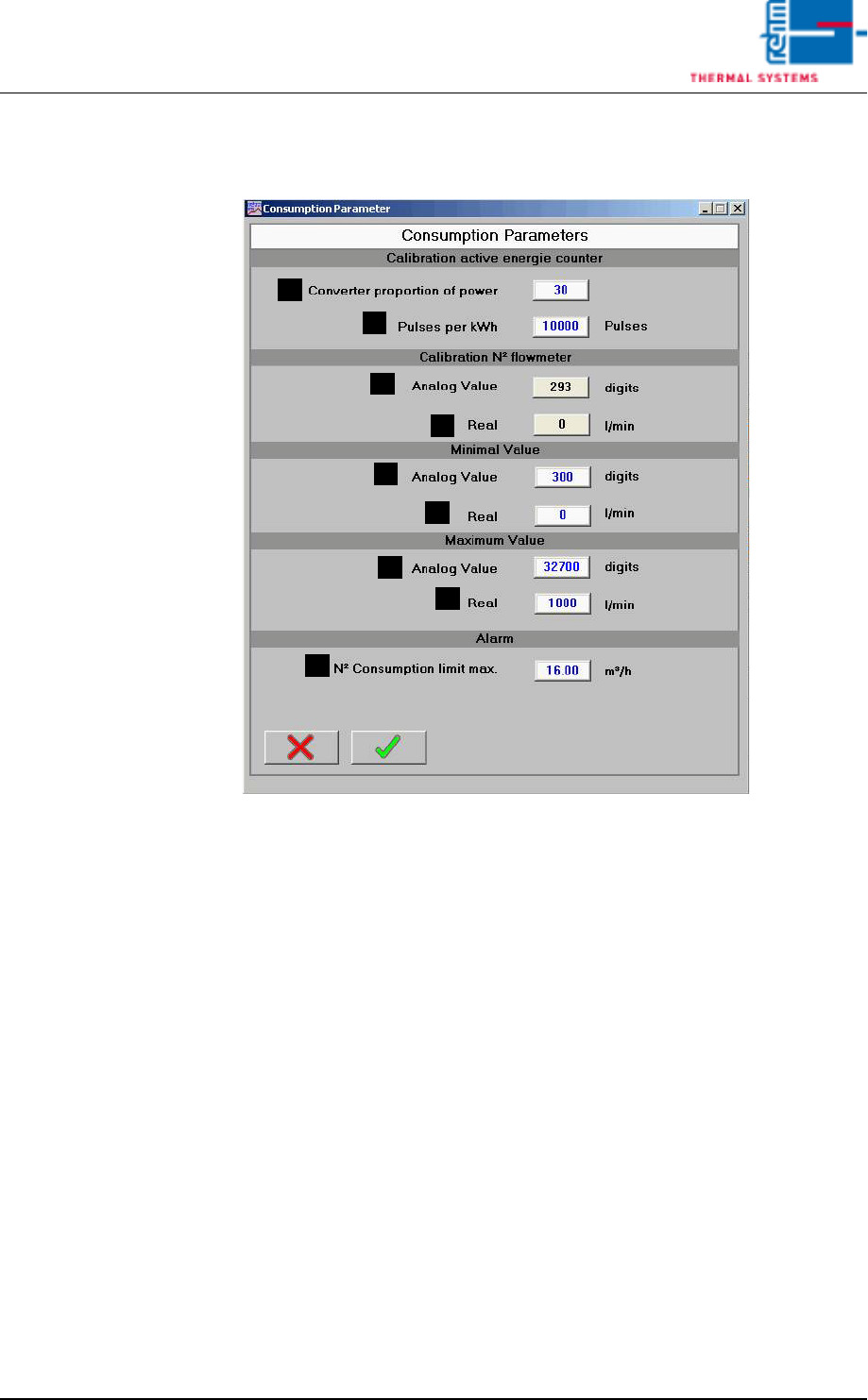
3.8 Consumption Parameter
Operating Instructions
Version 1.5
3.8 Consumption Parameter
Fig. 3-13 Consumption Parameter
A) Converter ratio
Converter ratio of the energy meter.
B) Pulses per kWh
Number of pulses of the energy meter per kilowatt-hour.
When using the active energy counter (Gossen-Metrawatt), set for
10.000 pulses per kWh.
When using the active energy counter (B+R for VXP+), set for 0 pulses
per kWh.
C) Analog value
Indication of analog value of the input.
D) Real
Real value corresponding to the analog value.
E) Analog value minimum value
Analog value corresponding to real minimum value.
F) Real minimum value
Real value corresponding to the analog minimum value.
G) Analog value maximum value
Analog value corresponding to the real maximum value.
A
B
C
D
E
F
G
H
I
Vision XP+ VAC Page 97
3 Setup Instructions
3.9 Filter F9 Parameter
Operating Instructions
Version 1.5
H) Real maximum value
Real value corresponding to the analog maximum value.
I) N2 consumption limit value
N2 consumption from which a warning is indicated due too high con-
sumption.
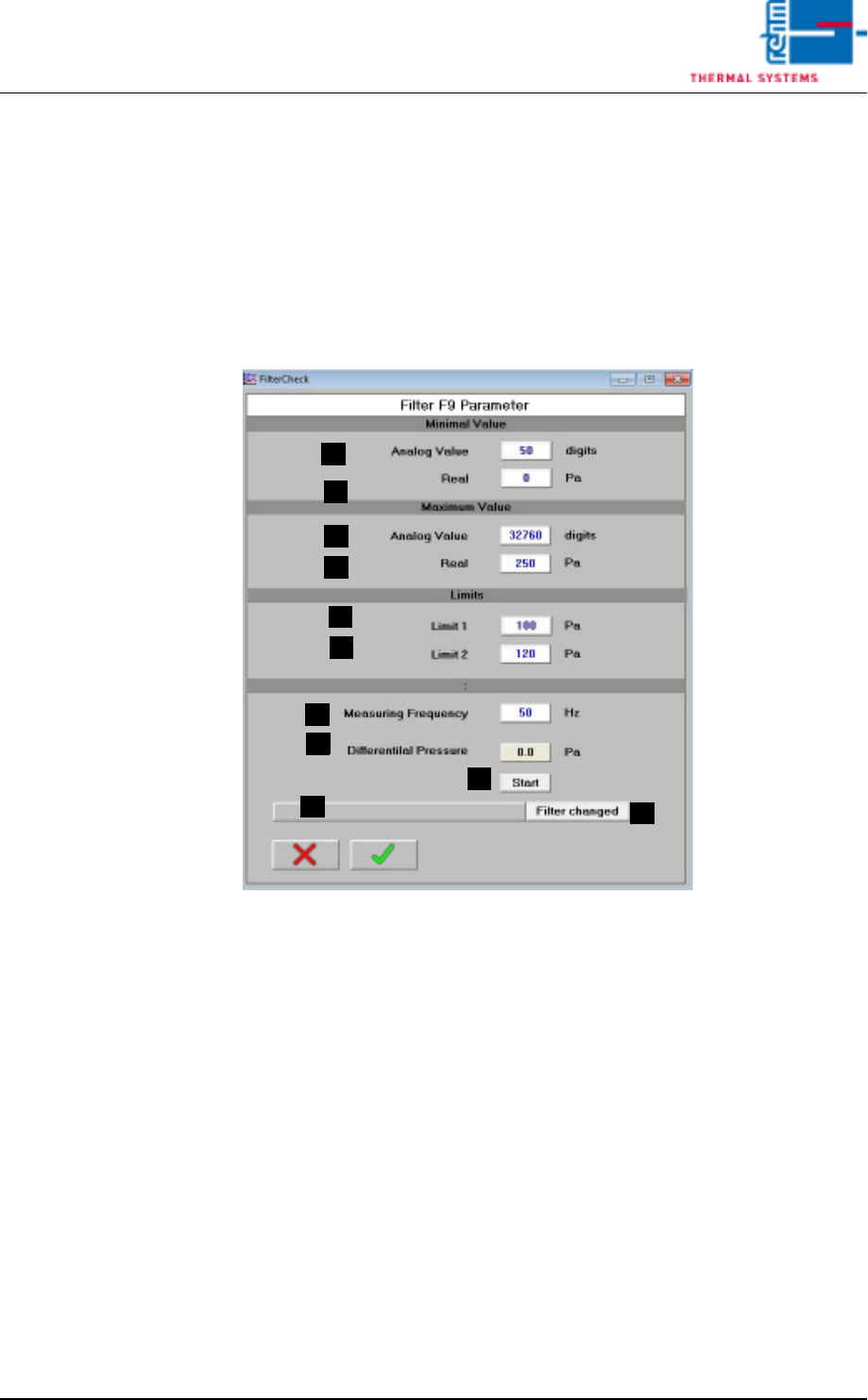
3.9 Filter F9 Parameter
A) Analog Value Minimum Value
Analog Value, which matches the Real Minimum Value.
B) Real Minimum Value
Real Value, which matches the Analog Minimum Value.
C) Analog Value Maximum Value
Analog Value, which matches the Real Maximum Value.
D) Real Maximum Value
Real Value, which matches the Analog Maximum Value.
E) Limit Value 1
Differential pressure for warning message
F) Limit Value 2
Differential pressure for message with the demand of filter change.
G) Test frequency
Frequency for the frequency converter of the cooling section during the
measurement for the filter checking.
H) Differential pressure
Current differential pressure at the filter.
A
B
C
D
E
F
G
H
I
J
K
Page 98 Vision XP+ VAC
3 Setup Instructions
3.10 Volume flow control, cooling section parameters
Operating Instructions
Version 1.5
I) Start
Start the filter check manually (for test purposes).
J) Filter F9 OK
Status display Filter F9
K) Filter replaced
Key button for reset of the filter status after the replacement.
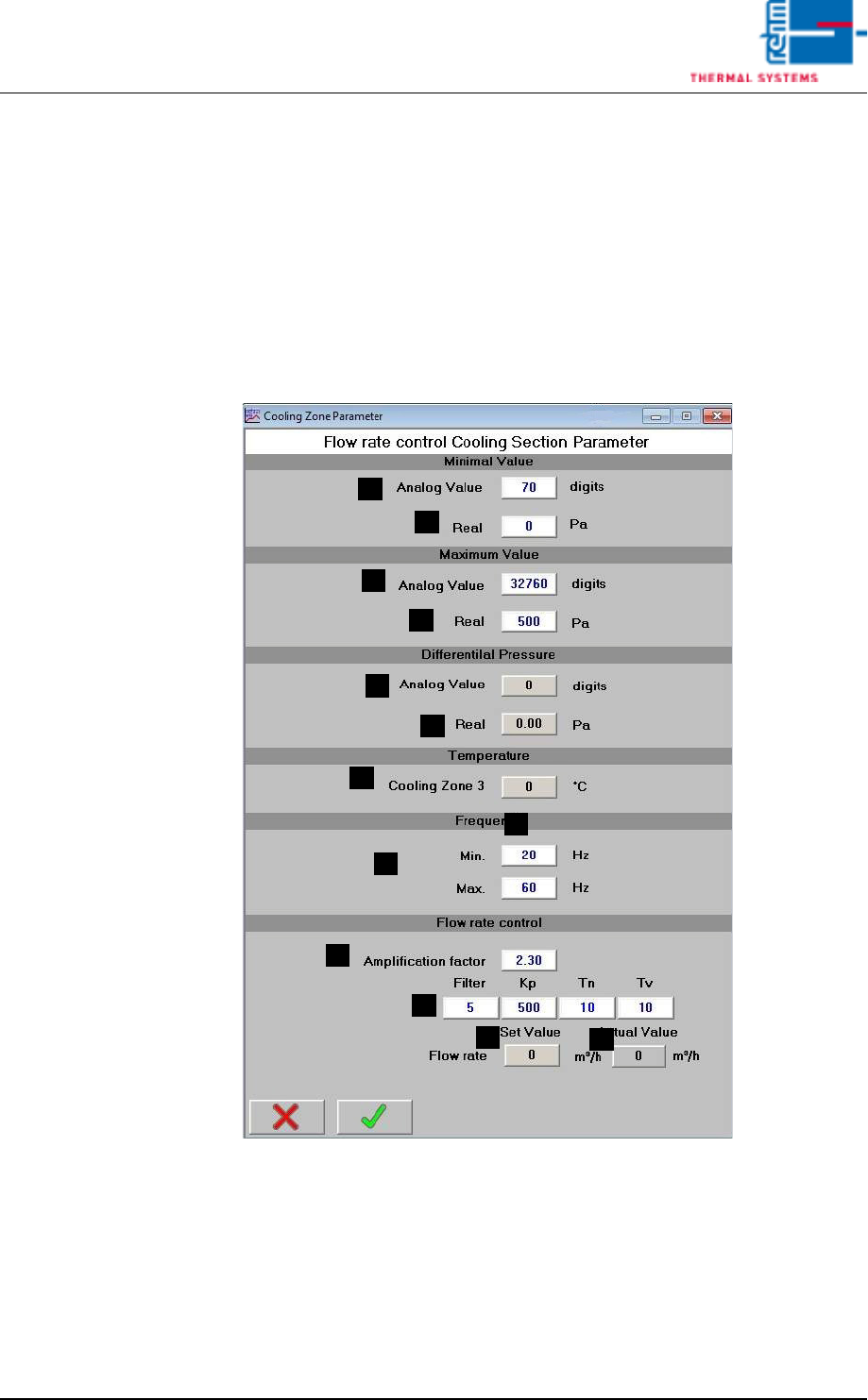
3.10 Volume flow control, cooling section parameters
Fig. 3-14 Volume flow control, cooling section parameter
These parameters are set by the Rehm Thermal Systems GmbH Service
technican during commissioning.
A) Analog Value
Raw value
B) Actual
Differential pressure
A
B
A
B
A
B
C
D
I
E
F
G
H