ServiceInstruction_Vision XP.pdf - 第66页
Page 62 Vision XP+ V AC 2 Maintenance 2.17 Overall System Operating Instructions V ersion 1.5

Vision XP+ VAC Page 61
2 Maintenance
2.17 Overall System
Operating Instructions
Version 1.5
2.17 Overall System
2.17.1 Electrical Safety Inspection
Can be arranged for by the safety expert.
2.17.2 Complete Maintenance Check
A complete maintenance check can be ordered from Rehm Thermal Sys-
tems. Please schedule an appointment with our service hotline.
2.17.3 Service Department Address
Rehm Thermal Systems GmbH
Leinenstrasse 7
D-89143 Blaubeuren-Seissen
Germany
Service Hotline
Phone: +49 7344-9606-511
e-mail: service@rehm-group.com
Opening Times
Monday to Thursday7 a.m. to 4:30 p.m.
Friday 7 a.m. to 12:15 p.m.
Standby Duty
1
Friday 12:15 to 10 p.m.
Saturday, Sunday8 a.m. to 10 p.m.
1. Standby duty is only available via the hotline operated by Rehm Thermal Systems GmbH.

Page 62 Vision XP+ VAC
2 Maintenance
2.17 Overall System
Operating Instructions
Version 1.5
Vision XP+ VAC Page 63
3 Setup Instructions
Operating Instructions
Version 1.5
3 Setup Instructions
This chapter concerns itself with all important system setup procedures.
These procedures must be executed when new components are installed,
or in the event that probe, sensor or transducer deviations are detected
during inspection.
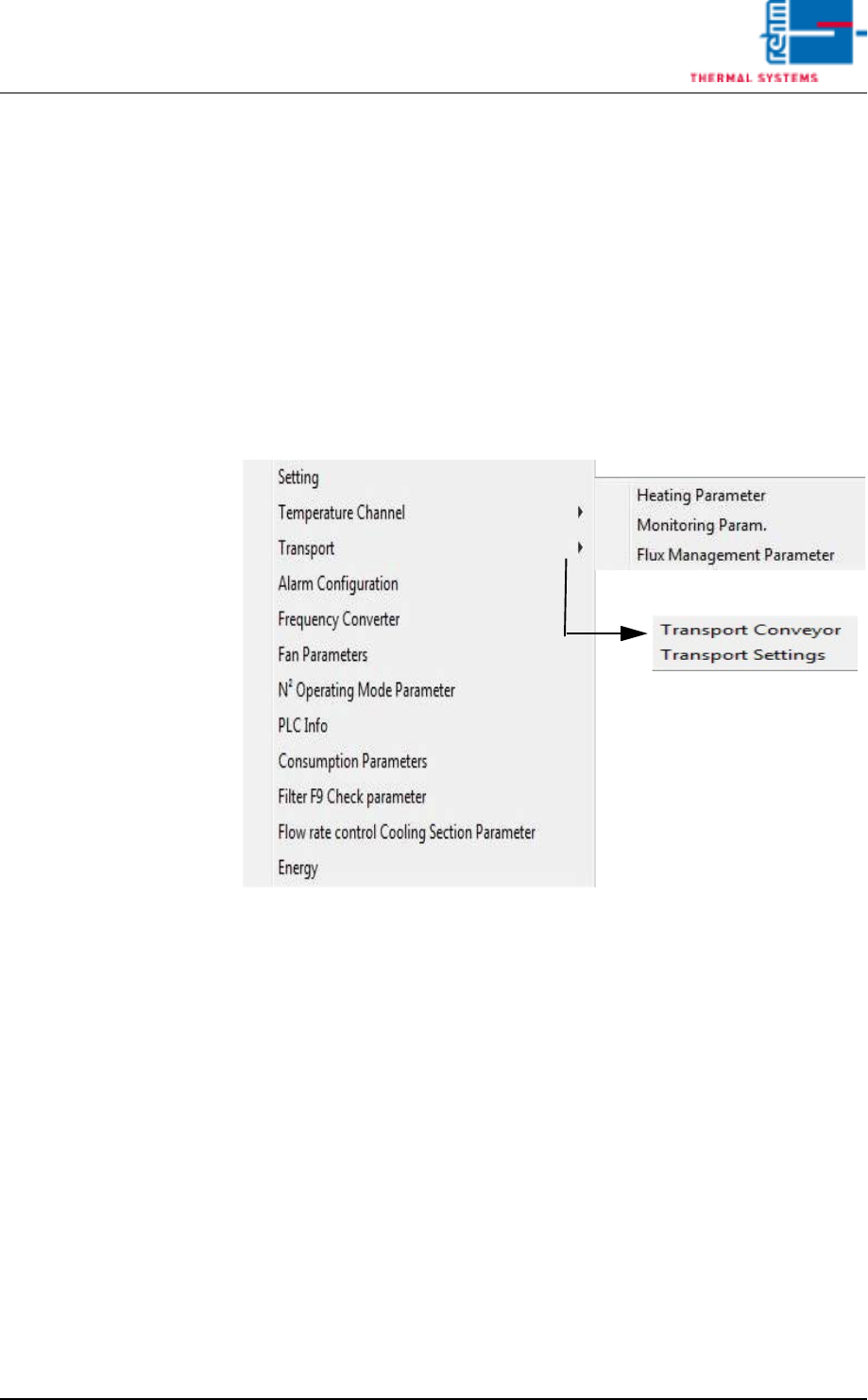
The individual functions which require calibration or adjustment can be
selected from the Service menu in the user interface.
Fewer functions may be included depending upon which system is used.
Fig. 3-1 The Service Menu
The Service menu can only be accessed by users with appropriate
password authority. When unauthorized users are logged on, the menu
appears light gray and is disabled.