ServiceInstruction_Vision XP.pdf - 第53页
Vision XP+ V AC Page 49 2 Maintenance 2.1 1 Condensate T rap Operating Instructions V ersion 1.5 2.1 1.4 Cleaning W ork at the Cooler Units (C) Fig. 2-7 4 Pull ing Out th e Cooler Unit Fig. 2-7 5 Pull ing Out th e Filter…
Page 48 Vision XP+ VAC
2 Maintenance
2.11 Condensate Trap
Operating Instructions
Version 1.5
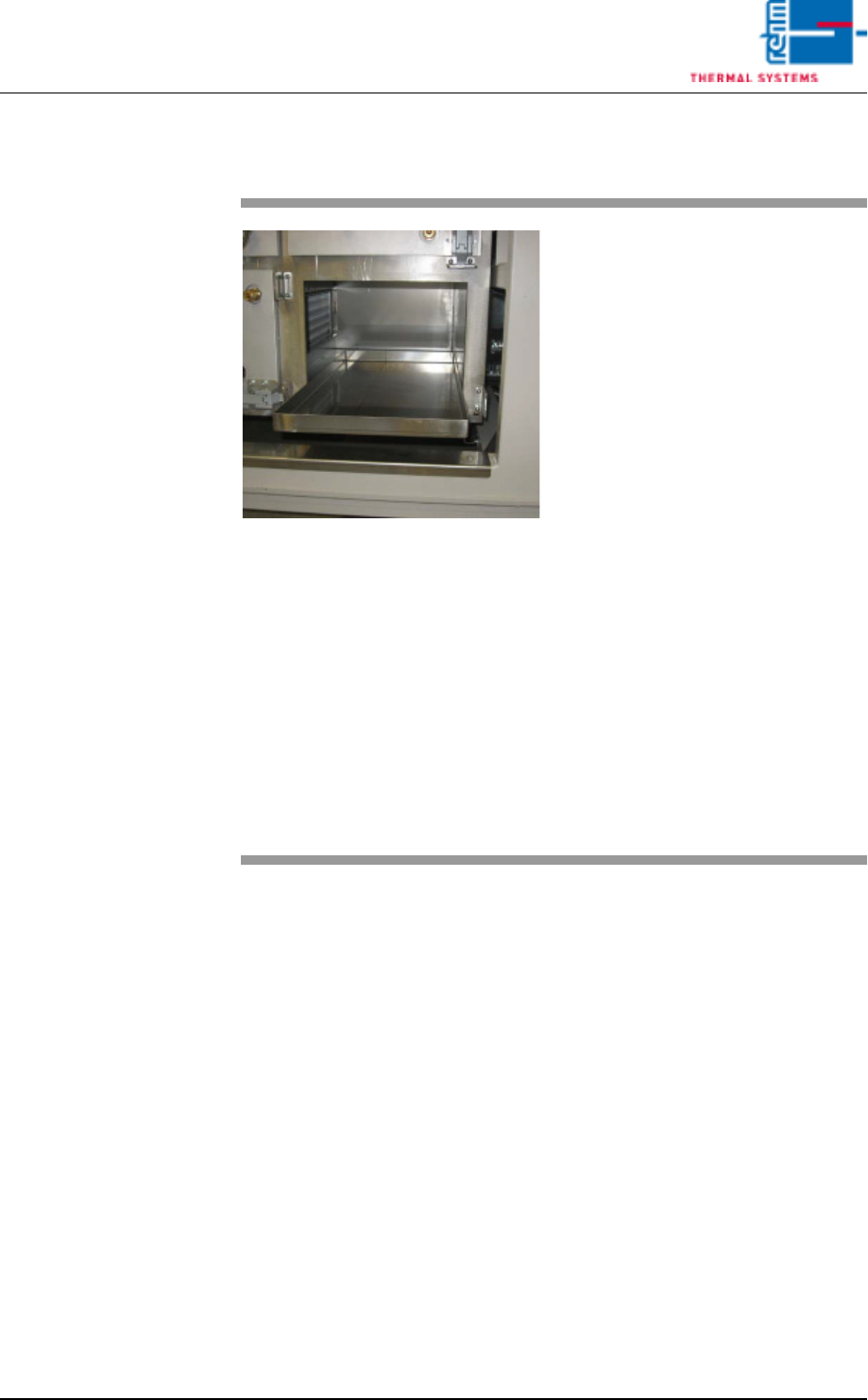
2.11.3 Cleaning the Catch Pans (B)
Fig. 2-73 Pulling Out the Catch Pan
The catch pans are located in the
bottom row of the condensate trap
(see item B in Fig. 2-73).
Consumable materials, tools:
• Oven cleaner
• Rags
• Rinsing bath
Procedure:
1. Open both locking levers and
pull out the cartridge.
2. Pull out the catch pan, empty it
an set it into the rinsing bath.
3. Clean the opening for the catch
pan and the door at the conden-
sate trap with oven cleaner and
rags.
4. Reinstall the cleaned catch pan
and slide the cartridge back into
place.
5. Hook the water connections
back up again.
Vision XP+ VAC Page 49
2 Maintenance
2.11 Condensate Trap
Operating Instructions
Version 1.5
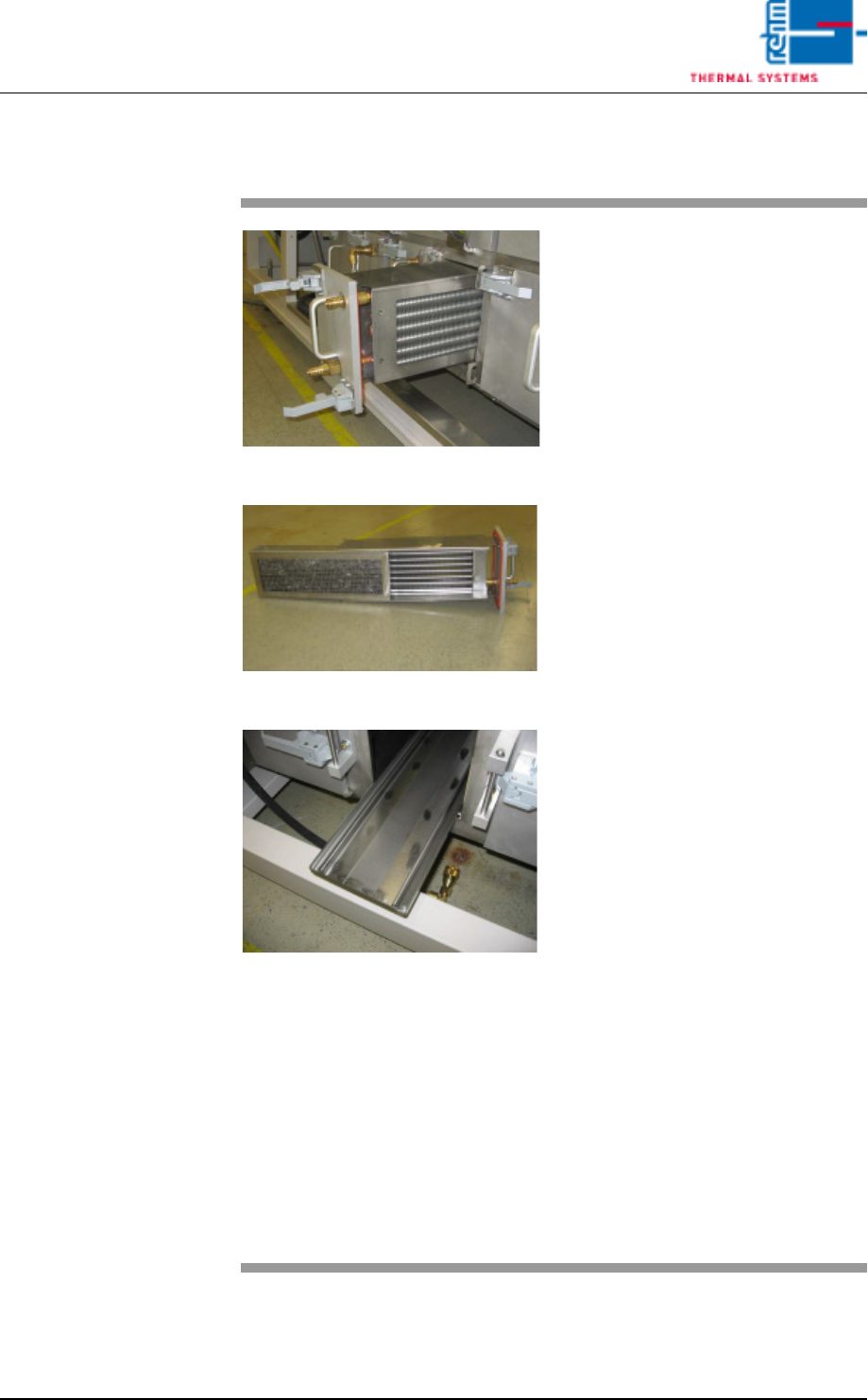
2.11.4 Cleaning Work at the Cooler Units (C)
Fig. 2-74 Pulling Out the Cooler Unit
Fig. 2-75 Pulling Out the Filter
Fig. 2-76 catch pan
The cooler units are located in the
bottom row of the condensate trap
(see item C in Fig. 2-74).
Consumable materials, tools:
• Oven cleaner
• Rags
• Rinsing bath
Procedure:
1. Open both locking levers and
pull out the cooler unit (see Fig.
2-75).
2. Pull the filter out of the cooler
unit and set it into the rinsing
bath.
3. Lift the cooler out of the cooler
unit and set it into the rinsing
bath as well.
4. Pull out the catch pan, empty it
an set it into the rinsing bath.
Caution!
The seals must protrude from
the bath. Otherwise they will be
damaged.
5. Clean the seals with Appropri-
ate cleaning agent and rags.
6. Clean the opening for the cooler
unit at the condensate trap with
oven cleaner and rags.
7. Reassemble cleaned parts and
insert them into the condensate
trap.
Note!
The quick couplings should be lubri-
cated occasionally, using suitable
lubricant, thereafter audibly click the
couplings back in.
Page 50 Vision XP+ VAC
2 Maintenance
2.11 Condensate Trap
Operating Instructions
Version 1.5
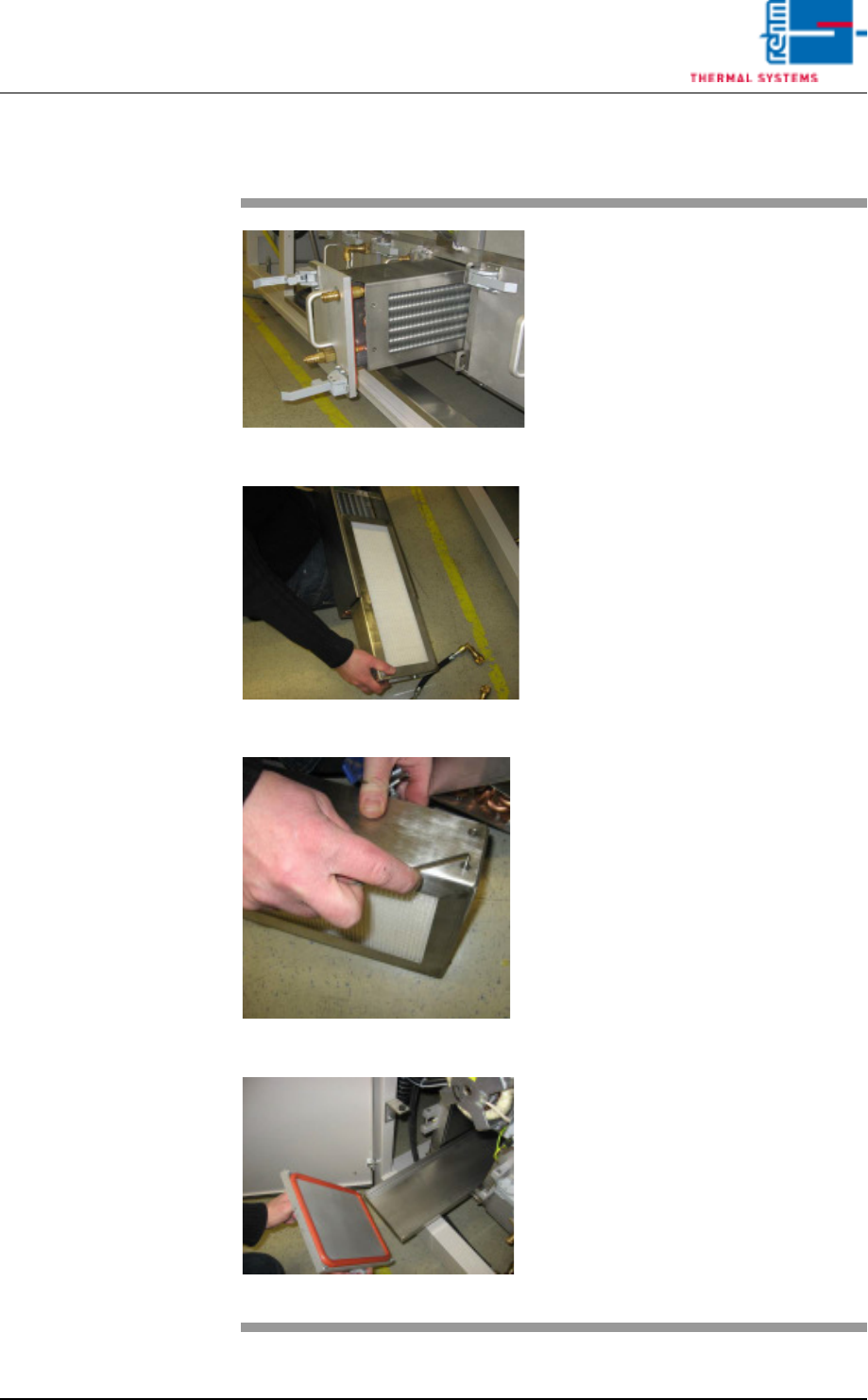
2.11.5 Cleaning Work at the Cooler Units (D)
Fig. 2-77 Pulling Out the Cooler Unit
Fig. 2-78 Pulling Out the Filter unit F9
Fig. 2-79 Metal Frame
Fig. 2-80 Drip pan
The cooler units are located in the
bottom row of the condensate trap.
Consumable materials, tools:
• Oven cleaner
• Rags
• Rinsing bath
• Allen wrench 2,5 mm
Procedure:
1. Open both locking levers and
pull out the cooler unit.
2. Pull the filter (F9) out of the
cooler unit.
3. Lift the cooler out of the cooler
unit and set it into the rinsing
bath as well
4. Open the metal frame of the fil-
ter (F9) with a 2,5 mm allen
wrench and replace the paper
filter (one-way).
Caution!
The seals must protrude from
the bath. Otherwise they will be
damaged.
5. Clean the seals with Appropri-
ate cleaning agent and rags.
6. Pull out the catch pan, empty it
an set it into the rinsing bath.
7. Clean the opening for the cooler
unit at the condensate trap with
oven cleaner and rags.
8. Reassemble cleaned parts and
insert them into the condensate
trap.
9. All connections restore.