ServiceInstruction_Vision XP.pdf - 第46页
Page 42 Vision XP+ V AC 2 M aintenance 2.8 V acu um Unit Operating Instructions V ersion 1.5 2.8.12 Maintenance intervals for the vacuum pump The times indicat ed in the maintena nce schedule are ap proximate under norma…
Vision XP+ VAC Page 41
2 Maintenance
2.8 Vacuum Unit
Operating Instructions
Version 1.5
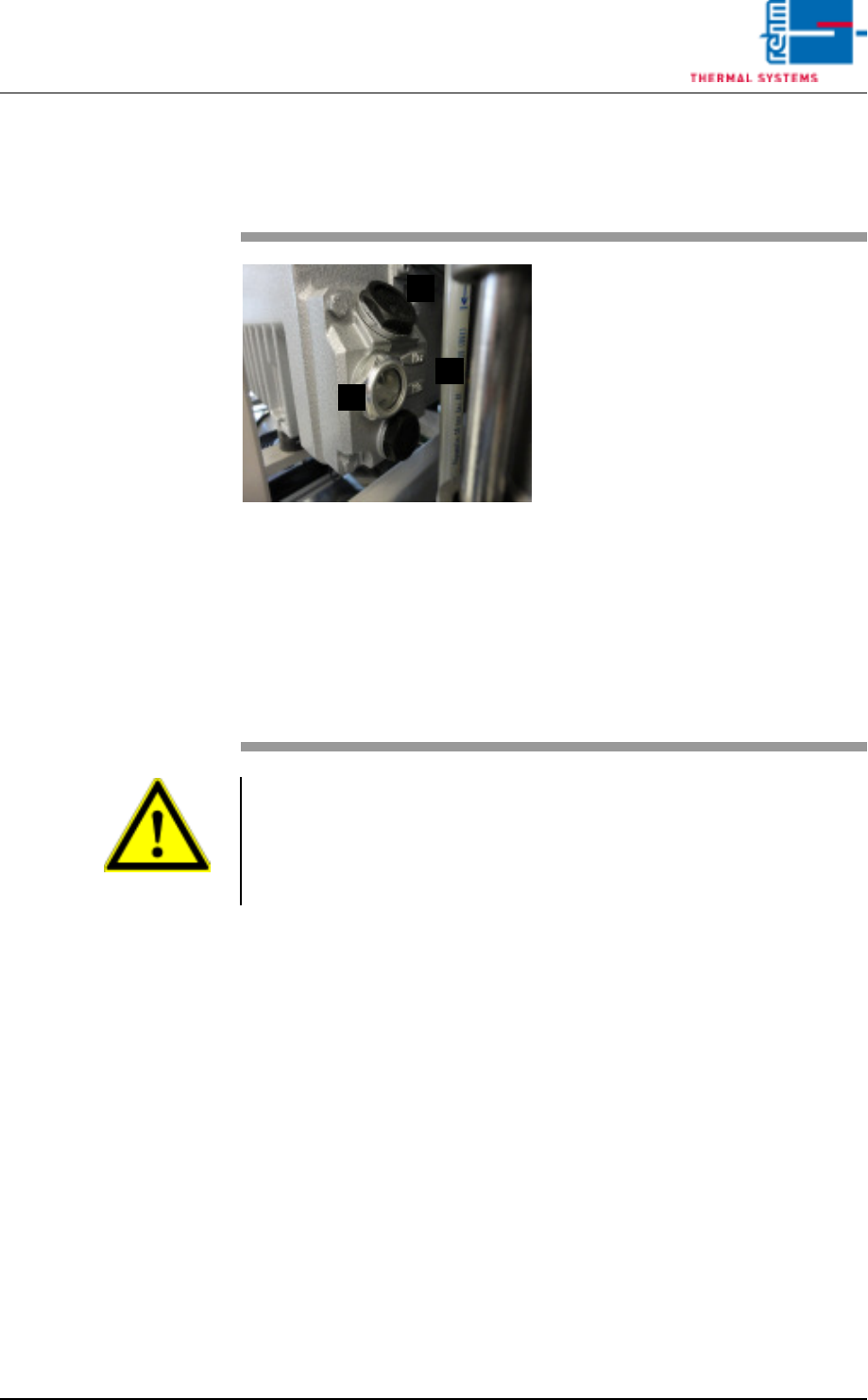
2.8.11 Check the fill level of the vacuum pump and top up
(The pump is operated with PFPE liquid)
Fig. 2-60 vakuum pump
Procedure:
1. Remove the panel on the sys-
tem.
2. Switch off the pump.
3. Check the fill level at the inspec-
tion window (A). The level indi-
cators min. and max. are
located on the right next to the
inspection window (B).
4. If the fill level is at the min.
mark, top up the medium.
5. With a spanner, remove the lid
(C).
6. Pour in the medium using a fun-
nel up to approx. midway be-
tween the min. and max. marks.
7. Refit the lid.
A
B
C
Attention!
The vacuum pump is operated with PFPE liquid.
Be sure to also note the information provided by the vacuum pump manu-
facturer. The manufacturer's instructions are stored in the folder "Compo-
nent documentation".
Page 42 Vision XP+ VAC
2 Maintenance
2.8 Vacuum Unit
Operating Instructions
Version 1.5
2.8.12 Maintenance intervals for the vacuum pump
The times indicated in the maintenance schedule are approximate under
normal operating conditions for the pump. Poor environmental conditions
and/or the pumping of aggressive media can significantly shorten
maintenance intervals.
To make maintenance work easier, we recommend that individual
processes are carried out together in an appropriate manner.
Note!
Any work/servicing involving the pump must be carried out by trained per-
sonnel. Improper maintenance or repair work significantly jeopardises ser-
vice life/usability and leads to difficulties in the event of any guarantee
claims.
Attention!
Never install used seals. Always install new seals.
MAINTENANCE WORK
INTERVAL
Check the Fomblin/medium level 1 month
Replace exhaust strainer
Replace 2 filter cartridges bi-annually
or annually
(depending on Fomblin consumption)
Clean the filter suction side vacuum path
1 month
Vision XP+ VAC Page 43
2 Maintenance
2.8 Vacuum Unit
Operating Instructions
Version 1.5
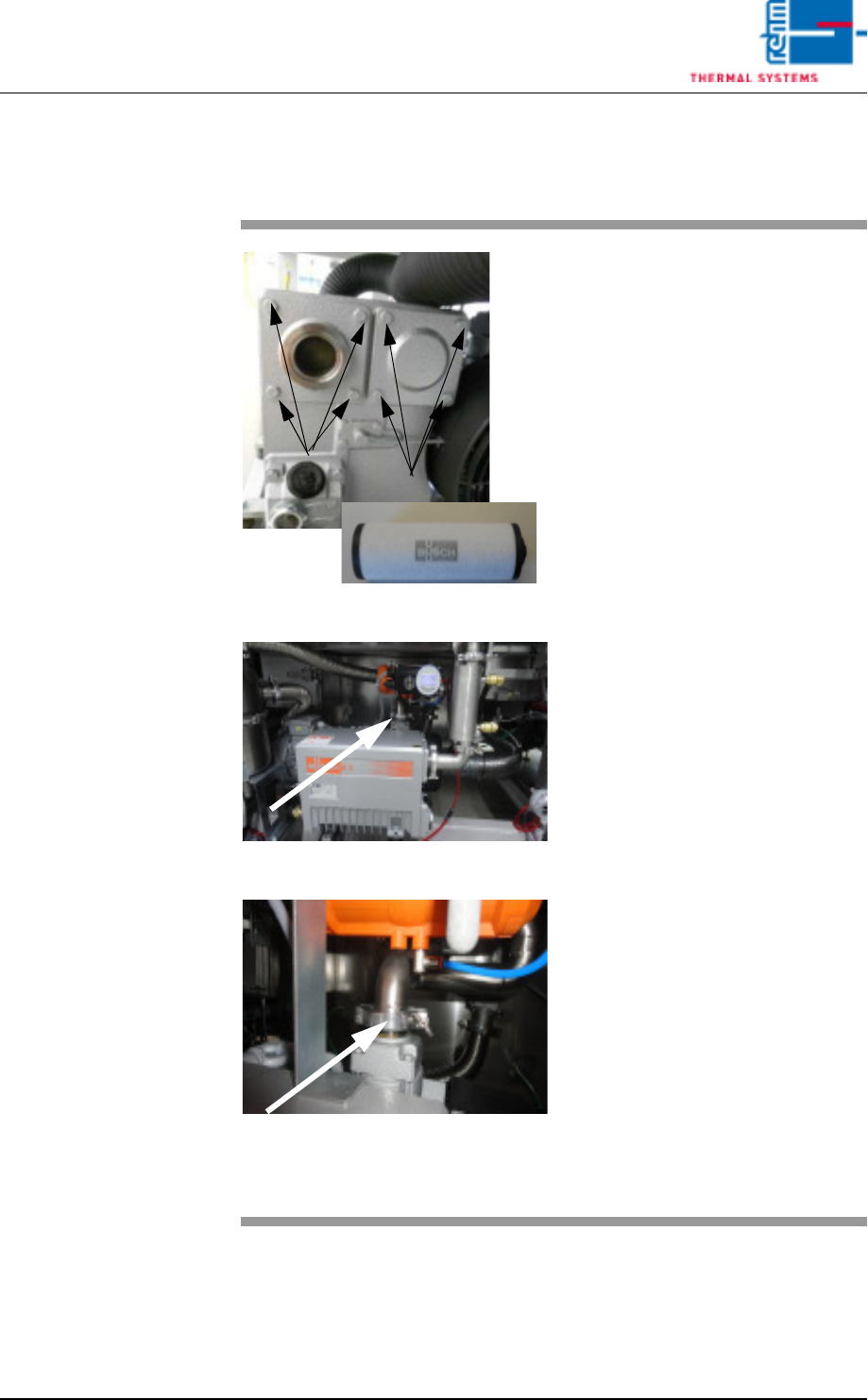
2.8.13 Clean the vacuum pump
Fig. 2-61 filter cartridges in the vacuum pump
Fig. 2-62 Pump
Fig. 2-63 Pump 1
Material:
• Filter cartridge 2 x
• Filter 1 x
1. Loosen the indicated screws to
replace the filter cartridges in
the vacuum pump.
2. Simply remove the covers to re-
place the cartridges.
3. Another filter is located in the in-
take connection.
4. Loosen the KF circlip, push the
tube aside and check the filter.
5. If heavily soiled, replace this fil-
ter also.
6. After replacement, reassemble
everything in reverse order.
Note!
Check the Fomblin filling level
every 4 weeks if the consumption
is high.