ServiceInstruction_Vision XP.pdf - 第67页
Vision XP+ V AC Page 63 3 Setup Instructions Operating Instructions V ersion 1.5 3 Setup Instruction s This chap ter concerns itself w ith all important system s etup procedures. These proced ures must be exe cuted when …

Page 62 Vision XP+ VAC
2 Maintenance
2.17 Overall System
Operating Instructions
Version 1.5
Vision XP+ VAC Page 63
3 Setup Instructions
Operating Instructions
Version 1.5
3 Setup Instructions
This chapter concerns itself with all important system setup procedures.
These procedures must be executed when new components are installed,
or in the event that probe, sensor or transducer deviations are detected
during inspection.
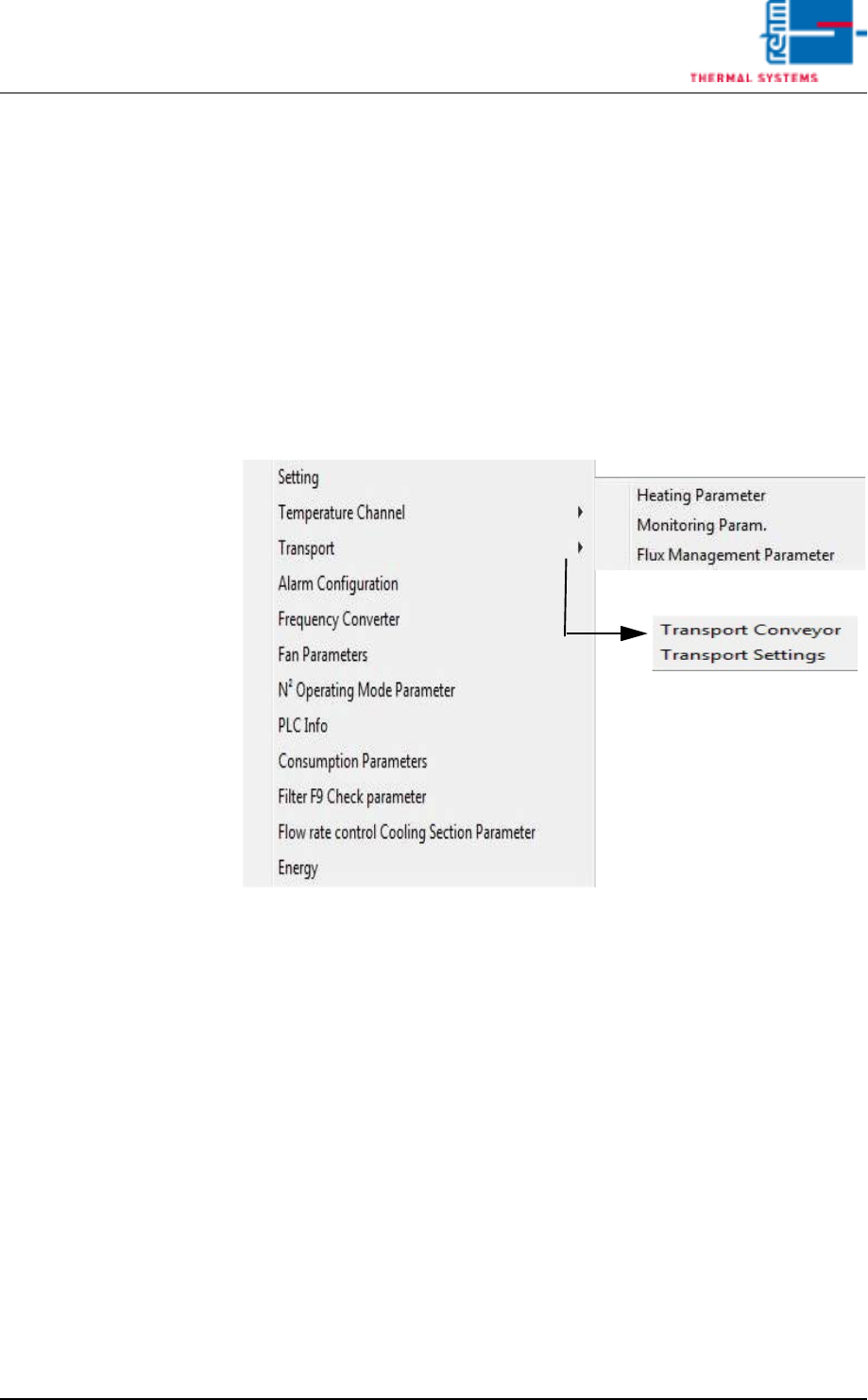
The individual functions which require calibration or adjustment can be
selected from the Service menu in the user interface.
Fewer functions may be included depending upon which system is used.
Fig. 3-1 The Service Menu
The Service menu can only be accessed by users with appropriate
password authority. When unauthorized users are logged on, the menu
appears light gray and is disabled.
Page 64 Vision XP+ VAC
3 Setup Instructions
3.1 Adjustment
Operating Instructions
Version 1.5
3.1 Adjustment
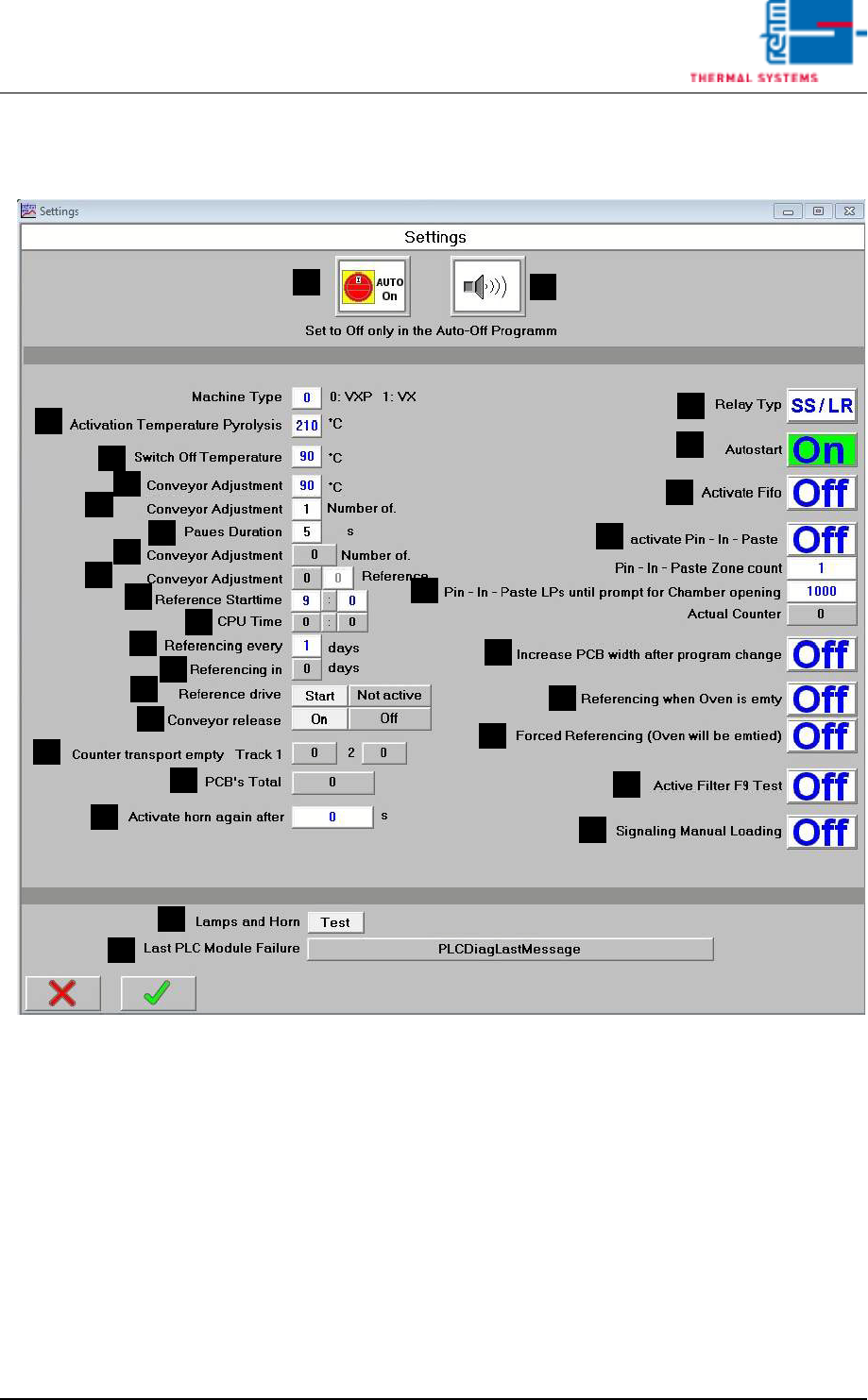
Fig. 3-2 Service Settings
System-specific settings are specified in this window.
A) Auto-Start-Switch
The drive unit, the heat, and compressed air can be turned on (auto-on)
of off (auto-off) simultaneously with this switch. the switch setting ist
stored to program memory.
B) Horn Switch
the horn sounds to indicate alarm messages which this switch is turned
on. If on the other hand, this switch is turned off, alarm messages appear
at the display only. The horn does not sound.
C) Temperature for pyrolysis activation
Only when a higher set value is preset in at least 2 peak-zones, the py-
rolysis is activated.
F
E
B
A
C
D
G
H
M
K
J
I
L
N
R
Q
P
O
S
T
U
V
W
X
Y
Z
AA
AB
AC
AD