ServiceInstruction_Vision XP.pdf - 第35页
Vision XP+ V AC Page 31 2 Maintenance 2.7 Cooling T ract Operating Instructions V ersion 1.5 2.7.6 Replacing the Fan Impeller Fig. 2-4 2 Replacin g Fan Im peller (step 1) Fig. 2-4 3 Replacin g Fan Im peller (step 2) Fig.…
Page 30 Vision XP+ VAC
2 Maintenance
2.7 Cooling Tract
Operating Instructions
Version 1.5
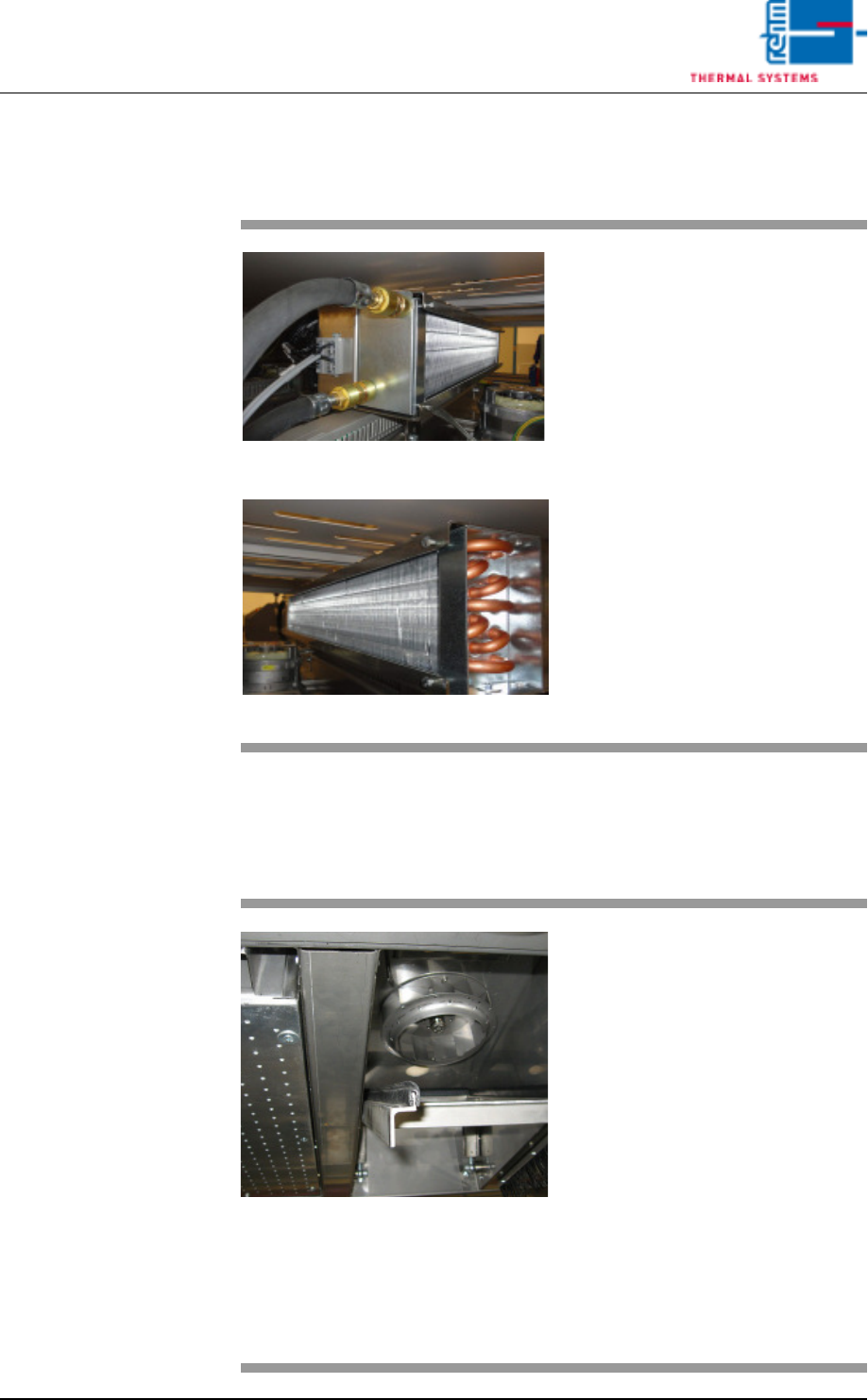
2.7.4 Clean trapped heat cooler
2.7.5 Inspecting and Cleaning the Fan Impeller
Fig. 2-39 Trapped heat cooler
Fig. 2-40 Trapped heat cooler
Consumable materials, tools:
• Vacuum cleaner
• Brush
Procedure:
1. Occasionally check the cooling
fins of the trapped heat cooler
for dirt
2. Vacuum the cooling fins as
soon as they are covered with
dust and dirt. Also use a brush,
if necessary.
Fig. 2-41 Cleaning the Fan Impeller
The fan impellers are located in the
process chamber behind the cooler
cartridges. (optional for undercool-
ing)
Consumable materials, tools:
• Oven cleaner
• Rags
Procedure:
1. Remove the cooler cartridge
(see instructions in chapter
2.7.2).
2. Inspect the fan impellers for
contamination, and clean with
oven cleaner and rags if
necessary.
Vision XP+ VAC Page 31
2 Maintenance
2.7 Cooling Tract
Operating Instructions
Version 1.5
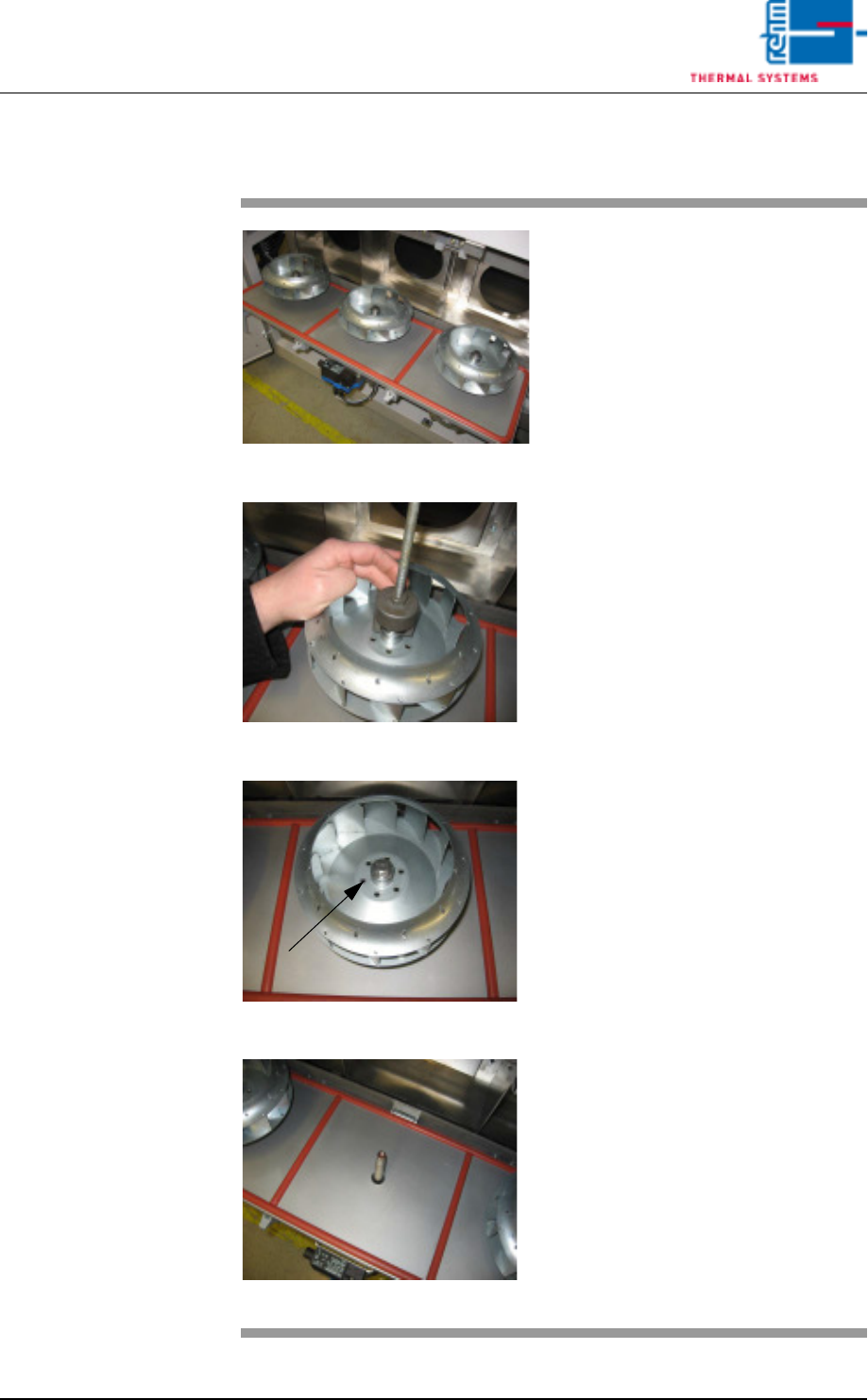
2.7.6 Replacing the Fan Impeller
Fig. 2-42 Replacing Fan Impeller (step 1)
Fig. 2-43 Replacing Fan Impeller (step 2)
Fig. 2-44 Replacing Fan Impeller (step 3
Fig. 2-45 Replacing Fan Impeller (step 4)
Consumable materials, tools:
• 17 mm box wrench or open-end
wrench
• Puller
Procedure:
1. Open the cooling zone.
2. Remove the self-locking bolt at
the fan impeller.
3. Attach the puller carefully. The
fan deducted evenly
4. Set the fan impeller into a rins-
ing bath, or replace it with a new
one.
5. Put on the fan wheel properly.
Now, put on the locking screw
again.
6. Screw tightly the fan wheel with
locking screw. Close again the
cover with clamping levers.
Page 32 Vision XP+ VAC
2 Maintenance
2.8 Vacuum Unit
Operating Instructions
Version 1.5
2.8 Vacuum Unit
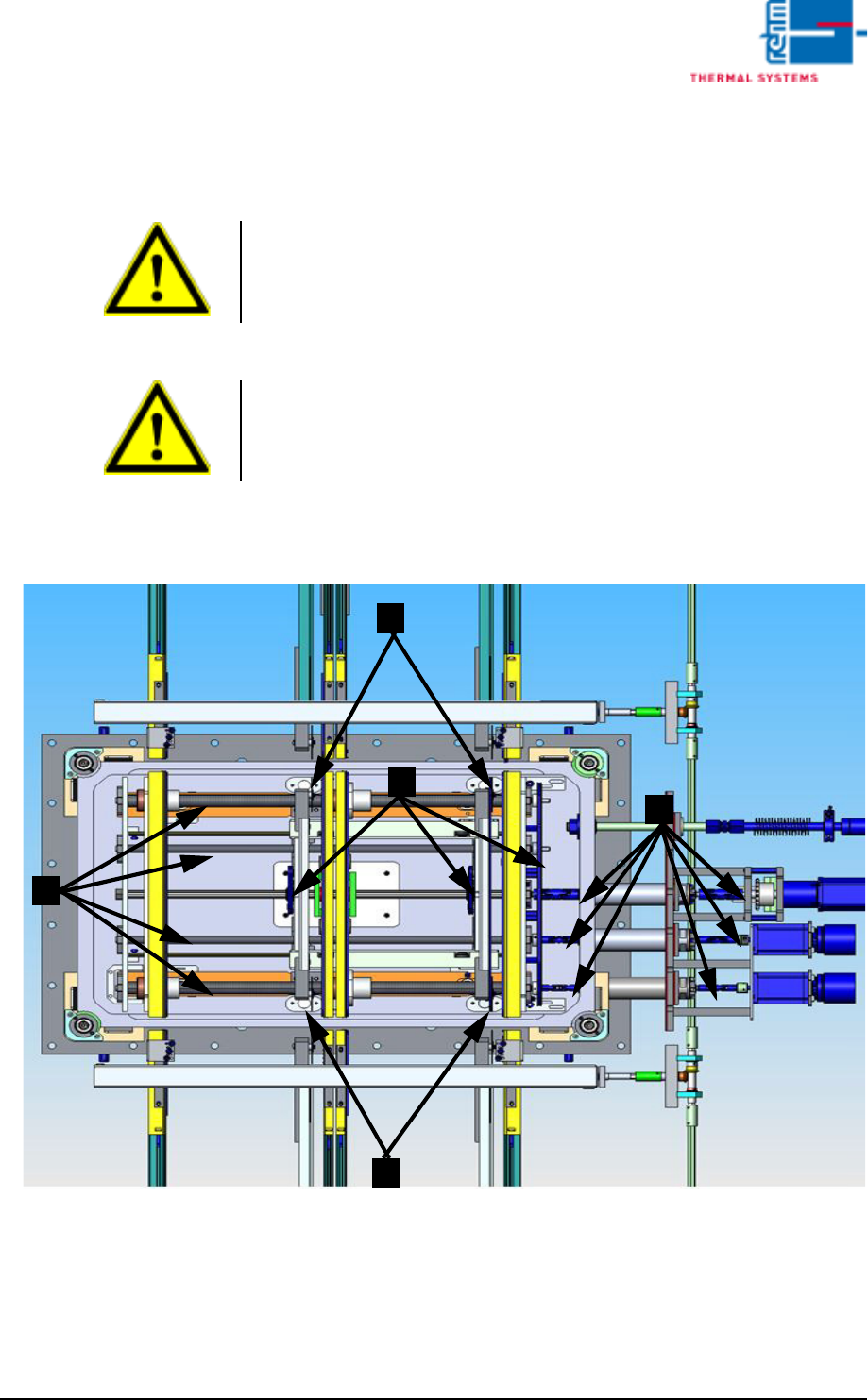
2.8.1 Detail view of the vacuum chamber
Fig. 2-46 Detail view of the vacuum chamber
1. Clean the sensor glass.
2. Clean and lubricate splined shaft and spindles.
3. Grease the articulated shaft.
4. Clean or grease the transport chains
Note!
The emergency stop function must first be deactivated before undertaking
any maintenance work in the vacuum chamber.
Note!
After the maintenance the chamber seal should be lubricated with
vacuum grease.
1
1
3
2
4