ServiceInstruction_Vision XP.pdf - 第112页
Page 108 Vision XP+ V AC 3 Setup Instructions 3.14 Backup T ool Operating Instructions V ersion 1.5 Fig. 3-2 1 Setup Over the men u item [File -> Save] the current configu ration can be saved. All amendments a re regi…

Vision XP+ VAC Page 107
3 Setup Instructions
3.14 Backup Tool
Operating Instructions
Version 1.5
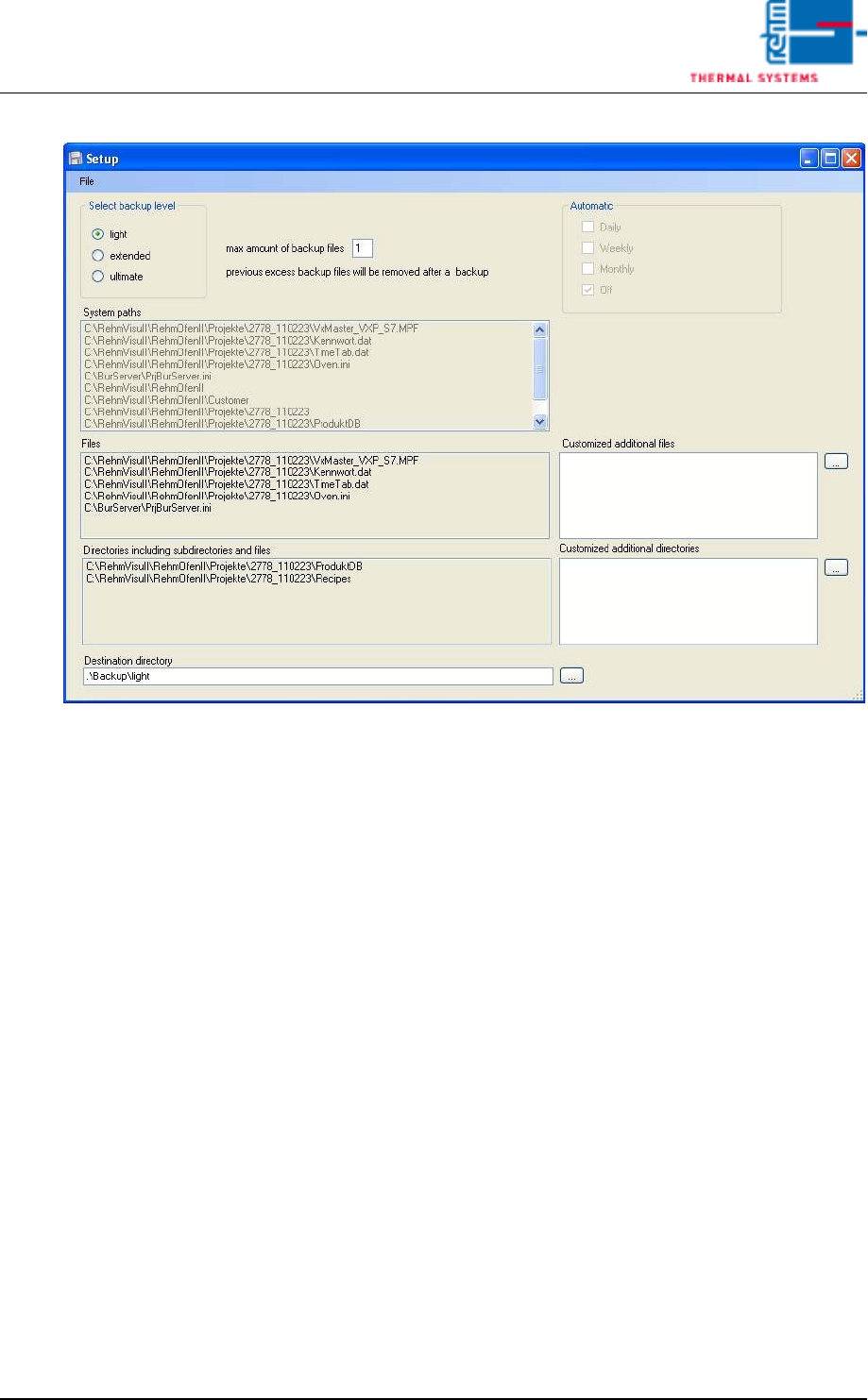
Setup Mask
Diverse adjustments of separate backup levels are read out, adjusted and
saved.
- [Select backup level] Select the configuration of the appropriate
back-up level
- [System paths] In this Listbox all system and customer-specific
data files and file folders are indicated (real display panel).
- [Files] In this Listbox depending on the selected backup level, the
safety data are indicated (real display panel).
- [Directories uncluding subdirectories and files] In this Listbox
depending on the selected backup level, the safety file folders are
indicated (real display panel)
- [Destination directory] the selected directory of the data back-up
can be stated here.
- [max amount of backup files] The max.number of data back-up´s
for the selected backup level can be preset here. If after the data
back-up the number of available data back-up´s e.G. for level light
exceed the pre-set number, the older data back-up´s will be
deleted.
- [Customized additional files] Further customer-specific data files
can be added here to the data back-up level or deleted. Over […] a
file selection window opens up. To delete an existing entry please
mark the appropriate entry. By clicking with the right mouse button
a dialog delete opens up. Select the dialog entry [delete] to delete
the file in the list.
- [Customized additional directories] Further customer-specific file
folders can be added here to data back-up level or deleted. Please
see the prior item [Customized additional files].
Page 108 Vision XP+ VAC
3 Setup Instructions
3.14 Backup Tool
Operating Instructions
Version 1.5
Fig. 3-21 Setup
Over the menu item [File -> Save] the current configuration can be saved.
All amendments are registered temporary. If a configuration setting has
been changed and not saved until now, there is a save-query when leaving
the backup level or when closing the window.
Vision XP+ VAC Page 109
3 Setup Instructions
3.15 Configuration Activ Energy Meters
Operating Instructions
Version 1.5
3.15 Configuration Activ Energy Meters
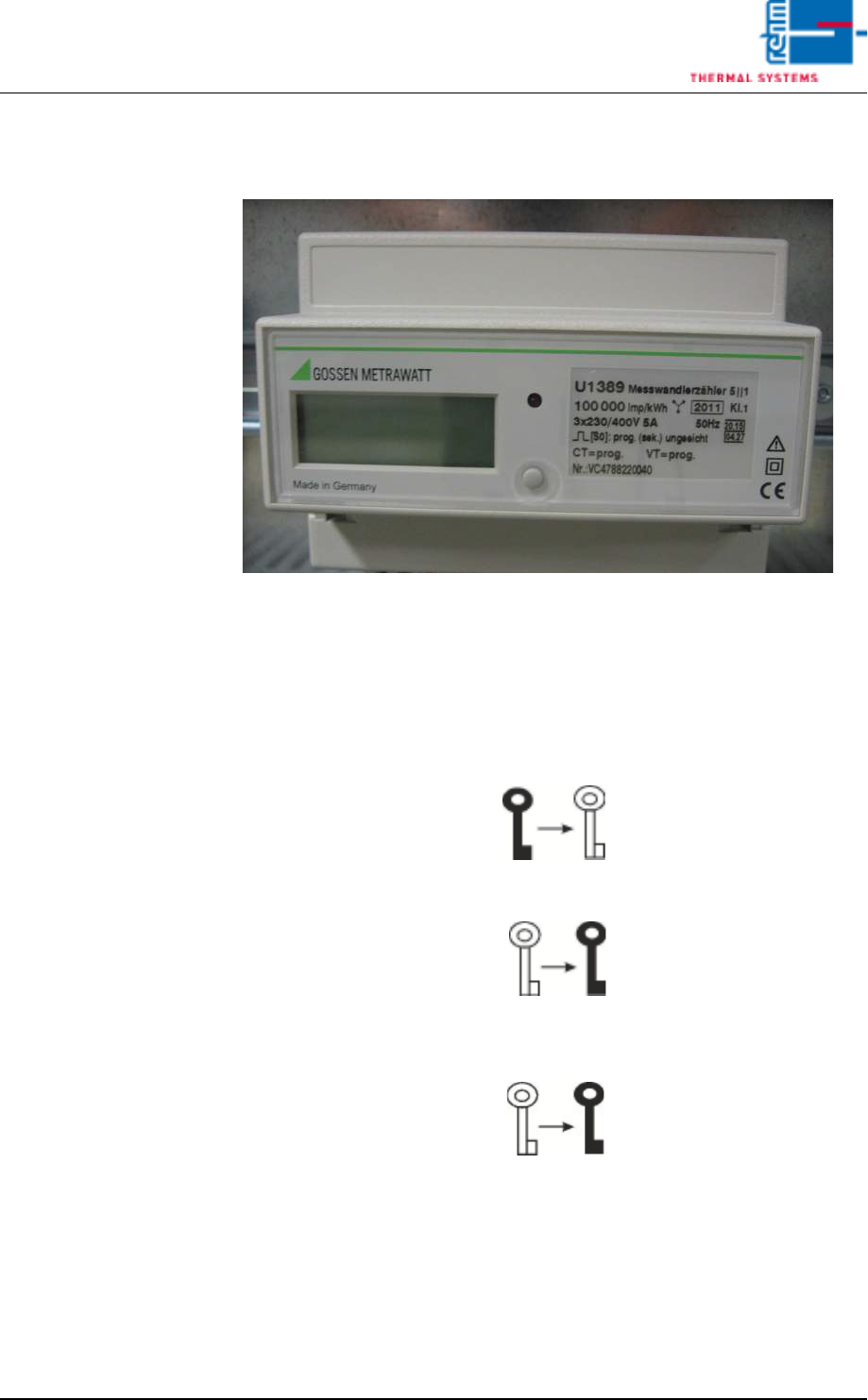
Fig. 3-22 Configuration Activ Energy Meters
A) Enabling parameter modifications
• The enable key serves to enable or disable parameter changes. It is locat-
ed below the terminal cover and is activated with a pointed object (e. g.
ballpen).
• Pressing the key for the first time activates operating mode „Change pa-
rameters“ (key off):
• Renewed activation disables operating mode „Change parameters“
(key on):
• If the key is not activated for approx. 2 minutes, operating mode „Change
parameters“ is automatically aborted and blocked. The key is displayed
again: