ServiceInstruction_Vision XP.pdf - 第106页
Page 102 Vision XP+ V AC 3 Setup Instructions 3.12 V acuum parameters Operating Instructions V ersion 1.5 3.12 V acuum param eters Fig. 3-1 6 Vacuum param eters These settings are set during commissioning by the s ervice…

Vision XP+ VAC Page 101
3 Setup Instructions
3.11 Vacuum chamber service
Operating Instructions
Version 1.5
H) Displays the degree of contamination with dirt of each stopper in the vac-
uum chamber. An alarm is triggered if the degree of contamination is too
high.
Page 102 Vision XP+ VAC
3 Setup Instructions
3.12 Vacuum parameters
Operating Instructions
Version 1.5
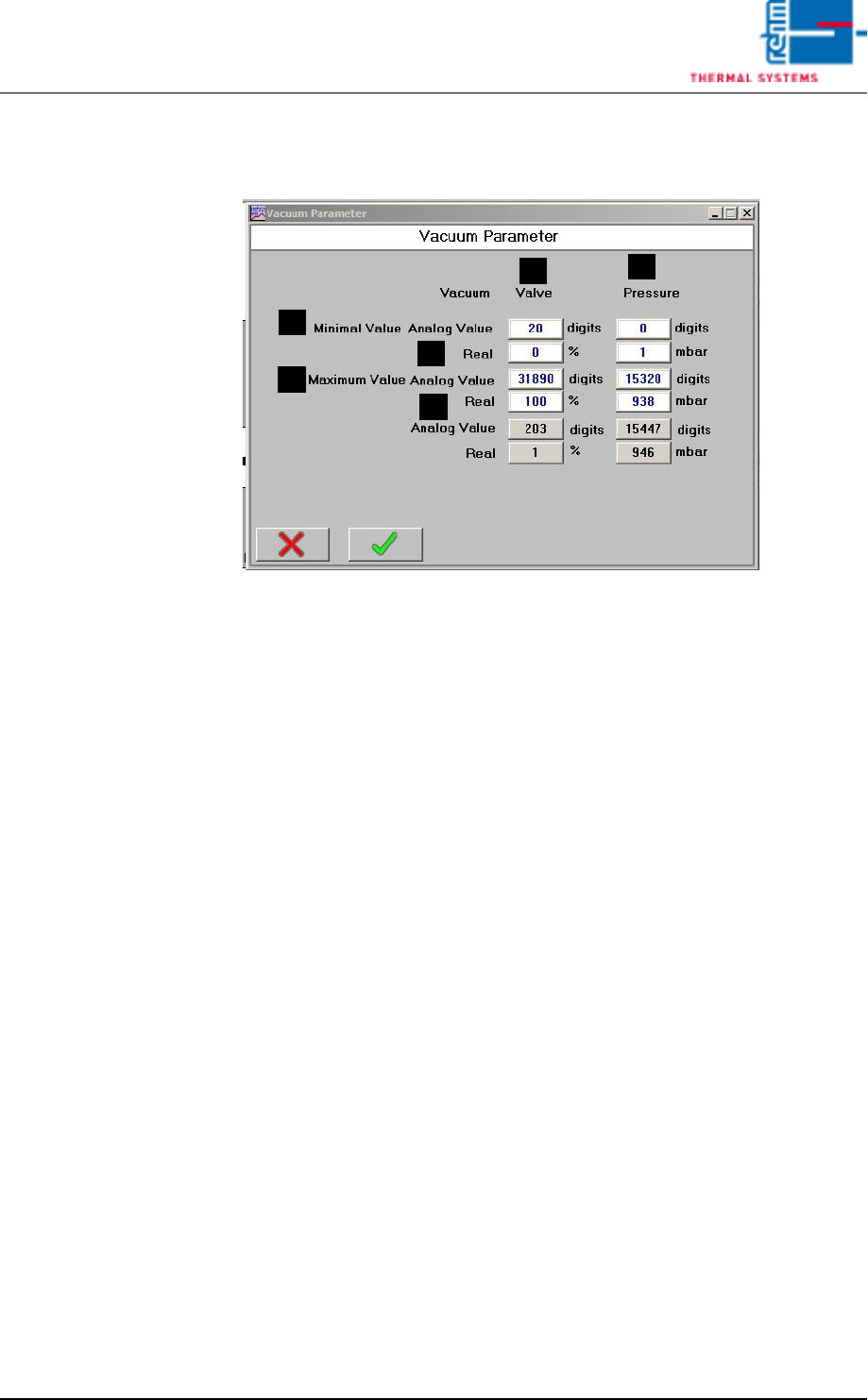
3.12 Vacuum parameters
Fig. 3-16 Vacuum parameters
These settings are set during commissioning by the service engineer of the
company Rehm Thermal Systems GmbH.
A) Analogue value
Raw value.
B) Real
Negative pressure.
C) Valve
Adjustment values for the regulating valve.
D) Pressure
Adjustment values for the pressure.
A
A
B
B
D
C
Vision XP+ VAC Page 103
3 Setup Instructions
3.13 Settings for Individual Components
Operating Instructions
Version 1.5
3.13 Settings for Individual Components
3.13.1 Adjustment instruction for the vacuum pump positioner
The positioner may be set and operated on the process and adjustments
level
Process level:
The running process will be shown and controlled on the process level.
Operating mode
– AUTOMATIC -Process data display
– MANU - Manual opening and closing of the valve.
Adjustment level:
Basic process settings may be made on the adjustment level.
– Entering the operating parameters
– Activation of additional functions.
Note!
If the apparatus is in AUTOMATIC mode when switching to the adjustment
level, the process will continue running during adjustments.
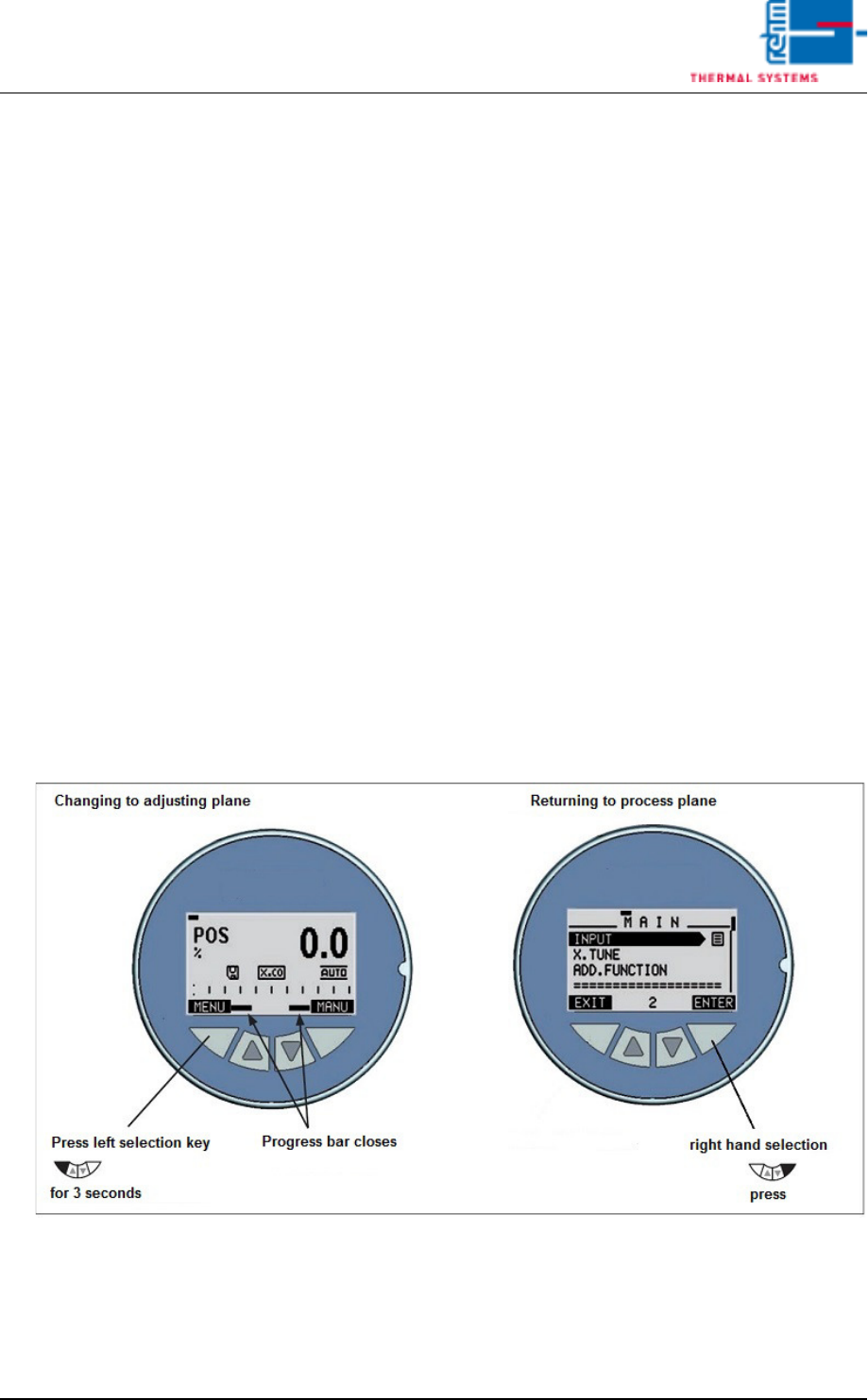
Fig. 3-17 Changing to adjusting plane
Press menu key for 3 seconds; the main menu opens.
The “INPUT” menu item is displayed. Press “ENTER” to confirm.