ServiceInstruction_Vision XP.pdf - 第105页
Vision XP+ V AC Page 101 3 Setup Instructions 3.1 1 V acuum chamber service Operating Instructions V ersion 1.5 H) Displays the degree of con tamination wi th dirt o f eac h s topper in the vac- uum c hamber. An al arm i…
Page 100 Vision XP+ VAC
3 Setup Instructions
3.11 Vacuum chamber service
Operating Instructions
Version 1.5
3.11 Vacuum chamber service
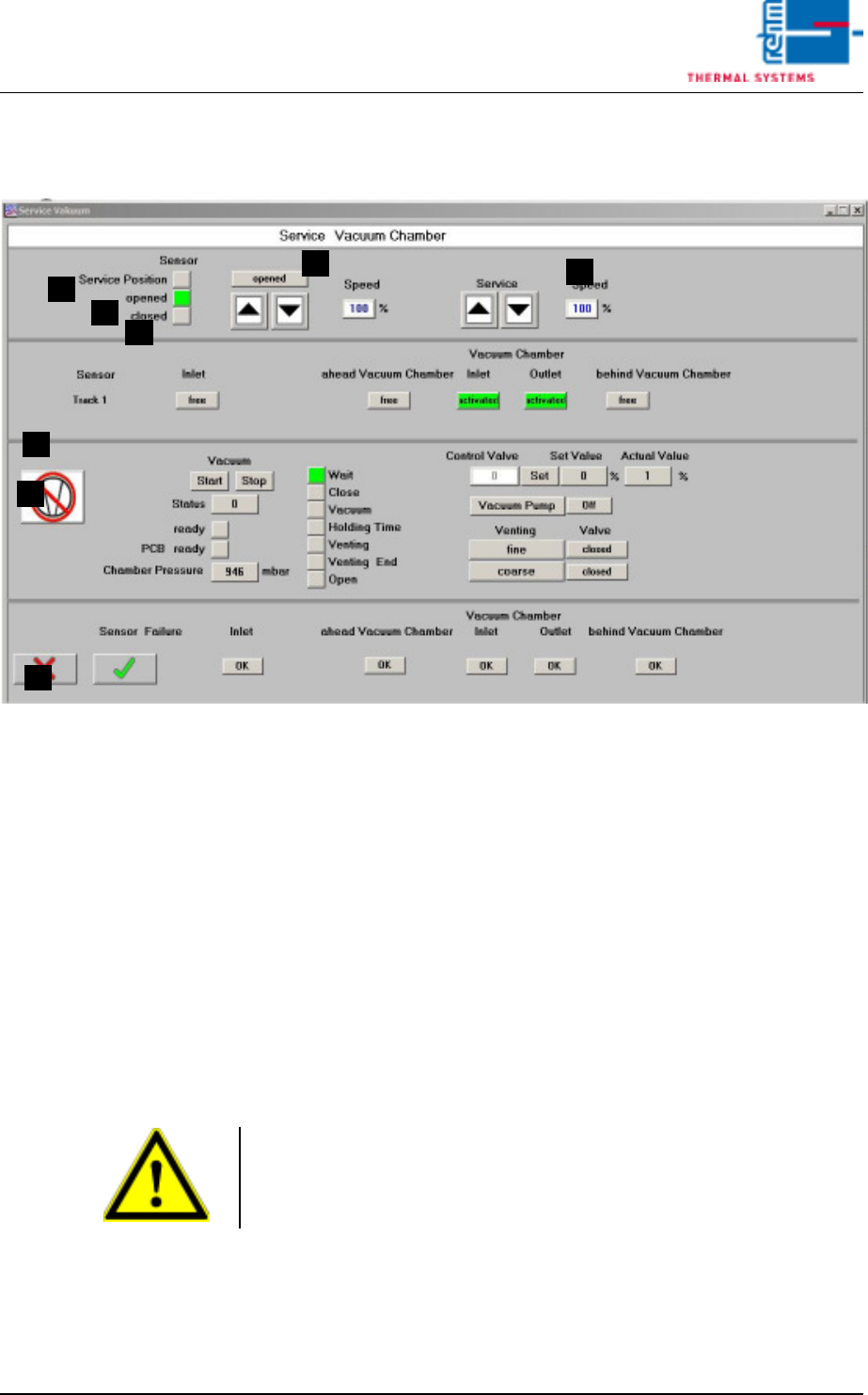
Fig. 3-15 Vacuum chamber service
These settings are set during commissioning by the service engineer of the
company Rehm Thermal Systems GmbH.
A) Displays the service position
Displays the upper end position of the vacuum chamber.
B) Displays position A
Displays the vacuum chamber as being opened.
C) Displays “down”
Displays the vacuum chamber as being closed.
D) Move the vacuum chamber manually
These buttons can be used to manually open or close the vacuum cham-
ber.
E) Vacuum chamber service mode
These buttons can be used to manually open or close the vacuum cham-
ber for servicing.
F) Input sensor
The current status of the individual sensors of the machine is displayed
here.
G) Display and control panels for servicing the vacuum process.
A
E
H
C
B
D
G
F
Note!
The oven chamber must be fully open. Only then can the button for service
mode be used to open or close the vacuum chamber.

Vision XP+ VAC Page 101
3 Setup Instructions
3.11 Vacuum chamber service
Operating Instructions
Version 1.5
H) Displays the degree of contamination with dirt of each stopper in the vac-
uum chamber. An alarm is triggered if the degree of contamination is too
high.
Page 102 Vision XP+ VAC
3 Setup Instructions
3.12 Vacuum parameters
Operating Instructions
Version 1.5
3.12 Vacuum parameters
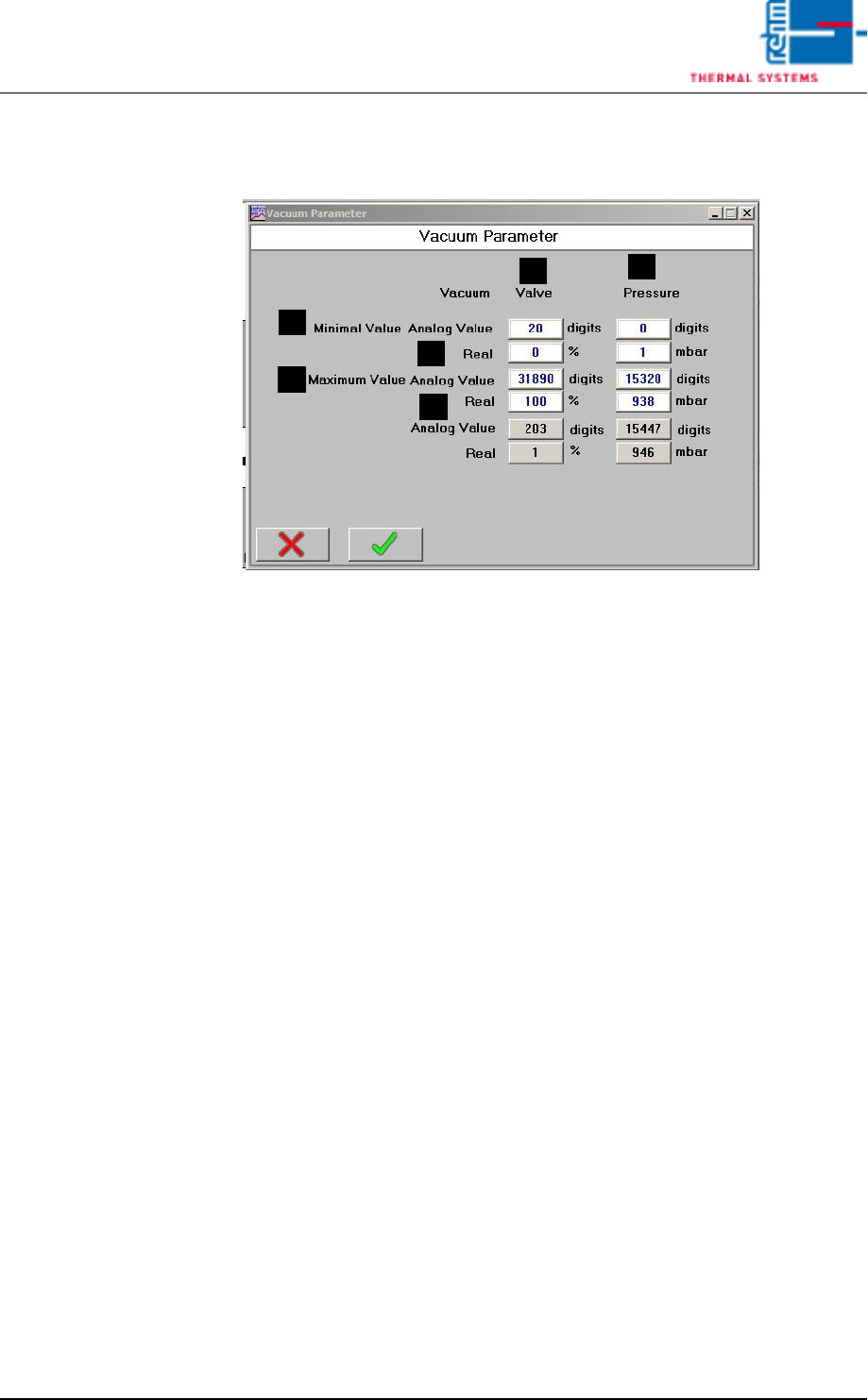
Fig. 3-16 Vacuum parameters
These settings are set during commissioning by the service engineer of the
company Rehm Thermal Systems GmbH.
A) Analogue value
Raw value.
B) Real
Negative pressure.
C) Valve
Adjustment values for the regulating valve.
D) Pressure
Adjustment values for the pressure.
A
A
B
B
D
C