4H4CEPM.pdf - 第16页
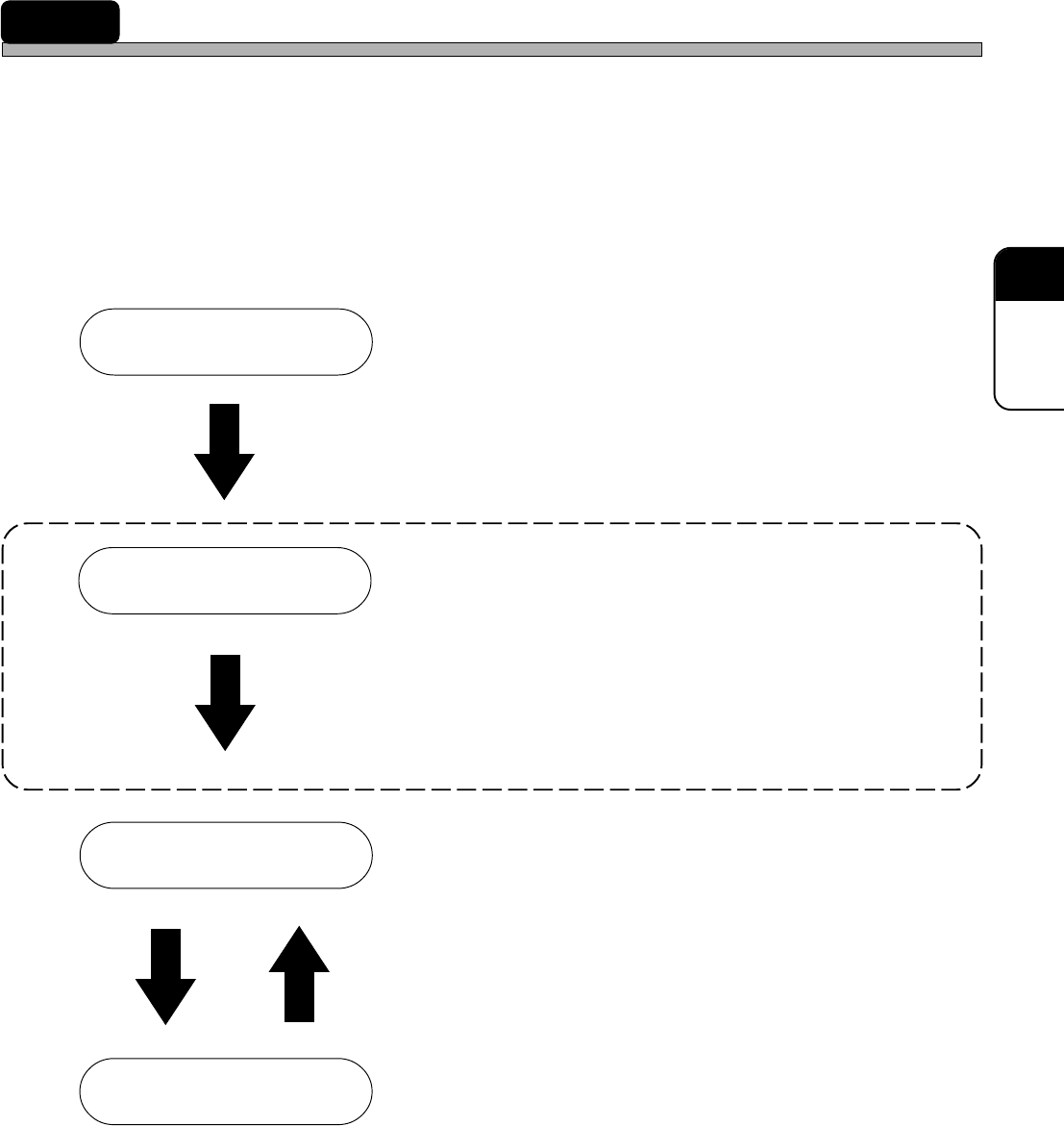
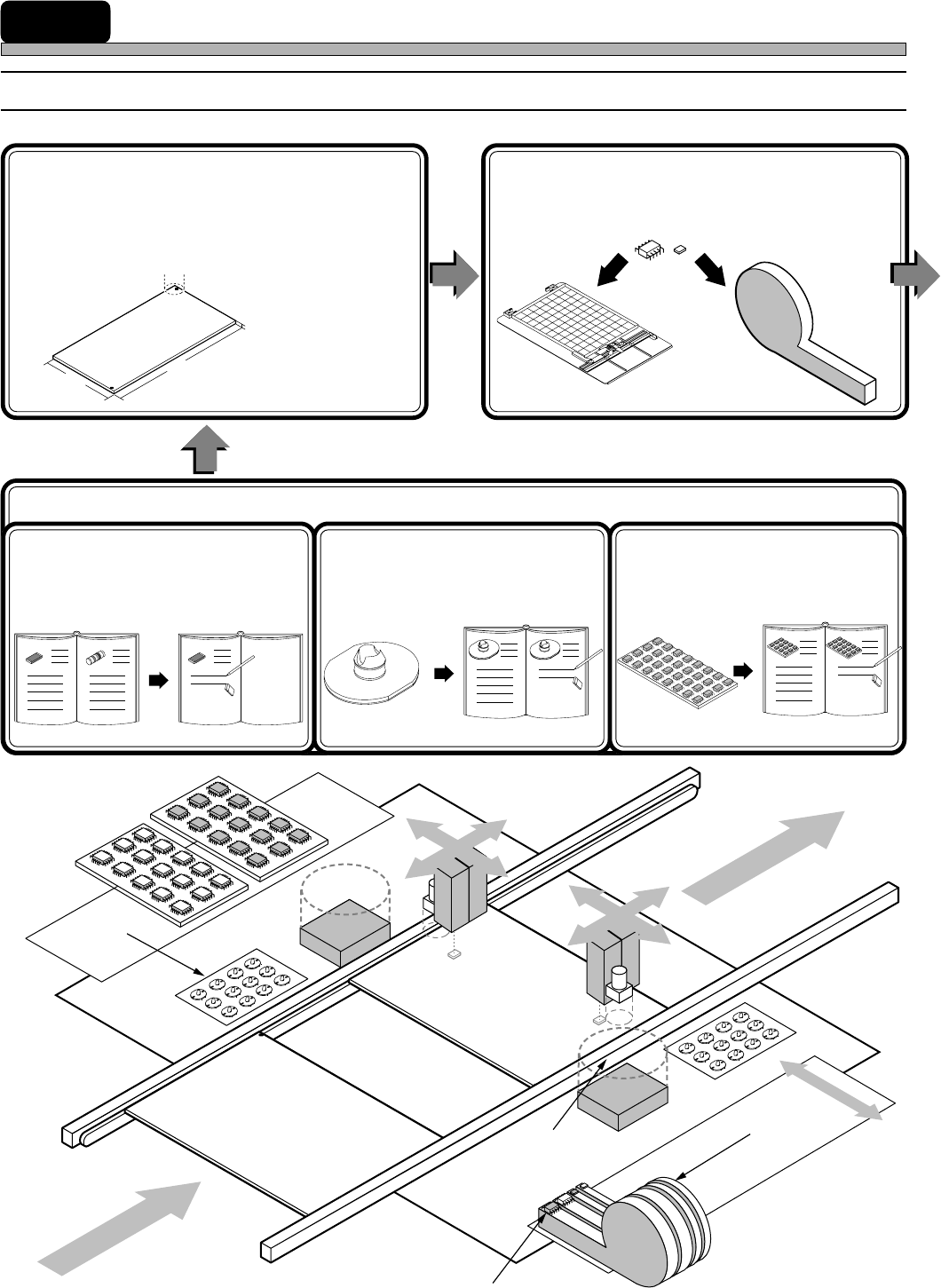
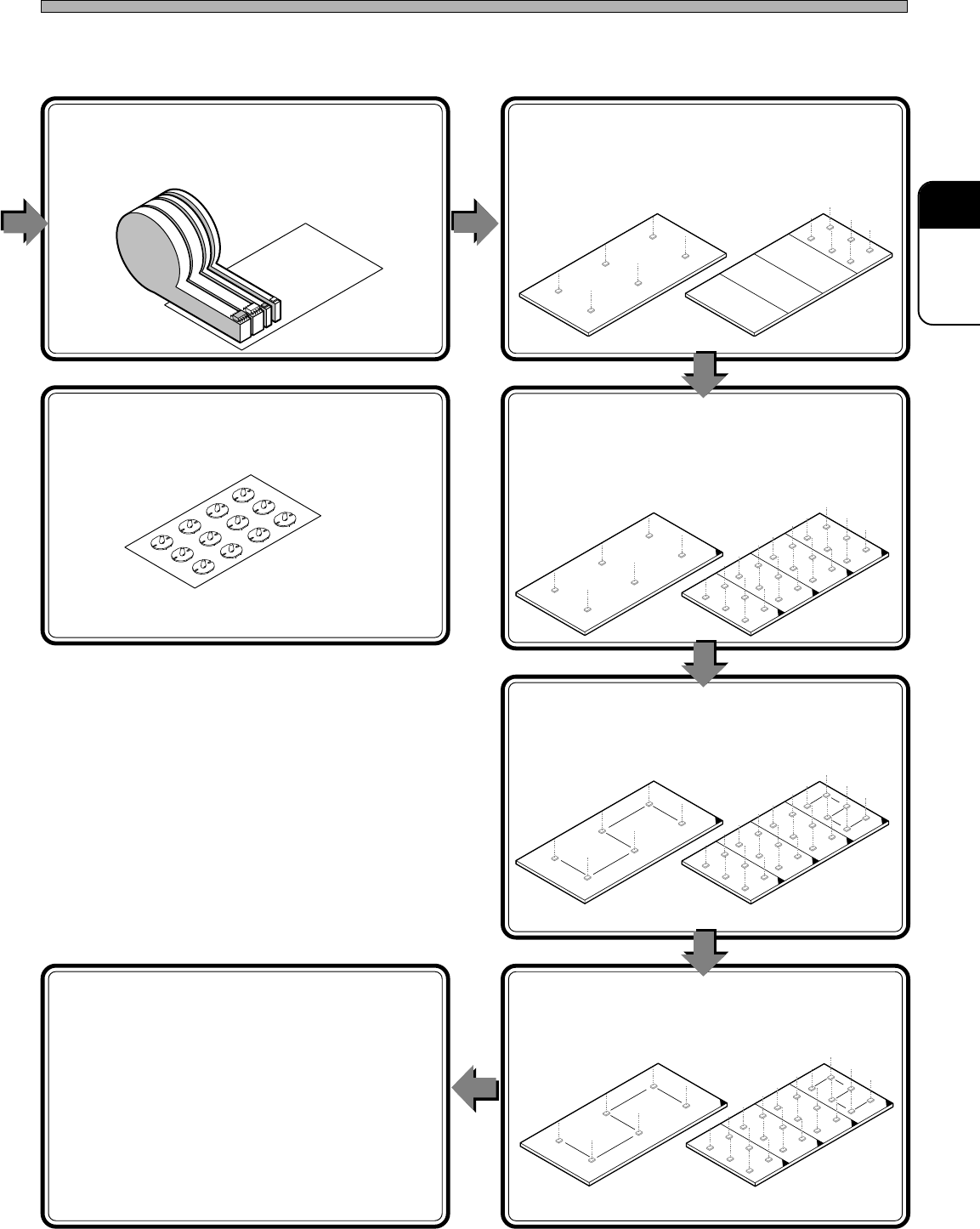
Page 6 4H4C-E-PMA01-A02-00 1 Summary of Data Editing 1-1 Flow Chart of Data Editing 2. Board Data (Board Recognition, Defective Board Recognition) Input the data of the board where chips will be mount. 3. Feeder Layout L…
Page 5
301
CM
4H4C-E-PMA01-A02-00
CM301 Production Data
New production data of CM301 are created by PT Filer. And CM301 Editor edits these data so that
CM301 can use them to mount chips.
The production data created and edited by the PT are downloaded to CM301, and it mounts chips
by using these data.
Recognition data such as board recognition, etc. can be input on CM301 Editor. The differences
between the input date value and the actual one can be corrected through recognition teaching
(production data teaching) on CM301.
PT Filer
• Create production data.
• Start Editor to edit the created data.
PT CM301 Editor
• Start it from Filer.
• Edit the production data of CM301. [Input each
detailed data (including each recognition
data).]
• Set up function switches (including whether or
not to recognize).
PT Filer
• Download the edited production data (including
each recognition data).
CM301
• You can modify some production data
(including recognition teaching).
• Upload the modified (including recognition
teaching) production data.
• Mount chips.
This “APPENDIX CM301 EDITOR” describes the production data editing inside the
frame of a broken line above.
Creating Production Data
Editing Production Data
Managing Production Data
Teaching and Modifying
Production Data
Page 6
4H4C-E-PMA01-A02-00
1 Summary of Data Editing
1-1 Flow Chart of Data Editing
2. Board Data
(Board Recognition, Defective
Board Recognition)
Input the data of the board where chips will be
mount.
3. Feeder Layout List
List the chips to be mounted, and choose the
feeders where the chips will be set on.
1. Custom Library
433C-066E
444C-603E
4H4C-615E
L
W
T
1-1. Chip Data
(Chip Recognition)
Edit the chips to be mounted (by
copying data from the standard
library).
3Y3C-053E
1-2. Nozzle Data
Input the data of the nozzles, (then
add them to the library).
444C-602E
4H4C-011E
1-3. Tray Data
Input the data of the tray, (then add
them to the library).
433C-068E
2
5-1
5-2
1
3,4
Page 7
301
CM
4H4C-E-PMA01-A02-00
4. Stock Data
Choose addresses (where on feeder table that the
feeders will be set).
6. Block Data
Input mounting coordinates.
7. Block Attribute Data
(Defective Block Recognition)
Input the expansion conditions of the block
data.
8. Sort
Sort the block data to create the mount data.
9. Mount Data
Confirm the sorted data.
10. Data Check
Finally, check if all the data are perfect.
Summary of Data Editing
444C-604E
433C-074E
433C-075E
433C-076E
433C-077E
4H4C-612E
Not Expanded Expanded
Undividable board
Dividable board
5. Nozzle Changer Data
Input the positions of the nozzles.
1
2
4
3
5
6
2
1
4
3
5
6