4H4CEPM.pdf - 第65页
Page 55 301 CM 4H4C-E-PMA01-A03-00 Stock Data 12. Click on the “Layout” field of the address that the chip is set. • [SelectFeederLayoutList] window opens. 13. Select a chip to input, and then click on Select . • [Select…
Page 54
4H4C-E-PMA01-A03-01
Stock Data
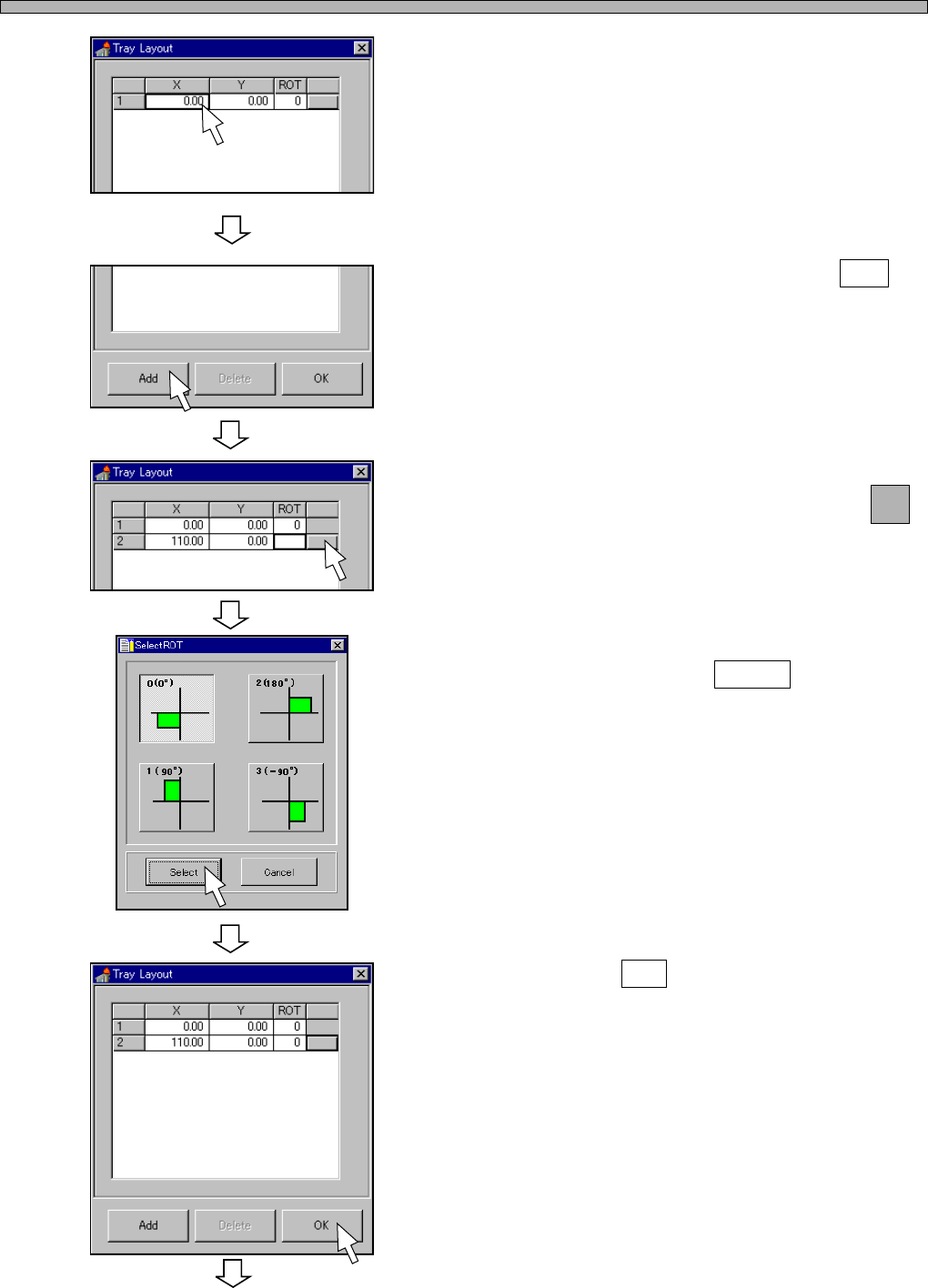
7. Enter the origin coordinates (X, Y) of
the tray.
• When fitting it to the pallet guide, you do not
need to edit this data.
• When using the offset block for pallet, you
need to add 8 mm to the x-coordinate.
8. To set a second tray, click on Add .
9. Enter the origin coordinates (X, Y) of
a second tray, and then click on
next to the ROT field.
• [SelectROT] window opens.
10. Select the rotation angle of the tray,
and then click on Select .
11. Click on OK .
4H4C-EPt-EdSd-010
To the next page
4H4C-EPt-EdSd-010
4H4C-EPt-EdSd-011
4H4C-EPt-EdSd-012
4H4C-EPt-EdSd-013
Page 55
301
CM
4H4C-E-PMA01-A03-00
Stock Data
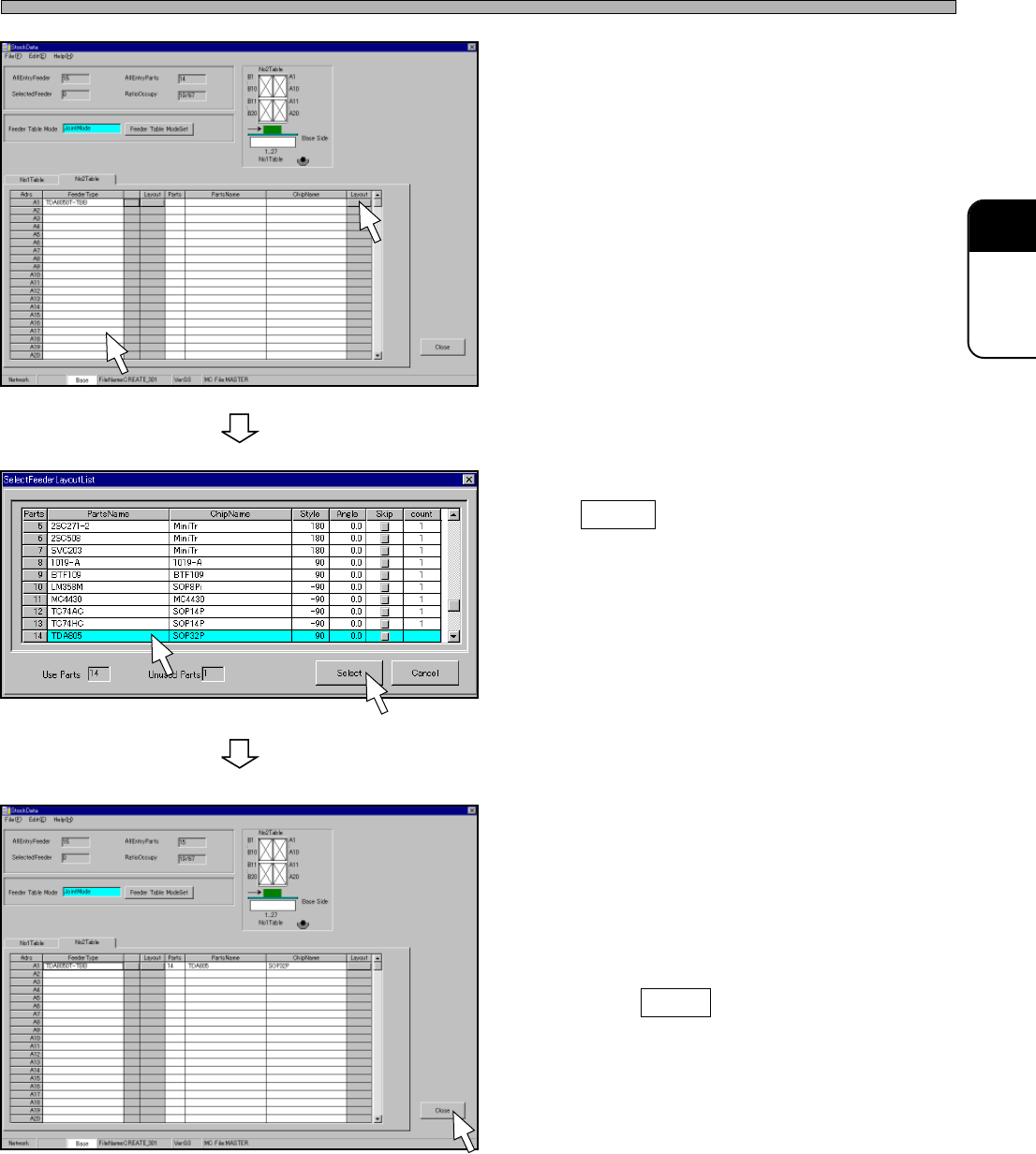
12. Click on the “Layout” field of the
address that the chip is set.
• [SelectFeederLayoutList] window opens.
13. Select a chip to input, and then click
on Select .
• [SelectFeederLayoutList] window closes, and
the selected chip is set.
14. Input all the chips to mount into the
stock data by repeating steps 4 to 13.
15. Click on Close .
• The screen returns to the main menu.
4H4C-EPt-EdSd-009
4H4C-EPt-EdSd-014
4H4C-EPt-EdSd-015
Page 56
10 Nozzle Changer Data
10-1 Nozzle Changer Data
CM301 is equipped with one nozzle changer for each table.
Nozzle changer data shows the order of nozzles arranged in the nozzle changer. Nozzle setting
position is specified by the changer No. (11 to 43).
When the chip to mount is changed, CM301 changes nozzles on the basis of the nozzle changer
data.
Therefore, this data must completely agree with the actual arrangement.
10-2 Editing Nozzle Changer Data
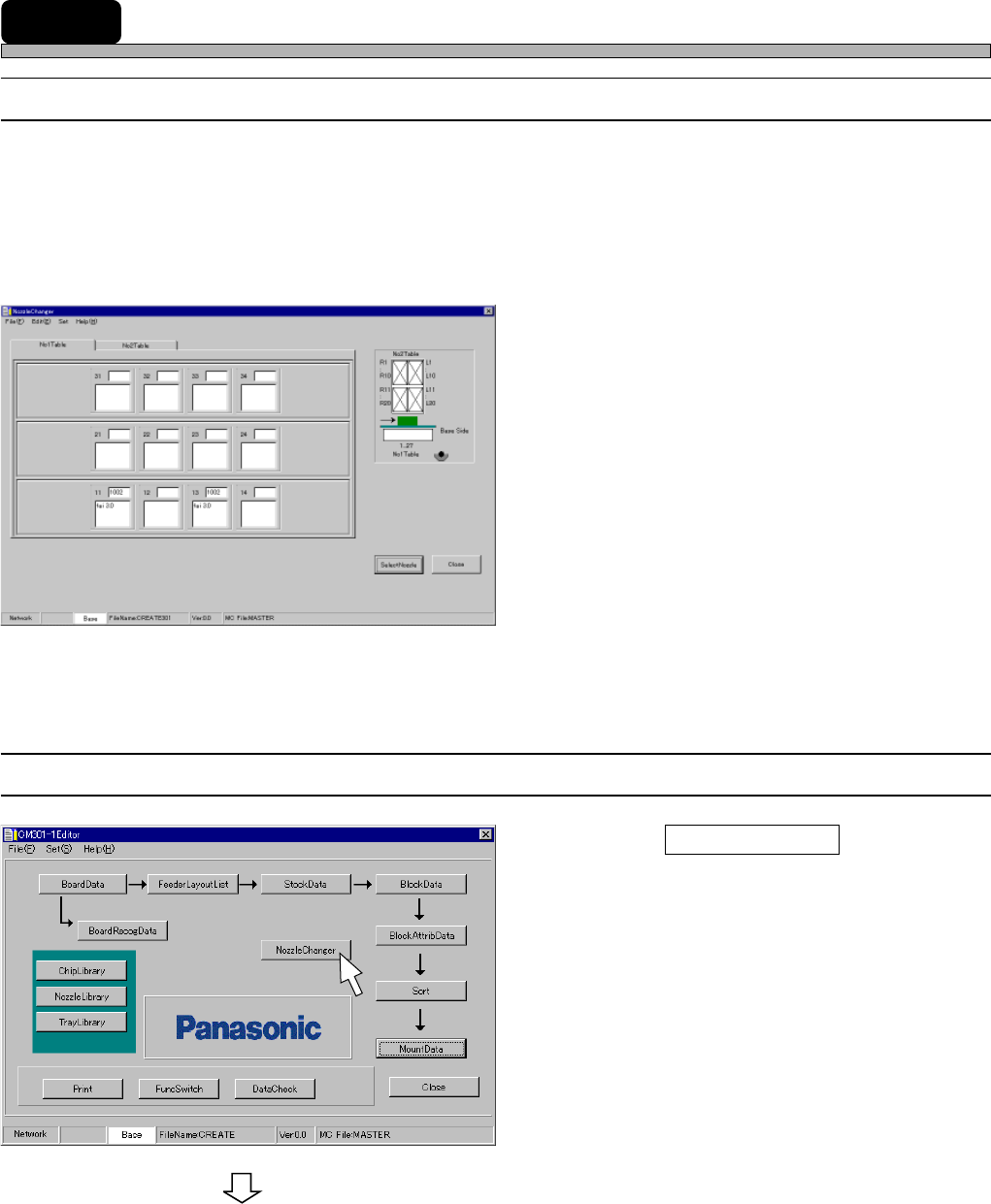
1. Click on NozzleChanger .
• [NozzleChanger] window opens.
To the next page
4H4C-E-PMA01-A04-02
4H4C-EPt-EdNs-001
4H4C-EPt-Ed-001