4H4CEPM.pdf - 第87页
Page 77 301 CM Preview 1. T op of page, End of page 2. Previous, Next 3. Magnify , Reduce 4. Print 5. Set Font 6. Set Form The descriptions are as follows. 1. T op of page, End of page The first or the last page of the p…
Page 76
17 Print
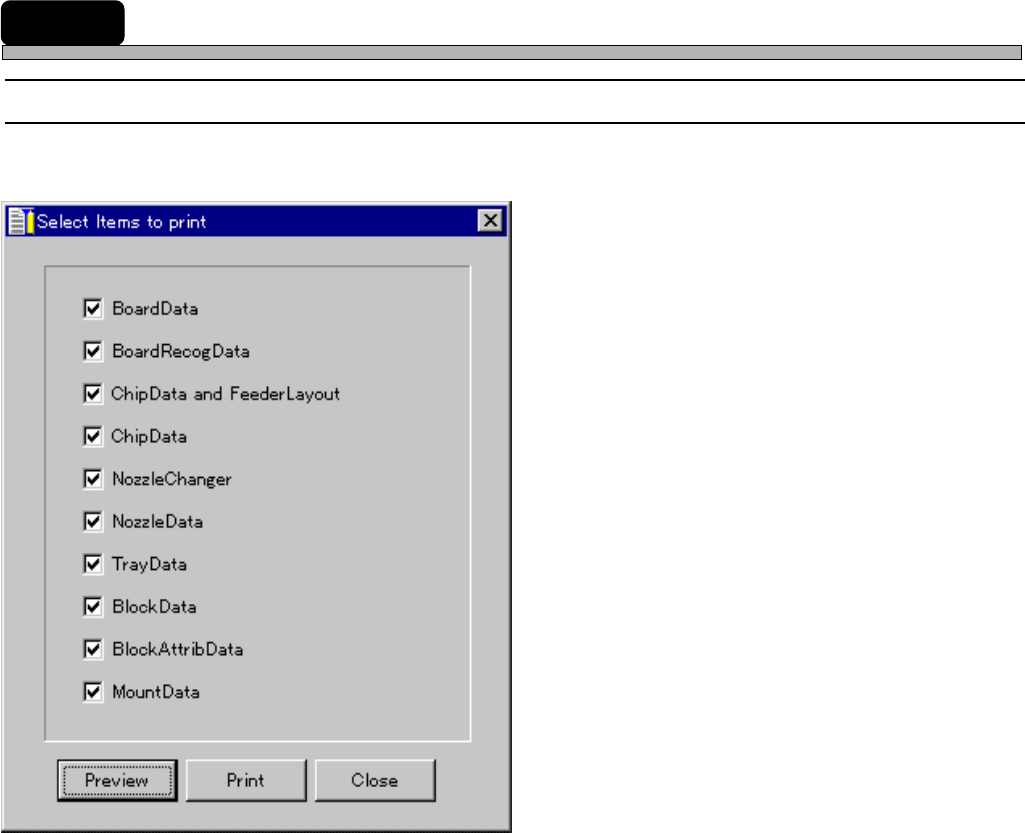
17-1 Print
This is used to print out the data of the chosen item.
1. Preview
2. Print
The descriptions are as follows.
1. Preview
See the next page.
2. Print
After setup according to the printer driver, data are printed out.
4H4C-E-PMA01-A05-01
4H4C-EPt-EdFp-001
Page 77
301
CM
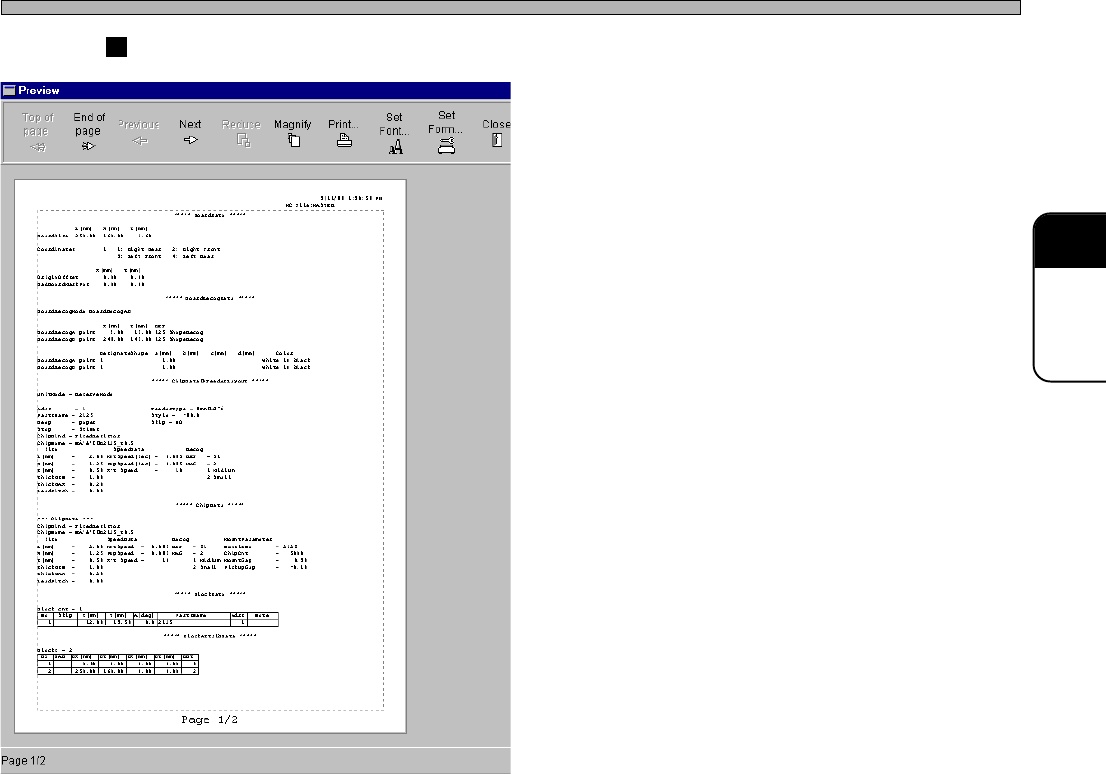
Preview
1. Top of page, End of page
2. Previous, Next
3. Magnify, Reduce
4. Print
5. Set Font
6. Set Form
The descriptions are as follows.
1. Top of page, End of page
The first or the last page of the pages to be printed out is displayed.
2. Previous, Next
The previous or next page from the current page is displayed.
3. Magnify, Reduce
The current page zooms in or out.
4. Print
After setup according to the printer driver, data are printed out.
5. Set Font
Used to set the font, the style and the size.
6. Set Form
Used to set the form size, the paper feed method, the print direction, the margin and the printer.
Print
3Y3C-EPt-EdFp-002
4H4C-E-PMA01-A05-01
Page 78
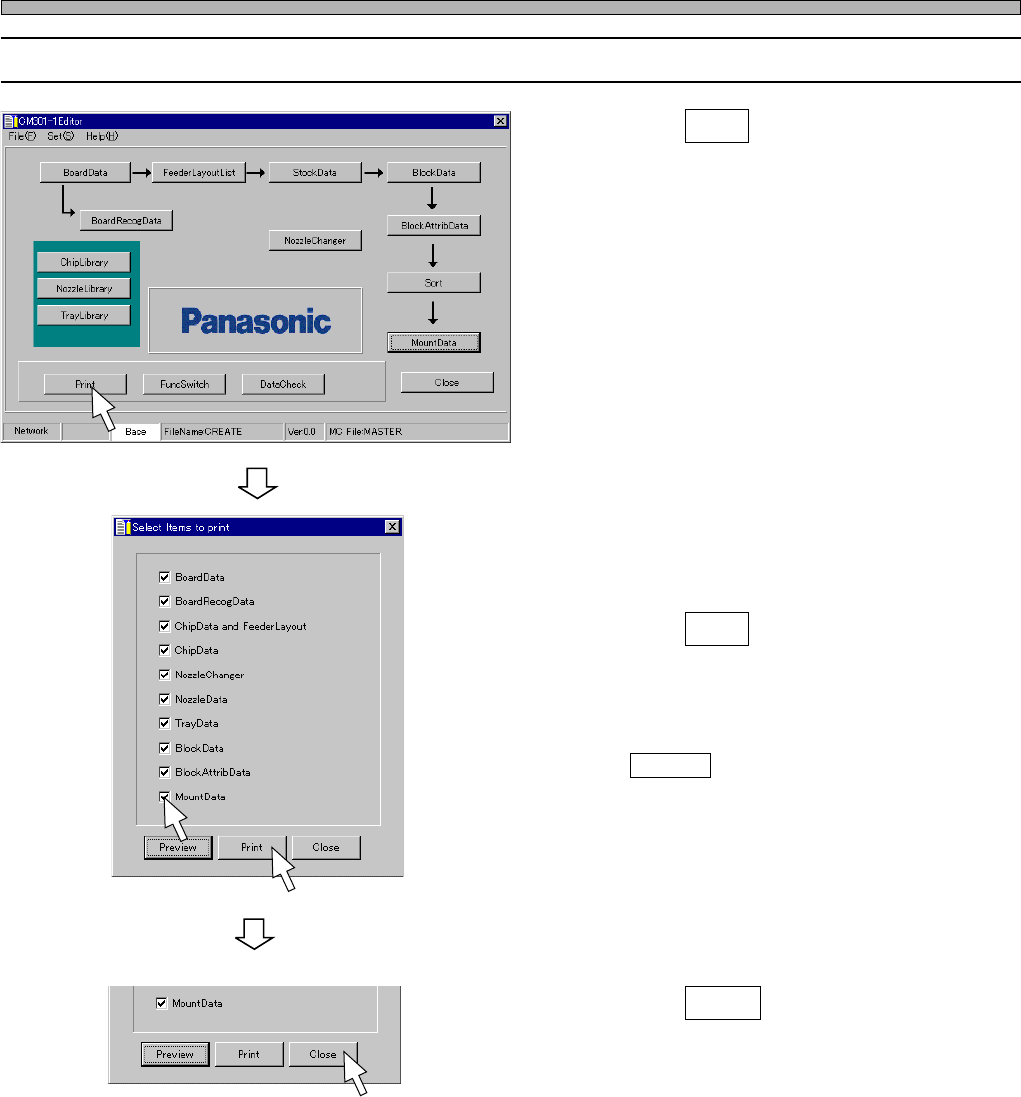
17-2 Executing Print
1. Click on Print .
• [Select Items to print] window opens.
2. Check off the item you will print out.
• The selected item is ticked off.
3. Click on Print .
• Perform printing following the print setup.
• When checking or editing the print image, click
on Preview .
4. Click on Close .
• The main menu is displayed.
Print
4H4C-E-PMA01-A05-02
4H4C-EPt-Ed-001
4H4C-EPt-EdFp-001
4H4C-EPt-EdFp-001