4H4CEPM.pdf - 第19页
Page 9 301 CM Summary of Data Editing 1 Menu Bar When you place a pointer on a menu name and click on it, its command menu opens. Then drag a mouse to choose the command. (Some menus contain sub menus.) 2 Switches for Ea…
Page 8
Summary of Data Editing
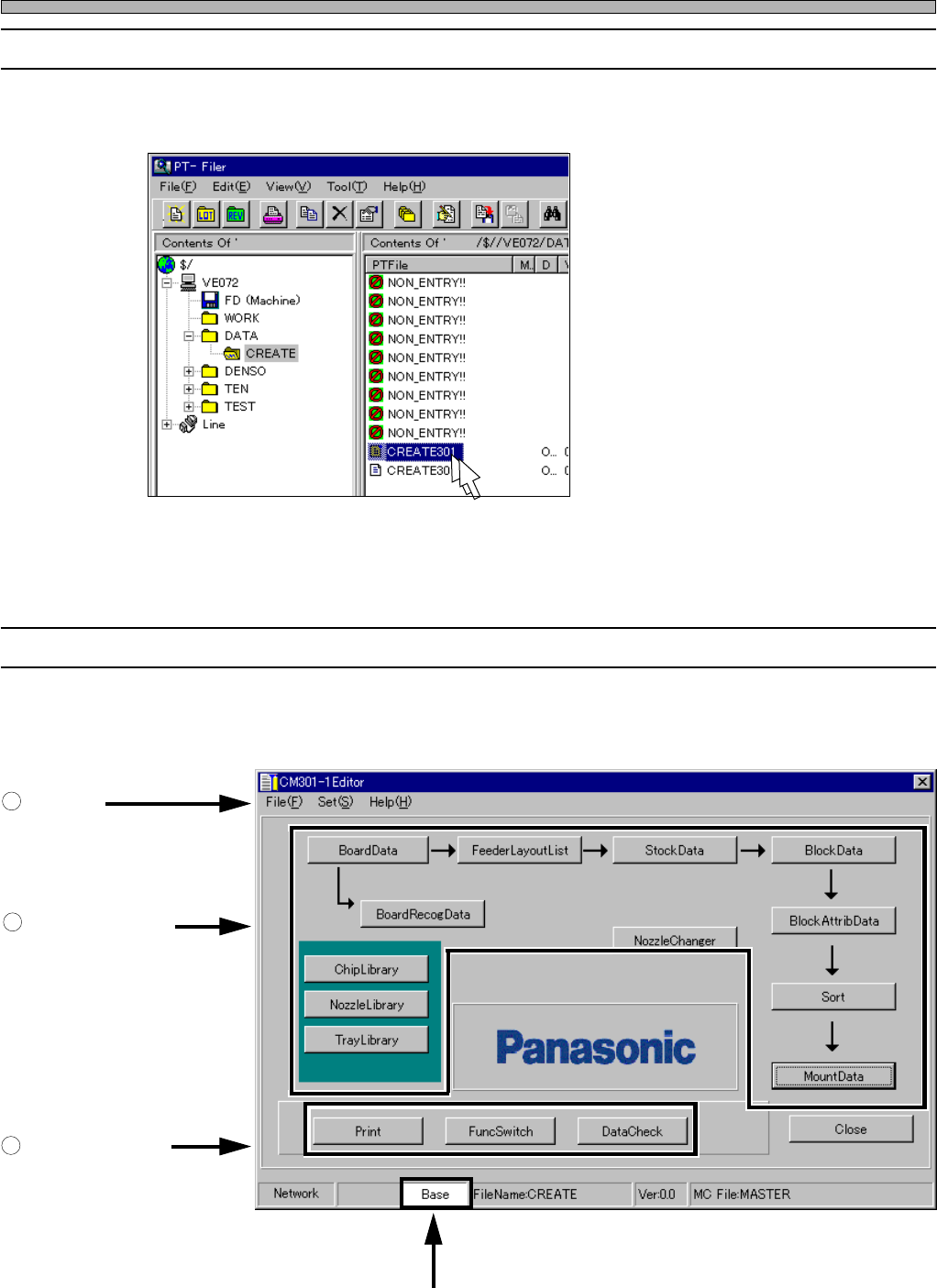
1-2 Starting CM301 Editor
To start it, double-click on a data file displayed on file information area of Filer.
1-3 CM301 Editor Main Screen
When you start the Editor, the following screen is displayed.
4H4C-E-PMA01-A02-01
1
Menu Bar
2
Switches for Each
Data Edit
3
Switches for Each
Function
Display Mode
4H4C-EPt-Ed-001
4H4C-EPt-Fi-001
Page 9
301
CM
Summary of Data Editing
1
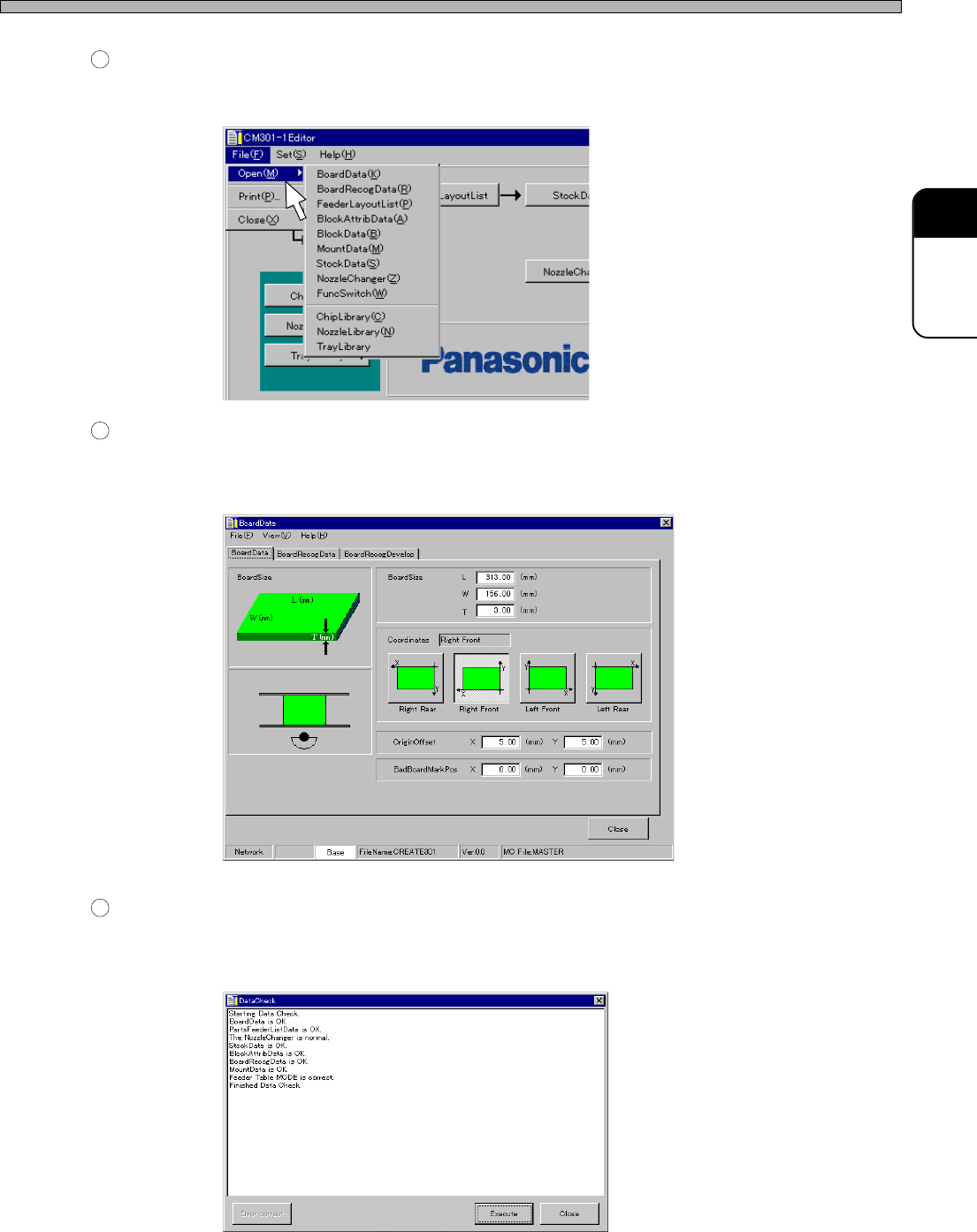
Menu Bar
When you place a pointer on a menu name and click on it, its command menu opens. Then drag a
mouse to choose the command. (Some menus contain sub menus.)
2
Switches for Each Data Edit
When you click on a switch, the Editor main screen closes and the screen for each data edit is
displayed.
e.g. Board data
3
Switches for Each Function
When you click on a switch, the Editor main screen closes and the screen for each function (func-
tion setup) is displayed.
e.g. Data check
4H4C-E-PMA01-A02-01
4H4C-EPt-Ed-002
444C-EPt-EdBd-001
4H4C-EPt-EdDc-001
Page 10
Summary of Data Editing
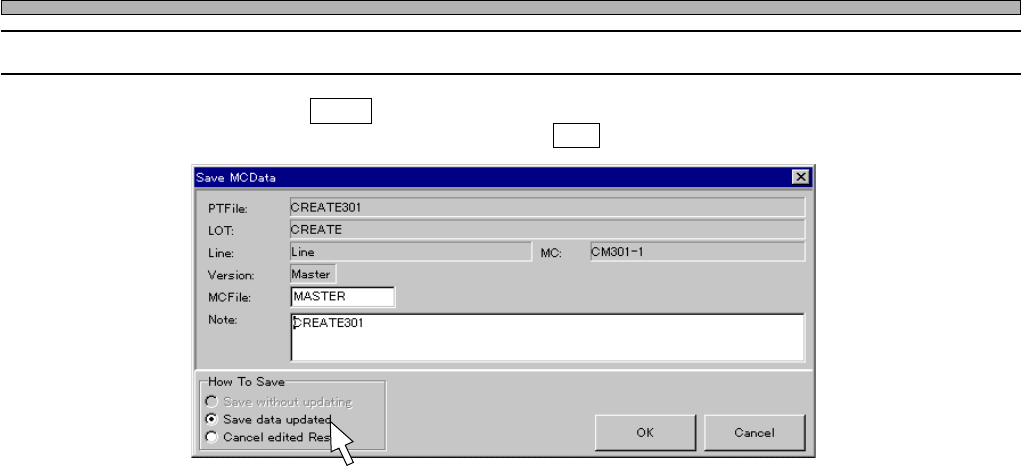
1-4 Exiting CM301 Editor
When you click on Close on the main menu, the following screen is displayed. To exit CM301
Editor, choose a save command, then click on OK .
4H4C-E-PMA01-A02-00
4H4C-EPt-EdEt-001