4H4CEPM.pdf - 第85页
Page 75 301 CM Function Switches 16-2 Setting Function Switches 1. Click on FuncSwitch . • [FuncSwitch] window opens. 2. T urn ON the function to be executed on the machine during production. 4H4C-E-PMA01-A05-01 4H4C-EPt…
Page 74
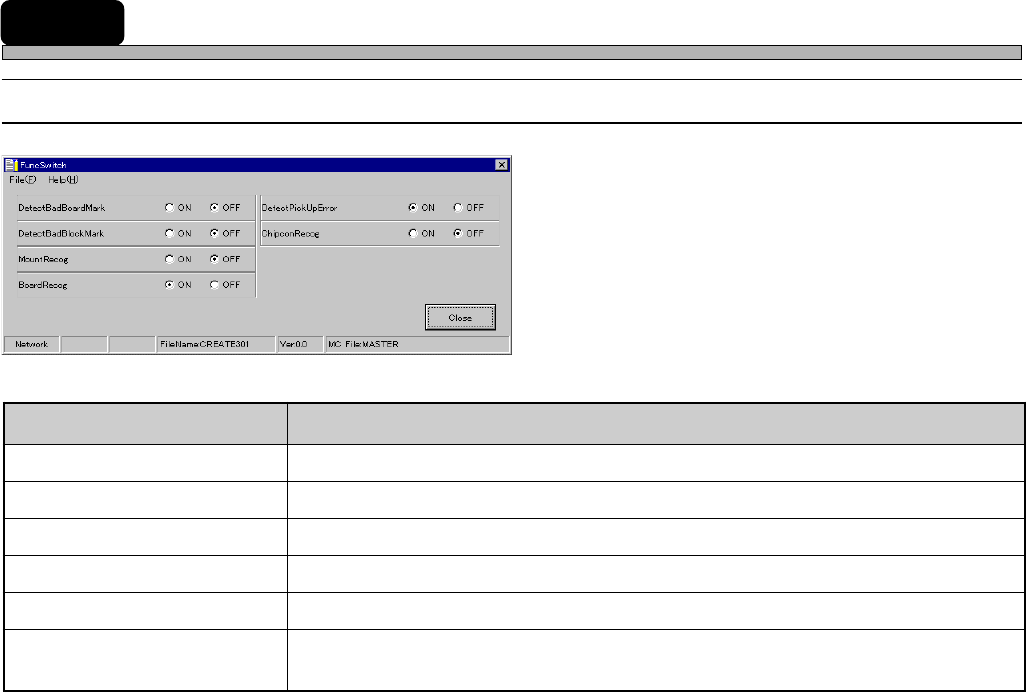
16 Function Switches
16-1 Function Switches
4H4C-601TE
4H4C-E-PMA01-A05-02
tesebotmetItesebotmetI
tesebotmetI
tesebotmetItesebotmetI etatsdelbaneninoitcnuFetatsdelbaneninoitcnuF
etatsdelbaneninoitcnuF
etatsdelbaneninoitcnuFetatsdelbaneninoitcnuF
kraMdraoBdaBtceteD .skramdraobevitcefedtcetedottonrorehtehwyficepS
kraMkcolBdaBtceteD .skramkcolbevitcefedtcetedottonrorehtehwyficepS
goceRtnuoM )desutoN(.stnioptnuomezingocerottonrorehtehwteS
goceRdraoB.sdraobezingocerottonrorehtehwteS
rorrEpUkciPtceteD .rorrepu-kcipehttcetedottonrorehtehwyficepS
goceRnocpihC
CIrednutnuomotspihcehttonrorehtehwezingocerottonrorehtehwyficepS
)desutoN(.detnuomneebevahspihc
4H4C-EPt-EdSs-001
Page 75
301
CM
Function Switches
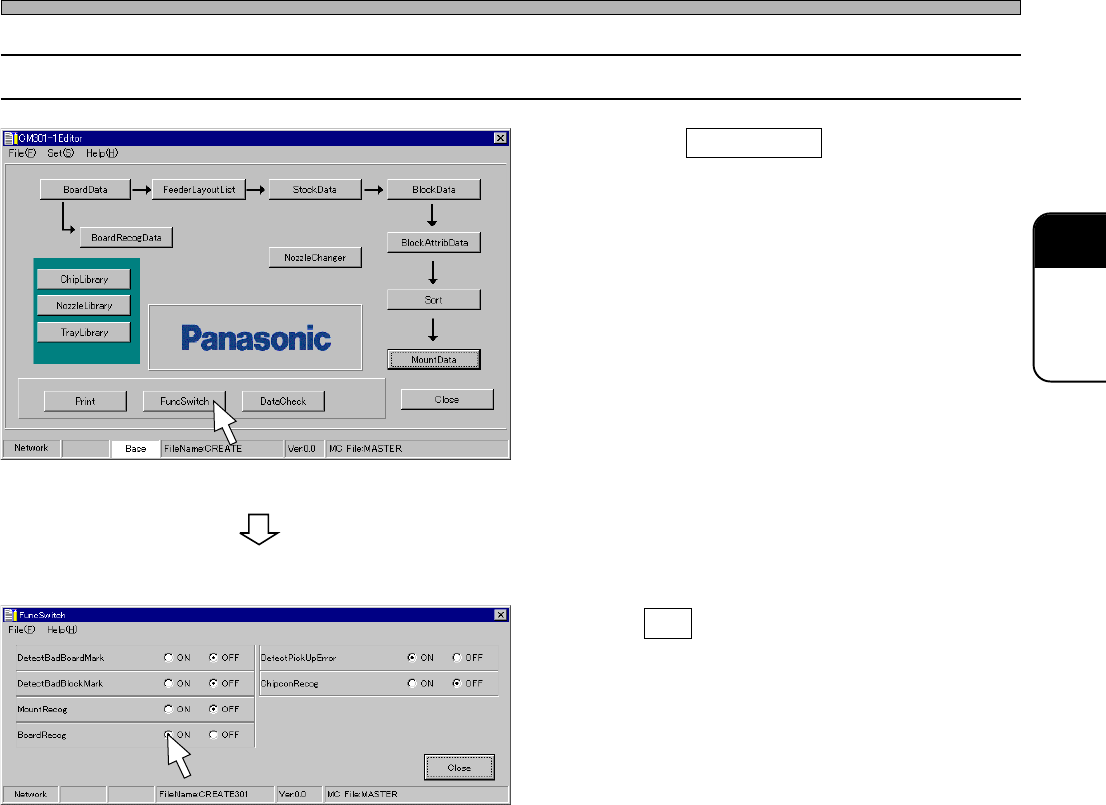
16-2 Setting Function Switches
1.
Click on FuncSwitch .
• [FuncSwitch] window opens.
2. Turn ON the function to be executed
on the machine during production.
4H4C-E-PMA01-A05-01
4H4C-EPt-Ed-001
4H4C-EPt-EdSs-001
Page 76
17 Print
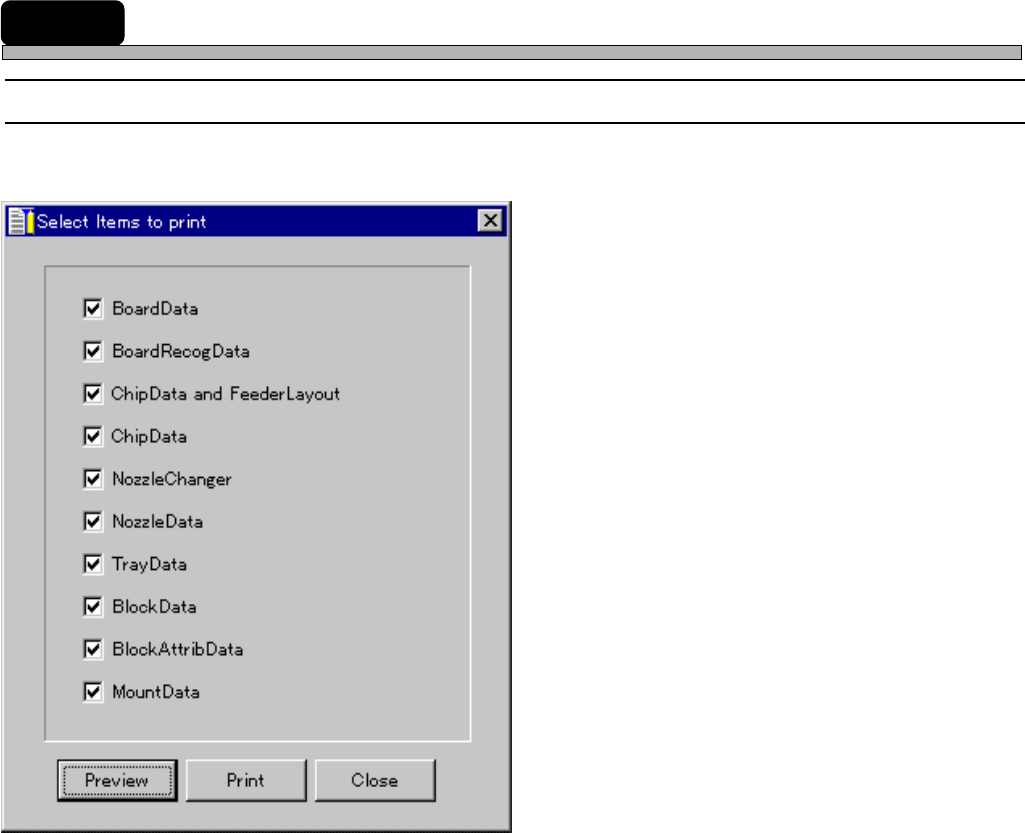
17-1 Print
This is used to print out the data of the chosen item.
1. Preview
2. Print
The descriptions are as follows.
1. Preview
See the next page.
2. Print
After setup according to the printer driver, data are printed out.
4H4C-E-PMA01-A05-01
4H4C-EPt-EdFp-001