4H4CEPM.pdf - 第22页
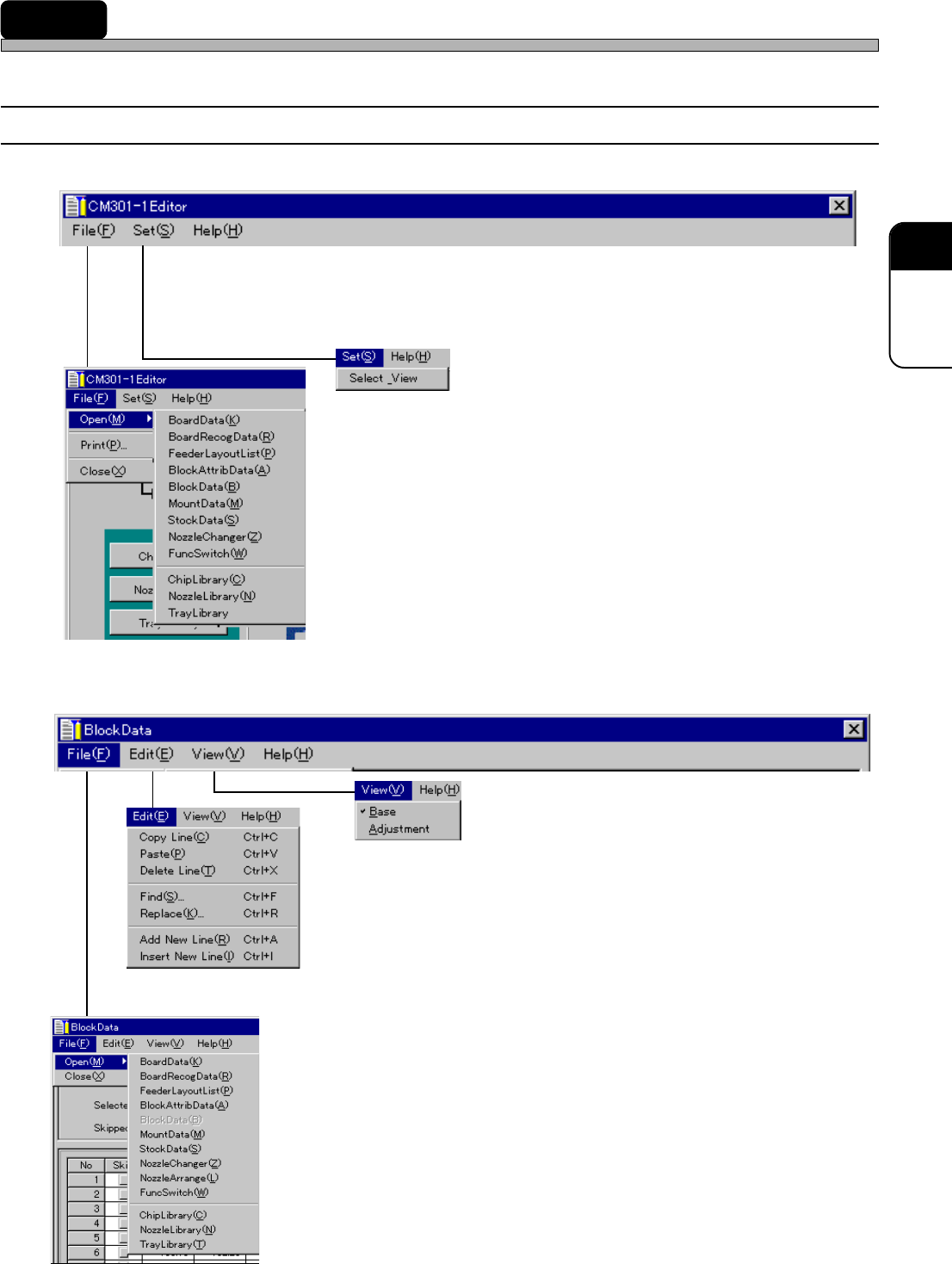
Page 12 Basic Functions of CM301 Editor 2-2 Main Functions This part describes the main functions of the Editor simply . a) File Open Opens the screen for each data edit. Close Exits the Editor . b) Edit Copy Line Copies…
Page 11
301
CM
2 Basic Functions of CM301 Editor
This chapter describes the menu structure and main functions of the Editor.
2-1 Menu Structure
∗∗
∗∗
∗ Editor Main Screen
∗∗
∗∗
∗ Each Data Edit Screen (e.g. Block Data Screen)
4H4C-E-PMA01-A02-01
444C-EPt-EdBl-003
You can open the chosen data editing screen.
This is used to edit (copy, paste, etc.) data, such as block data, etc.
which use more than one row (mounting point coordinates, etc.).
You can open the chosen data edit screen on any data edit screen.
The display mode of all data is changed.
The display mode is changed for each data.
444C-EPt-Ed-004
444C-EPt-EdBl-009
4H4C-EPt-Ed-001
4H4C-EPt-Ed-002
4H4C-EPt-EdBl-002
4H4C-EPt-EdBl-002

Page 12
Basic Functions of CM301 Editor
2-2 Main Functions
This part describes the main functions of the Editor simply.
a) File
Open
Opens the screen for each data edit.
Close
Exits the Editor.
b) Edit
Copy Line
Copies the chosen row.
Paste
Pastes the copied data onto the newly chosen row when you have copied the chosen row.
Delete Line
Deletes the chosen row.
Find
Searches the row that fits the entered conditions.
Replace
Replaces the current data with the entered conditions (at all rows or the chosen row).
Add New Line
Creates a new row.
Insert New Line
Inserts a new row.
c) View
Base
Displays the data when created.
Adjustment
Displays the feedback data from the machine.
4H4C-E-PMA01-A02-00
Page 13
301
CM
4H4C-E-PMA01-A02-00
3Y3C-053E
Copy
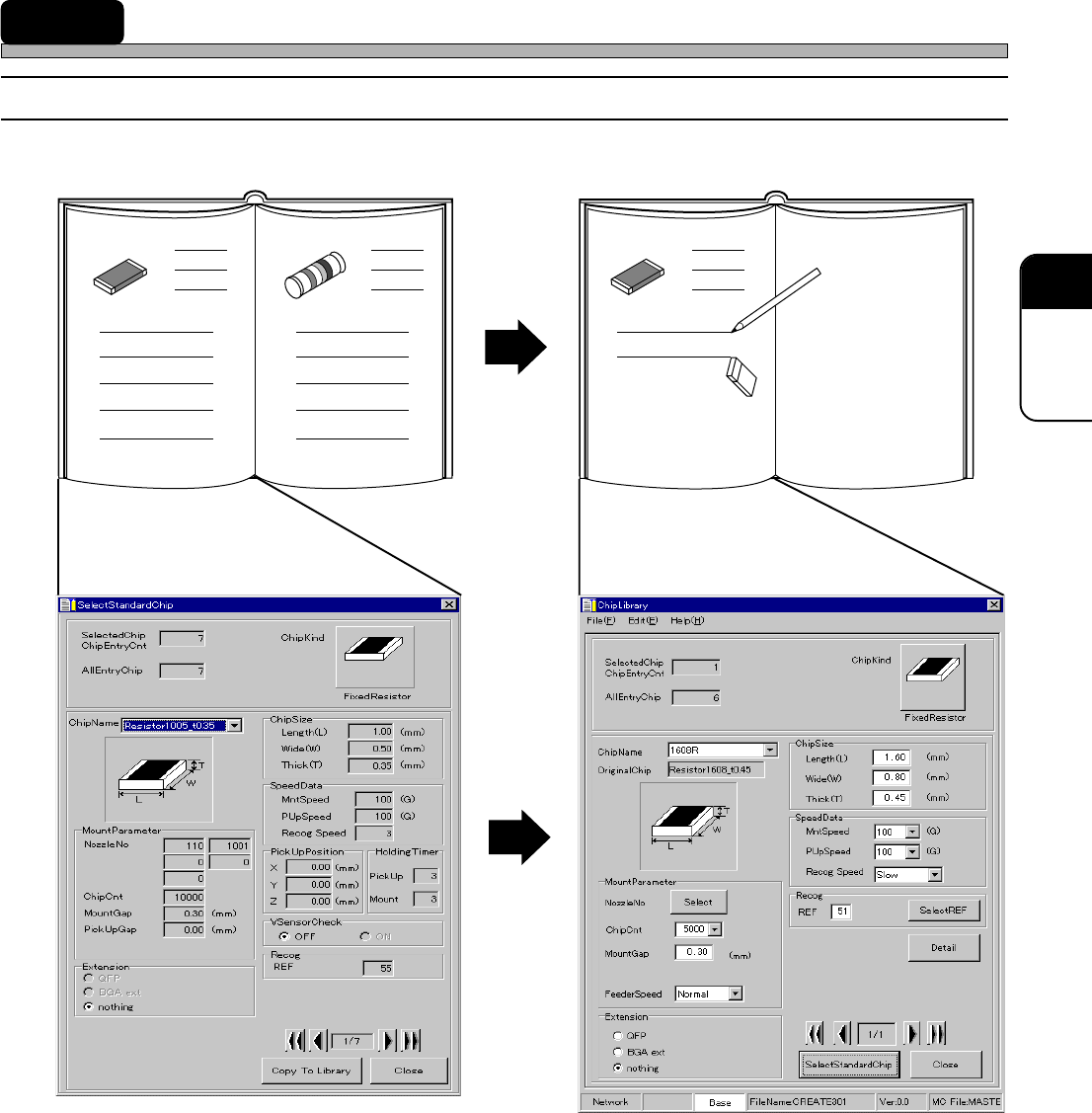
Standard chip data library Custom chip data library
1. ChipKind
2. ChipName
3. ChipSize
4. SpeedData
5. Detail
6. MountParameter
7. Extension
8. Recog
9. SelectStandardChip
10. Copy To Library
The descriptions are as follows.
It is not possible to change data.
It is possible to add or change data.
3 Chip Data
3-1 Chip Data
4H4C-EPt-EdCl-002
4H4C-EPt-EdCl-001