4H4CEPM.pdf - 第75页
Page 65 301 CM 12-2 Editing Block Attribute Data 1. Click on BlockAttribData . • [BlockAttribData] window opens. 2. Enter the origin (OX, OY) and ROT of the block 1. ∗ The origin of the block 1 is OX=0, OY=0 and ROT=0 as…
Page 64
4H4C-E-PMA01-A04-01
Block Attribute Data
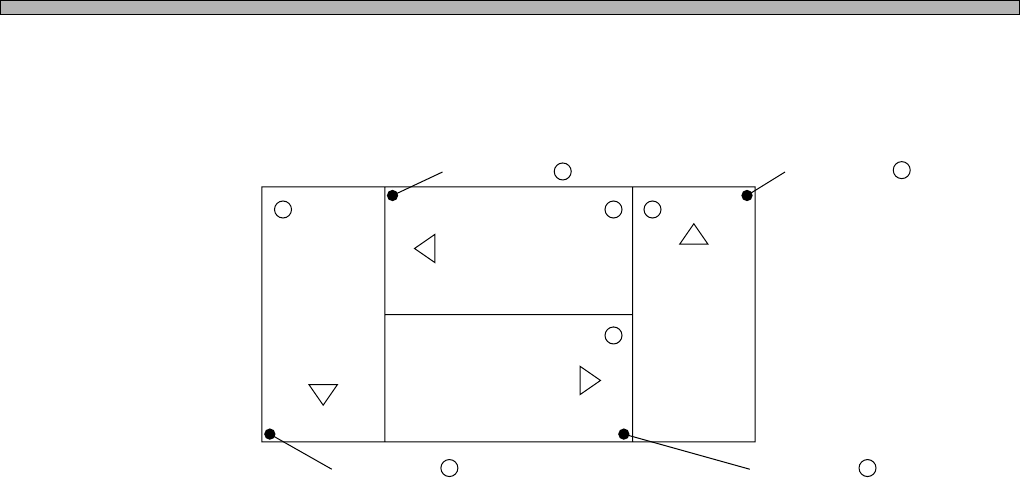
5. ROT (Block Rotation)
Block rotation is the data that is used to rotate the block. The block rotates by 90° basing the board
origin.
(ROT0)(ROT2) (ROT1)
(ROT3)
14 2
3
Origin of Block 2 .
Origin of Block 1 .
Origin of Block 3 .Origin of Block 4 .
Page 65
301
CM
12-2 Editing Block Attribute Data
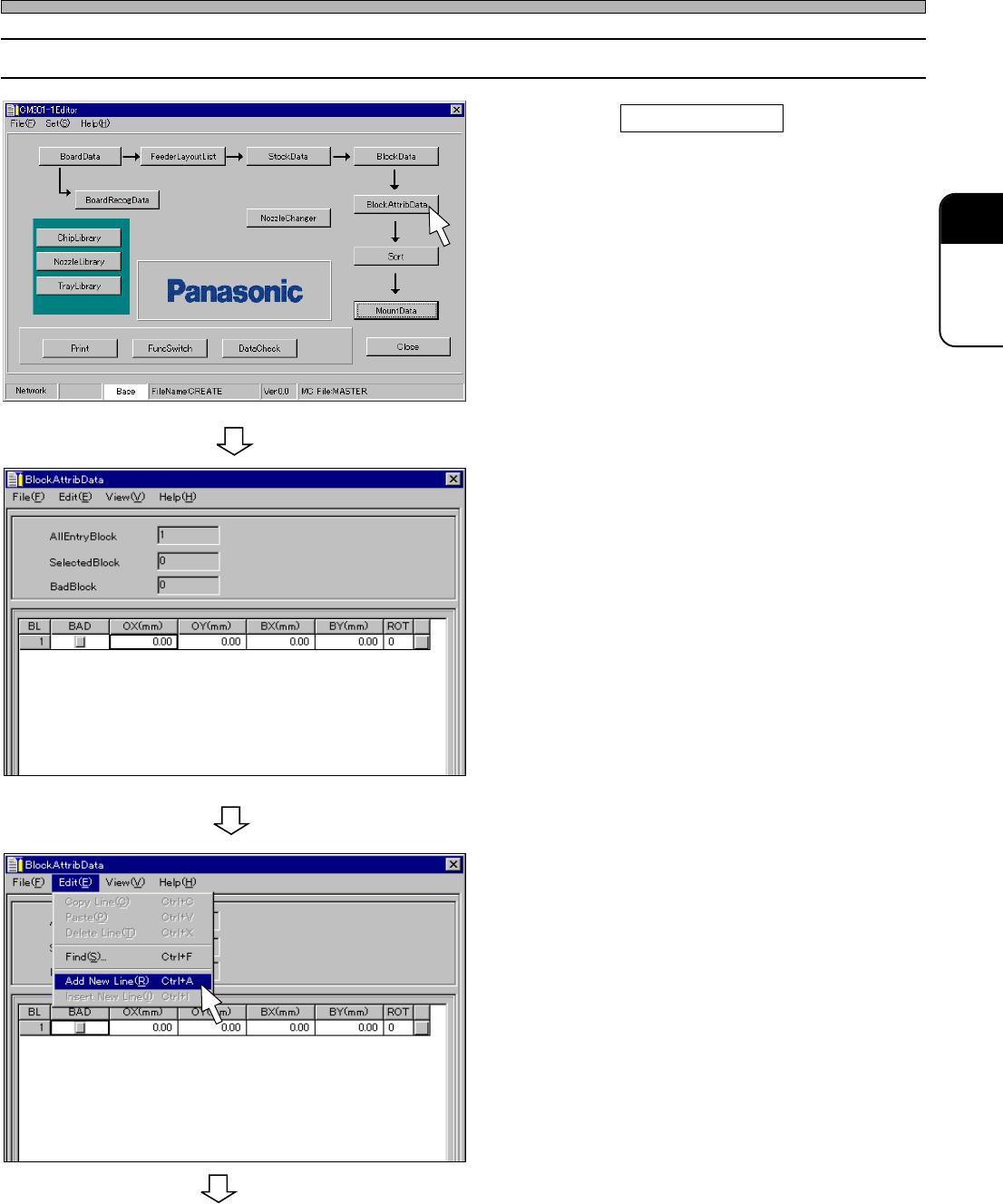
1. Click on BlockAttribData .
• [BlockAttribData] window opens.
2. Enter the origin (OX, OY) and ROT of
the block 1.
∗ The origin of the block 1 is OX=0, OY=0 and
ROT=0 as an example. In this case, you do not
need to enter.
3. Choose “Add New Line.” from “Edit”
on menu bar.
• A new row is created.
444C-EPt-EdBa-001
444C-EPt-EdBa-002
4H4C-E-PMA01-A04-01
Block Attribute Data
To the next page
4H4C-EPt-Ed-001
Page 66
444C-EPt-EdBa-005
4H4C-E-PMA01-A04-00
Block Attribute Data
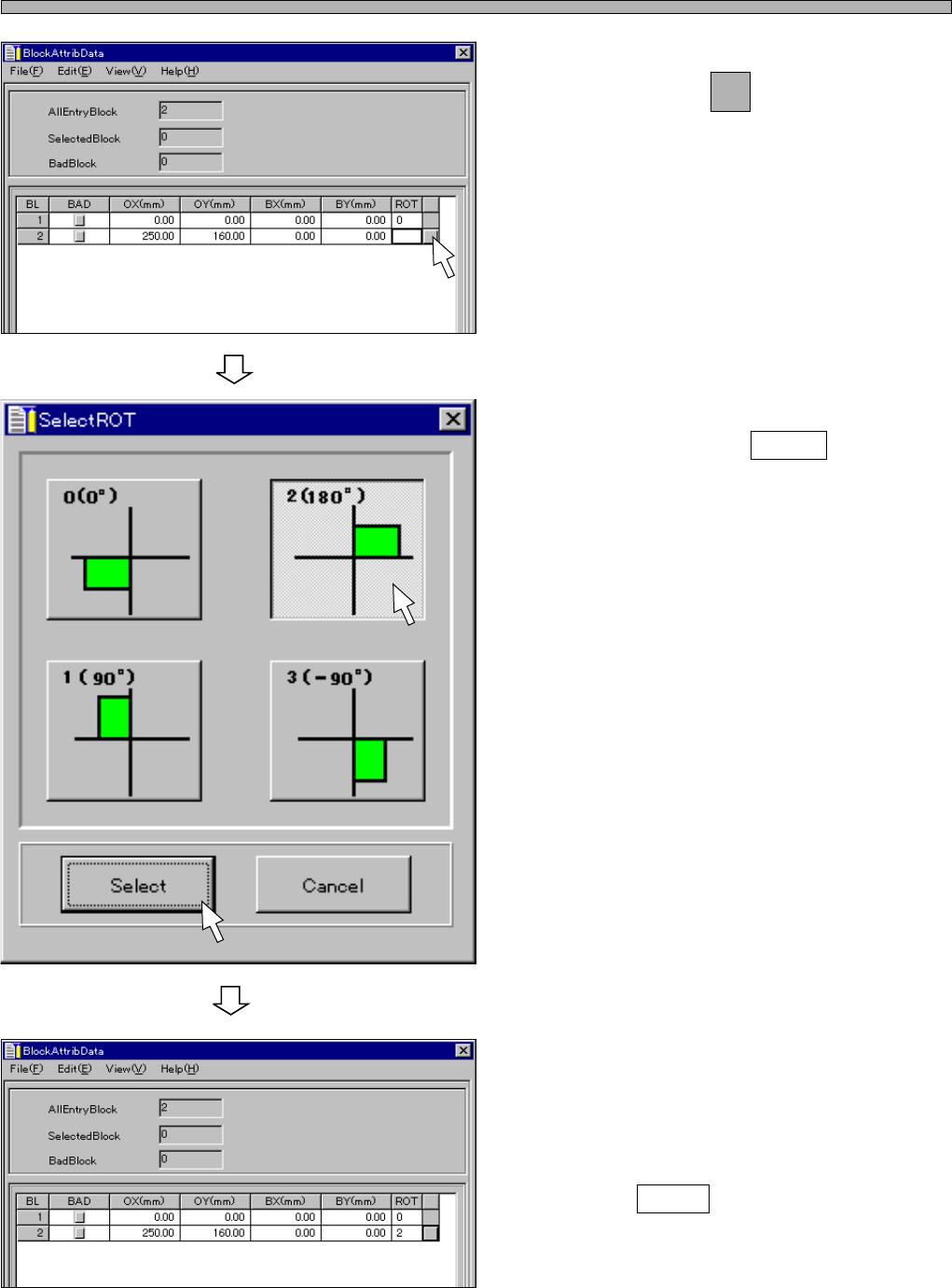
4. Enter the origin (OX, OY) of the block
2, and click on next to ROT field.
• [SelectROT] window opens.
5. Choose the rotation angle of the
block, and click on Select .
• [BlockAttribData] window opens.
6. When there are the other blocks,
enter all the block attribute data by
repeating the steps from 2. to 5.
7. Click on Close .
• The main menu is displayed.
444C-EPt-EdBa-004
444C-EPt-EdBa-003