4H4CEPM.pdf - 第74页
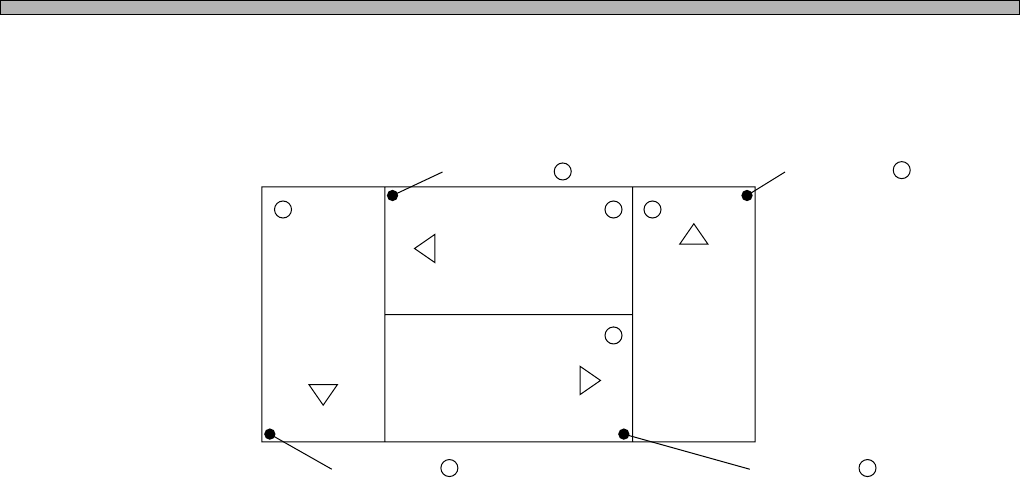
Page 64 4H4C-E-PMA01-A04-01 Block Attribute Data 5. ROT (Block Rotation) Block rotation is the data that is used to rotate the block. The block rotates by 90 ° basing the board origin. (ROT0) (ROT2) (ROT1) (ROT3) 1 4 2 3…
Page 63
301
CM
4H4C-E-PMA01-A04-01
Block Attribute Data
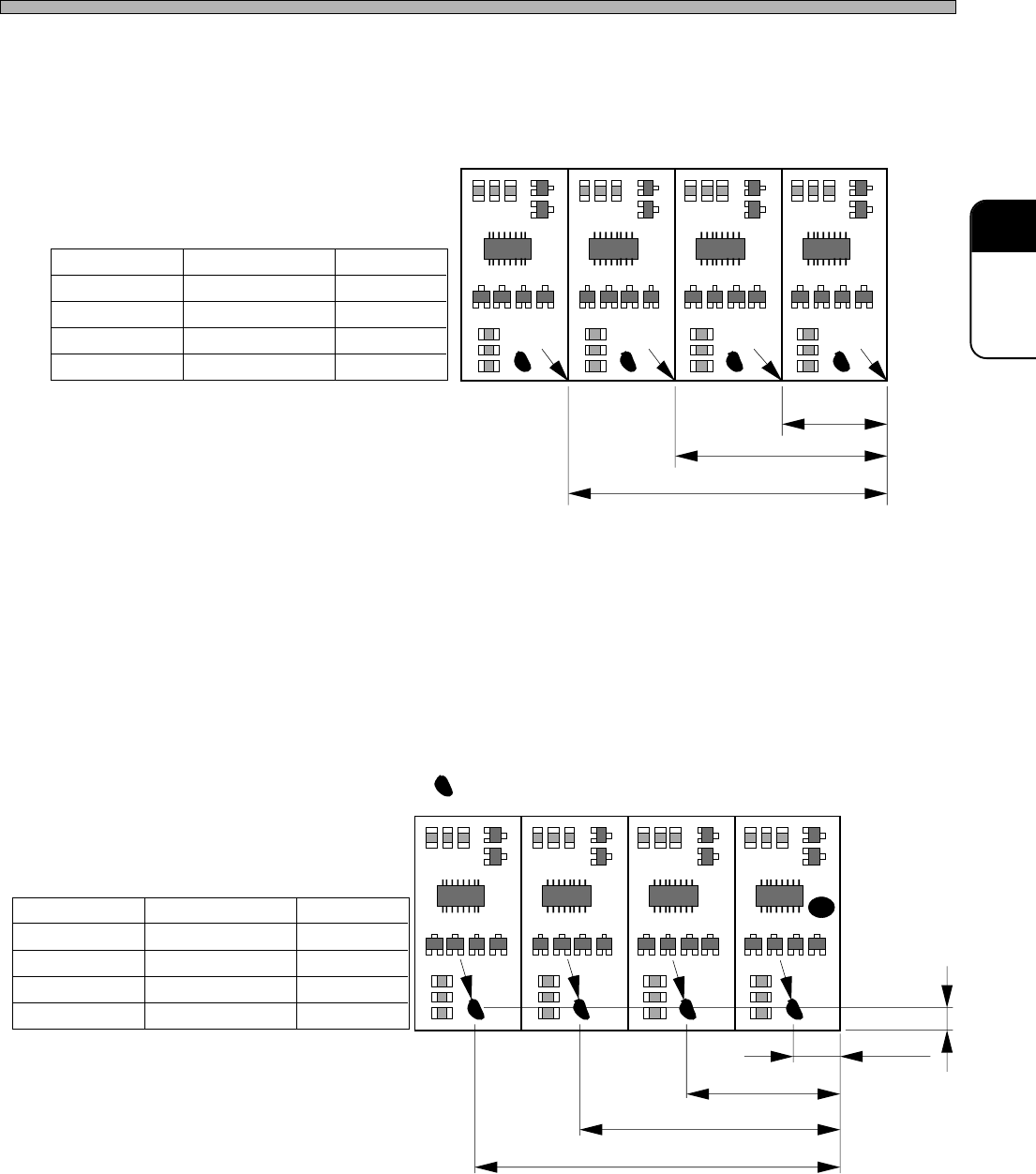
3. OX, OY (Block Origin)
The block origin is the data that is used to position blocks. Enter the coordinates of each block
origin in OX and OY fields. The coordinates are represented on the basis of Coordinates and Origin
Offset in board data.
4. BX, BY (Defective Block Mark)
BX and BY show the coordinates of the defective block mark,which is marked to prohibit mounting
of the block judged as defective at the previous processes.
The coordinates of each defective block mark are represented on the basis of Coordinates and
Origin Offset in board data, not on the basis of the block origin.
To use this function, you need to turn ON “DetectBadBlockMark” in Function Switches.
4th Block 3rd Block 2nd Block 1st Block
ORG.X2
ORG.X3
ORG.X4
1st Block
2nd Block
3rd Block
4th Block
OX
0
ORG.X2
ORG.X3
ORG.X4
OY
0
0
0
0
3Y3C-080E
: Defective Block Mark
1st Block
2nd Block
3rd Block
4th Block
BX
BAD.X1
BAD.X2
BAD.X3
BAD.X4
BY
BAD.Y
BAD.Y
BAD.Y
BAD.Y
BAD.Y
BAD.X1
BAD.X2
BAD.X3
BAD.X4
3Y3C-081E
Page 64
4H4C-E-PMA01-A04-01
Block Attribute Data
5. ROT (Block Rotation)
Block rotation is the data that is used to rotate the block. The block rotates by 90° basing the board
origin.
(ROT0)(ROT2) (ROT1)
(ROT3)
14 2
3
Origin of Block 2 .
Origin of Block 1 .
Origin of Block 3 .Origin of Block 4 .
Page 65
301
CM
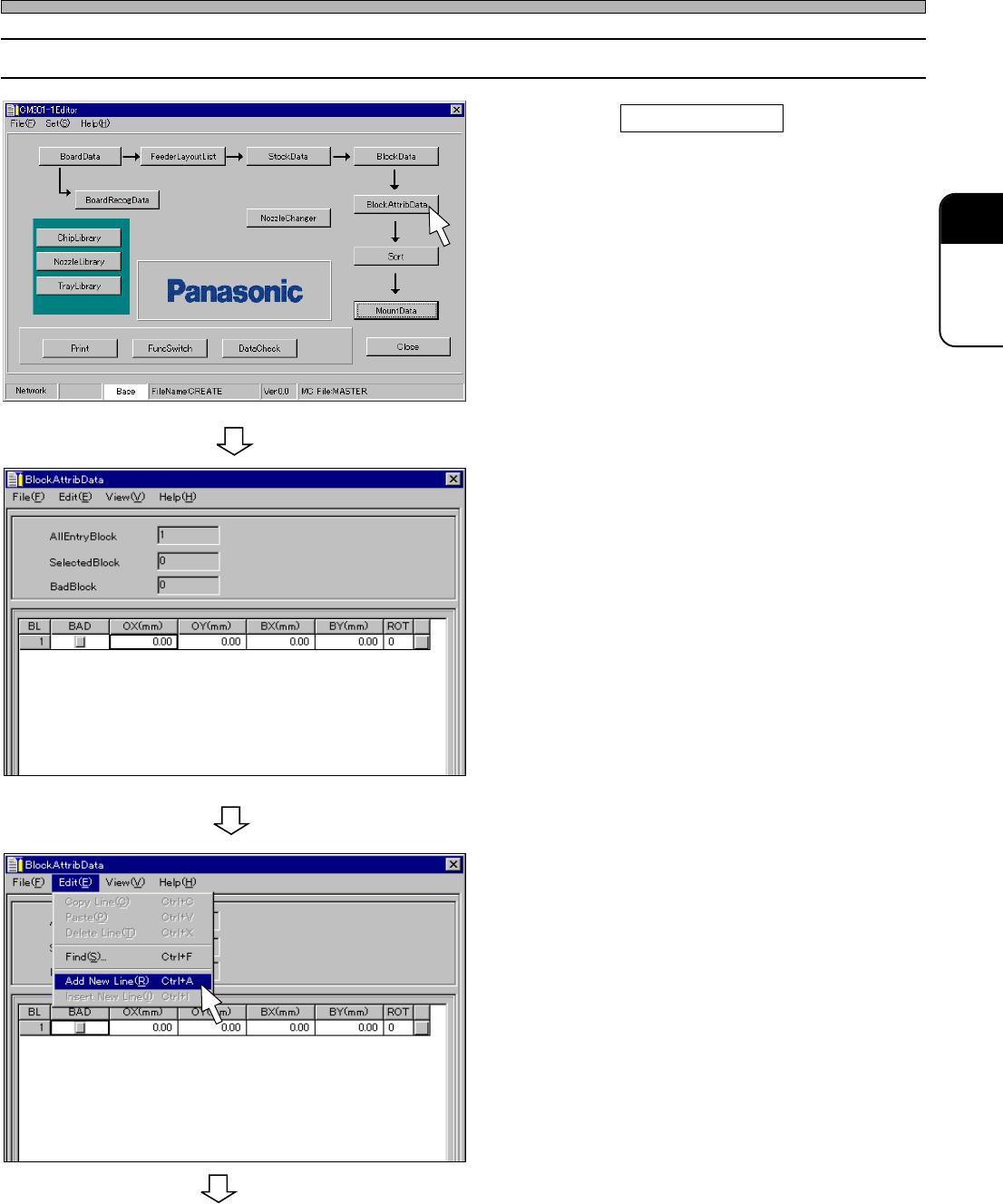
12-2 Editing Block Attribute Data
1. Click on BlockAttribData .
• [BlockAttribData] window opens.
2. Enter the origin (OX, OY) and ROT of
the block 1.
∗ The origin of the block 1 is OX=0, OY=0 and
ROT=0 as an example. In this case, you do not
need to enter.
3. Choose “Add New Line.” from “Edit”
on menu bar.
• A new row is created.
444C-EPt-EdBa-001
444C-EPt-EdBa-002
4H4C-E-PMA01-A04-01
Block Attribute Data
To the next page
4H4C-EPt-Ed-001