4H4CEPM.pdf - 第59页
Page 49 301 CM 4H4C-E-PMA01-A03-02 8. T ray T ype The name of the tray that the chips are supplied to is displayed. Y ou can choose the tray from among the ones input in the custom tray library . 9. T ray Layout This ind…
Page 48
Stock Data
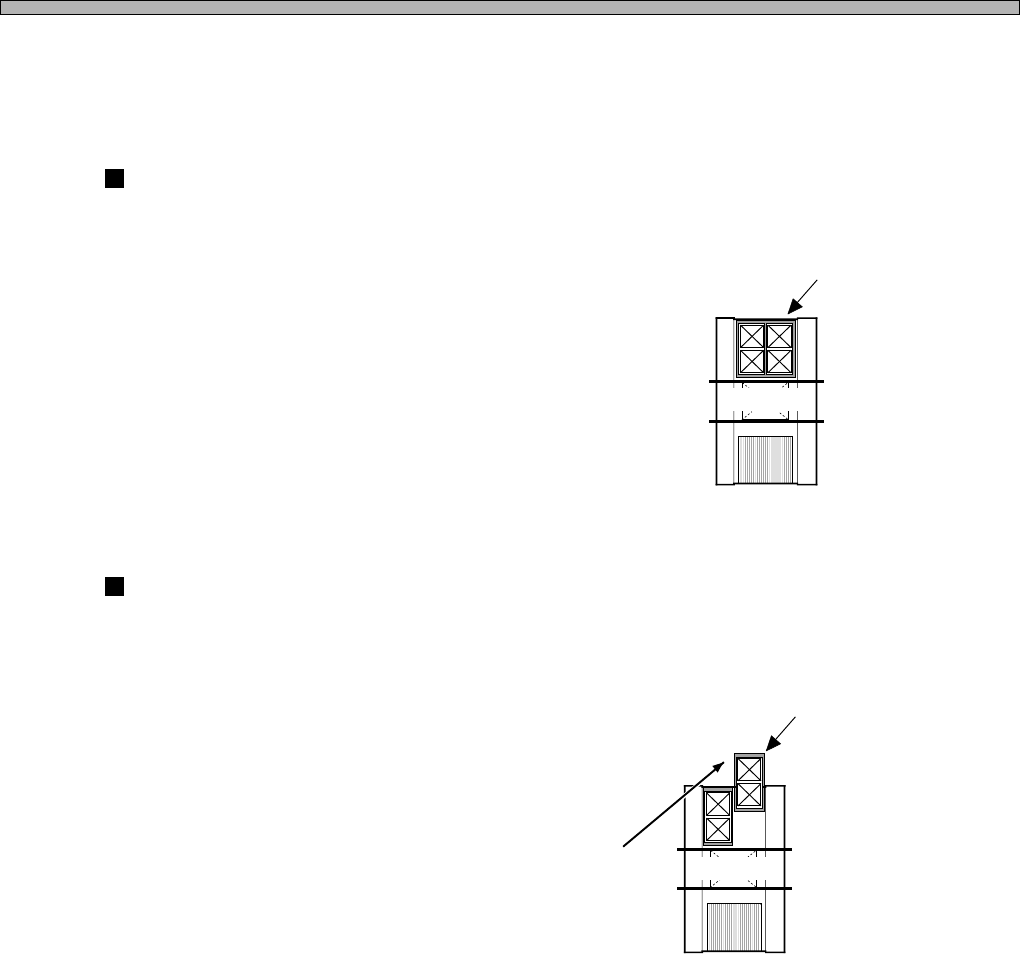
7. Feeder Table Mode
∗ This can be set only when Table No. 2 is the direct twin feeder (DT40T-40).
Specifying the mode for each feeder table can exchange chips according to the state of
production.
JointMode
The feeder table is not divided.
You can not supply chips on the feeder being used but can set a lot of chips of various types.
ReserveMode
Only one of the divided tray feeders is used.
You can draw out the tray feeder that is not used even during production, so you can set the chips
(tray pallets) for the next type of board.
JointMode
4H4C-605E
The reserve tray feeder can be set during production.
4H4C-606E
4H4C-E-PMA01-A03-02
Board A
Board A
ReserveMode
Page 49
301
CM
4H4C-E-PMA01-A03-02
8. Tray Type
The name of the tray that the chips are supplied to is displayed. You can choose the tray from
among the ones input in the custom tray library.
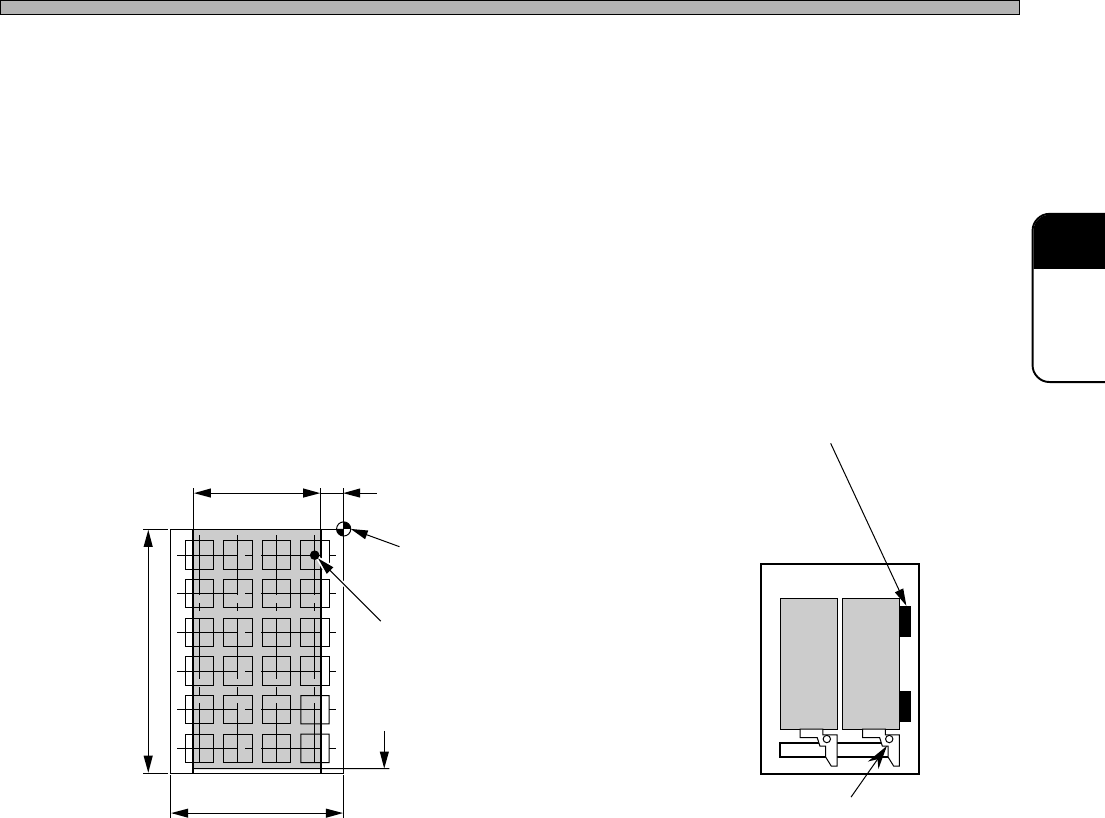
9. Tray Layout
This indicates the position of the tray on the pallet.
Up to two trays can be set on the pallet. To set two trays, the optional clamp (option) is required.
When the distance (in the X direction) between the pick-up point on the tray and the origin is under
12 mm, the pallet offset block (option) is required. To use the offset block for pallet, you need to
input the offset of 8 mm in the tray layout.
Stock Data
Pick-up Possible Range Offset Block for Pallet
Optional ClampTray Max. 230 mm
Tray Setting Reference
(Tray Origin)
Pick-up Position
(Chip Center)
325 mm Pick-up Area
Tray Max. 335 mm
4H4C-616E
4H4C-617E
206 mm 12 mm
Page 50
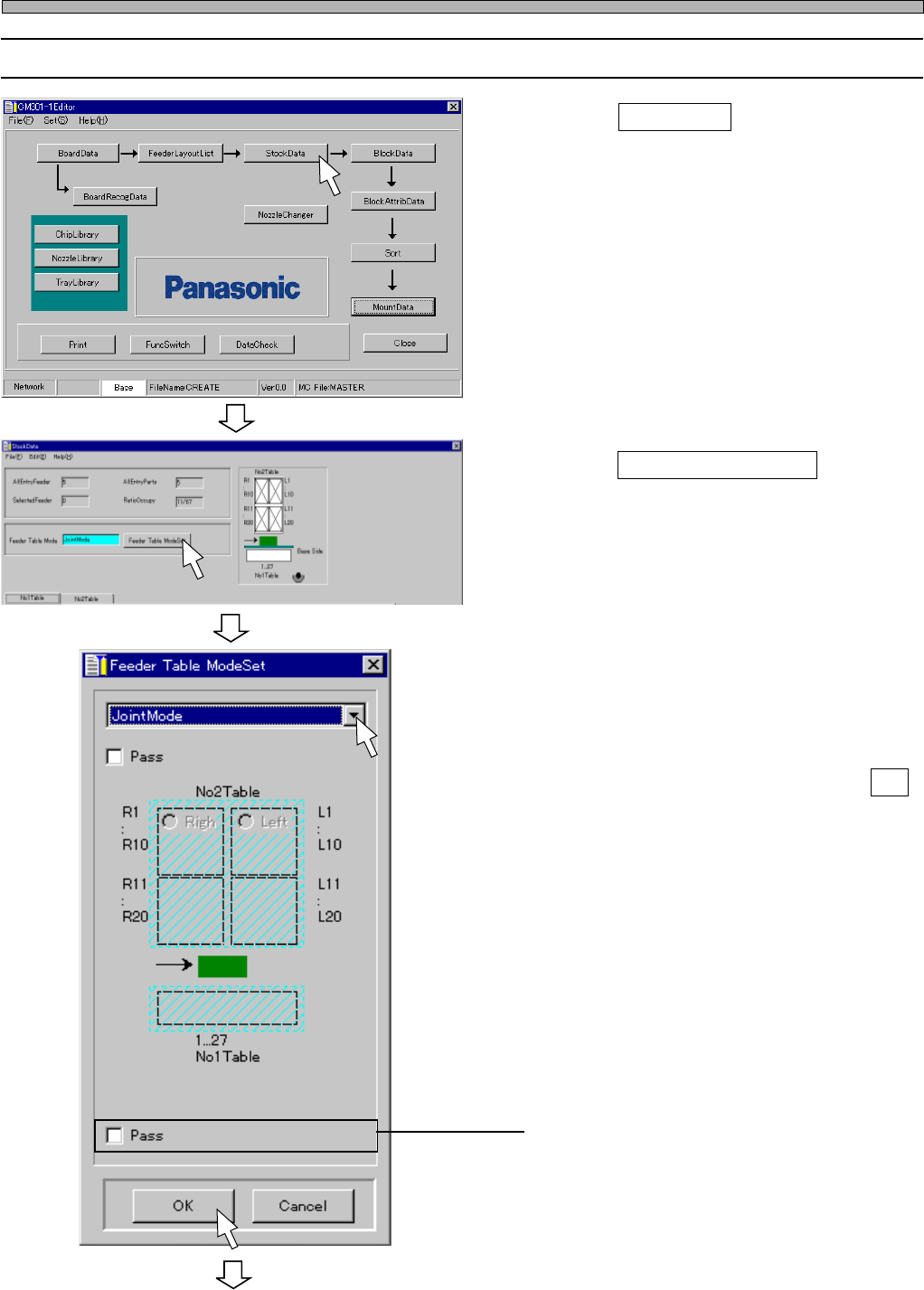
9-2 Editing Stock Data
1. Click on StockData .
• [StockData] window opens.
2. Click on Feeder Table Mode .
3. Set the feeder table mode.
• When you select ReserveMode or
ChangeMode, click on the feeder table to use.
• When mode setting is complete, click on OK .
∗ When you do not use the table for mounting,
click on the radio button of “Pass”.
4H4C-E-PMA01-A03-02
Stock Data
To the next page
4H4C-EPt-Ed-001
4H4C-EPt-EdSd-001
4H4C-EPt-EdSd-002