4H4CEPM.pdf - 第39页
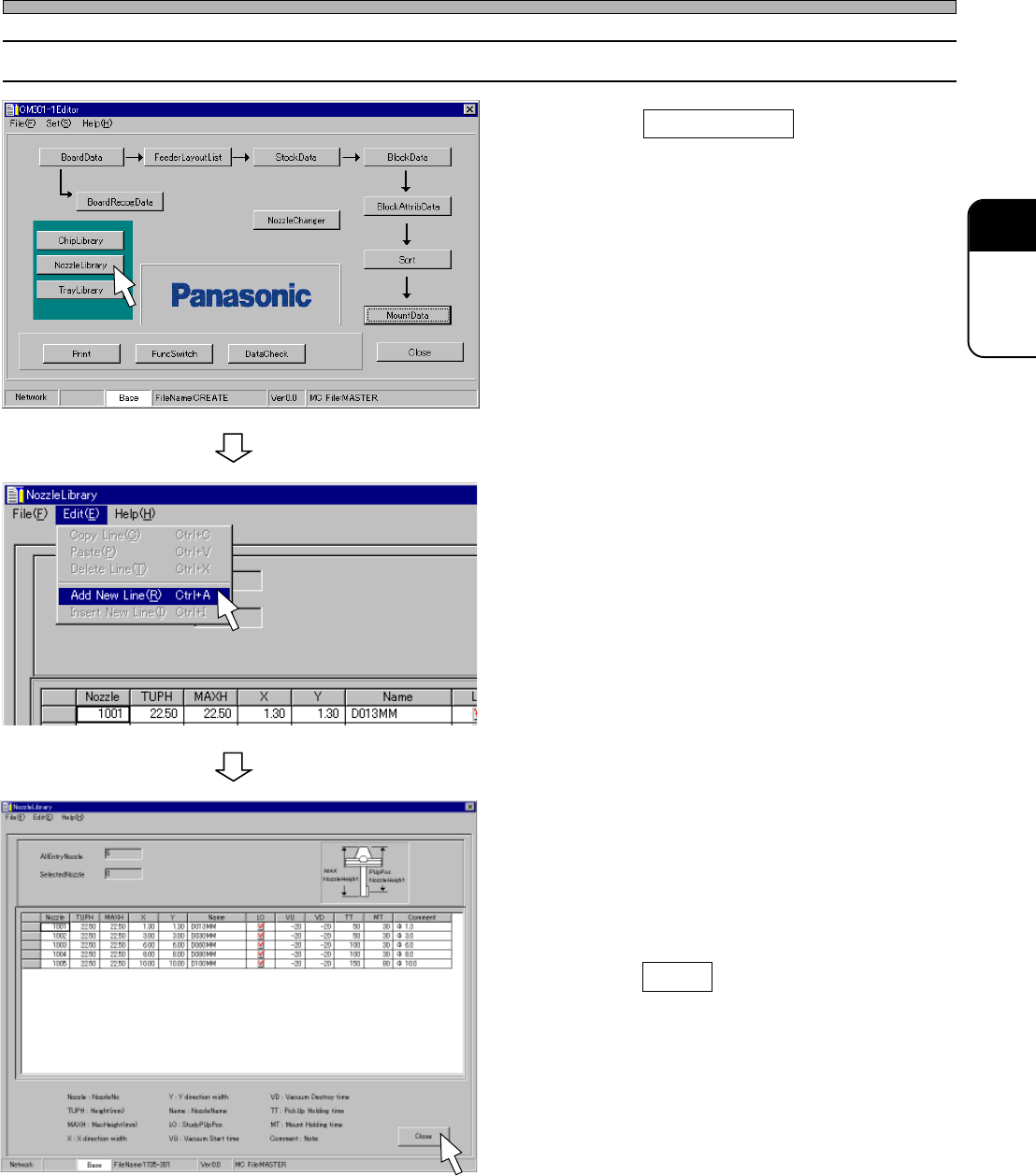
Page 29 301 CM 4-2 Editing Nozzle Data 1. Click on NozzleLibrary . • [NozzleLibrary] window opens. 2. Choose “Add New Line” from “Edit” on the menu bar . 3. Enter from NozzleNo to T argetChip in due order . 4. Click on C…

Page 28
8. Vacuum Rise Time (ms)
Indicates the time until a vacuum turns ON from just before the head has finished being lowered to
pick up the chip.
∗ Both the tray and the tube have a learning function.
9. Vacuum Break Time (ms)
Indicates the time until a vacuum starts to break from just before the head has finished being
lowered to mount the chip.
10. Pick-up Holding Time (ms)
Indicates the time during the head is lowered to pick up the chip.
11. Mount Holding Time (ms)
Indicates the time during the head is lowered to mount the chip.
12. Comment
4H4C-E-PMA01-A02-02
Nozzle Data
Page 29
301
CM
4-2 Editing Nozzle Data
1. Click on NozzleLibrary .
• [NozzleLibrary] window opens.
2. Choose “Add New Line” from “Edit”
on the menu bar.
3. Enter from NozzleNo to TargetChip in
due order.
4. Click on Close .
• The main menu is displayed.
Nozzle Data
4H4C-E-PMA01-A02-00
4H4C-EPt-Ed-001
4H4C-EPt-EdNl-002
4H4C-EPt-EdNl-001
Page 30
5 Tray Data
5-1 Tray Data
Custom Tray Data Library
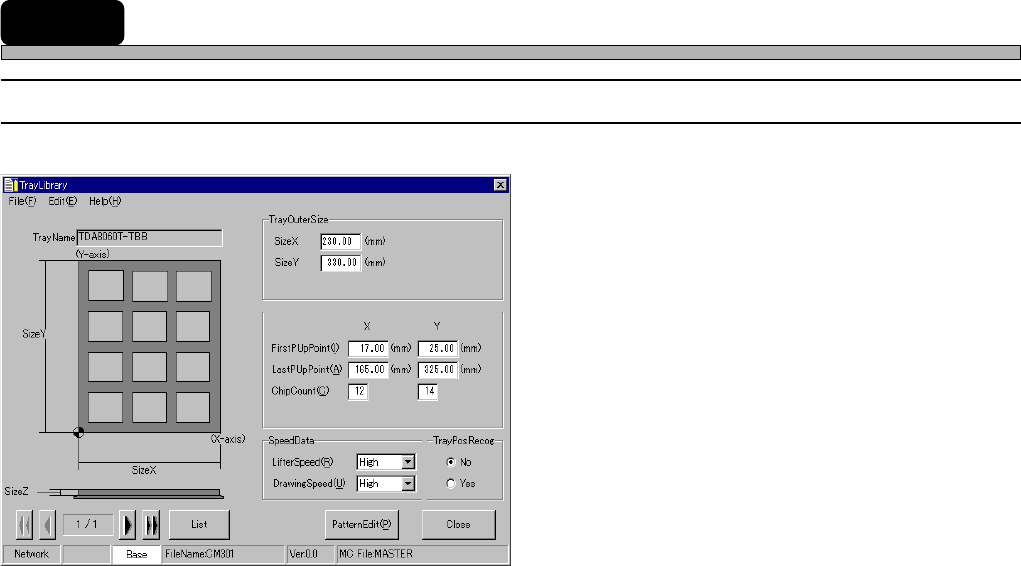
1. TrayName
2. TrayOuterSize
3. Tray Block Data
4. SpeedData
5. PatternEdit
6. TrayPosRecog
1. TrayName
Indicates the name of the tray.
2. TrayOuterSize
Indicates the length, the width and the thickness of the tray.
3. Tray Block Data
Indicates the pick-up start point (X, Y), the last pick-up point (X, Y), the number of chips and the
pick-up height.
4. SpeedData
Indicates the lifter speed and the pallet drawing-out speed.
5. PatternEdit
Indicates the chip arrangement on the tray pallet.
6. TrayPosRecog
When “Yes” is chosen, the position of the tray is recognized.
4H4C-E-PMA01-A03-02
4H4C-EPt-EdTl-004