4H4CEPM.pdf - 第62页
Page 52 4H4C-E-PMA01-A03-01 Stock Data 7. Choose the chip to set, and click on Select . • [SelectFeederLayoutList] window closes, and the chosen chip is set. 8. Choose Deep. 9. Set all the chips to mount for each table i…
Page 51
301
CM
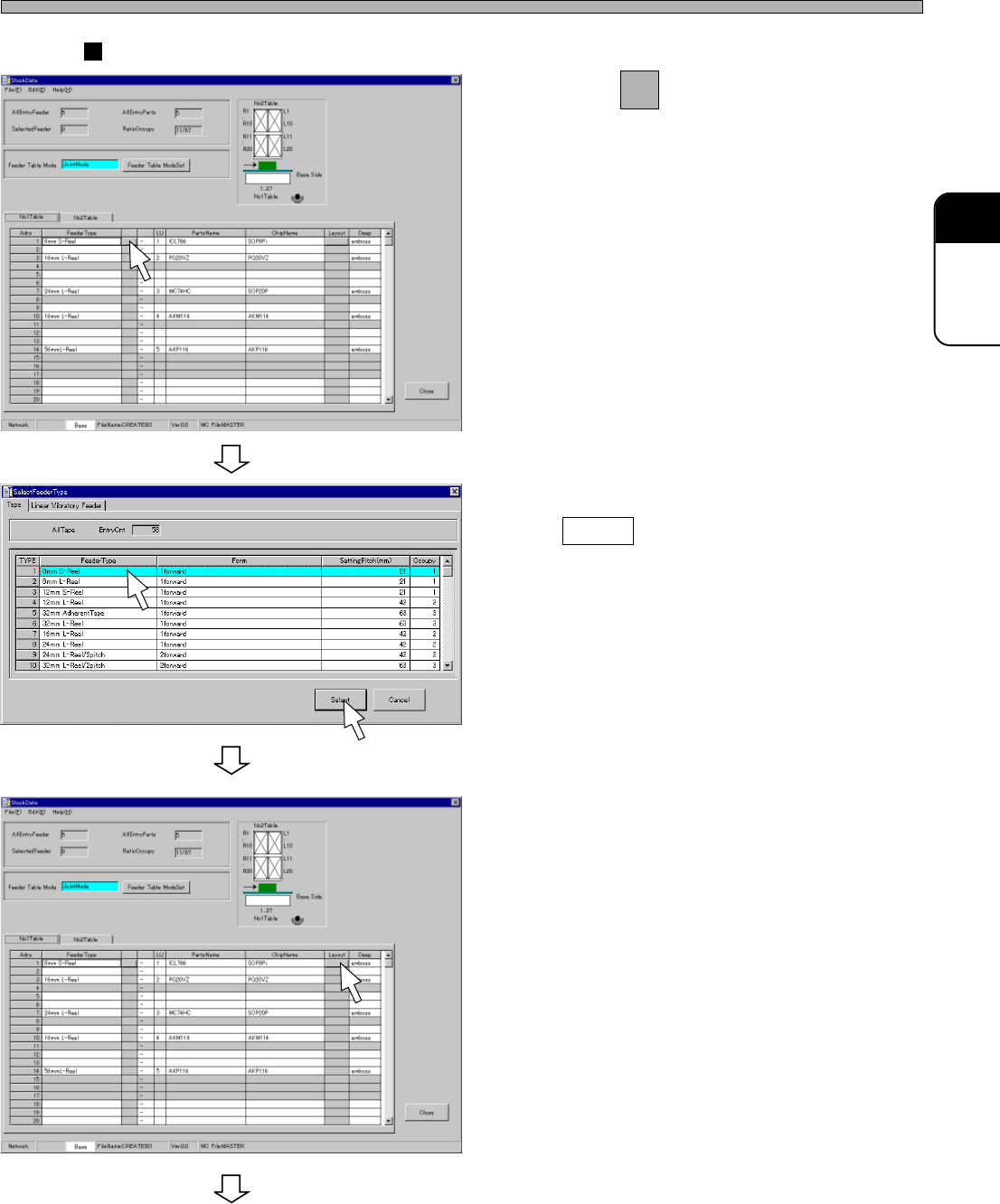
Case of Tape Feeder
4. Click on next to FeederType field.
• [SelectFeederType] window opens.
5. Choose the type of feeder, and click
on Select .
6. Click on a Layout field of the address
where you will set the chip.
• [SelectFeederLayoutList] window opens.
4H4C-E-PMA01-A03-01
Stock Data
To the next page
4H4C-EPt-EdSd-001
4H4C-EPt-EdSd-006
4H4C-EPt-EdSd-004
Page 52
4H4C-E-PMA01-A03-01
Stock Data
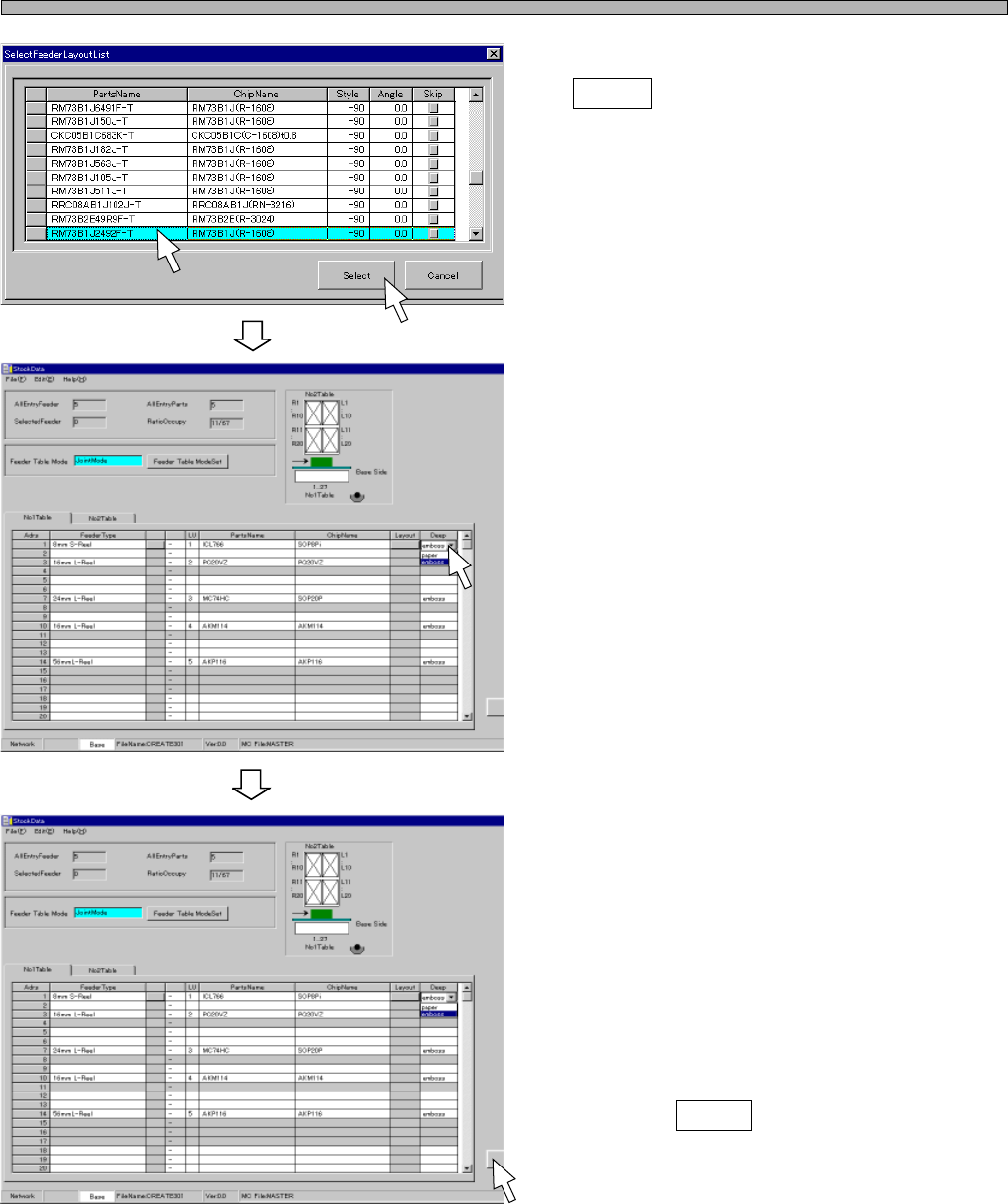
7. Choose the chip to set, and click on
Select .
• [SelectFeederLayoutList] window closes, and
the chosen chip is set.
8. Choose Deep.
9. Set all the chips to mount for each
table in stock data by repeating the
steps from 4. to 8.
10. Click on Close .
• The screen returns to the main menu.
444C-EPt-EdSd-002
4H4C-EPt-EdSd-004
4H4C-EPt-EdSd-004
Page 53
301
CM
4H4C-E-PMA01-A03-01
Stock Data
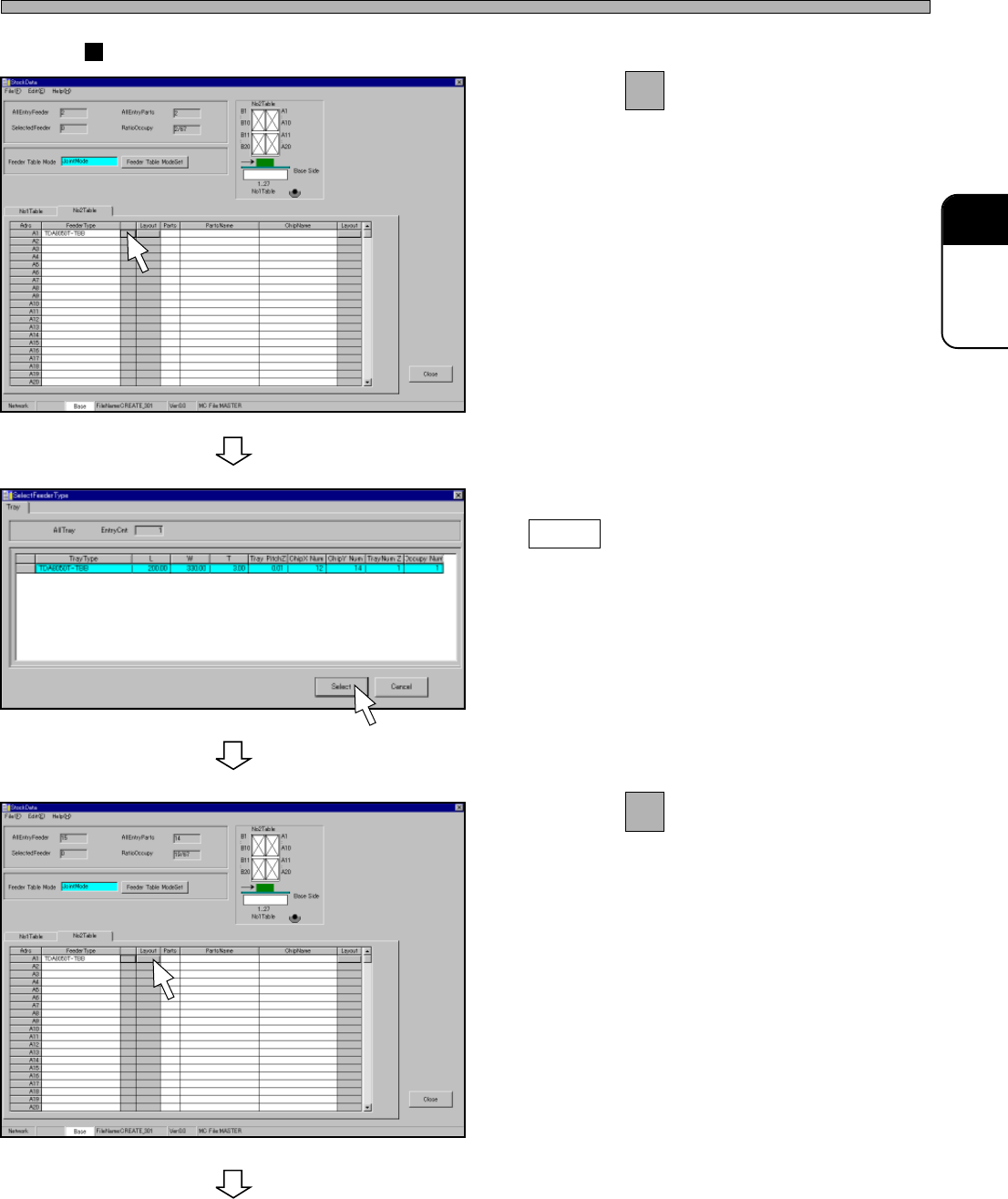
Case of Tray
4. Click on next to FeederType field.
• [SelectFeederType] window opens.
5. Select a tray, and then click on
Select .
6. Click on of the tray layout field.
• [Tray Layout] window opens.
To the next page
4H4C-EPt-EdSd-007
4H4C-EPt-EdSd-008
4H4C-EPt-EdSd-009