4H4CEPM.pdf - 第48页
Page 38 4H4C-E-PMA01-A03-01 444C-EPt-EdBr-004 444C-EPt-EdBr-003 444C-EPt-EdBr-004 Board Recognition Data 4. Click on SelectREF . • [SetREF] window opens. 5. Choose REF No., DesignateShape and Color , enter Size, and clic…
Page 37
301
CM
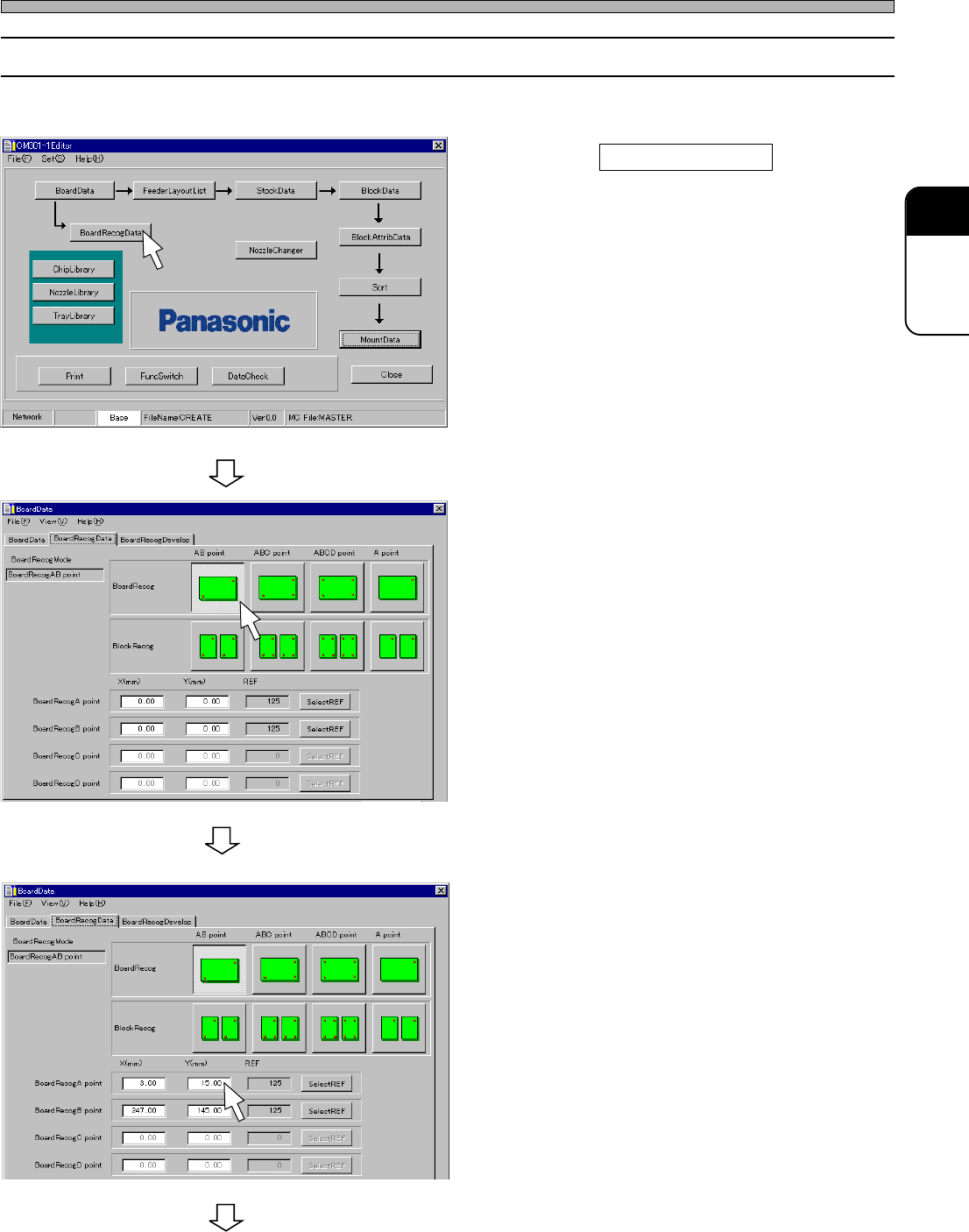
7-2 Editing Board Recognition Data
∗ When BoardRecog is disabled in FunctionSwitches, you can not edit this data.
1. Click on BoardRecogData .
• [BoardRecogData] sheet on [BoardData]
window opens.
2. Select BoardRecogMode.
3. Enter the coordinates of
BoardRecogA point.
444C-EPt-EdBr-002
444C-EPt-EdBr-004
To the next page
4H4C-E-PMA01-A03-01
Board Recognition Data
4H4C-EPt-Ed-001
Page 38
4H4C-E-PMA01-A03-01
444C-EPt-EdBr-004
444C-EPt-EdBr-003
444C-EPt-EdBr-004
Board Recognition Data
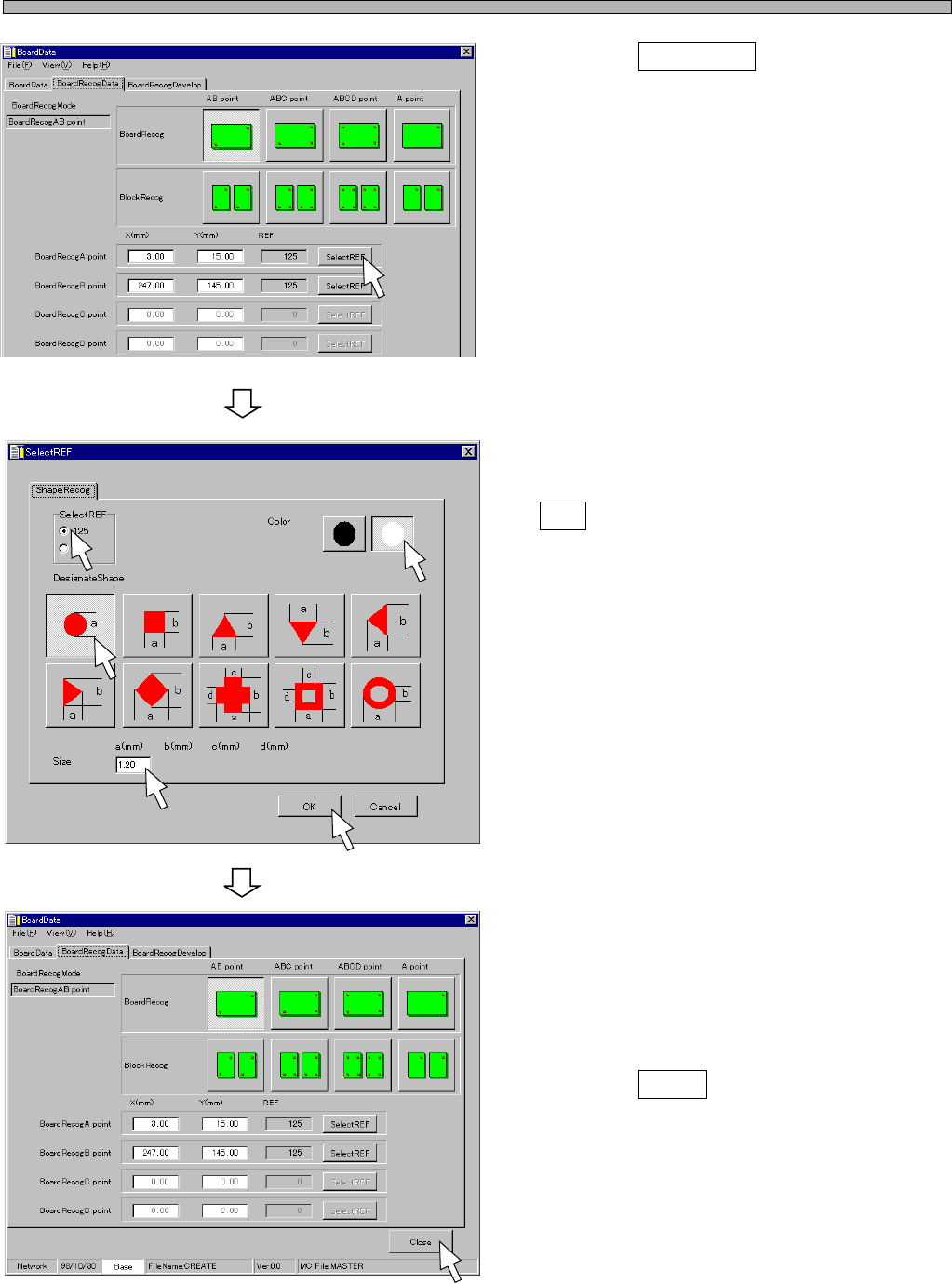
4. Click on SelectREF .
• [SetREF] window opens.
5. Choose REF No., DesignateShape
and Color, enter Size, and click on
OK .
• [SetREF] window closes.
6. Input the data of from B point onward
by repeating the steps from 3. to 5.
7. Click on Close .
• The main menu is displayed.
Page 39
301
CM
4H4C-E-PMA01-A03-01
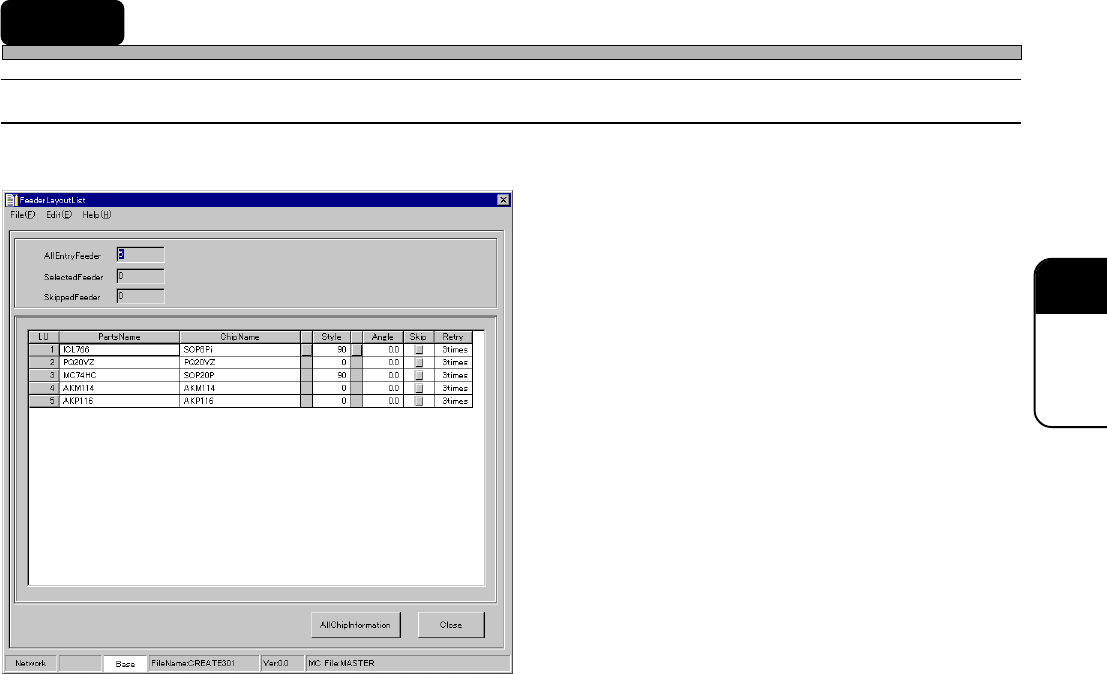
8 Feeder Layout List
8-1 Feeder Layout List
Register all the chips to use into the feeder layout list.
1. PartsName
2. ChipName
3. Style
4. Angle
5. Skip
6. Retry
7. AllChipInformation
The descriptions are as follows.
1. PartsName
You can register any chip name as “PartsName” for each chip type.
2. ChipName
This is the name registered in the chip library.
4H4C-EPt-EdPl-001