4H4CEPM.pdf - 第82页
Page 72 14-2 Editing Mount Data 1. Click on MountData . • [MountData] window opens. • When sorting has been completed, block data have already been expanded. 2. Check and modify the data. • Use the same steps as those fo…
Page 71
301
CM
4H4C-E-PMA01-A05-03
Mount Data
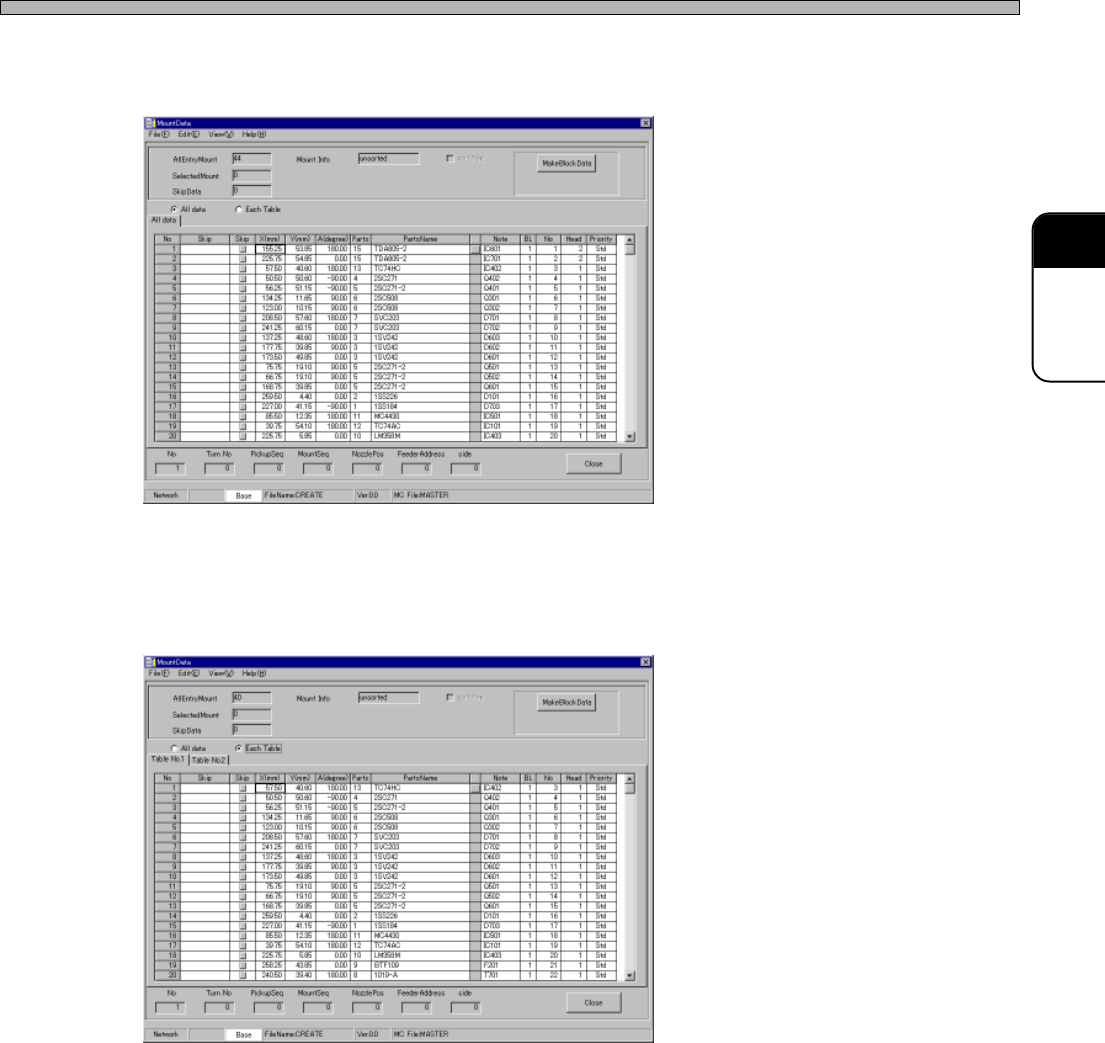
20. All data
When ticking off “All data”, the mount data to be mounted at all the tables is displayed.
21. Each Table
When ticking off “Each Table”, the mount data for each table is displayed.
4H4C-EPt-EdMo-001
4H4C-EPt-EdMo-006
Page 72
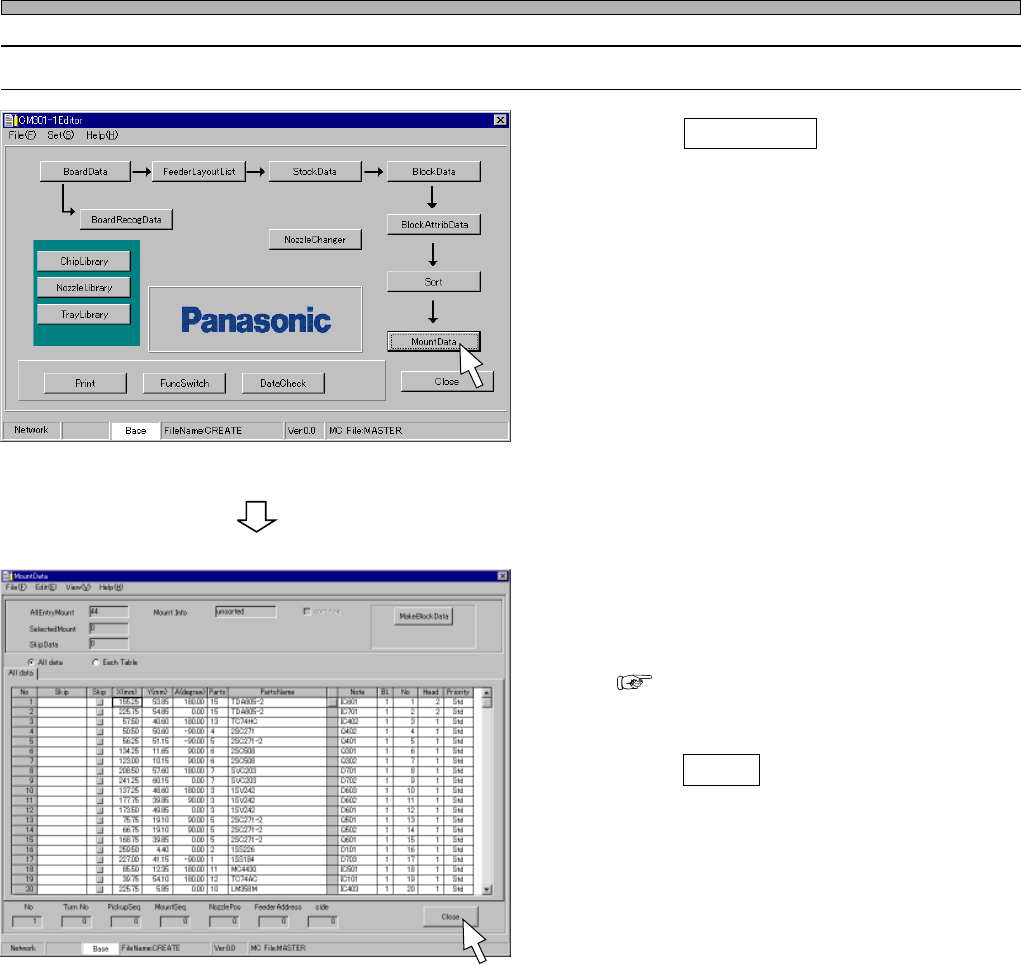
14-2 Editing Mount Data
1. Click on MountData .
• [MountData] window opens.
• When sorting has been completed, block data
have already been expanded.
2. Check and modify the data.
• Use the same steps as those for block data.
( 11-2)
3. Click on Close .
• The main menu is displayed.
Mount Data
4H4C-E-PMA01-A05-03
4H4C-EPt-Ed-001
4H4C-EPt-EdMo-001
Page 73
301
CM
15 Checking Data
15-1 Data Check
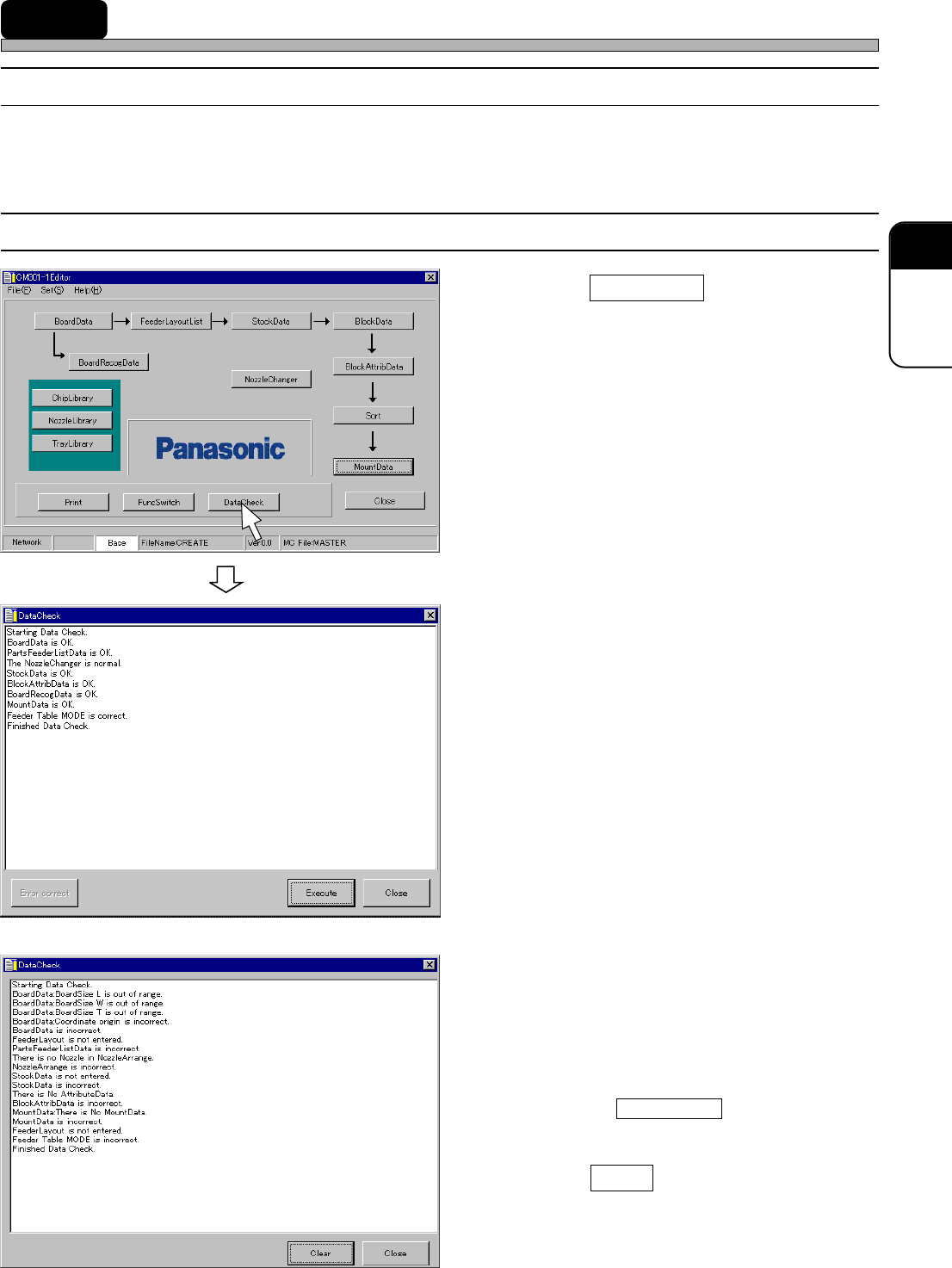
This is used to check whether there is any trouble in the data between chip data and mount data.
15-2 Executing Data Check
1.
Click on DataCheck .
• [DataCheck] window opens, and data check
starts.
2A. Confirm the (correct) result.
• When all the data are correct, data editing is
complete.
2B. Confirm the (incorrect) result.
• If there are any errors in data, modify the data
displayed as incorrect, and then perform data
check again.
∗∗
∗∗
∗ Clicking on Error correct opens the edit
screen for the error data.
3. Click on Close .
• The main menu is displayed.
444C-EPt-EdDc-002
or
4H4C-E-PMA01-A05-02
4H4C-EPt-Ed-001
4H4C-EPt-EdDc-001