4H4CEPM.pdf - 第84页
Page 74 16 Function Switches 16-1 Function Switches 4H4C-601TE 4H4C-E-PMA01-A05-02 t e s e b o t m e t It e s e b o t m e t I t e s e b o t m e t I t e s e b o t m e t It e s e b o t m e t I e t a t s d e l b a n e n i n…
Page 73
301
CM
15 Checking Data
15-1 Data Check
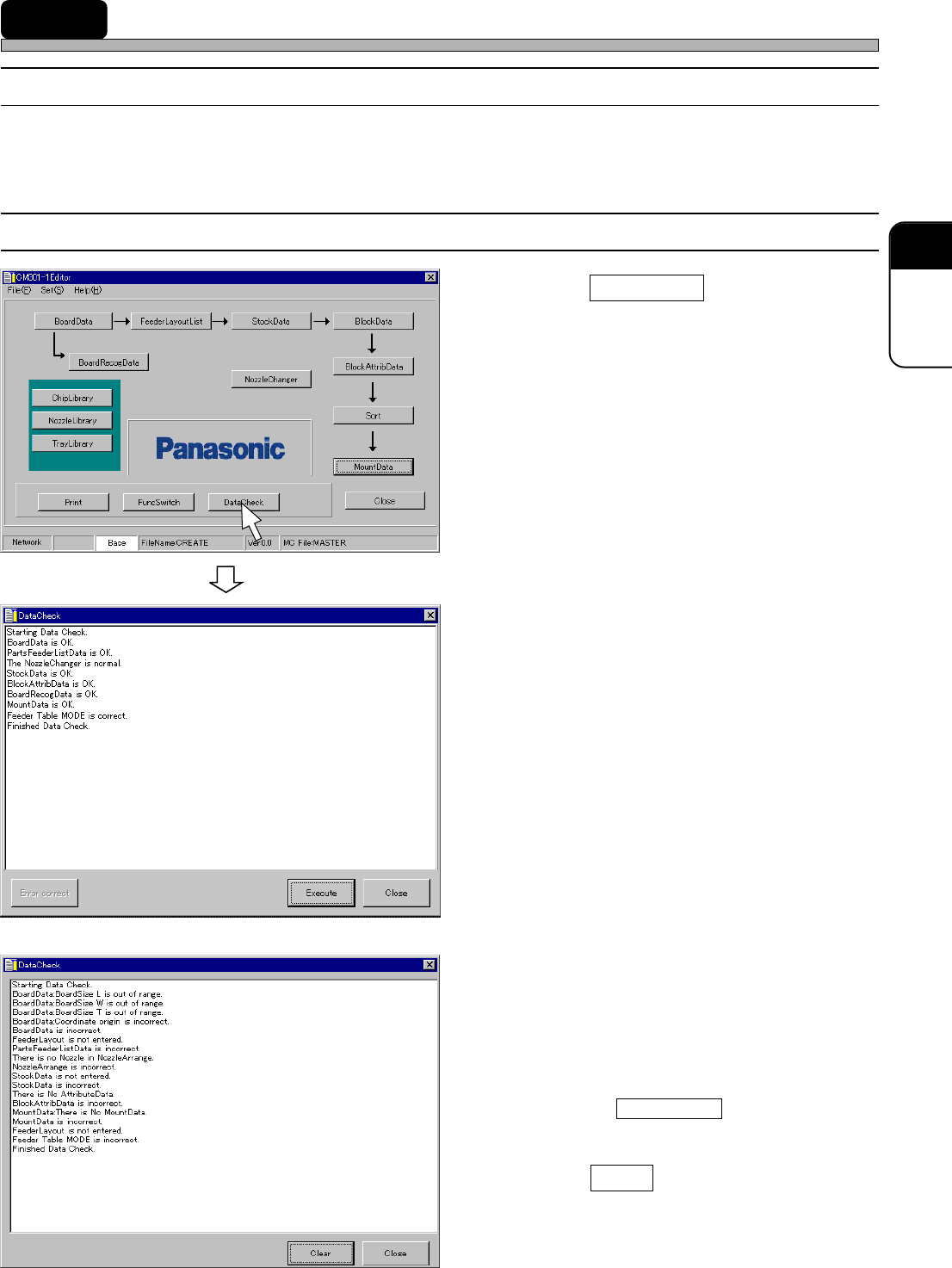
This is used to check whether there is any trouble in the data between chip data and mount data.
15-2 Executing Data Check
1.
Click on DataCheck .
• [DataCheck] window opens, and data check
starts.
2A. Confirm the (correct) result.
• When all the data are correct, data editing is
complete.
2B. Confirm the (incorrect) result.
• If there are any errors in data, modify the data
displayed as incorrect, and then perform data
check again.
∗∗
∗∗
∗ Clicking on Error correct opens the edit
screen for the error data.
3. Click on Close .
• The main menu is displayed.
444C-EPt-EdDc-002
or
4H4C-E-PMA01-A05-02
4H4C-EPt-Ed-001
4H4C-EPt-EdDc-001
Page 74
16 Function Switches
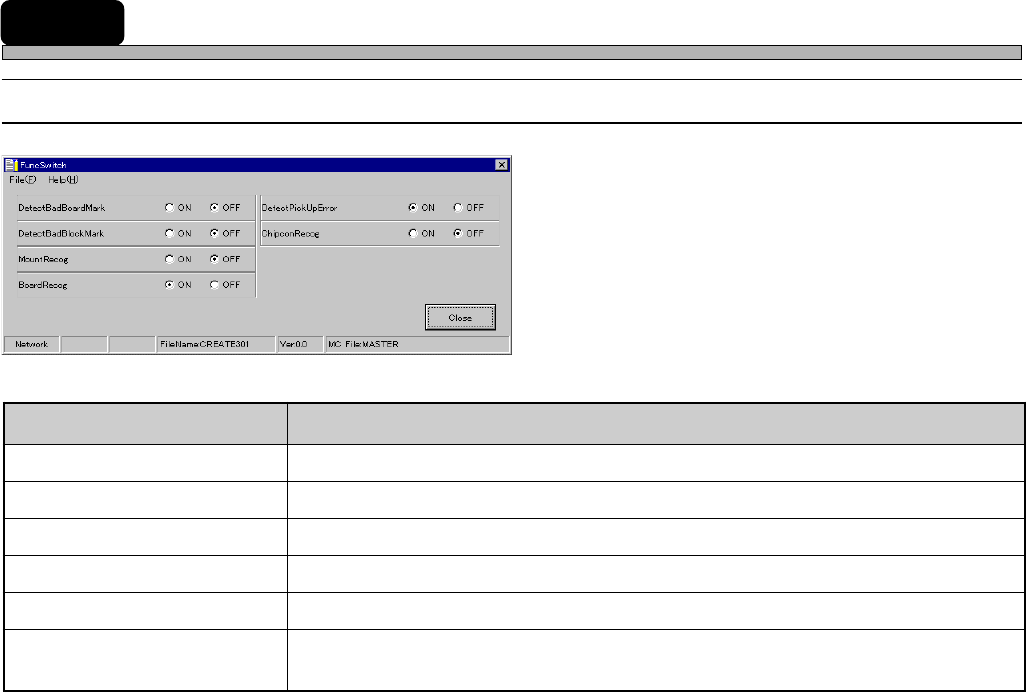
16-1 Function Switches
4H4C-601TE
4H4C-E-PMA01-A05-02
tesebotmetItesebotmetI
tesebotmetI
tesebotmetItesebotmetI etatsdelbaneninoitcnuFetatsdelbaneninoitcnuF
etatsdelbaneninoitcnuF
etatsdelbaneninoitcnuFetatsdelbaneninoitcnuF
kraMdraoBdaBtceteD .skramdraobevitcefedtcetedottonrorehtehwyficepS
kraMkcolBdaBtceteD .skramkcolbevitcefedtcetedottonrorehtehwyficepS
goceRtnuoM )desutoN(.stnioptnuomezingocerottonrorehtehwteS
goceRdraoB.sdraobezingocerottonrorehtehwteS
rorrEpUkciPtceteD .rorrepu-kcipehttcetedottonrorehtehwyficepS
goceRnocpihC
CIrednutnuomotspihcehttonrorehtehwezingocerottonrorehtehwyficepS
)desutoN(.detnuomneebevahspihc
4H4C-EPt-EdSs-001
Page 75
301
CM
Function Switches
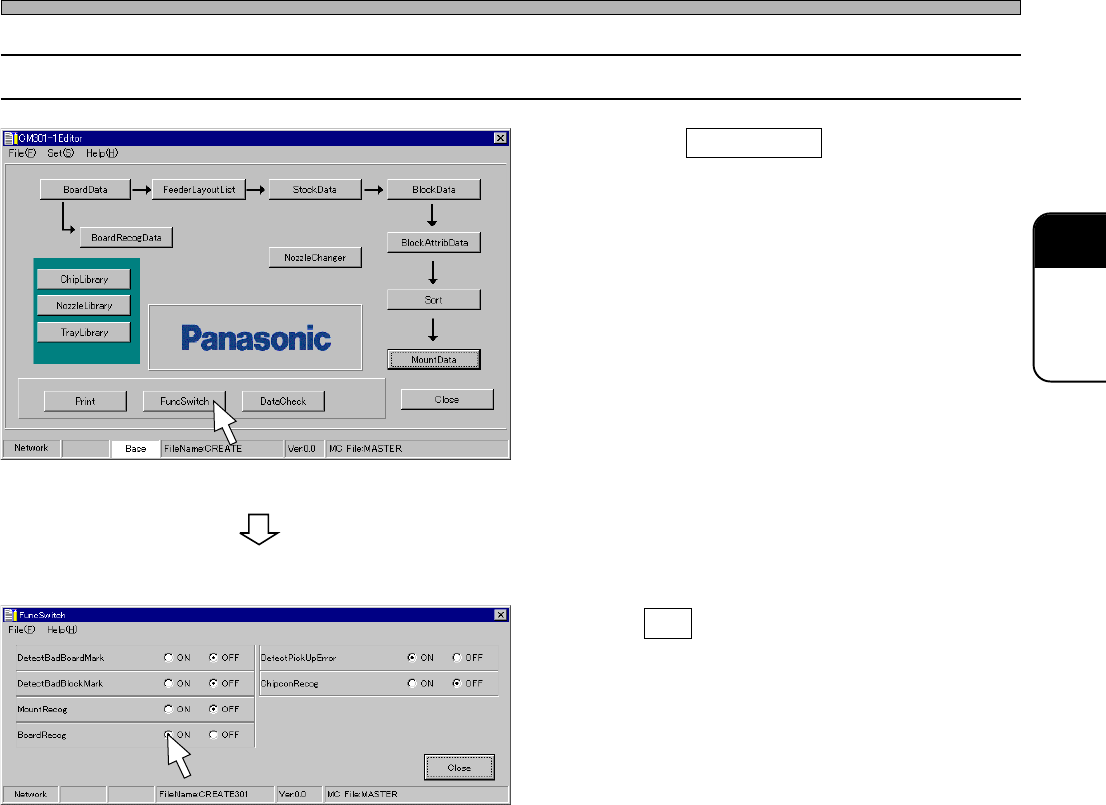
16-2 Setting Function Switches
1.
Click on FuncSwitch .
• [FuncSwitch] window opens.
2. Turn ON the function to be executed
on the machine during production.
4H4C-E-PMA01-A05-01
4H4C-EPt-Ed-001
4H4C-EPt-EdSs-001