4H4CEPM.pdf - 第40页
Page 30 5 T ray Data 5-1 T ray Data Custom T ray Data Library 1. T rayName 2. T rayOuterSize 3. T ray Block Data 4. SpeedData 5. PatternEdit 6. T rayPosRecog 1. T rayName Indicates the name of the tray . 2. T rayOuterSiz…
Page 29
301
CM
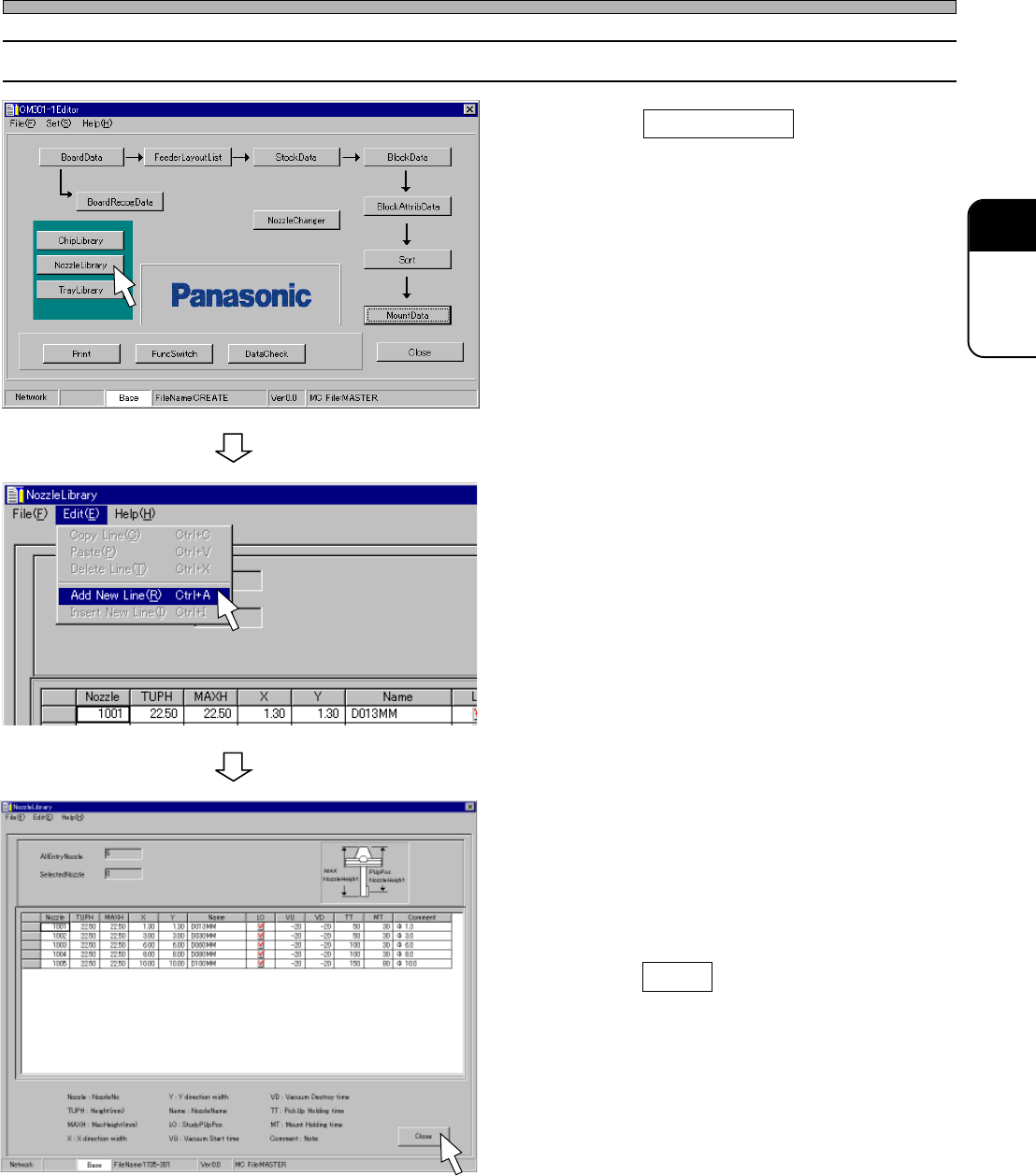
4-2 Editing Nozzle Data
1. Click on NozzleLibrary .
• [NozzleLibrary] window opens.
2. Choose “Add New Line” from “Edit”
on the menu bar.
3. Enter from NozzleNo to TargetChip in
due order.
4. Click on Close .
• The main menu is displayed.
Nozzle Data
4H4C-E-PMA01-A02-00
4H4C-EPt-Ed-001
4H4C-EPt-EdNl-002
4H4C-EPt-EdNl-001
Page 30
5 Tray Data
5-1 Tray Data
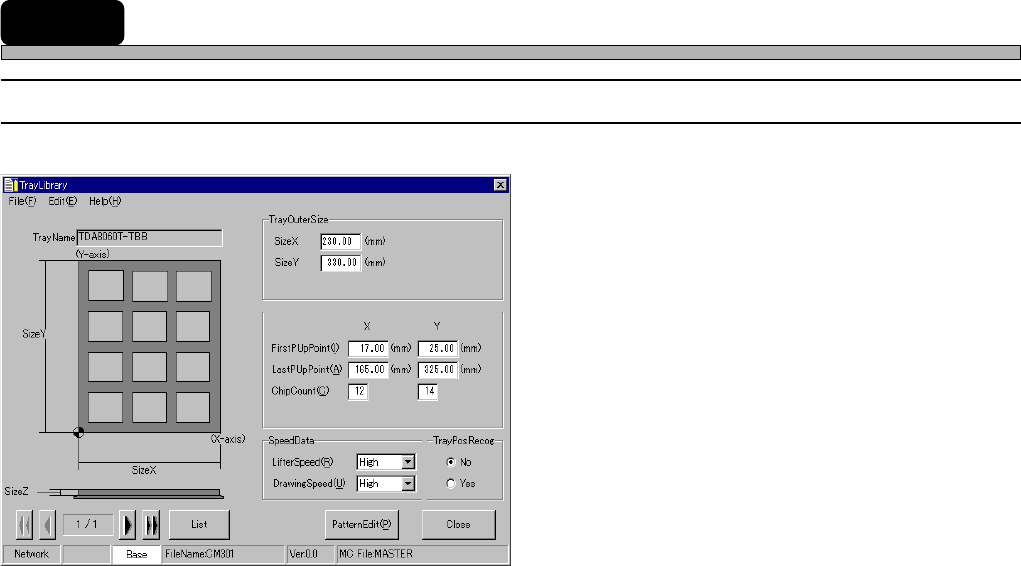
Custom Tray Data Library
1. TrayName
2. TrayOuterSize
3. Tray Block Data
4. SpeedData
5. PatternEdit
6. TrayPosRecog
1. TrayName
Indicates the name of the tray.
2. TrayOuterSize
Indicates the length, the width and the thickness of the tray.
3. Tray Block Data
Indicates the pick-up start point (X, Y), the last pick-up point (X, Y), the number of chips and the
pick-up height.
4. SpeedData
Indicates the lifter speed and the pallet drawing-out speed.
5. PatternEdit
Indicates the chip arrangement on the tray pallet.
6. TrayPosRecog
When “Yes” is chosen, the position of the tray is recognized.
4H4C-E-PMA01-A03-02
4H4C-EPt-EdTl-004
Page 31
301
CM
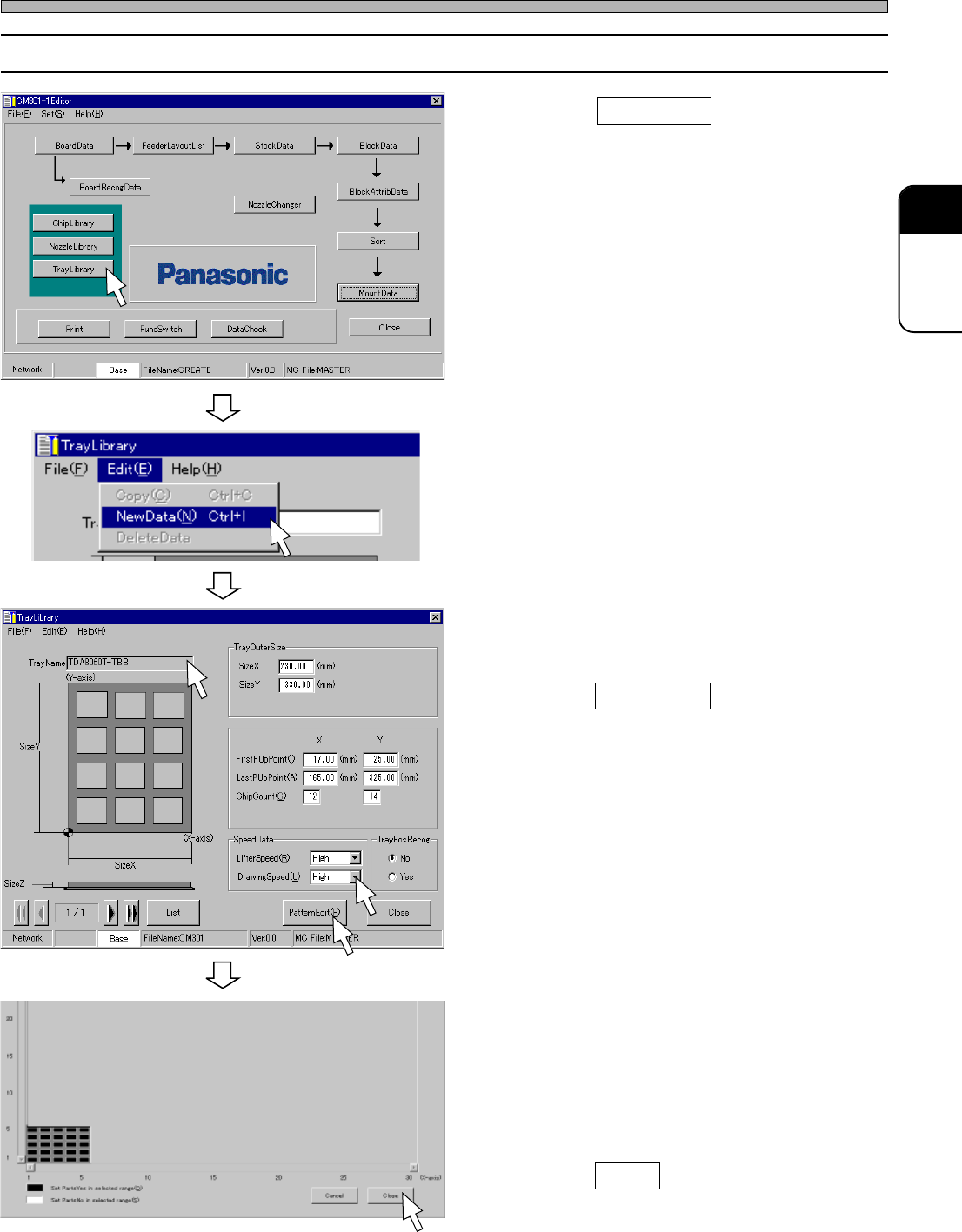
5-2 Editing Tray Data
1. Click on TrayLibrary .
• [TrayLibrary] window opens.
2. Choose “NewData” from “Edit” on the
menu bar.
3. Enter from TrayName to SpeedData in
due order.
4. Click on PatternEdit .
• [TrayPartsMissingPatternEdit] window opens.
5. Set the chip arrangement by the
pattern edit.
∗ You can set a zigzag arrangement by just
choosing “Edit” > “Zigzag(1,1)PartsYes” or
“Zigzag(1,1)PartsNo” on the menu bar.
6. Click on Close .
• The main menu is displayed.
4H4C-E-PMA01-A03-03
Tray Data
4H4C-EPt-Ed-001
4H4C-EPt-EdTl-002
4H4C-EPt-EdTl-004
4H4C-EPt-EdTl-003