4H4CEPM.pdf - 第76页
Page 66 444C-EPt-EdBa-005 4H4C-E-PMA01-A04-00 Block Attribute Data 4. Enter the origin (OX, OY) of the block 2, and click on next to ROT field. • [SelectROT] window opens. 5. Choose the rotation angle of the block, and c…
Page 65
301
CM
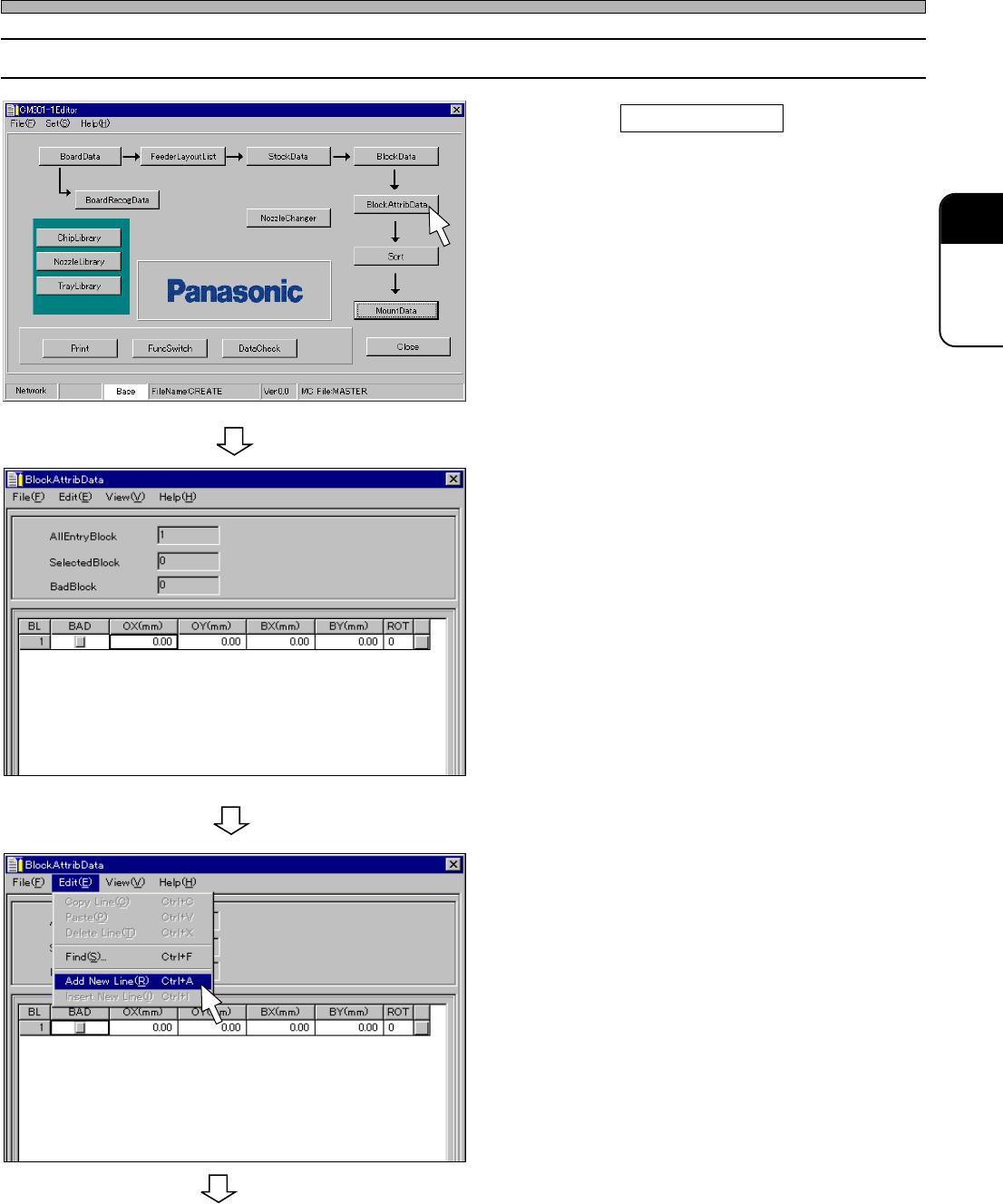
12-2 Editing Block Attribute Data
1. Click on BlockAttribData .
• [BlockAttribData] window opens.
2. Enter the origin (OX, OY) and ROT of
the block 1.
∗ The origin of the block 1 is OX=0, OY=0 and
ROT=0 as an example. In this case, you do not
need to enter.
3. Choose “Add New Line.” from “Edit”
on menu bar.
• A new row is created.
444C-EPt-EdBa-001
444C-EPt-EdBa-002
4H4C-E-PMA01-A04-01
Block Attribute Data
To the next page
4H4C-EPt-Ed-001
Page 66
444C-EPt-EdBa-005
4H4C-E-PMA01-A04-00
Block Attribute Data
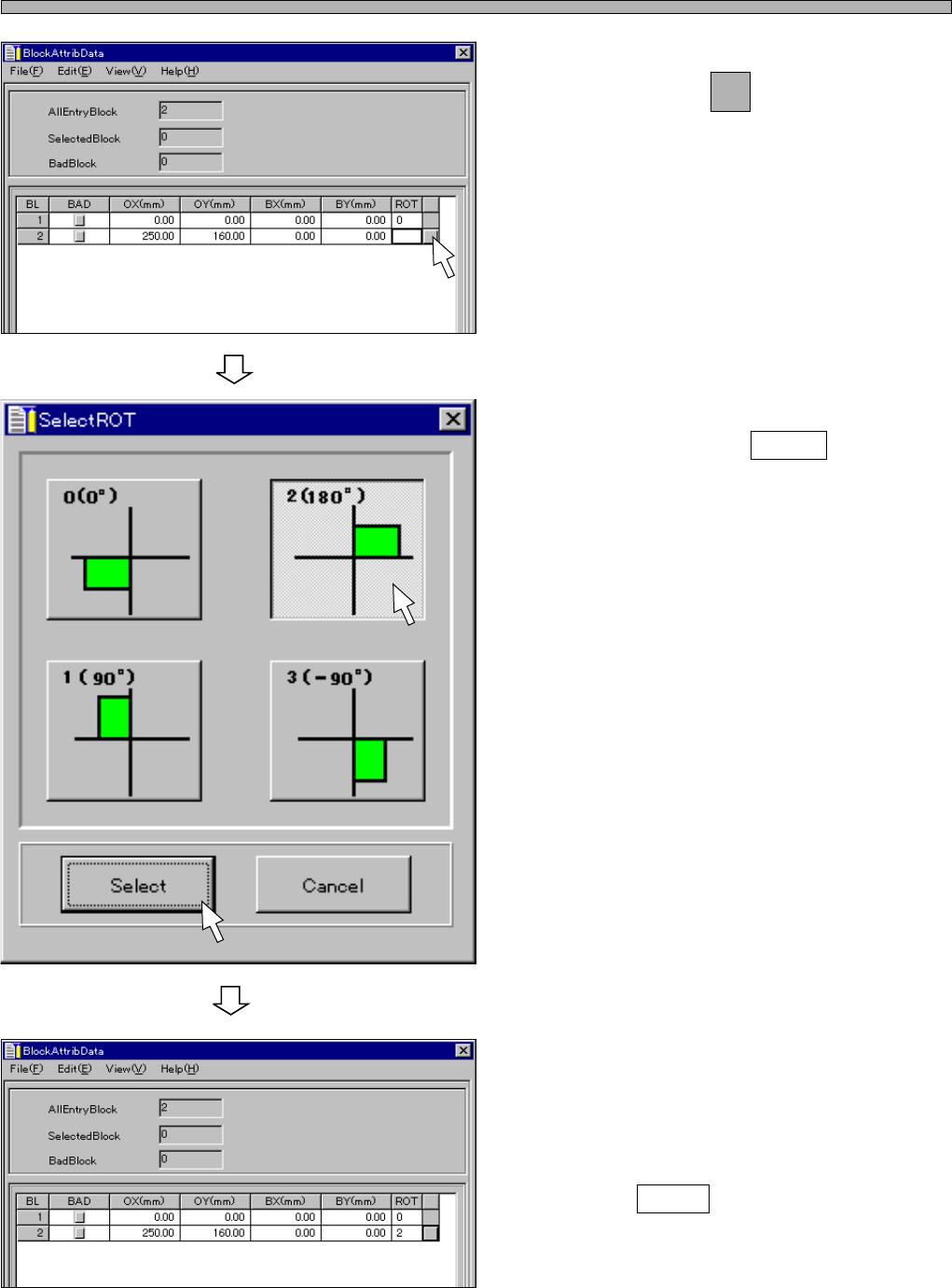
4. Enter the origin (OX, OY) of the block
2, and click on next to ROT field.
• [SelectROT] window opens.
5. Choose the rotation angle of the
block, and click on Select .
• [BlockAttribData] window opens.
6. When there are the other blocks,
enter all the block attribute data by
repeating the steps from 2. to 5.
7. Click on Close .
• The main menu is displayed.
444C-EPt-EdBa-004
444C-EPt-EdBa-003
Page 67
301
CM
13 Sorting
This chapter describes how to sort mount data.
∗ Use this function after board data, feeder layout list, stock data, nozzle changer data, nozzle
layout, block data and block attribute data have been set up.
13-1 Sort
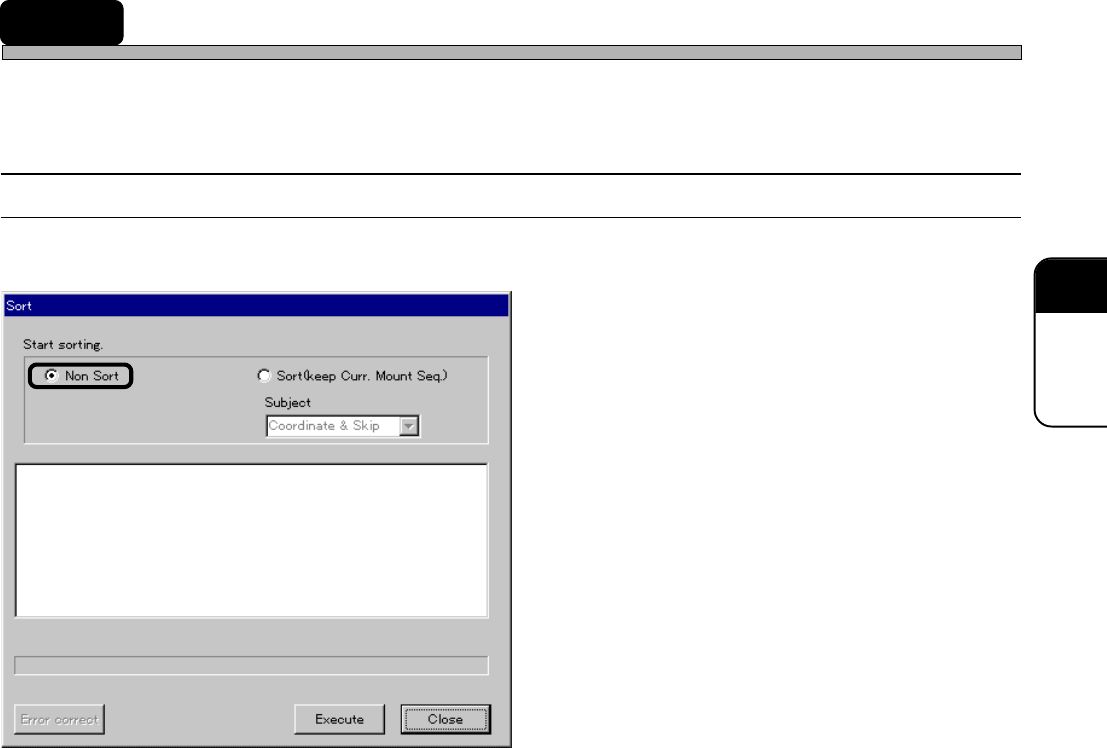
Mount data are created by one of the following sort options.
1. Non Sort
2. Sort (keep Curr. Mount Seq)
The description is as follows.
1. Non Sort
Block data and block attribute data are expanded to mount data in order of creation.
2. Sort (keep Curr. Mount Seq)
Data are expanded again while maintaining the sequence of the mount data optimized by the
modular sort.
Subject
When using Sort (keep Curr. Mount Seq), you can select the expansion of the coordinates system
only, that of the skip information only or that of both the coordinates system and the skip informa-
tion.
4H4C-E-PMA01-A05-03
4H4C-EPt-EdSo-001