4H4CEPM.pdf - 第51页
Page 41 301 CM 4H4C-E-PMA01-A03-01 444C-EPt-EdPl-013 Feeder Layout List 4. Angle (Pick-up Angle) The pick-up angle of most chips is 0 ° . But when the nozzle whose pick-up direction is fixed, such as a side pick-up nozzl…
Page 40
4H4C-E-PMA01-A03-01
Feeder Layout List
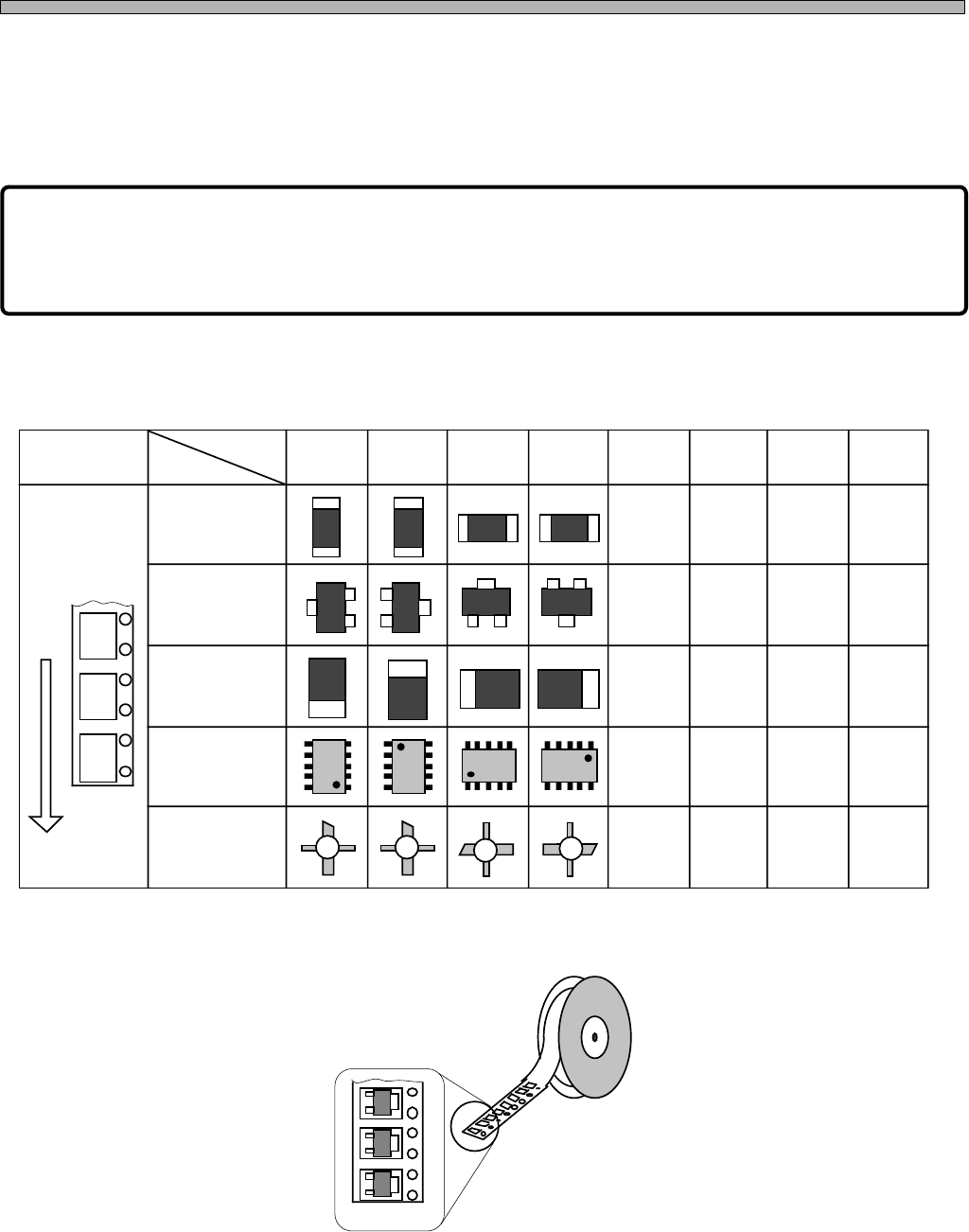
3. Style (Packing Form)
This is the packing form of chips and is set by using numbers. The packing angle changes 45
degree at a time as the number changes. (See below.) When inputting Style, choose a number
according to the packing form of chips on the tape regardless of “(pick-up) Angle” and the condi-
tions for recognition.
NOTICE
The angle of “Style” specifies the packing form of chips and is determined
regardless of “(pick-up) Angle” and the conditions for pick-up and recognition.
Chart 1 Style (Packing form) of chips which the tape feeds (Typical example)
4H4C-613E
Angle
Chip
Non-polarized
square chip
Transistor
Tantalum
capacitor
SOP
FET
Feeding Direction
Example
Style: ± 180°
±180°0° -90°90°
∗ As for trays and tubes, perform the same procedure to register.
444C-IL622E
Page 41
301
CM
4H4C-E-PMA01-A03-01
444C-EPt-EdPl-013
Feeder Layout List
4. Angle (Pick-up Angle)
The pick-up angle of most chips is 0°. But when the nozzle whose pick-up direction is fixed, such
as a side pick-up nozzle, picks up the chips whose packing form is not supported by that nozzle as
it is, you need to input Angle to change the direction of the nozzle in pick-up.
5. Skip
You can Skip the chip(s) you do not want to mount temporarily. When you have ticked off Skip field,
the chip is automatically skipped. So you do not need to change block and mount data.
∗ When you set the chips to Skip in the feeder layout list, all of them will be skipped. But when you
set them to Skip in block data, only the chips at the specified position on the block will be skipped.
And when you set them to Skip in mount data, only the chips at the specified position on the board
will be skipped. Select the alternative that answers your purpose.
6. Retry
Select the number of times of the chip pick-up error, which is used to stop the machine due to lack
of chips, once or three times.
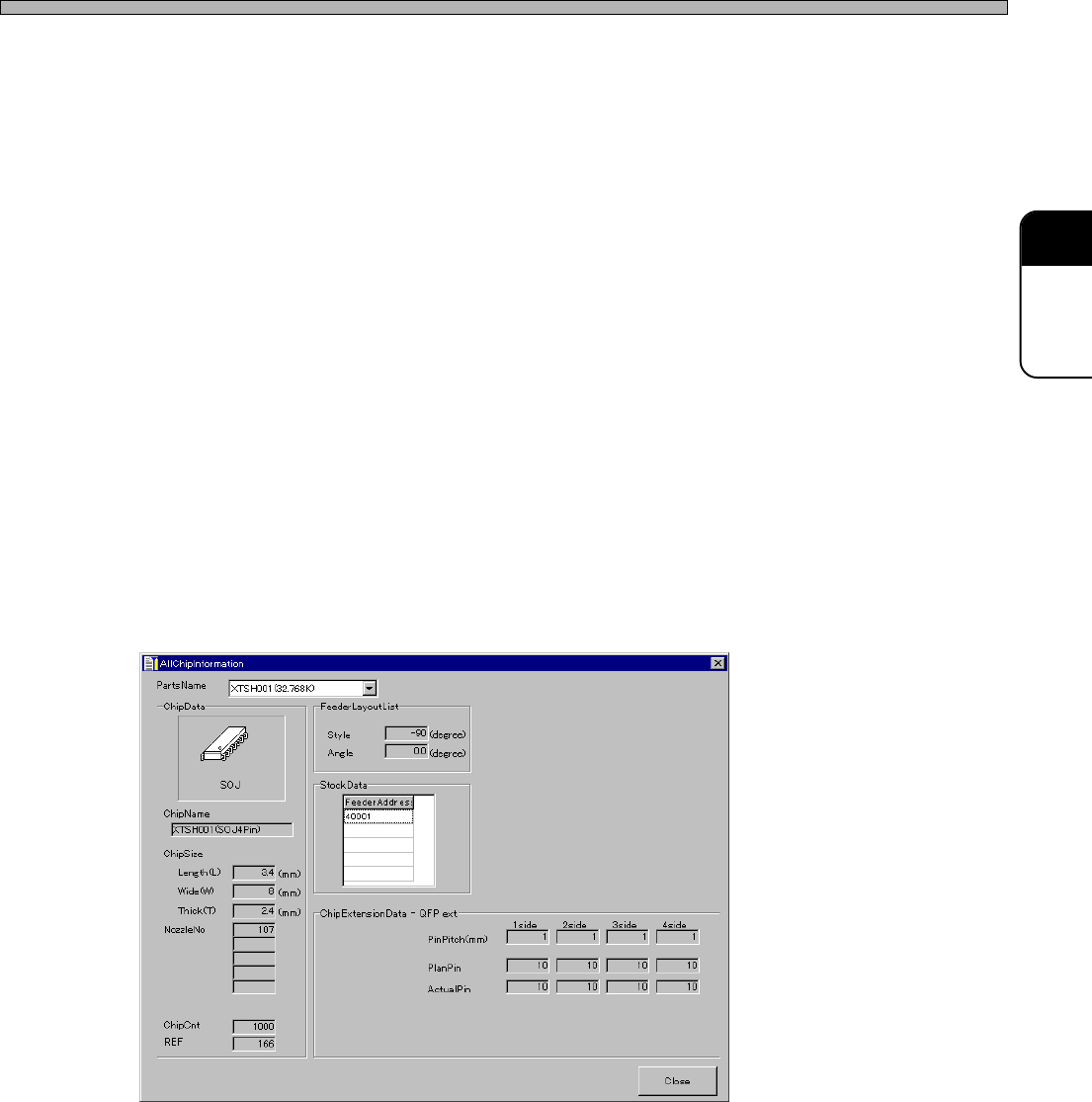
7. AllChipInformation
The detailed data of the chips registered in the feeder layout list are displayed.
Page 42
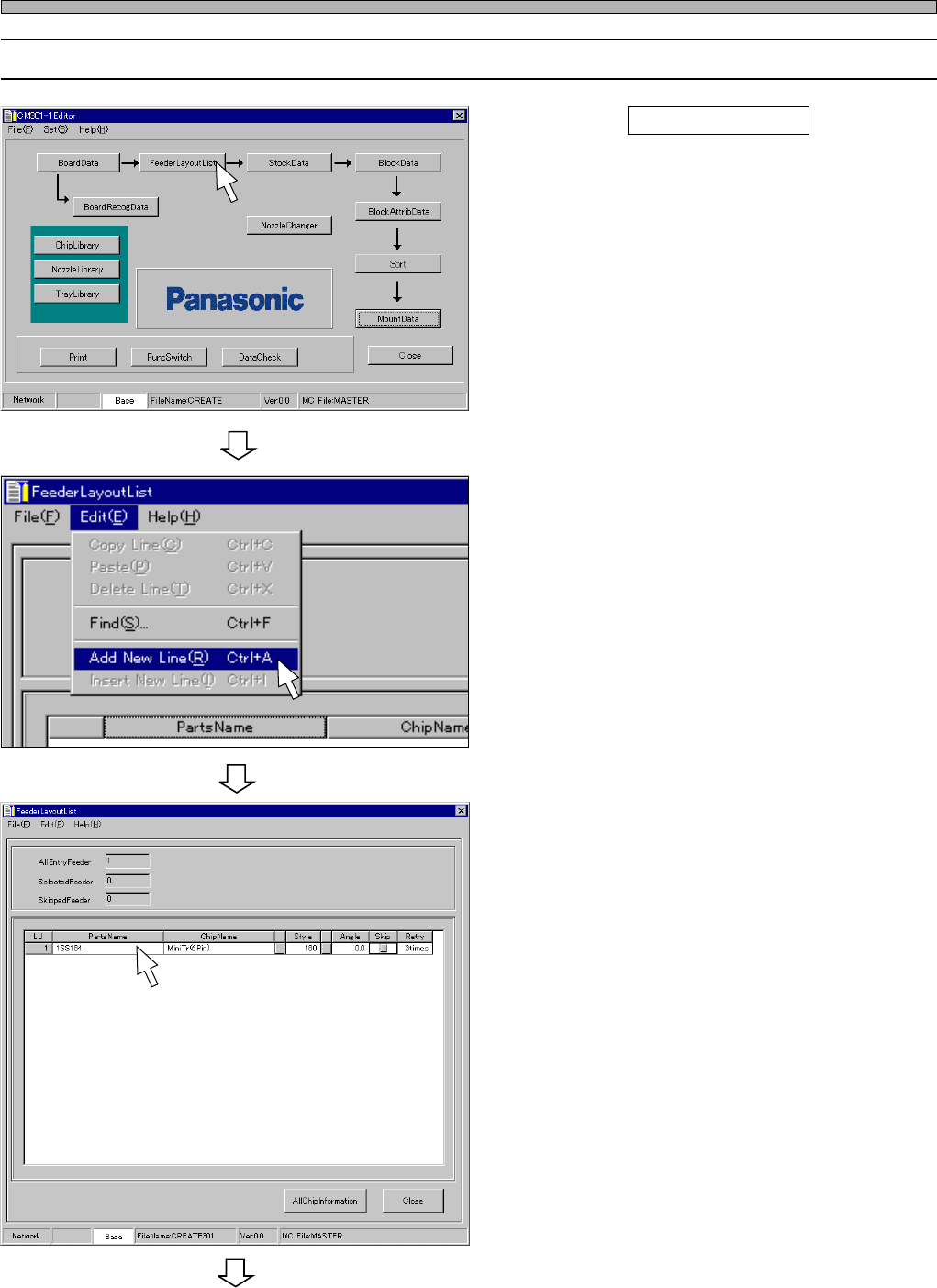
8-2 Editing Feeder Layout List
1. Click on FeederLayoutList .
• [FeederLayoutList] window opens.
2. Choose “Add New Line.” from “Edit”
on the menu bar.
• A new row is created.
3. Enter PartsName.
4H4C-E-PMA01-A03-01
444C-EPt-EdPl-003
Feeder Layout List
To the next page
4H4C-EPt-Ed-001
4H4C-EPt-EdPl-005