4H4CEPM.pdf - 第55页
Page 45 301 CM 4H4C-E-PMA01-A03-02 Feeder Layout List 8. Choose the packing form of the chip, and click on Select . • [SelectStyle] window closes, and the chosen packing form is set. ∗ Illustrations of the select button …
Page 44
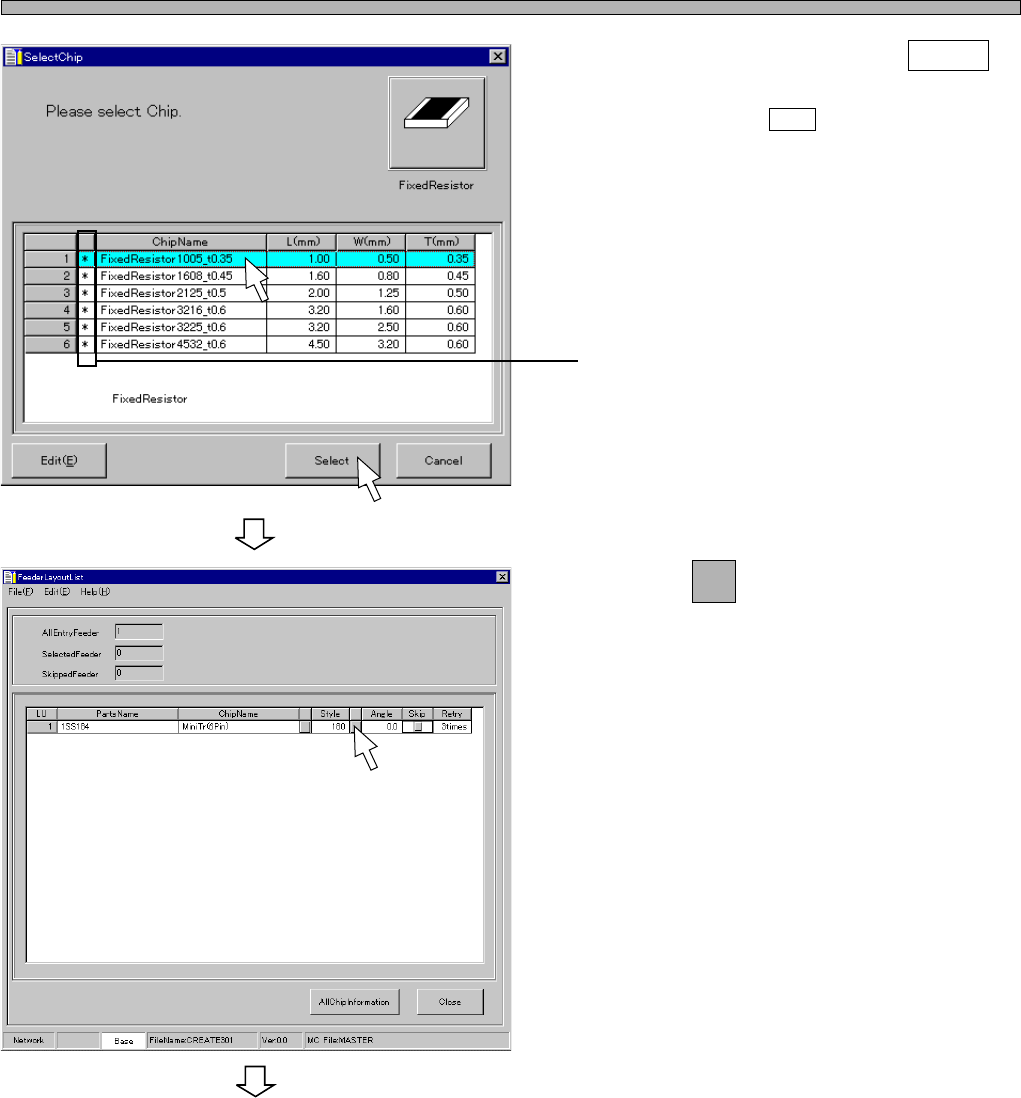
6. Choose a chip, and click on Select .
∗ When you click on Edit , [ChipLibrary] window
opens. Then you can edit the data.
∗ The chip with “∗” in this field indicates it is in
the standard chip library.
7. Click on next to Style field.
• [SelectStyle] window opens.
4H4C-E-PMA01-A03-01
Feeder Layout List
To the next page
444C-EPt-EdPl-007
4H4C-EPt-EdPl-005
Page 45
301
CM
4H4C-E-PMA01-A03-02
Feeder Layout List
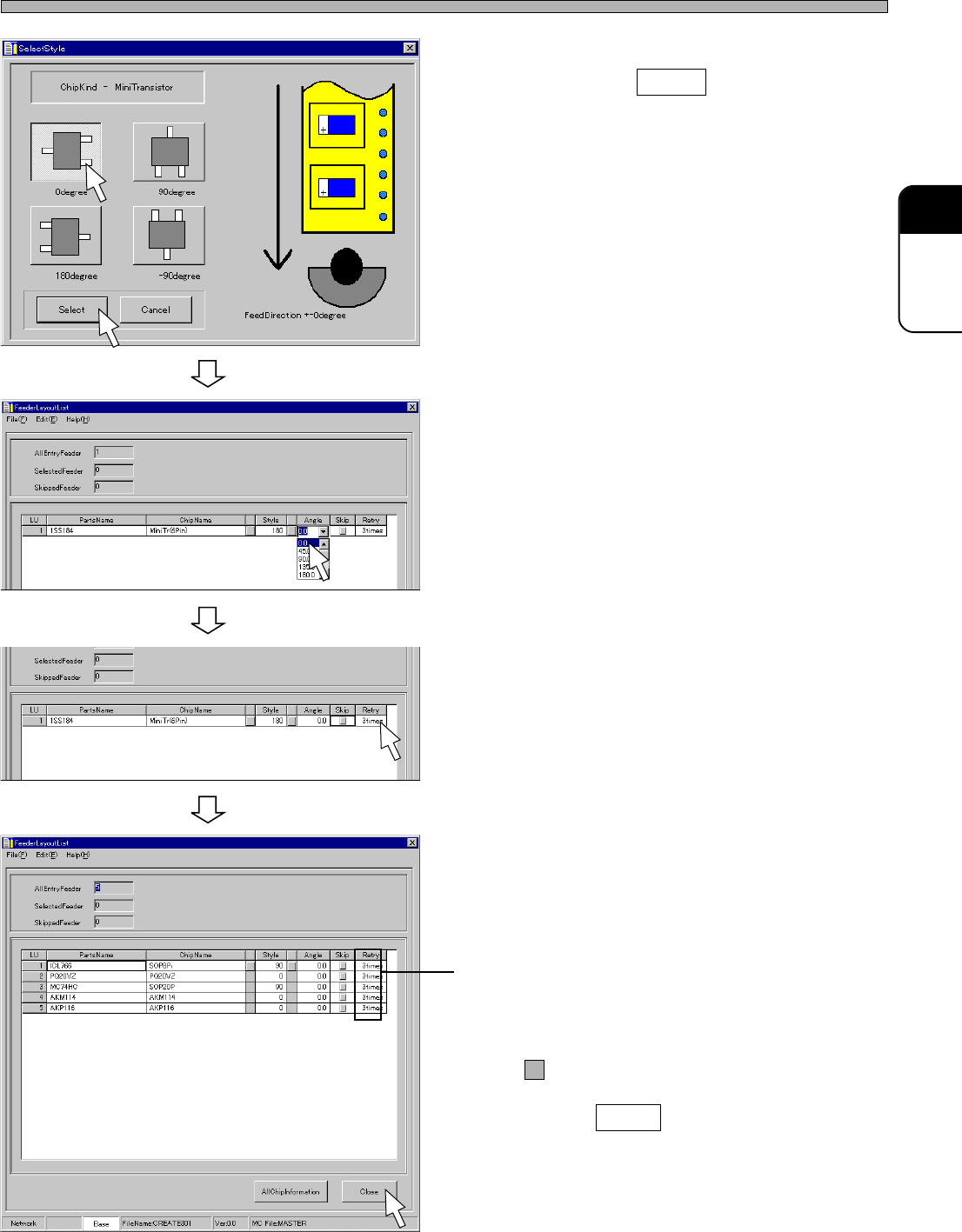
8. Choose the packing form of the chip,
and click on Select .
• [SelectStyle] window closes, and the chosen
packing form is set.
∗ Illustrations of the select button varies accord-
ing to the shape of chip.
9. Choose Angle.
10. Select the number of times of retry.
11. Register all the chips to use in the
feeder layout list by repeating the
steps from 2. to 10.
12. Confirm the settings of Skip and
Rcvry.
• If you do not use the feeder temporarily, tick off
by clicking.
13. Click on Close .
• The main menu is displayed.
4H4C-EPt-EdPl-003
4H4C-EPt-EdPl-006
4H4C-EPt-EdPl-005
4H4C-EPt-EdPl-001
Page 46
4H4C-E-PMA01-A03-01
9 Stock Data
9-1 Stock Data
1. Table No.
2. Adrs
3. FeederType
4. PartsName
5. ChipName
6. Deep
7. Feeder Table Mode
8. Tray Type
9. Tray Layout
The description are as follows.
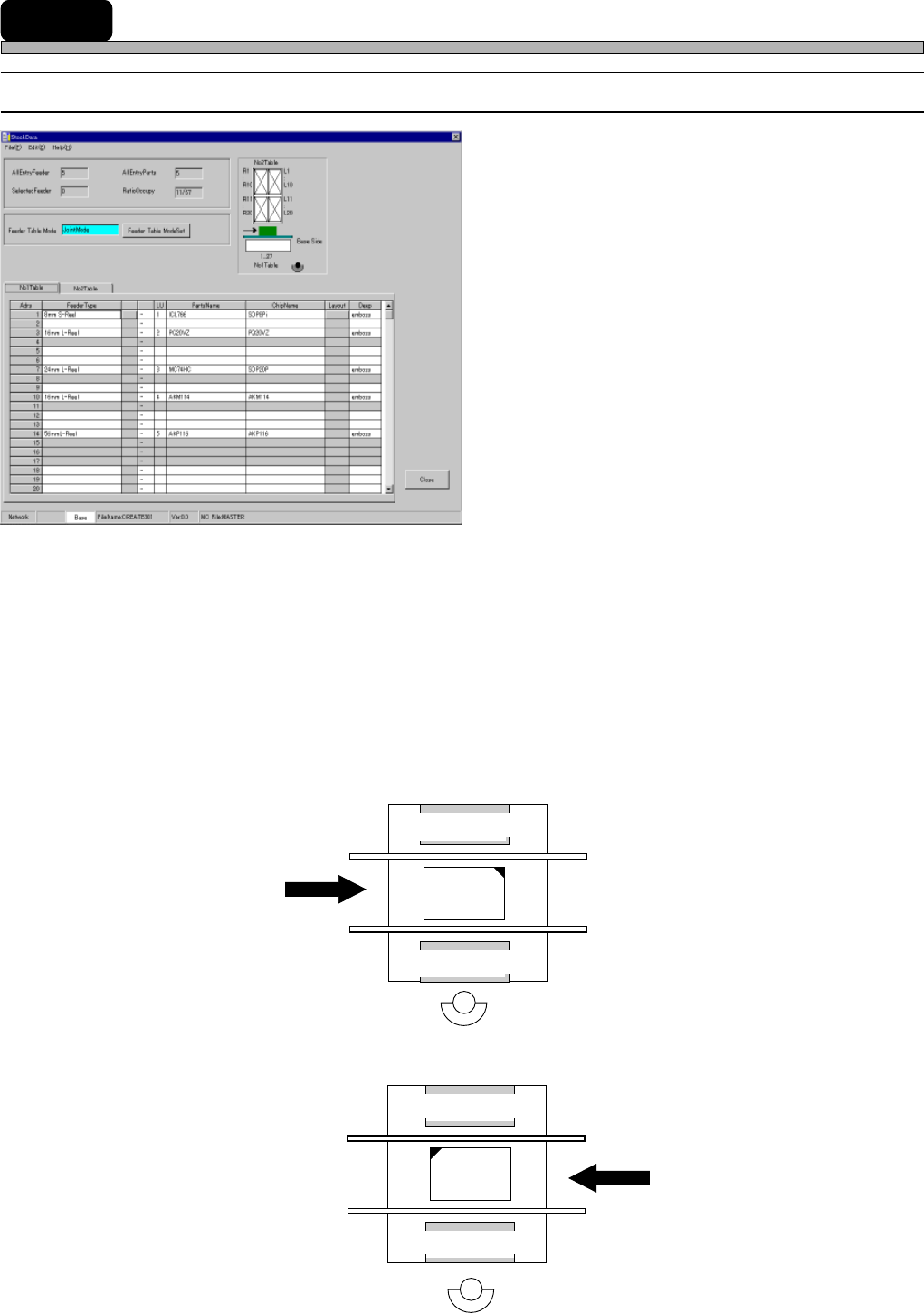
1. Table No.
The part where tape feeders will be set is referred to as the feeder table.
∗ The feeder table on the front side is called Table No. 1 and that on the rear side is called Table
No. 2.
(E.g. 1)
Right-Rear Reference
Table No. 2
Table No. 1
(E.g. 2)
Left-Rear Reference
Table No. 2
Table No. 1
4H4C-603E
4H4C-602E
4H4C-EPt-EdSd-001