4H4CEPM.pdf - 第17页
Page 7 301 CM 4H4C-E-PMA01-A02-00 4. Stock Data Choose addresses (where on feeder table that the feeders will be set). 6. Block Data Input mounting coordinates. 7. Block Attribute Data (Defective Block Recognition) Input…
Page 6
4H4C-E-PMA01-A02-00
1 Summary of Data Editing
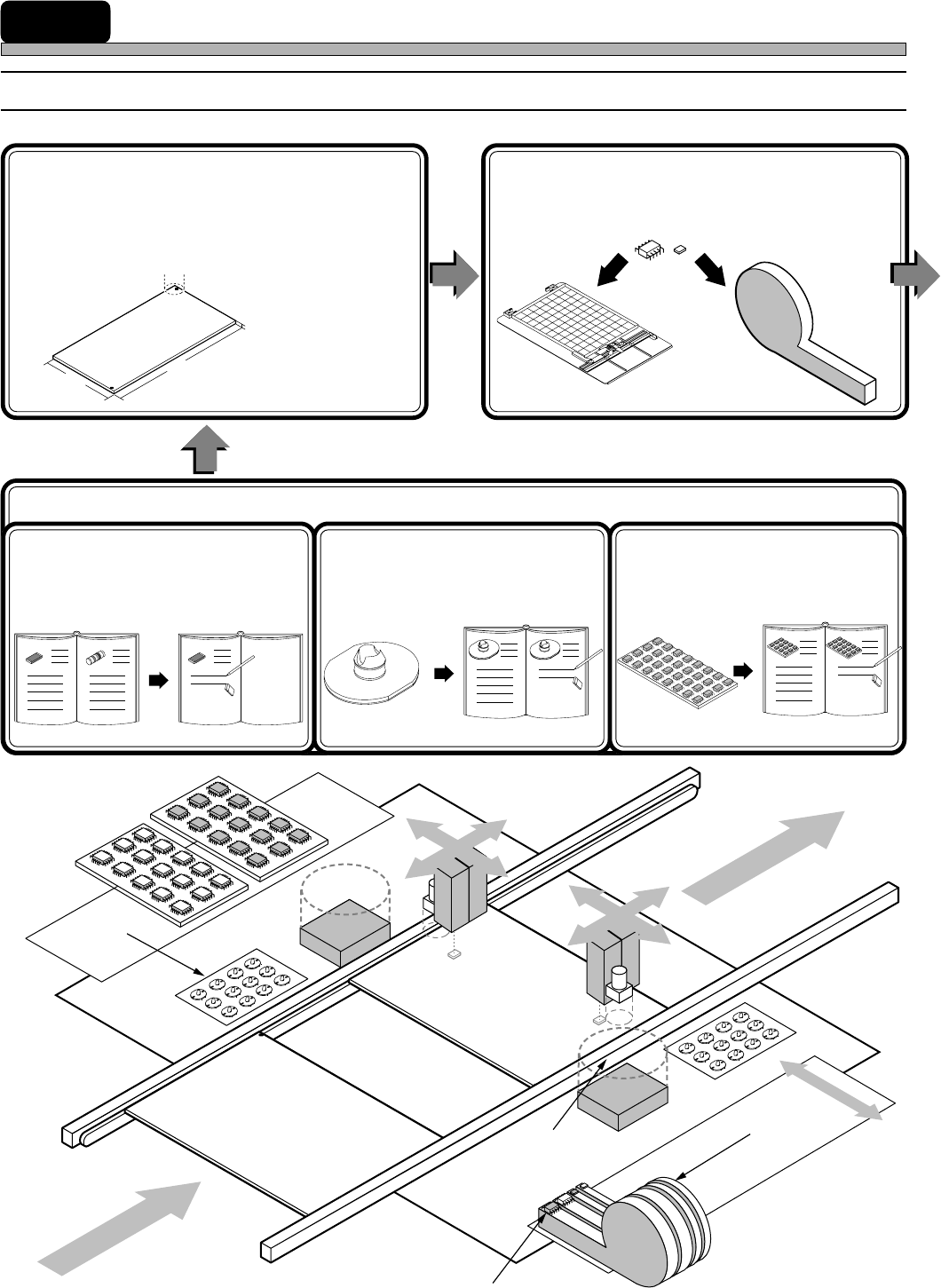
1-1 Flow Chart of Data Editing
2. Board Data
(Board Recognition, Defective
Board Recognition)
Input the data of the board where chips will be
mount.
3. Feeder Layout List
List the chips to be mounted, and choose the
feeders where the chips will be set on.
1. Custom Library
433C-066E
444C-603E
4H4C-615E
L
W
T
1-1. Chip Data
(Chip Recognition)
Edit the chips to be mounted (by
copying data from the standard
library).
3Y3C-053E
1-2. Nozzle Data
Input the data of the nozzles, (then
add them to the library).
444C-602E
4H4C-011E
1-3. Tray Data
Input the data of the tray, (then add
them to the library).
433C-068E
2
5-1
5-2
1
3,4
Page 7
301
CM
4H4C-E-PMA01-A02-00
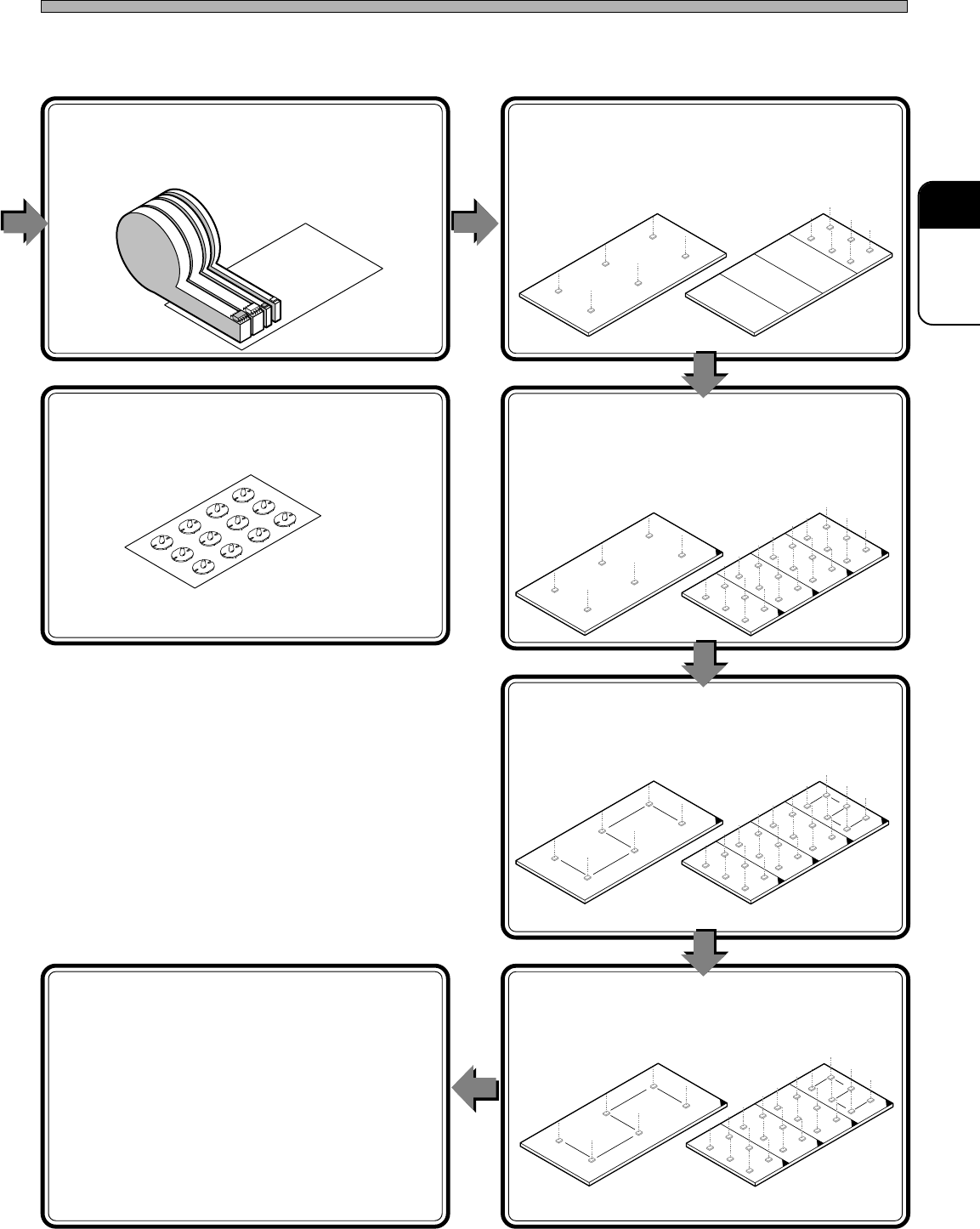
4. Stock Data
Choose addresses (where on feeder table that the
feeders will be set).
6. Block Data
Input mounting coordinates.
7. Block Attribute Data
(Defective Block Recognition)
Input the expansion conditions of the block
data.
8. Sort
Sort the block data to create the mount data.
9. Mount Data
Confirm the sorted data.
10. Data Check
Finally, check if all the data are perfect.
Summary of Data Editing
444C-604E
433C-074E
433C-075E
433C-076E
433C-077E
4H4C-612E
Not Expanded Expanded
Undividable board
Dividable board
5. Nozzle Changer Data
Input the positions of the nozzles.
1
2
4
3
5
6
2
1
4
3
5
6
Page 8
Summary of Data Editing
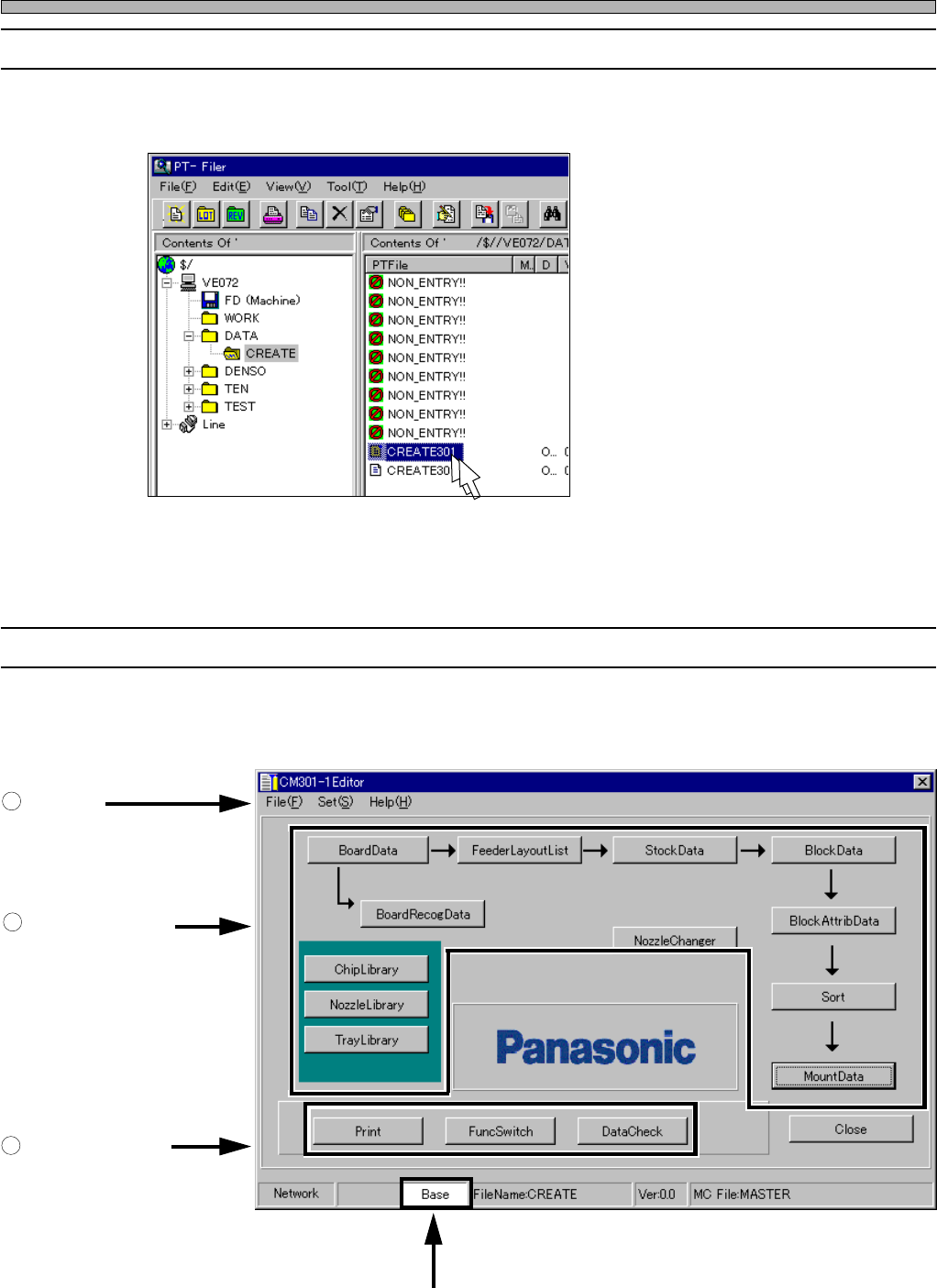
1-2 Starting CM301 Editor
To start it, double-click on a data file displayed on file information area of Filer.
1-3 CM301 Editor Main Screen
When you start the Editor, the following screen is displayed.
4H4C-E-PMA01-A02-01
1
Menu Bar
2
Switches for Each
Data Edit
3
Switches for Each
Function
Display Mode
4H4C-EPt-Ed-001
4H4C-EPt-Fi-001