HS50_advance_level 1_20200522_221201 (1).pdf - 第160页
06/2002 E dition Studen t Guide H S-50 Advance d I 5 DLM1 C&P H ead 68 5.4.1 1 Overview of rear p art of the h ead The rear part of the c ollect&place h ead is fixed to the hea d mount on the gantry with th r ee …
Student Guide HS-50 Advanced I 06/2002 Edition
5 DLM1 C&P Head
67
5
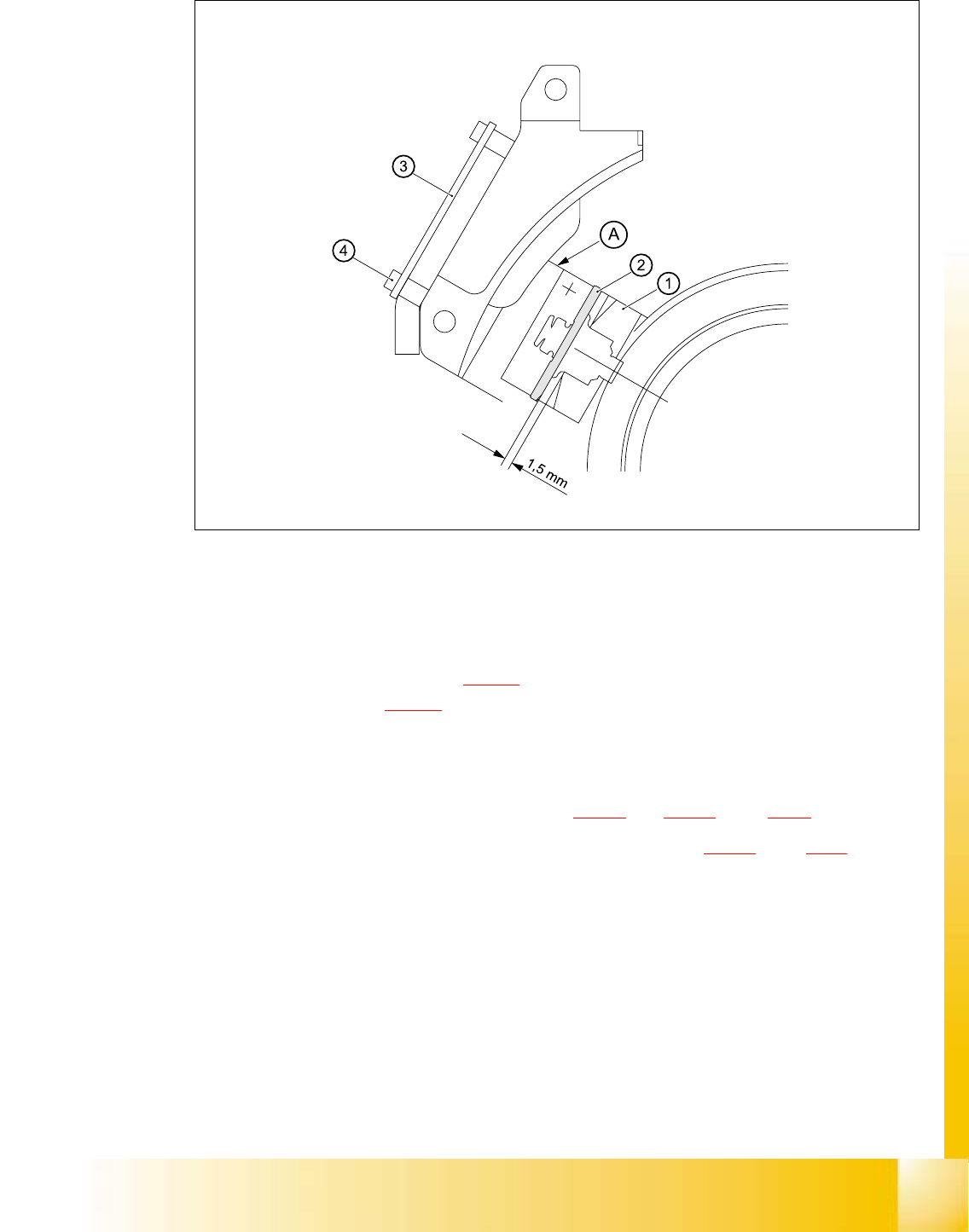
Fig. 5.4 - 23 Setting the distance between the rotary encoder window and the incremental disk
of the sleeve to 1.5 mm
– Remove the gauge for the star.
– Remove the sleeve from the star.
– Fix the RSF board (item 3 in Fig. 5.4 - 23
) in place using the two M2.5x4 hexagon socket-head
screws (item 4 in Fig. 5.4 - 23
).
– Connect the plug connector to socket X7 on the intermediate terminal block.
– Place the black blanking cap over the RSF board.
– Fit and adjust the star as described in sections 5.4.5.4
and 5.4.5.5, page 5 - 44 onwards.
– Fit the front part of the collect&place head as described in section 5.4.3.3
, page 5 - 39 onwards.
5.4.10.5 Adjustments
➠ Use the SITEST program to check that the rotary encoder is working correctly.
06/2002 Edition Student Guide HS-50 Advanced I
5 DLM1 C&P Head
68
5.4.11 Overview of rear part of the head
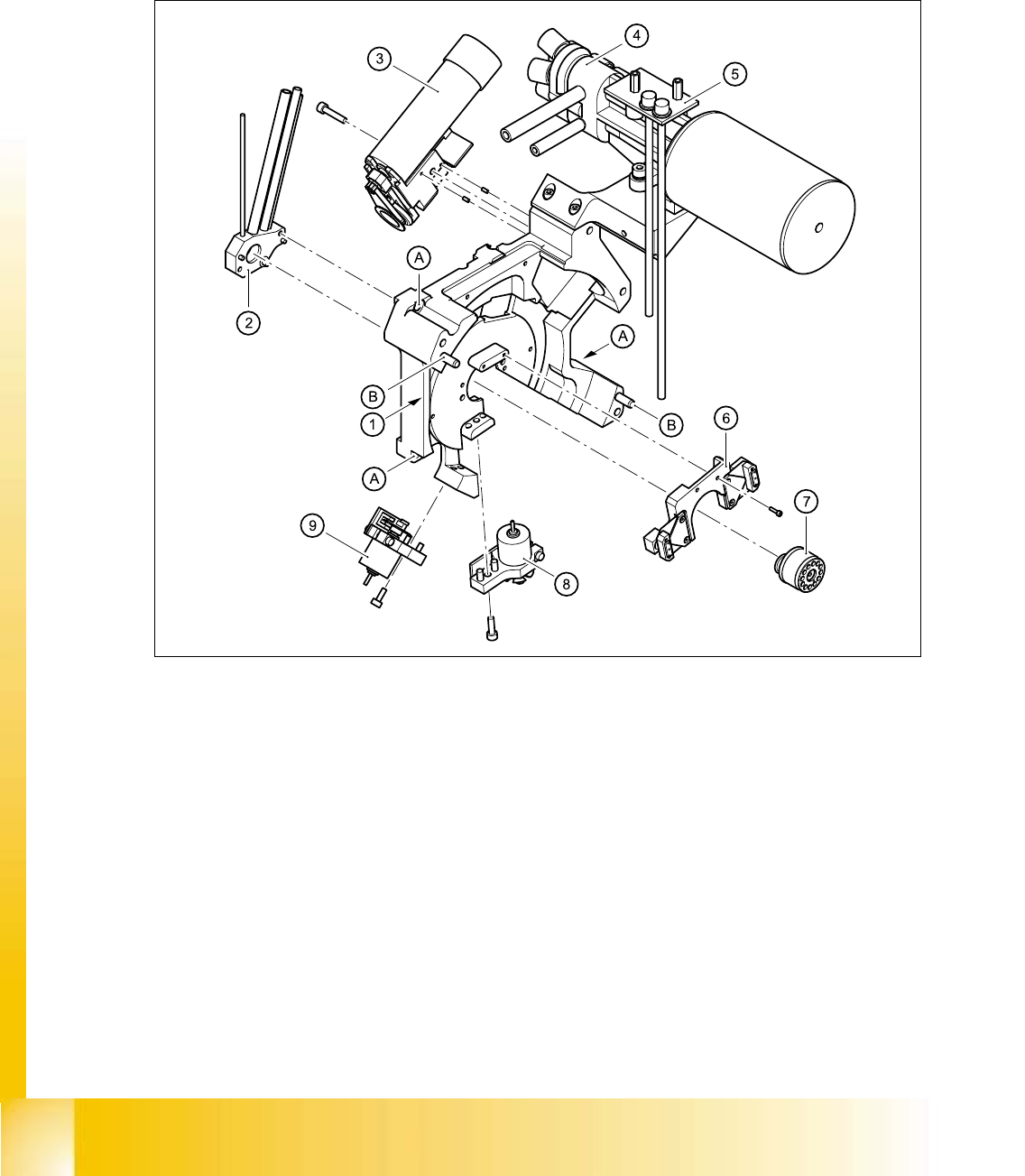
The rear part of the collect&place head is fixed to the head mount on the gantry with three M4x16
hexagon socket-head screws (item A). Two parallel pins (item B) are used to center the front part
of the collect&place head. 5
5
Fig. 5.4 - 24 Structure of the back part, complete / DLM1
5
(1) Back part / DLM1 (2) Vacuum distributor
(3) Turning station (4) Vacuum generator / DLM1
(5) SP6 / 12 vacuum measurement board (6) Brake for star
(7) Distributor piece (8) "Placement circuit" valve positioning drive
(9) "Reject circuit" valve positioning drive 5
Student Guide HS-50 Advanced I 06/2002 Edition
5 DLM1 C&P Head
69
5.4.12 Removal of rear part of head
5.4.12.1 Tools and equipment
– Set of DIN 911 Allen keys
– Setting instructions
– SITEST program
5.4.12.2 Parts
Collect&place head SP 12 complete / DLM1, item no. 00335700-01 5
5.4.12.3 Dismantling the collect&place head
– Switch the placement system off and secure it to prevent switching on again as described in
section 5.4.1
, page - 32.
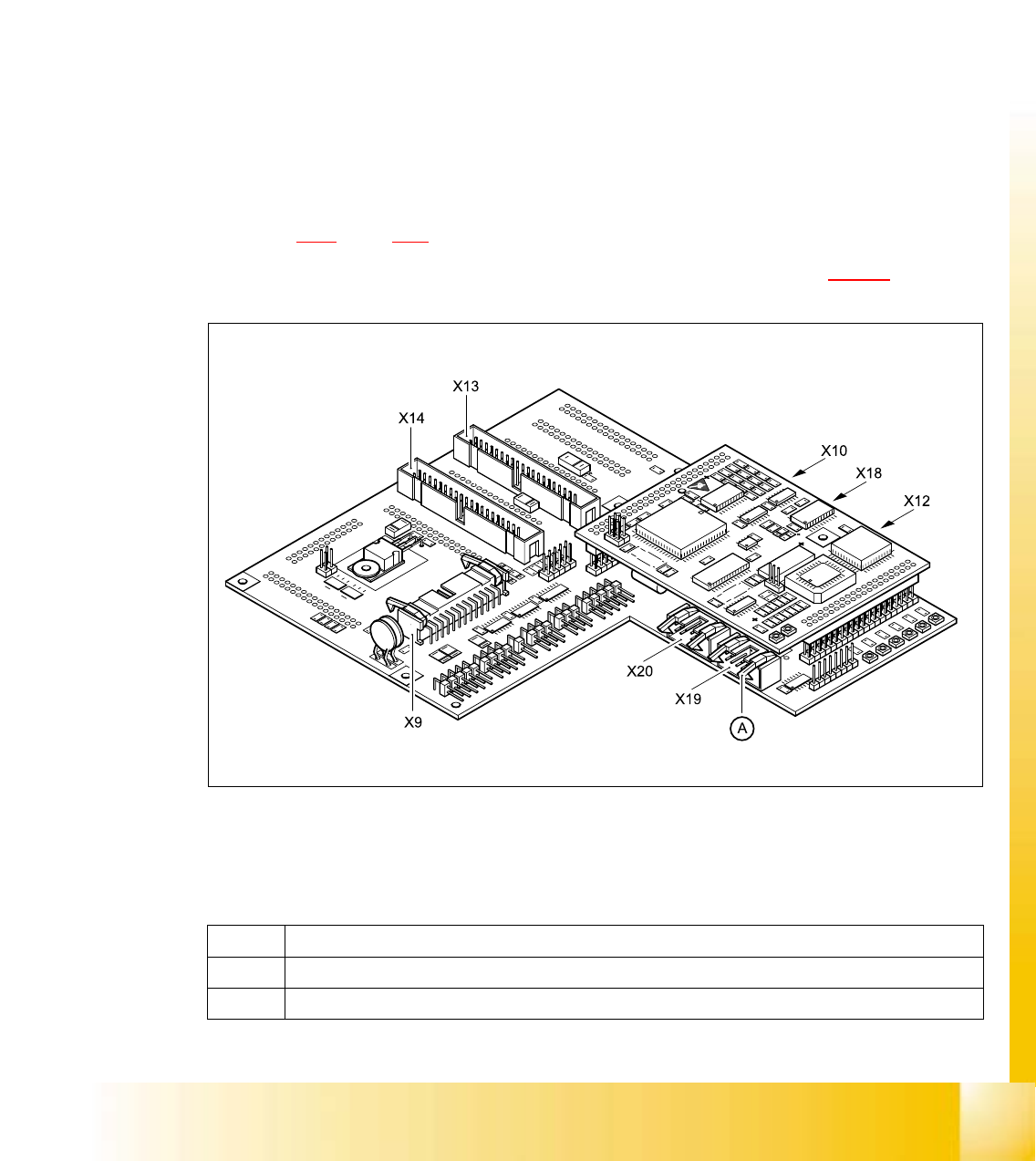
– Detach the plug-in connections on the head board 00331451-xx (see Fig. 5.4 - 25
).
Fig. 5.4 - 25 Head board - plug-in connections
(A) Lift both locking levers at the same time and the plug will be pushed out.
X9 For the component illumination controller and component camera
X10 For the vacuum measuring board
Tab. 5.4 - 3 Plug-in connections on the head board