HS50_advance_level 1_20200522_221201 (1).pdf - 第226页
06/2002 E dition Studen t Guide H S-50 Advance d I 6 Operati ng the S IT ES T Softwa r e 42
Student Guide HS-50 Advanced I 06/2002 Edition
6 Operating the SITEST Software
41
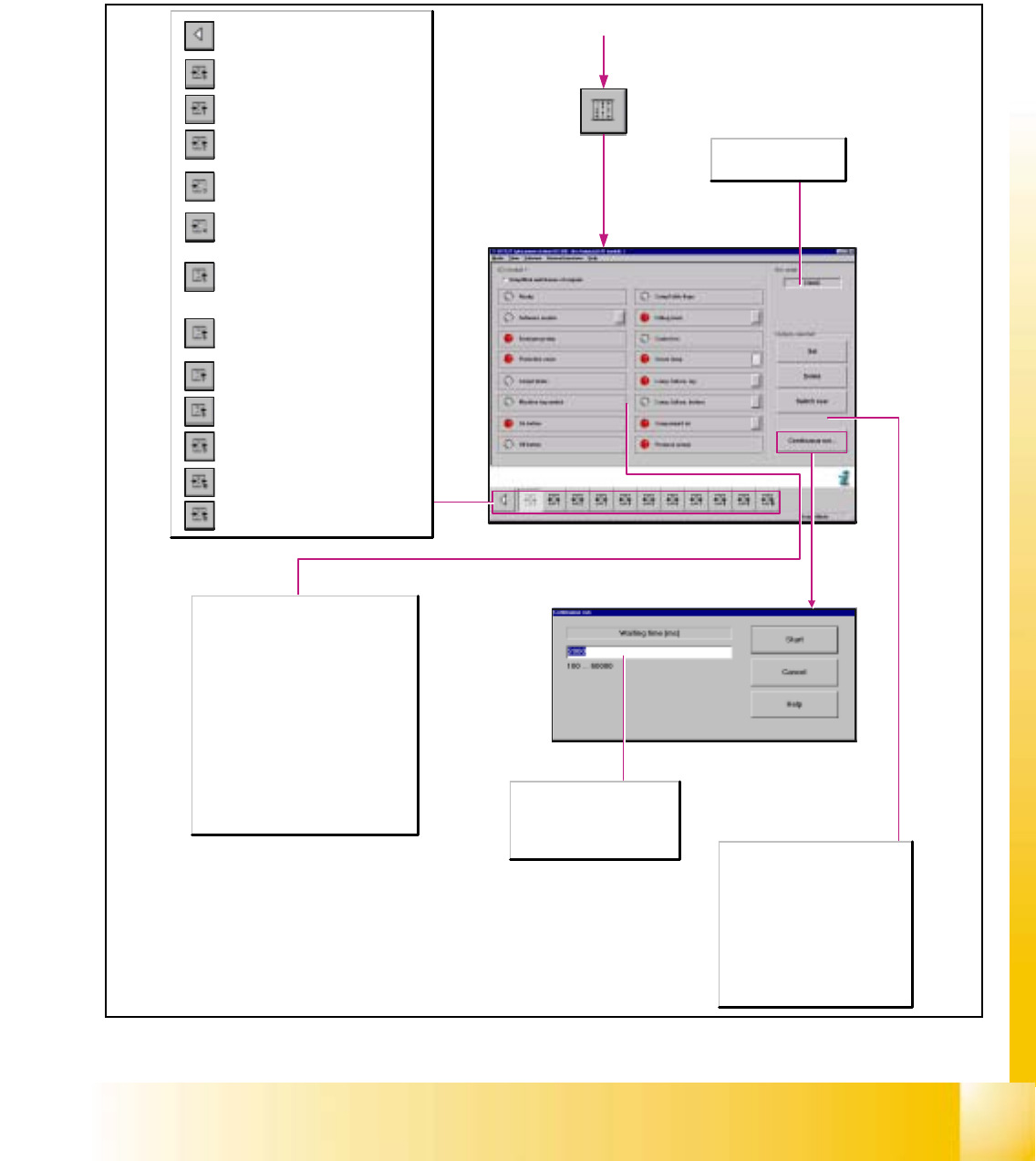
6.8 Hardware I/O Ports
6.8.1 Displays of the Inputs/Outputs
Input Ports
Related input/output groups and SLIO´s (Serial
Linked In-/Outputs) of the SIPLACE HS-50 are
always represented in one display.
It is possible to select the hardware inputs and
outputs, and to interrogate or read out inputs.
The functions of the outputs to be tested can
be selected by actuating the button adjacent to
the function lables of the outputs concerned.
Next to each function, an LED symbol is
provided whose color changes from gray to red
as the states of the bits are read.
Simplified switchover of outputs
When this function is activated it is possible to
toggle an output port by double-clicking on a
signal lamp.
Waiting time [msec]
Here, the duration of the state of
the set or reset bits is
specified.Enter the desired value
in the input field within the
specified value limits.
Hex status
Displays the hexadecimal
state of the bits.
Conveyor width adjustment
Options, conveyor 2
Options, conveyor 1
Interface, conveyor 2
Interface, conveyor 1
HS-50: Belt motor, sonar Bero and width
adjustment, conveyor 2
HS-55: Belt motor and PCB sensor,
conveyor 2
HS-50: Belt motor, sonar Bero and width
adjustment, conveyor 1
HS-55: Belt motor and PCB sensor,
conveyor 1
HS-50: Lifting table and stopper, conveyor 2
HS-55: Lifting table and laser light barrier,
conveyor 2
HS-50: Lifting table and stopper, conveyor 1
HS-55: Lifting table and laser light barrier,
conveyor 1
I/O module 3
Not for SIPLACE S-25HM/S-25HM2!
I/O module 2
I/O module 1
Return to the main view.
Selected outputs
Note:To be able to activate the
functions listed below, it is required that
the appropriate bit be marked first.
Set
To set the selected bits.
Delete
To reset the selected bits.
Toggle
To set and reset the selected bits.

06/2002 Edition Student Guide HS-50 Advanced I
6 Operating the SITEST Software
42

7 Calibration