HS50_advance_level 1_20200522_221201 (1).pdf - 第215页
Studen t Guide HS-50 A dvanced I 06/200 2 Edition 6 Operat ing the S ITE ST S o ftware 31 6.5. 10 Head Fu nctions of the Revolver Head Nozzl e Change r Step star ax is This function permits the s tar to be adv anced s te…
06/2002 Edition Student Guide HS-50 Advanced I
6 Operating the SITEST Software
30
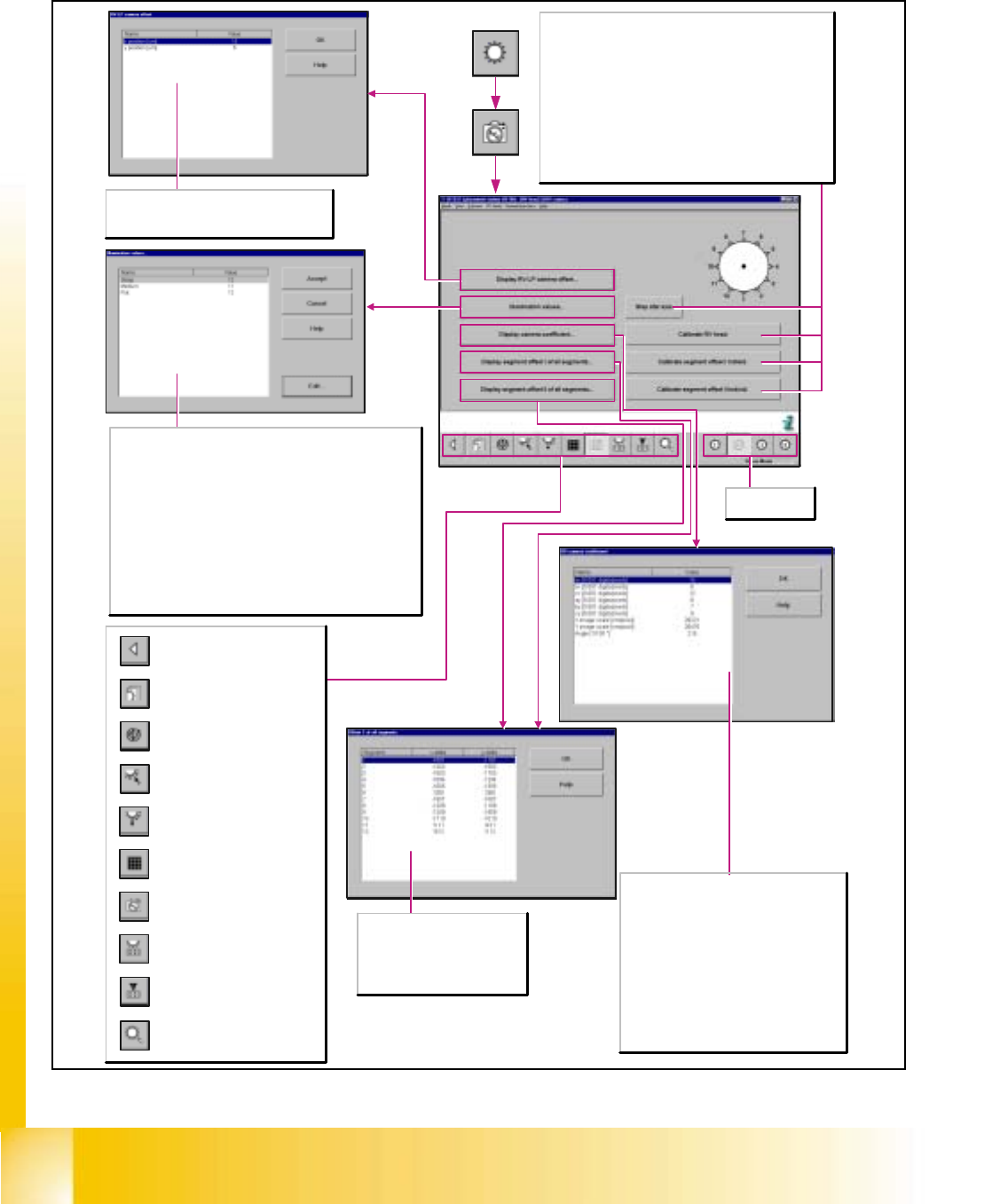
6.5.9 Revolver Head Camera Functions
Step star axis
This functions is used to index the star. Every time you click
on the button the star is advanced by one segment. The
positions of the individual segments are displayed graphically
on the screen.
Calibrate RV head
Determines the calibration factors of the RV camera, segment
offset I (top), segment offset II (bottom), and the RV-PCB
camera offset.
Calibrate segment offset I/II individ.
Determines the distance between the RV camera center and
the rotary axis of the current segment.
The values ax, bx, cx, ay, by and cy describe a
homogeneous transformation matrix.
This matrix represents the transformation from
the machine coordinate system [digits] to the
camera [pixels].
X/Y image scale [nm/pixel]
Indicates the calculation of the xµ/yµ values.
These denote the dimensions of the pixels in
nm with respect to the machine axis.
Angle [1/100*]
Indicates the angular position of the camera
with respect to the machine coordinate system.
Opening the screen for the
magazin functions of the
revolver head nozzle changer
Return to the main
view.
Call-up the view for the functions
of the revolver head component
sensor.
Opening the screen for the head
functions of the revolver head
nozzle changer
Call-up of the display of the RV
camera functions.
Call-up of the display of the
mapping functions of the
revolver head.
Call-up of the display of the
functions of the revolver head in
the placement and pick-up
circuit.
Call-up of the display of the
functions of the revolver head in
the holding and reject circuit.
Call-up of the display of the axis
functions of the revolver head.
Call-up of the display of the
functions of the revolver head.
Selects revolver
head 1-4.
Segment
Indicates the segment number.
x/y-delta
Indicates the offset value between
star and segment in x/y-direction.
x-/y-position [µm]
Indicates the offset value in µm, determined
between RV and PCB camera in x-/y-direction.
Steep
The settings of the values for the steep lighting level are suited
for the illumination of reflecting leads, ceramic components and
light-colored component bodies.
Medium
The settings of the values for the medium lighting level are suited
for the illumination of a wide component spectrum. However, for
ceramic components, light-colored component bodies, µBGAs
and flip chips, only low intensity settings should be selected.
Flat
The settings of the values for the flat lighting level are suited for
the illumination of BGAs, µBGAs, flip chips, J-leads (PLCC),
Melfs, and components with convex leads.
Student Guide HS-50 Advanced I 06/2002 Edition
6 Operating the SITEST Software
31
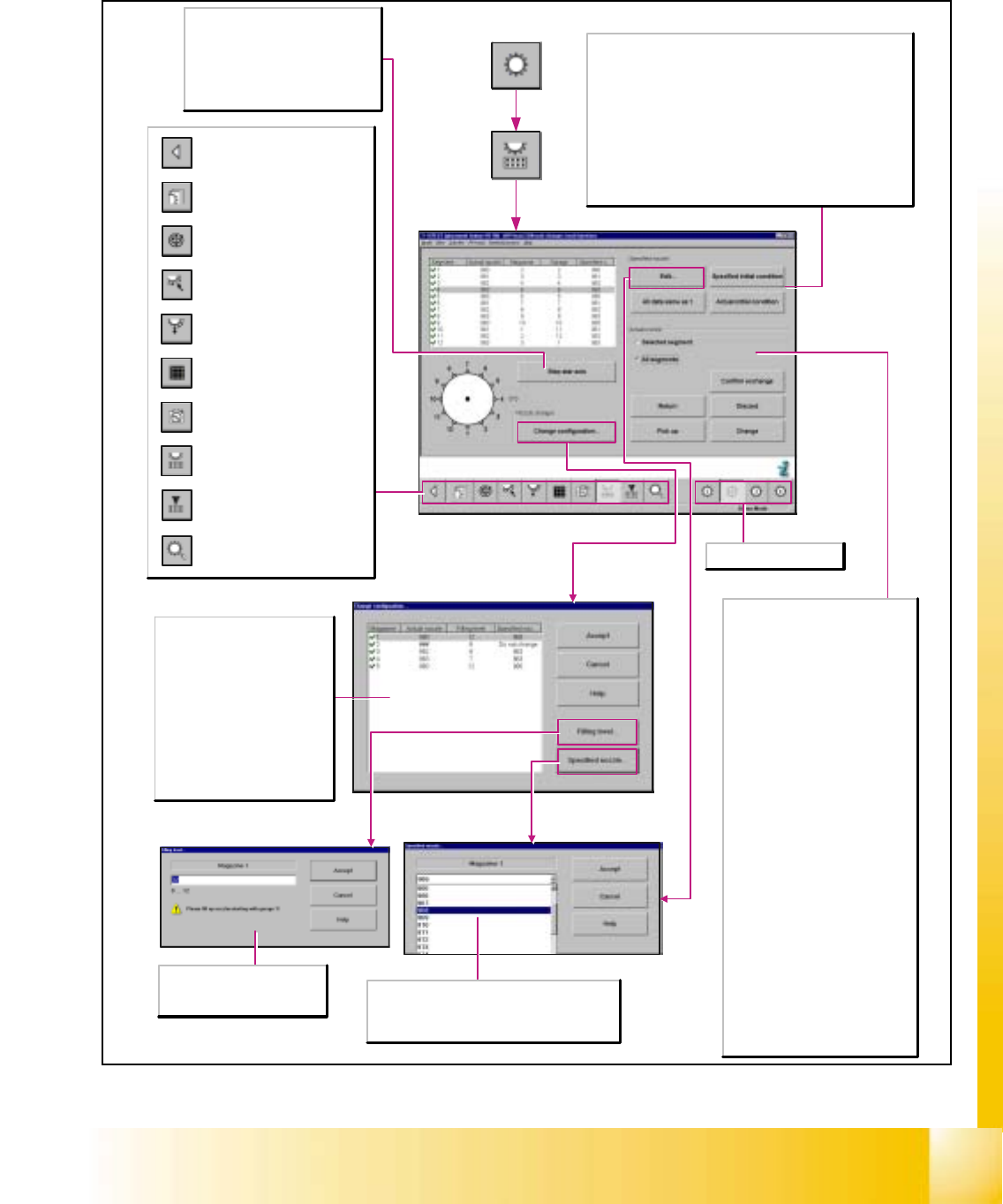
6.5.10 Head Functions of the Revolver Head Nozzle Changer
Step star axis
This function permits the star to be
advanced step by step. Every time this
button is clicked, the star is advanced
by one segment. The positions of the
individual segments are displayed on
the screen.
Specified nozzle...
Select the nozzle type for the specified nozzle.
This nozzle type will be accepted as the actual
nozzle by actuating the Accept button.
Magazine
Displays the current magazine.
Actual nozzle
Indicates which nozzle type is set
up in the selected magazine.
Filling level
Indicates how many nozzles are
set up in the selected magazine.
Specified nozzle
Displays the preset nozzle type for
a magazine.
Opening the screen for the
magazin functions of the
revolver head nozzle changer
Return to the main
view.
Call-up the view for the functions
of the revolver head component
sensor.
Opening the screen for the head
functions of the revolver head
nozzle changer
Call-up of the display of the RV
camera functions.
Call-up of the display of the
mapping functions of the
revolver head.
Call-up of the display of the
functions of the revolver head in
the placement and pick-up
circuit.
Call-up of the display of the
functions of the revolver head in
the holding and reject circuit.
Call-up of the display of the axis
functions of the revolver head.
Call-up of the display of the
functions of the revolver head.
Selects revolver head 1-4.
Specified nozzle
All data same as under 1
Adopts the specified nozzle type in every segment.
Specified initial condition
The specified initial condition of the specified nozzle is saved upon
the start of the SITEST test program and can thus be restored
after any change that may be made to the specified nozzle.
Actual initial condition
The actual initial condition of the specified nozzle is saved upon
the start of the SITEST test program and can thus be restored
after any change that may be made to the specified nozzle.
Actual nozzle
Selected segment
Activates the functions for the
selected segment.
All segments
Activates the functions for all
segments.
Return
Places the nozzle into the selected
nozzle holder of the selected
magazine.
Pick up
Picks up the nozzle from the selected
nozzle holder of the selected
magazine.
Discard
Positions the nozzle above the reject
bin and then drops it into the bin. This
function can be used, for example, for
removing defective nozzles.
Change
Returns the current nozzle of the
selected segment and picks up the
specified nozzle of the selected
segment.
Confirm exchange
Confirms the exchange of nozzles
when nozzles are exchanged without
a nozzle changer. Specified and
actual nozzles in the list will coincide.
Filling level...
Enter the desired filling level
within the specified value range.
06/2002 Edition Student Guide HS-50 Advanced I
6 Operating the SITEST Software
32
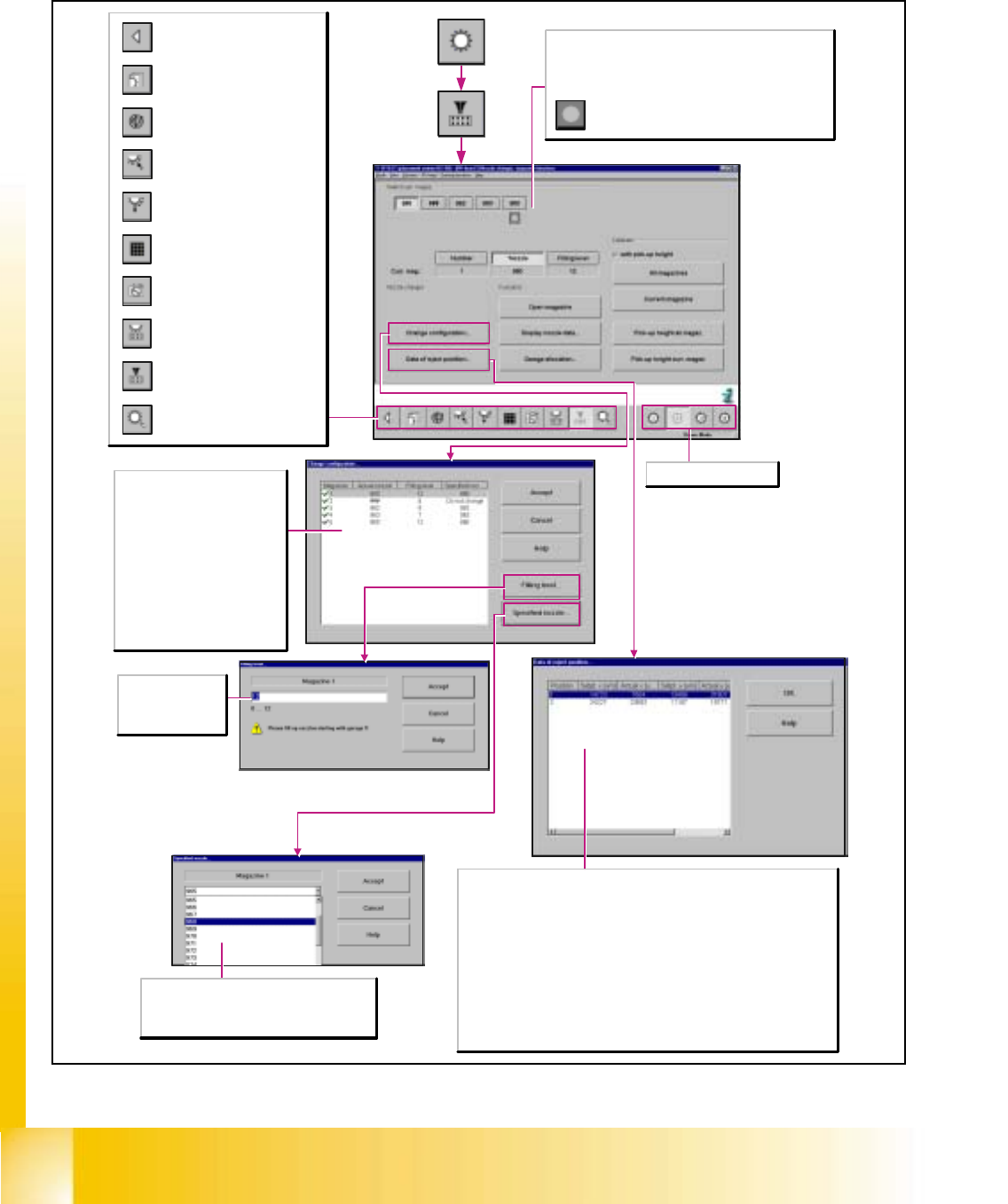
6.5.11 Magazine Functions of the Revolver Head Nozzle Changer
Specified nozzle...
Select the nozzle type for the specified nozzle.
This nozzle type will be accepted as the actual
nozzle by actuating the Accept button.
Filling level...
Enter the desired
filling level within the
specified value range.
Magazine
Displays the current magazine.
Actual nozzle
Indicates which nozzle type is set
up in the selected magazine.
Filling level
Indicates how many nozzles are
set up in the selected magazine.
Specified nozzle
Displays the preset nozzle type for
a magazine.
Opening the screen for the
magazin functions of the
revolver head nozzle changer
Return to the main
view.
Call-up the view for the functions
of the revolver head component
sensor.
Opening the screen for the head
functions of the revolver head
nozzle changer
Call-up of the display of the RV
camera functions.
Call-up of the display of the
mapping functions of the
revolver head.
Call-up of the display of the
functions of the revolver head in
the placement and pick-up
circuit.
Call-up of the display of the
functions of the revolver head in
the holding and reject circuit.
Call-up of the display of the axis
functions of the revolver head.
Call-up of the display of the
functions of the revolver head.
Selects revolver head 1-4.
Select curr. mag.
No actions on the machine will be initiated when the buttons
Number, *Nozzle and Filling level are actuated. Only a
selection is being made.
Displays the reject position.
Position
Displays the number of the reject position.
Setpt. x [µm]
Displays the specified x-positions of the selected magazine.
Actual x [µm]
Displays the x-positions of the selected magazine determined after the calibration.
Setpt. y [µm]
Displays the specified y-positions of the selected magazine.
Actual y [µm]
Displays the y-positions of the selected magazine determined after the calibration.