HS50_advance_level 1_20200522_221201 (1).pdf - 第193页
Studen t Guide HS-50 A dvanced I 06/200 2 Edition 6 Operat ing the S ITE ST S o ftware 9 6.3. 5 Menu Bar: General Functi o n s 6 Alt +1 Switch es the screen dis play to the PC B camera f itted to gant ry 1. Pre ss the ES…
06/2002 Edition Student Guide HS-50 Advanced I
6 Operating the SITEST Software
8
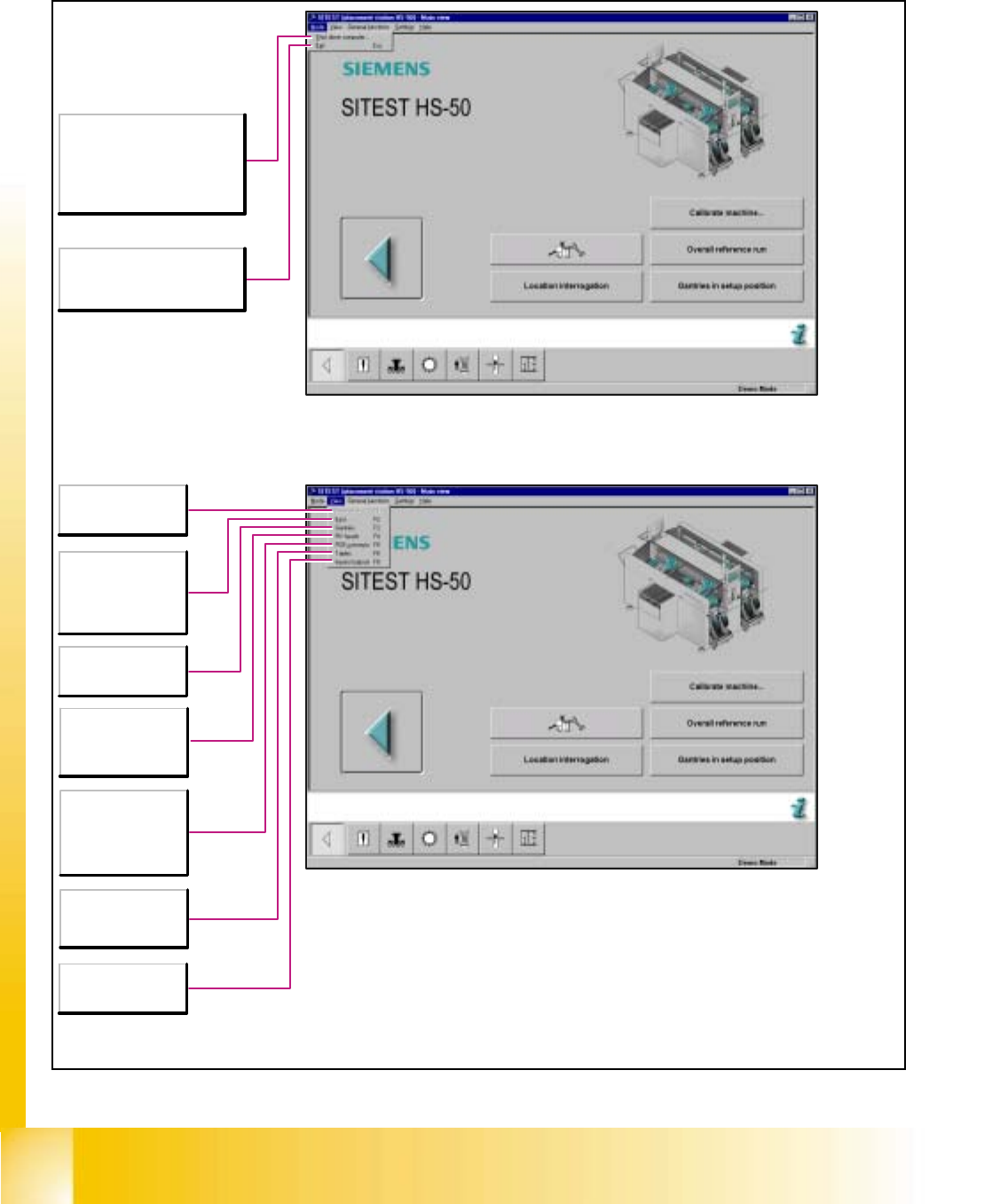
6.3.4 Main View - Menu Bar: Mode and View SIPLACE HS-50 / HS-55
6
Shuts the station computer
down completely within a few
seconds. All active programs
are aborted.
Subsequently, the computer
may be switched off.
Esc
Aborts the processing and the
SITEST test program is exited.
F1
Return to the main
view.
F2
Displays the list of
error messages -
grouped into error
classes.
F3
Call-up of the gantry
functions.
F4
Call-up of the
revolver head
functions.
F5
Call-up of the
transport functions of
the PCB conveyor.
F6
Call-up of the
component table
functions.
F8
Displays the
hardware I/O ports.
Student Guide HS-50 Advanced I 06/2002 Edition
6 Operating the SITEST Software
9
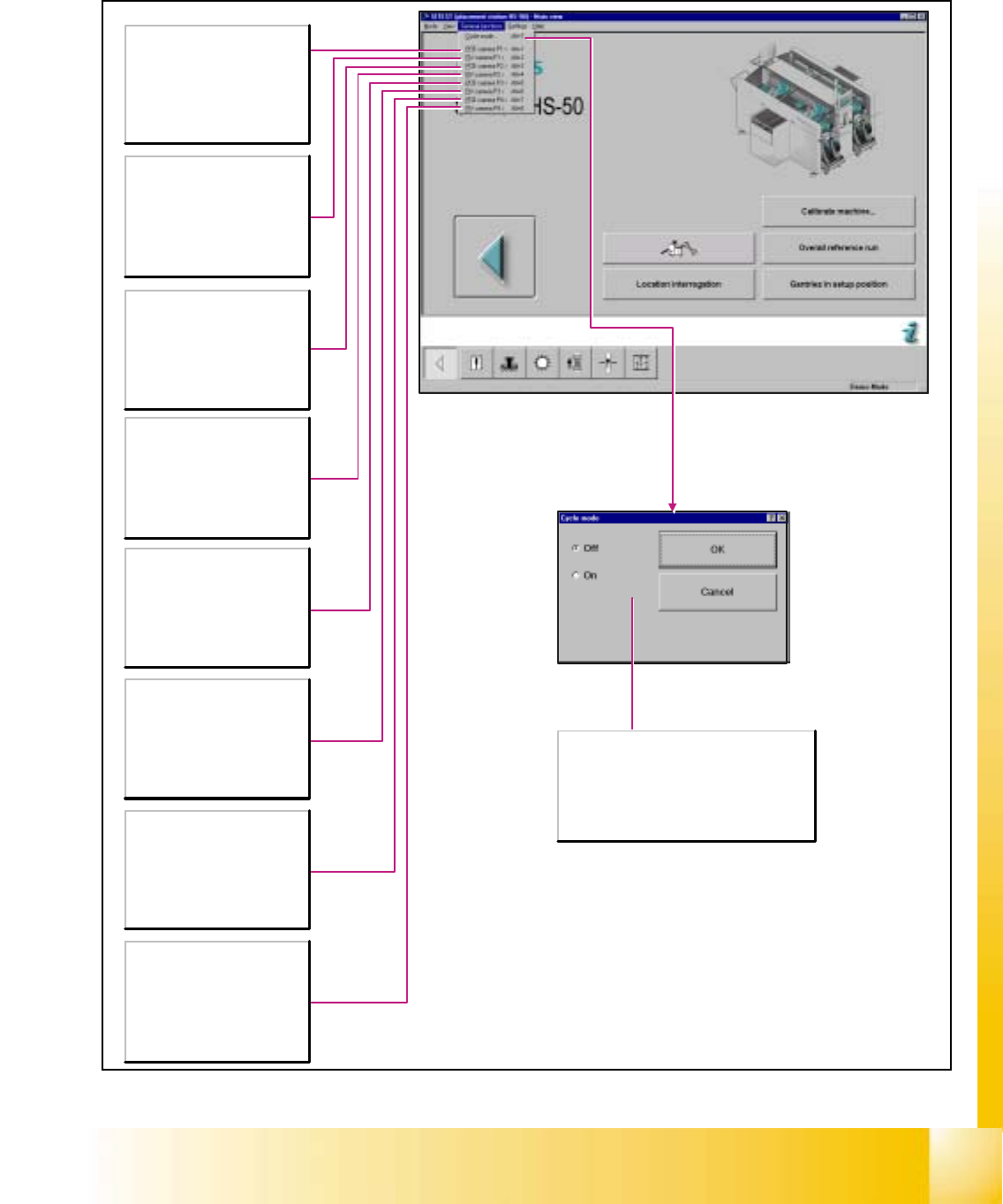
6.3.5 Menu Bar: General Functions
6
Alt+1
Switches the screen display to
the PCB camera fitted to gantry
1.
Press the ESC button to switch
the screen display back to the
normal test program mode.
Alt+2
Switches the screen display to
the camera fitted to revolver
head 1.
Press the ESC button to switch
the screen display back to the
normal test program mode.
Alt+3
Switches the screen display to
the PCB camera fitted to gantry
2.
Press the ESC button to switch
the screen display back to the
normal test program mode.
Alt+4
Switches the screen display to
the camera fitted to revolver
head 2.
Press the ESC button to switch
the screen display back to the
normal test program mode.
Alt+5
Switches the screen display to
the PCB camera fitted to gantry
3.
Press the ESC button to switch
the screen display back to the
normal test program mode.
Alt+6
Switches the screen display to
the camera fitted to revolver
head 3.
Press the ESC button to switch
the screen display back to the
normal test program mode.
Alt+7
Switches the screen display to
the PCB camera fitted to gantry
4.
Press the ESC button to switch
the screen display back to the
normal test program mode.
Alt+8
Switches the screen display to
the camera fitted to revolver
head 4.
Press the ESC button to switch
the screen display back to the
normal test program mode.
Off
Deactivates the cycle mode.
On
Activates the cycle mode. The Start button on
the machine must be pressed for each step of
the placement process.
06/2002 Edition Student Guide HS-50 Advanced I
6 Operating the SITEST Software
10
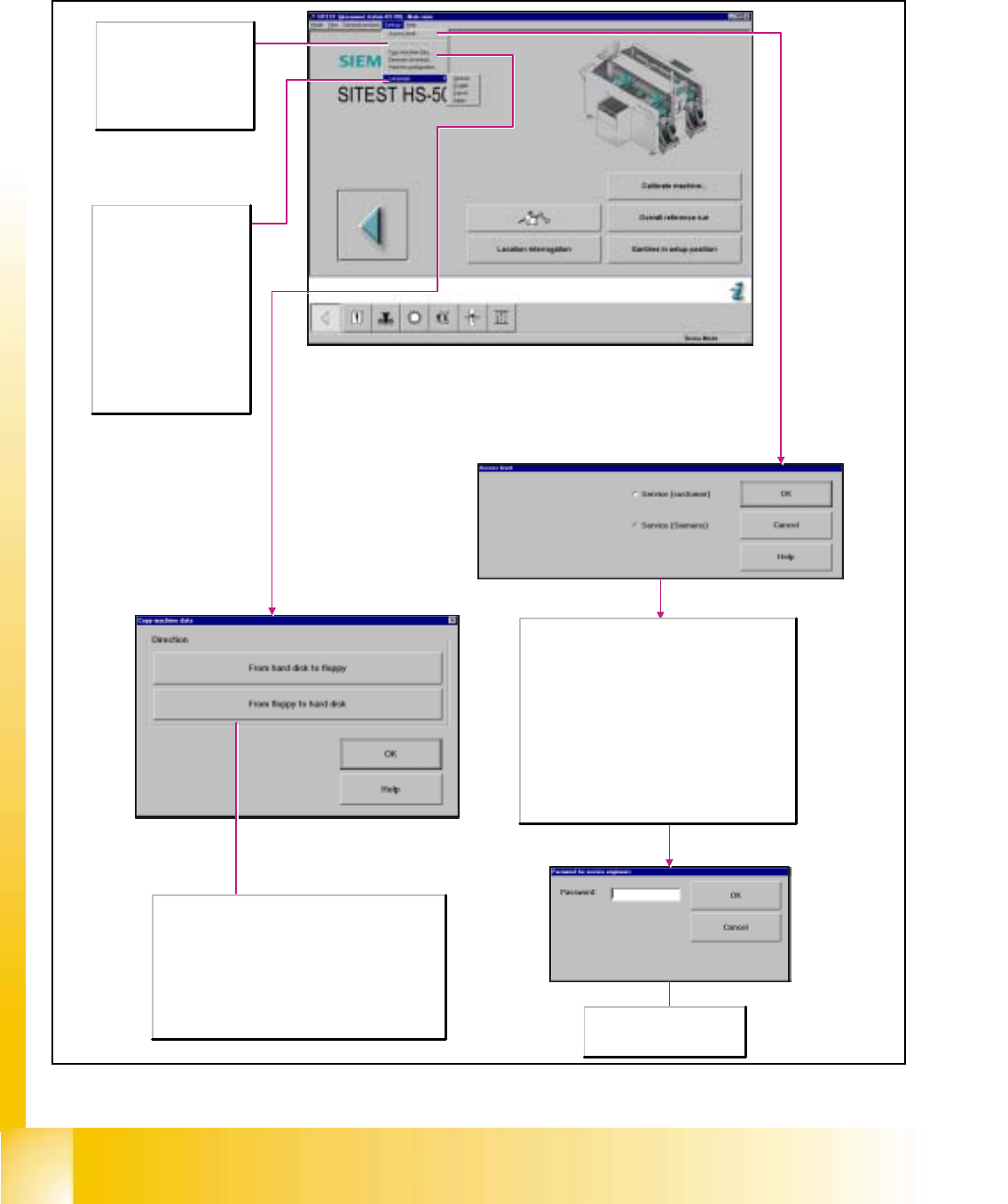
6.3.6 Menu Bar: Settings
6
Save machine data
Any newly determined
calibration data or modified
machine data are saved.
Note:This menu command can
only be executed if data were
newly determined or changed.
Language
Selects the language in which
the texts of the user interface
are to be displayed.
German
Display of all texts in German.
English
Display of all texts in English.
French
Display of all texts in French.
Italian
Display of all texts in Italian.
Direction
From hard disk to floppy
Copies the machine data into a ZIP archive
(MaschDaten.zip) on an empty, formatted floppy which has
already been inserted in the station computer.
From floppy to hard disk
The machine data is extracted to the hard disk of the station
computer from a ZIP archive (MaschDaten.zip) on a floppy in
the station computer. To be able to activate the machine
data copied it is necessary to restart the machine.
Password
Field for entering the password
specified by "SIEMENS".
Some functions of the test program can be protected
against unqualified operation by an appropriate setting of
the access level and the assignment of passwords.
Functions that cannot be accessed at a given access
level cannot be executed as the applicable buttons, radio
buttons or menu commands cannot be selected or are
not available.
Service (customer)
Sets the access level for trained staff at the customer's
site.
Service (Siemens)
Sets the access level for Siemens service engineers and
opens the dialog box Password for service engineers for
entering the password.