00198150-02_SM_TX_en.pdf - 第216页
8 Placement Heads and Stationary Cameras 8.5 Installation Positions on the Head Plate 216 Service Manual SIPLACE TX Series 06/2017 8.5.5 Gantry 1 – Fixing Points for TwinHead Fig.296: Gantry 1: Twin head 1 Fixing points…
8 Placement Heads and Stationary Cameras
8.5 Installation Positions on the Head Plate
Service Manual SIPLACE TX Series 06/2017 215
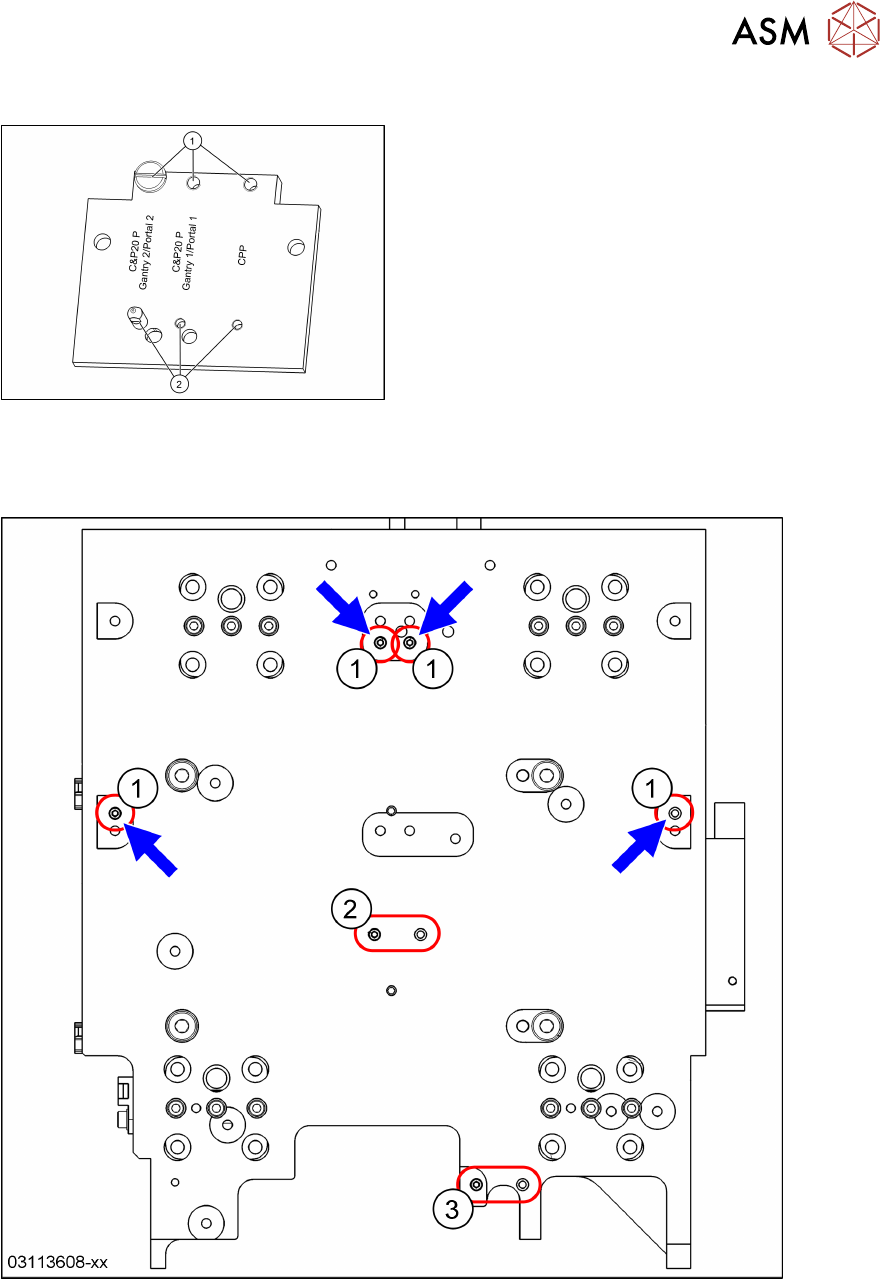
8.5.3 Position of Screws on the Attachment Head Suspension
Fig.294: Attachment head suspension (shown ex-
ample of C&P20P on Gantry 2)
► Set the position of the screw(1) and the
threaded pin(2) according to the placement
head.
► Remove the complete attachment head suspen-
sion when installing a TwinHead.
► The CPP position is the same for Gantry 1
and2.
See also 6.2.9 "Replacing Attachment Head Suspen-
sion [03124850-xx]" [}93].
8.5.4 Gantry 1 – Preparing for a TwinHead
Fig.295: Gantry 1: Twin head
1 Threaded pins for TwinHead: Install these pins if not present.
2 Threaded pin from C&P20P or CPP 3 Remove the threaded pin from C&P20P
or CPP.
► Remove the attachment head suspension (see above).
► Check if the two threaded pins(1) are present.
► Remove the threaded pin(3).
8 Placement Heads and Stationary Cameras
8.5 Installation Positions on the Head Plate
216 Service Manual SIPLACE TX Series 06/2017
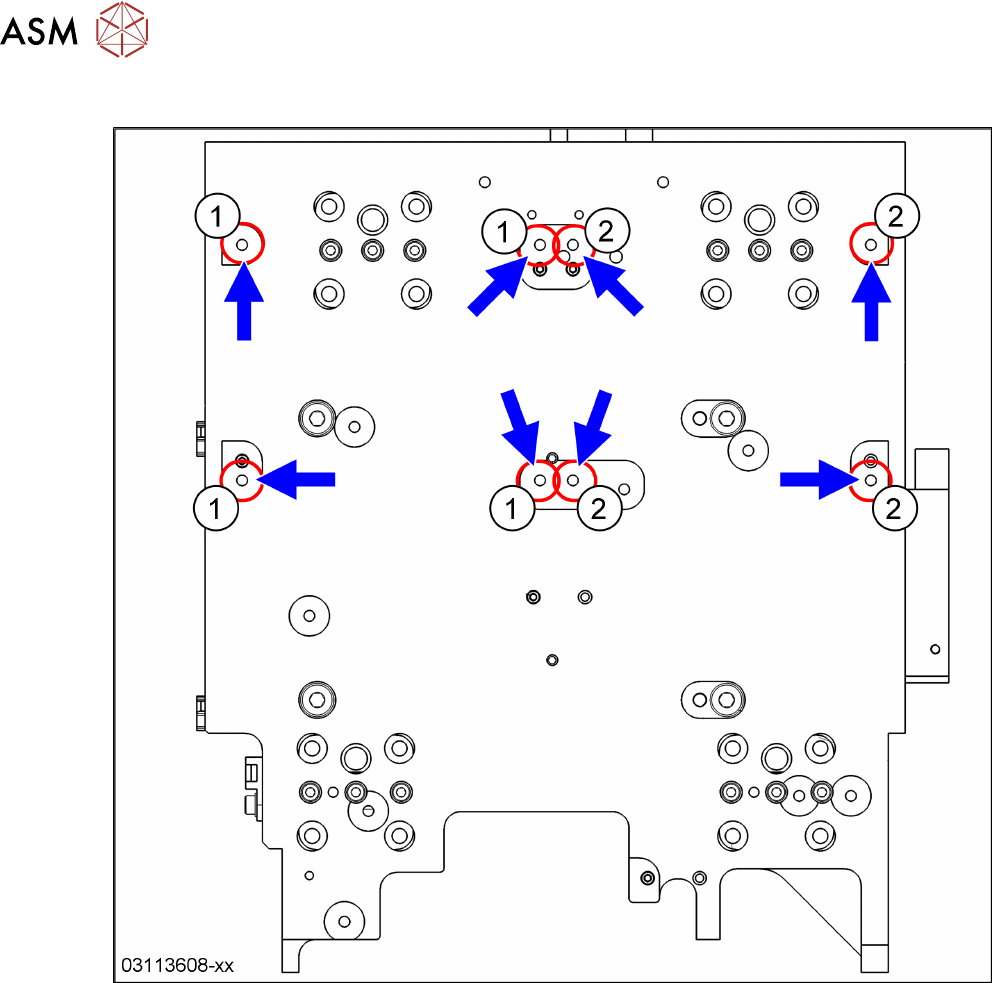
8.5.5 Gantry 1 – Fixing Points for TwinHead
Fig.296: Gantry 1: Twin head
1 Fixing points left twin module 2 Fixing points right twin module
8 Placement Heads and Stationary Cameras
8.5 Installation Positions on the Head Plate
Service Manual SIPLACE TX Series 06/2017 217
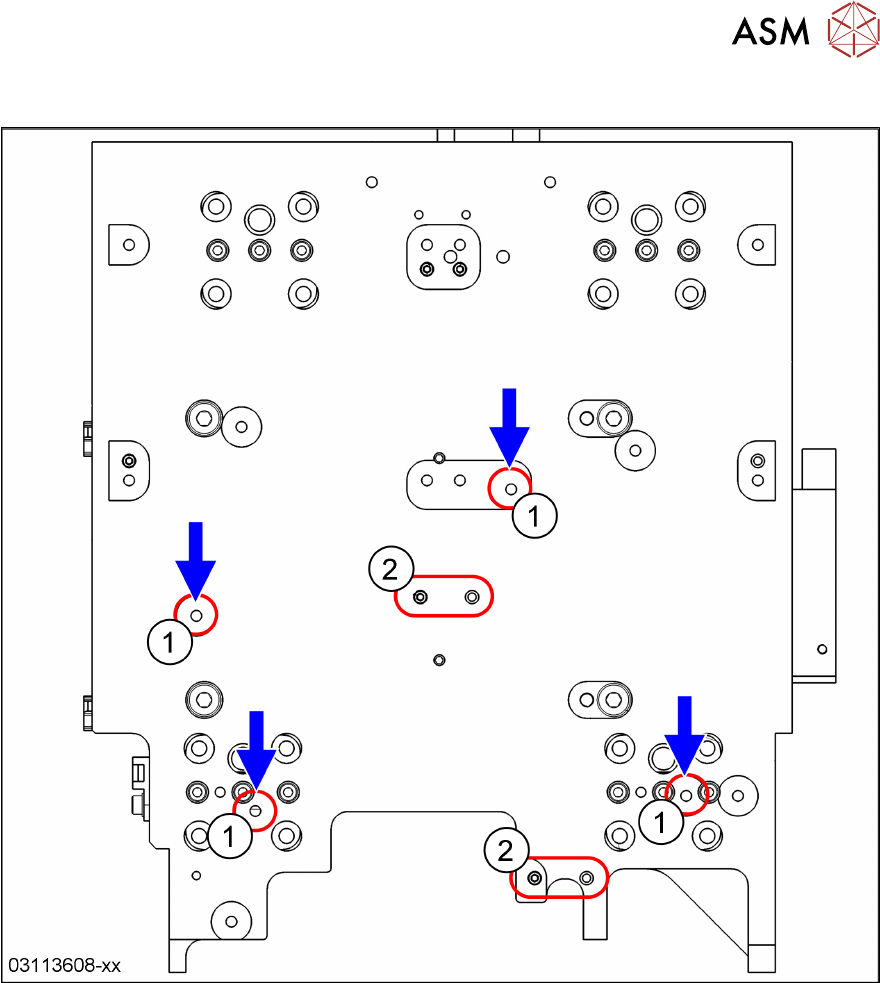
8.5.6 Gantry 1 – Fixing Points for C&P20 P
Fig.297: Gantry 1: C&P20P head
1 Fixing points for C&P20 P heads
2 Exchange these two pins if a CPP head was installed before.
See also 8.5.3 "Position of Screws on the Attachment Head Suspension" [}215].