00198150-02_SM_TX_en.pdf - 第305页
14 JEDEC Tray Feeder 14.1 SIPLACE JTF-ML Service Manual SIPLACE TX Series 06/2017 305 14.1.5 Replacing the EDIF [03013678-xx] Parts, equipment and tools Fig.443: EDIF ● FBG/EDIF secondary IrDA board [03013678-xx] Remova…
14 JEDEC Tray Feeder
14.1 SIPLACE JTF-ML
304 Service Manual SIPLACE TX Series 06/2017
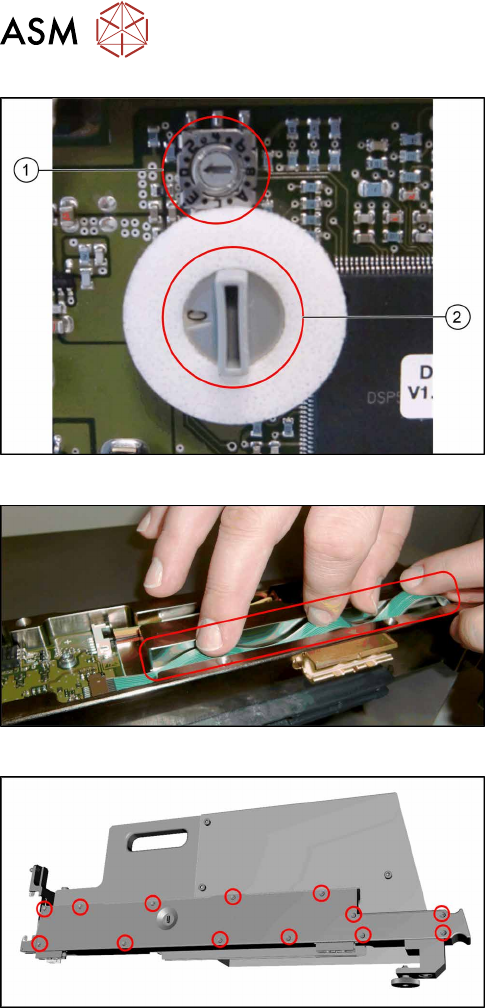
Fig.440: Checking the switches
► Check the switches for addressing and commu-
nication protocol:
1. The small switch must be set to "0".
2. The large switch must be set to "C".
Fig.441: Flat ribbon cable
► Take care not to fold the flat ribbon cable when
mounting the cover in the next step.
Fig.442: Fitting the cover
► Refit the cover.
14 JEDEC Tray Feeder
14.1 SIPLACE JTF-ML
Service Manual SIPLACE TX Series 06/2017 305
14.1.5 Replacing the EDIF [03013678-xx]
Parts, equipment and tools
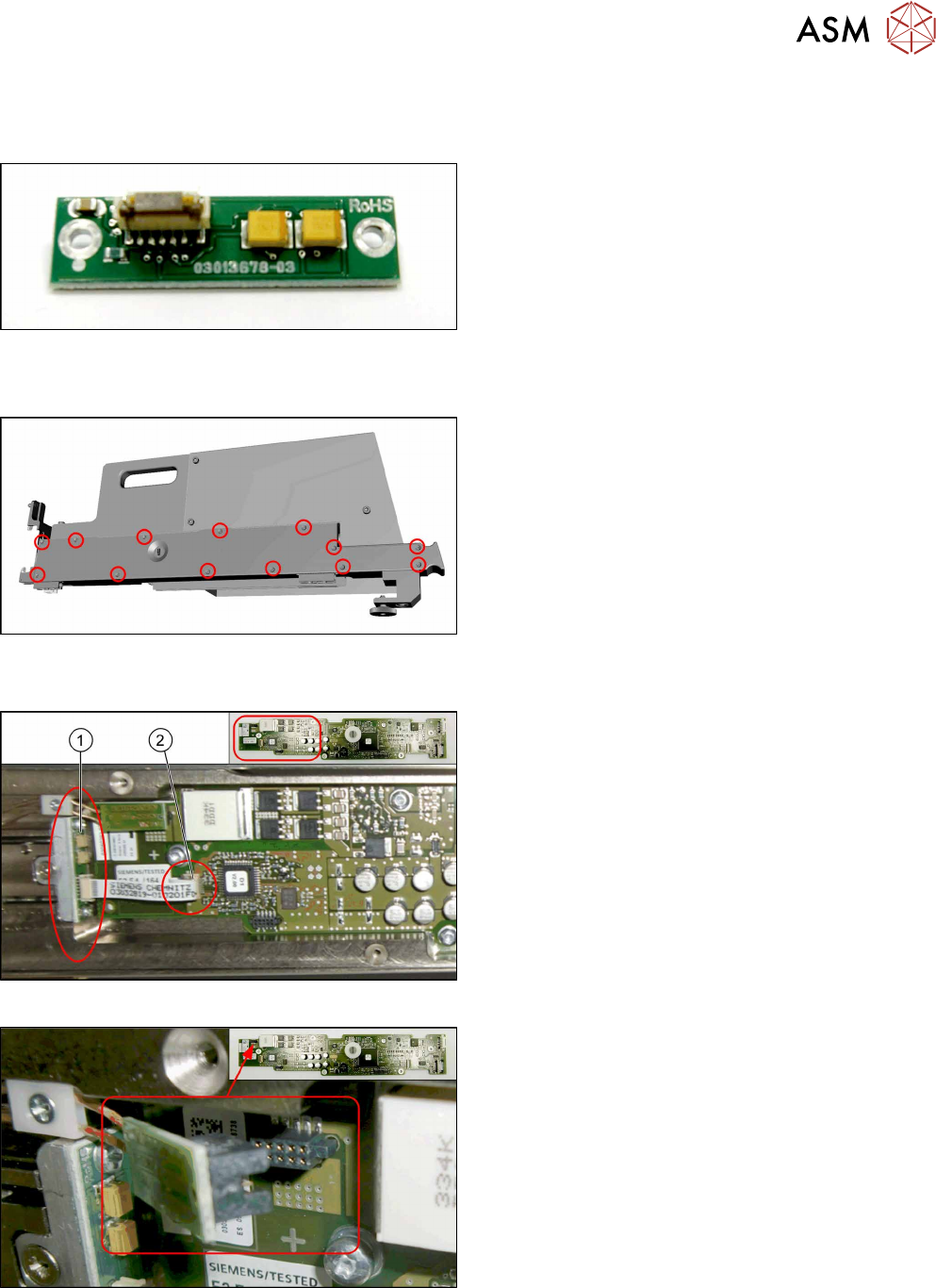
Fig.443: EDIF
●
FBG/EDIF secondary IrDA board
[03013678-xx]
Removal
Fig.444: Removing the cover
► Remove all cross-head screws marked in the pic-
ture.
► Remove the cover from the SIPLACE JTF-ML
Adapter.
Now you have access to the control board X adapter [03050293‑xx].
Fig.445: EDIF on control board X adapter
1. EDIF [03013678-xx]
2. Connector X3 for ribbon cable on control board X
adapter
Fig.446: Disconnecting X1
► Disconnect the X1 plug.
14 JEDEC Tray Feeder
14.1 SIPLACE JTF-ML
306 Service Manual SIPLACE TX Series 06/2017
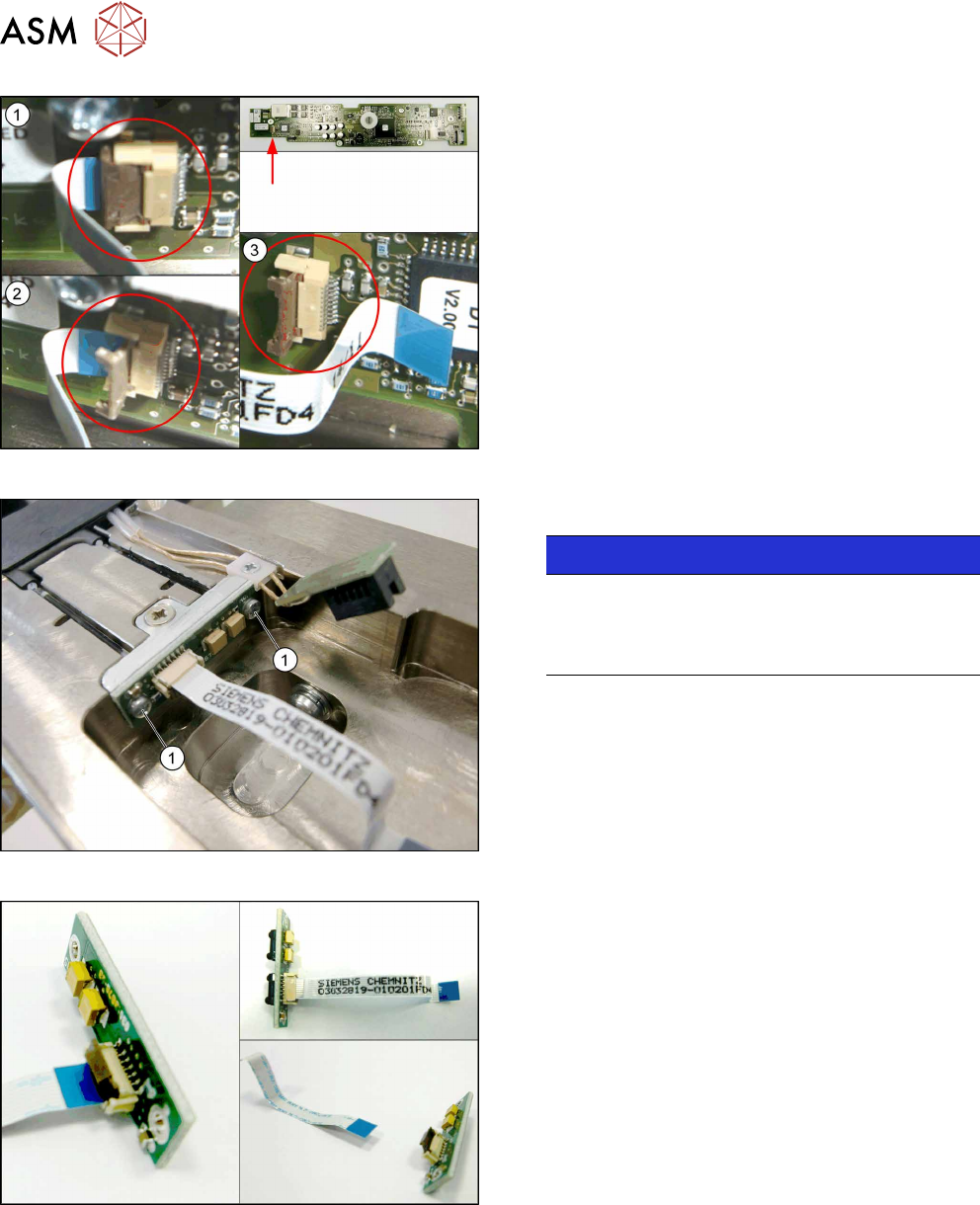
Fig.447: Disconnecting the X3
► Perform steps (1) to(3) to unfold the interlock
and disconnect the X3 plug.
Fig.448: Removing the EDIF
► Remove the two screws(1) fastening the EDIF.
NOTICE!
For a better view the picture shows the EDIF
without control board X adapter.
It is not necessary to remove the control board X
adapter.
.
Fig.449: Disconnecting the flat ribbon cable
► Take out the EDIF off the adapter, together with
the flat ribbon cable.
► Disconnect the flat ribbon cable from the EDIF.
Remember the orientation of the flat ribbon cable.
The unlocking procedure with the interlock is sim-
ilar to the X3 connector above.