00198150-02_SM_TX_en.pdf - 第298页
13 Docking Station for Component Trolley 13.11 Replacing the Control Valve [03003489-xx] 298 Service Manual SIPLACE TX Series 06/2017
13 Docking Station for Component Trolley
13.11 Replacing the Control Valve [03003489-xx]
Service Manual SIPLACE TX Series 06/2017 297
13.11 Replacing the Control Valve [03003489-xx]
Parts, equipment and tools
●
Control valve [03003489-xx]
Removal / installation
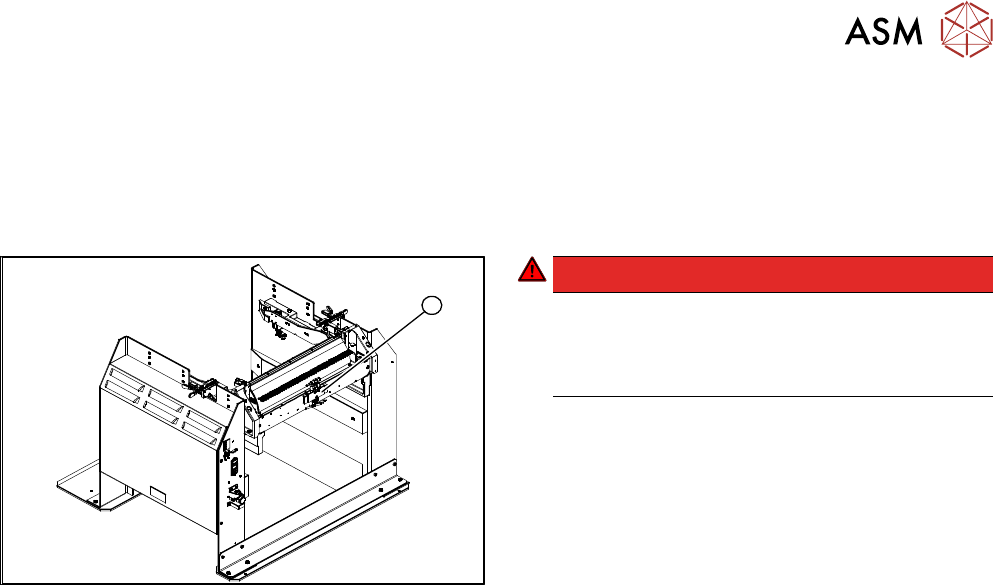
1
Fig.422: Removing the control valve
DANGER!
Switch off the voltage supply
Press the ON/OFF button to switch off and then
unplug the power supply.
Switch off the compressed air supply.
.
► Disconnect the electrical and pneumatic connec-
tions to the control valve(1).
► Remove the fastening screws and remove the
control valve.
► Install the new control valve.
► Reconnect to the electrical and compressed air
systems.

13 Docking Station for Component Trolley
13.11 Replacing the Control Valve [03003489-xx]
298 Service Manual SIPLACE TX Series 06/2017
14 JEDEC Tray Feeder
14.1 SIPLACE JTF-ML
Service Manual SIPLACE TX Series 06/2017 299
14 JEDEC Tray Feeder
DANGER
Observe User Manual
► Please observe the safety instructions in the user manual for all work!
14.1 SIPLACE JTF-ML
► For more information about the SIPLACE JTF-ML, read the following document:
– User Manual "SIPLACE TX-Series JEDEC Tray Feeder (JTF-ML)" [00198140‑xx]
14.1.1 SIPLACE JTF-ML - Overview
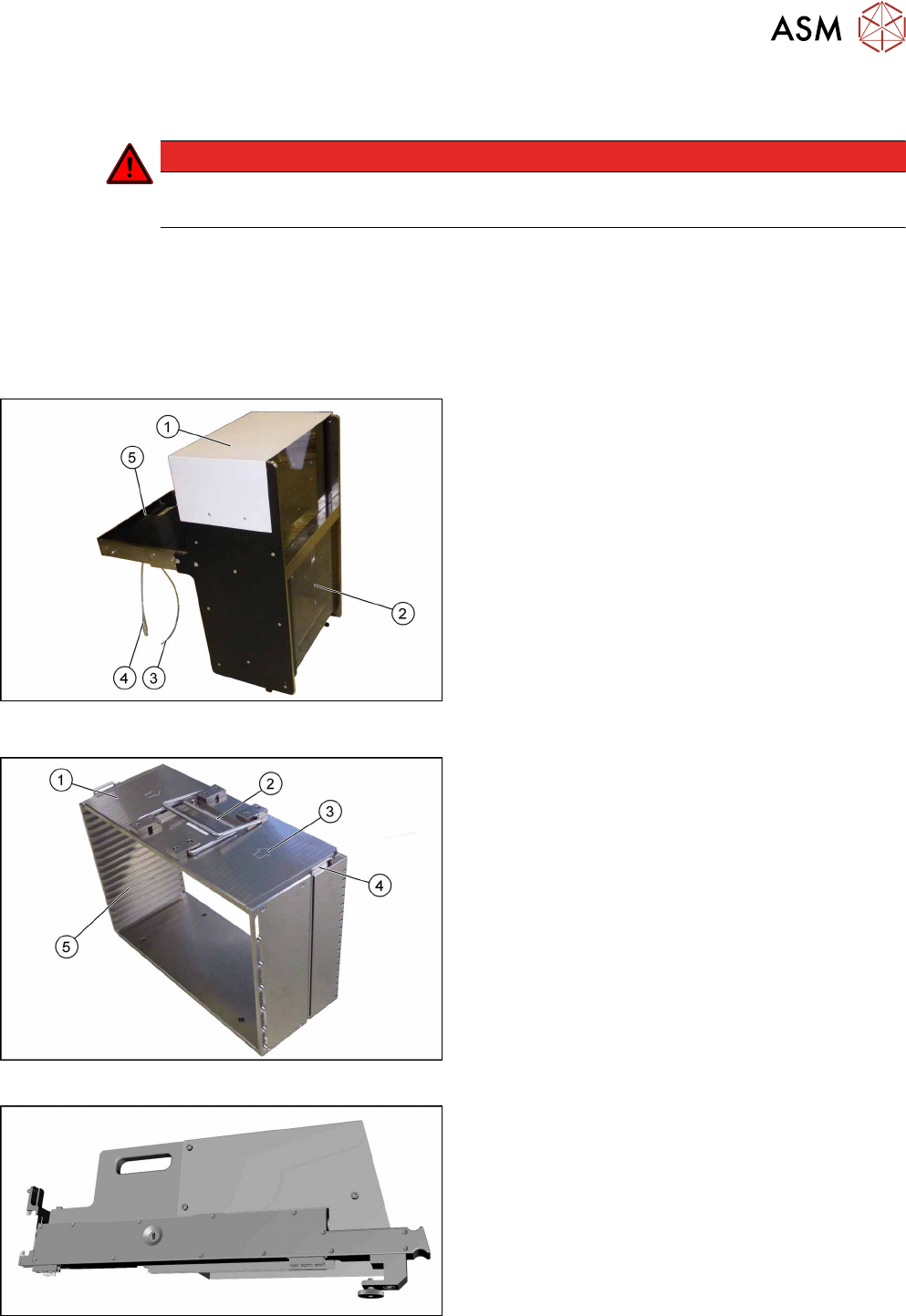
Fig.423: JTF overview
1. SIPLACE JTF-ML
14.1.2 "Replacing the SIPLACE JTF ML Adapter
[03114835-xx]" [}300]
2. Door
3. Pneumatic Connection
4. Connection for SIPLACE JTF-ML adapter
5. Pickup point
Fig.424: JTF magazine overview
1. Magazine for SIPLACE JTF-ML
2. Handles
3. Loading direction
4. Safety lever
5. Guides for JEDEC trays
Fig.425: Overview of the JTF-ML adapter
●
14.1.3 "Replacing the SIPLACE JTF-ML FDK
[03110417‑xx]" [}300]
●
14.1.4 "Replacing the Control Board X Adapter
[03050293-xx]" [}300]
●
14.1.5 "Replacing the EDIF [03013678-
xx]" [}305]
●
14.1.6 "Sliding Guides" [}308]