00198140-01_UM_JTF-ML_TX12_de_en.pdf - 第109页
Tasks on the Machine 5.3.1 JEDEC Tray Feeder Configured in SIPLACE Pro and Defined a t the Machine Operating the JEDEC Tray Feeder in the Station Sof tware JEDEC Tray Feeder (JTF-ML) 109 5.3.1 5 . 3 . 1 J E D E C T r a y…
Tasks on the Machine
Operating the JEDEC Tray Feeder in the Station Software 5.2.1 Setting the JEDEC Tray Delay
108 JEDEC Tray Feeder (JTF-ML)
5.3
5.3 Operating the JEDEC Tray Feeder in the Station Software
Operating the JEDEC Tray Feeder in the Station Software
SIPLACE JTF-S, SIPLACE JTF-M feeders are available from station software version 707.
SIPLACE JTF-ML feeders are available from station software version 709.0.
Earlier versions do not support this family of feeders.
The JEDEC tray feeder is not displayed at the station until a job has been defined.
NOTICE
Example
The following graphics show the station software 707.xx taking the SIPLACE SX2 V2 as exam-
ple. The procedure is the same for other machine types. Any relevant differences will be men-
tioned explicitly.
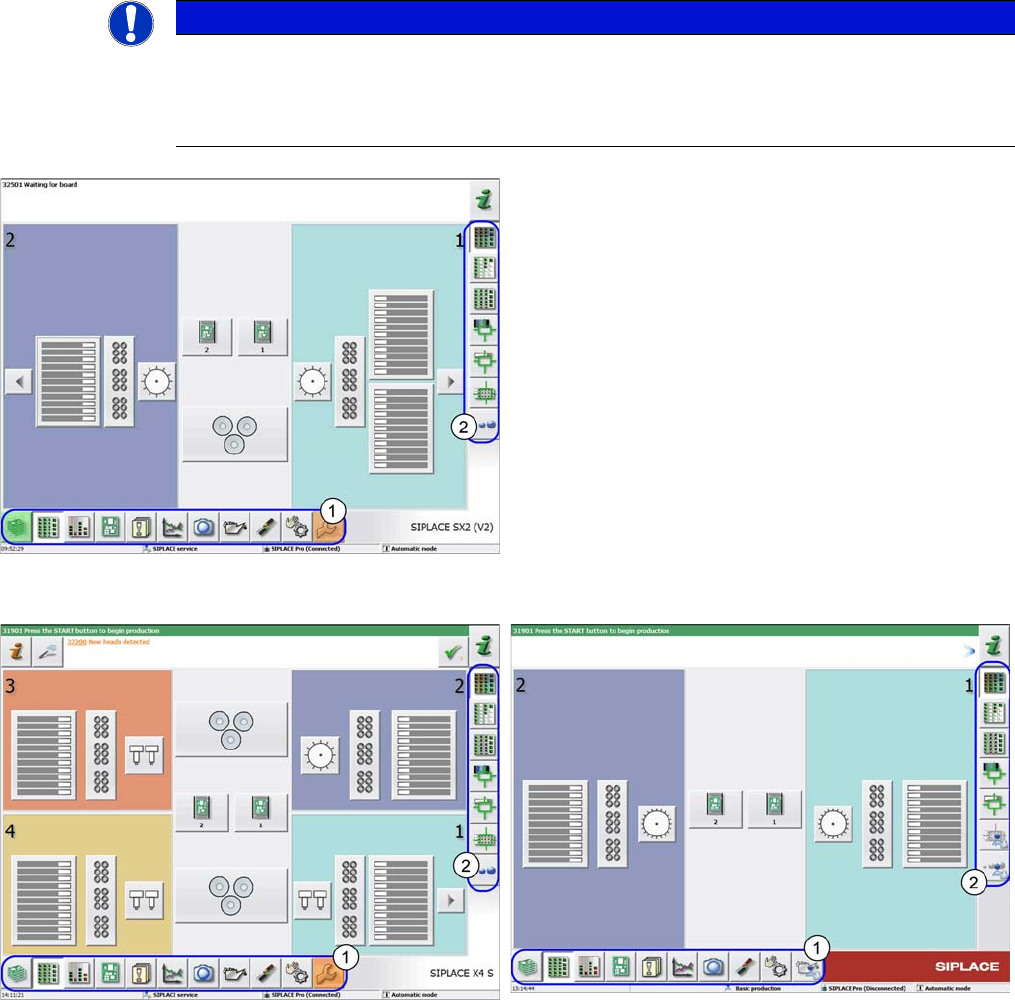
Main view
(example of SIPLACE SX2 V2)
The following terms are used in the sections:
1. Menu
2. Submenu
Main view
(example of SIPLACE X4 S)
Main view
(example of SIPLACE TX2)
Tasks on the Machine
5.3.1 JEDEC Tray Feeder Configured in SIPLACE Pro and Defined at the Machine Operating the JEDEC Tray Feeder in the Station Software
JEDEC Tray Feeder (JTF-ML) 109
5.3.1
5.3.1 JEDEC Tray Feeder Configured in SIPLACE Pro and Defined at the Machine
JEDEC Tray Feeder Configured in SIPLACE Pro and Defined at the Machine
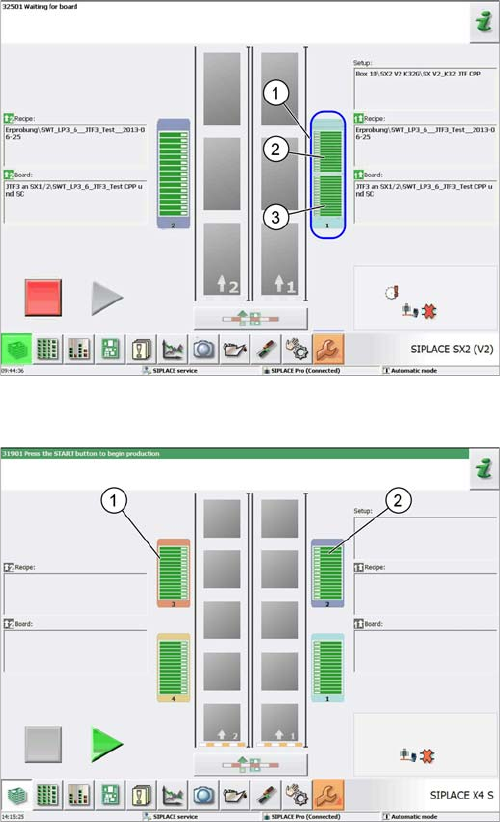
If a JEDEC tray feeder has been configured in SIPLACE Pro, the corresponding location is divided into
two areas when the job is defined for the machine. For X-Series S machines the location is not divided.
Location view
(example of SIPLACE SX2 V2)
1. Location 1 – two areas
2. Area for tapeless feeders
3. Area for SIPLACE JTF feeders
Location view
(example of SIPLACE X4 S)
1. Location 3
2. Location 2
Tasks on the Machine
Operating the JEDEC Tray Feeder in the Station Software 5.3.2 "Display, Check and Set up Feeders, Components and Nozzles" Menu
110 JEDEC Tray Feeder (JTF-ML)
5.3.2
5.3.2 "Display, Check and Set up Feeders, Components and Nozzles" Menu
"Display, Check and Set up Feeders, Components and Nozzles" Menu
5.3.3
5.3.3 Selecting the JEDEC Tray Feeder at the Location
Selecting the JEDEC Tray Feeder at the Location
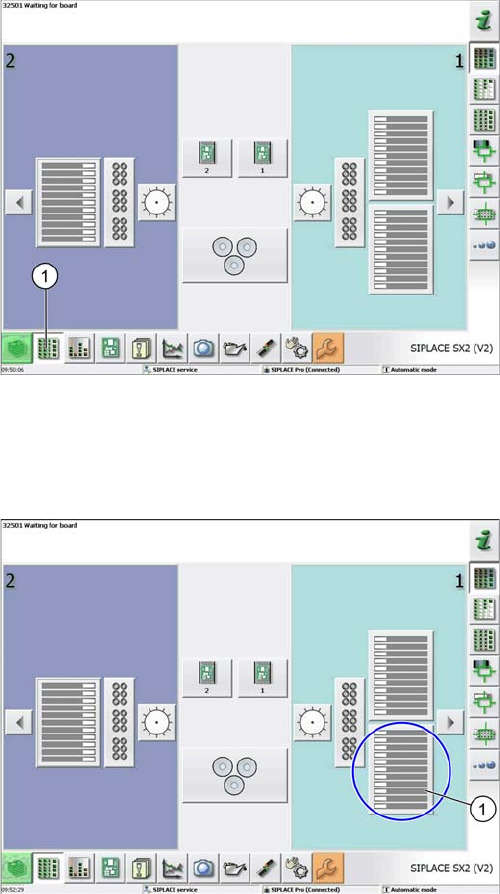
Select menu
(example of SIPLACE SX2 V2)
► Select the Display, check and set up feeders, compo-
nents and nozzles menu (1) to display the sub views
of the relevant locations.
Loc 1 at location 1
(example of SIPLACE SX2 V2)
► Select the relevant location (1) to display the view of
the current setup.