00198140-01_UM_JTF-ML_TX12_de_en.pdf - 第122页
Appendix Excerpts from the Service Manual 7.1.2 Nozzle Changer Setting 122 JEDEC Tray Feeder (JTF-ML) 7.1.2.3 7 . 1 . 2 . 3 J u m p e r s o n t h e N o z z le C h a n g e r Jumpers on the Nozzle Changer Overview Preparat…
Appendix
7.1.2 Nozzle Changer Setting Excerpts from the Service Manual
JEDEC Tray Feeder (JTF-ML) 121
7.1.2.2
7.1.2.2 Setting the Height of the Nozzle Station
Setting the Height of the Nozzle Station
Parts, Equipment and Tools
▪ Measuring scale
▪ Adjusting plates: support for nozzle reject device [03039514-xx]
Setting
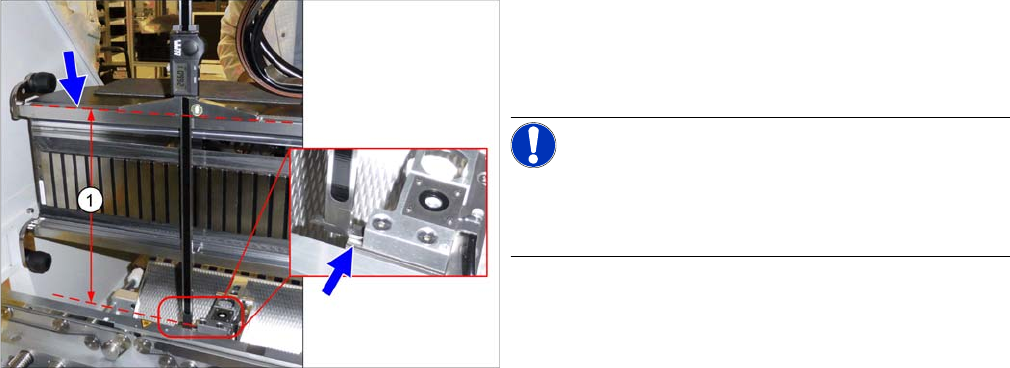
Setting the height of the nozzle station
(taking the standard nozzle station as example)
► The distance (1) between the contact surface of the
nozzle station and the top edge of the upper guide rail
of the gantry needs to be 266.0 +/-0.1/-0.3 mm.
You may need to use shim plates to adjust this.
NOTICE!
Alternatively, you can measure from the top edge of the
lower guide rail of the gantry. In this case, the distance is
105.0+/-0.1/-0.3 mm.
Appendix
Excerpts from the Service Manual 7.1.2 Nozzle Changer Setting
122 JEDEC Tray Feeder (JTF-ML)
7.1.2.3
7.1.2.3 Jumpers on the Nozzle Changer
Jumpers on the Nozzle Changer
Overview
Preparation
Setting
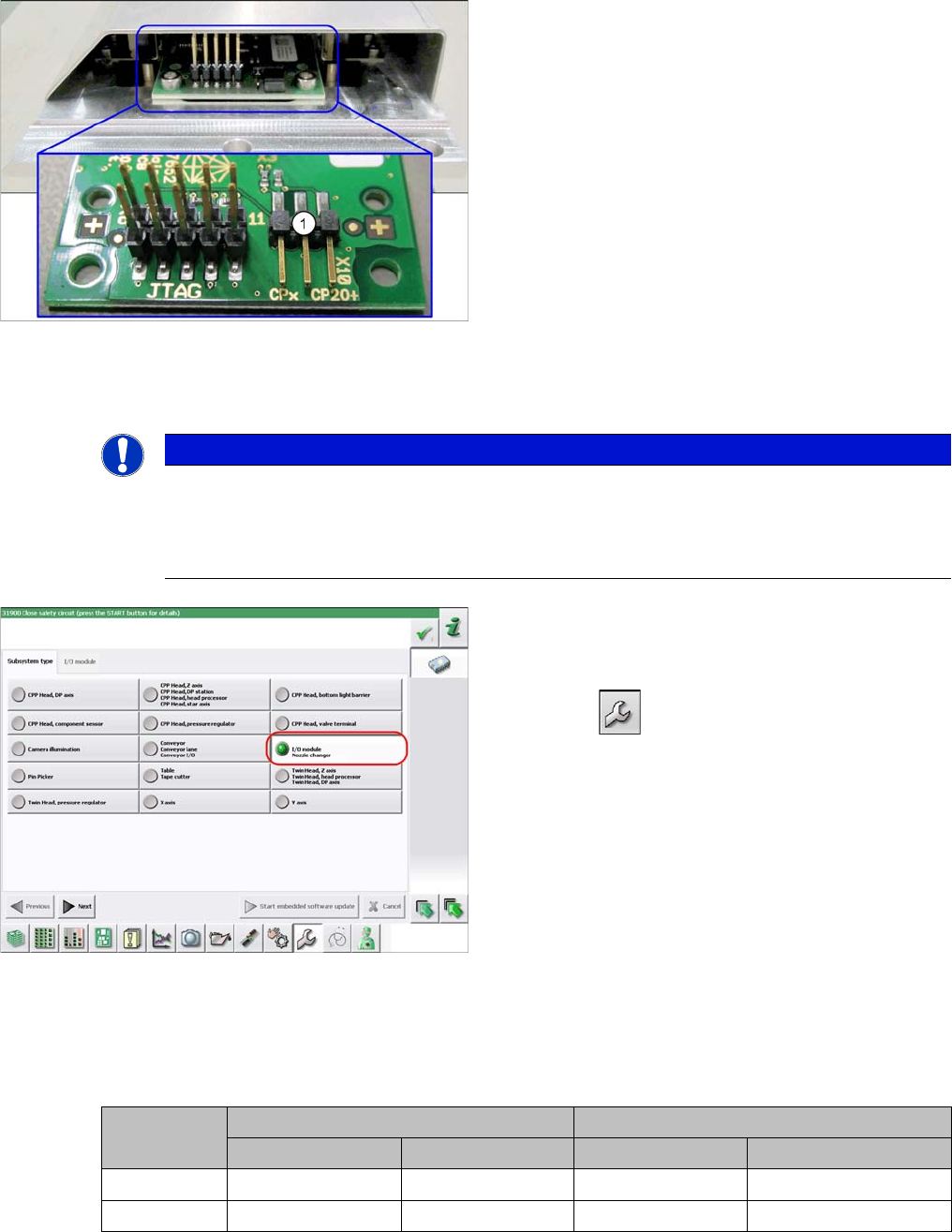
► Set the correct value on the jumper for your head type, software and control method.
Nozzle Changer CP20P - Jumper X10
Jumper X10
Jumpers on the Nozzle Changer
1. Jumper X10
The jumper X10 needs to be set at the following nozzle
changers:
▪ Nozzle changer basic structure CPx/all assembly -
short [03103649-xx]
▪ Nozzle changer basic structure CPx/all assembly -
long [03103514-xx]
NOTICE
Before installation
Due to the design, this setting must be performed before installation in the machine.
► If the new nozzle changer is being fitted as a spare part in a machine with I/O module con-
trol, you will need to reconnect the jumper to pin 1-2.
Checking the I/A module control
To check whether the machine has I/O module control,
proceed as follows:
► Switch over to the operator level Service.
► Select the button.
► Select the button Embedded Software.
► Select the button Update Subsystem.
► If I/O module control is present, you will see the entry
Nozzle Changer at I/O Module.
Head SW <= 706.x SW >= 707.x
I/O controller XFCU I/O controller XFCU
CPx, DLM 1-2 1-2 1-2 2-3
C&P20 P --- --- --- 2-3 (factory settings)
acpage