00195376-05_SM_D1_D1i_D2_D2i_EN.pdf - 第235页
Settings 6.5.6 Setting the Z axis Belt Tension Collect&Place Head Service Manual SIPLACE D1/D1i/D2/D2i 235 6.5.6 6 . 5 . 6 S e t t in g t h e Z a x is B e lt T e n s io n Setting the Z axis Belt Tension 6.5.7 6 . 5 .…
Settings
Collect&Place Head 6.5.4 Setting the Resolution on the Star Axis
234 Service Manual SIPLACE D1/D1i/D2/D2i
6.5.4
6.5.4 Setting the Resolution on the Star Axis
Setting the Resolution on the Star Axis
6.5.5
6.5.5 Setting the Digital Rotary Encoder for the DP Axis
Setting the Digital Rotary Encoder for the DP Axis
▪ Remove sleeve 1 and insert the Star zero point gauge, in order to mechanically fix the Star.
▪ Now, remove sleeve 4 or the sleeve 2 for the 6 segment C&P head as well and align the transducer.
▪ With the help of a parallel pin, set the rotary transducer of the DP - axis to 1.5 mm, parallel to the
glass pane of the segments.
Adjustment of air blast placement Compressed air testing device 150 mbar on open 9x4 nozzle
Air blast setting on reject circuit Compressed air testing device250 mbar
Belt tension setting for drive belt
replacement
DP belt adjustment aid Achieved with spring tension of
tool
Description Tools and equipment Values
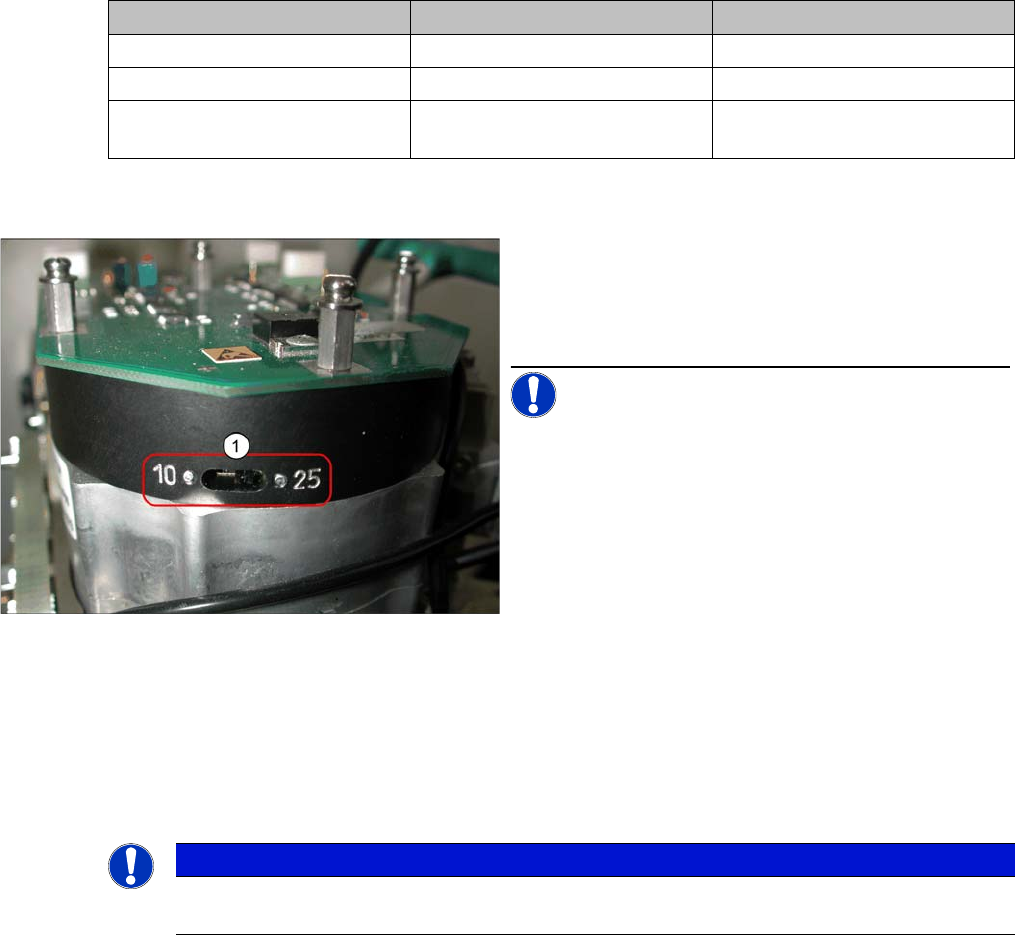
Setting the Resolution on the Star Axis
Legend
1. The switch for the star axis resolution is directly be-
neath the C&P head on the star motor.
► Check the setting of this switch (1).
NOTICE! Only set the switch if the machine
power is off.
▪ HS-60, HS-50, S-27 HM, S-25 HM, S23 HM: Switch
position 10
▪ D, HF/HF3 and X machines: Switch position 25
NOTICE
Make sure that a 1.4 mm test probe can be easily passed through and that a probe with 1.6 mm
can not be passed through.
Settings
6.5.6 Setting the Z axis Belt Tension Collect&Place Head
Service Manual SIPLACE D1/D1i/D2/D2i 235
6.5.6
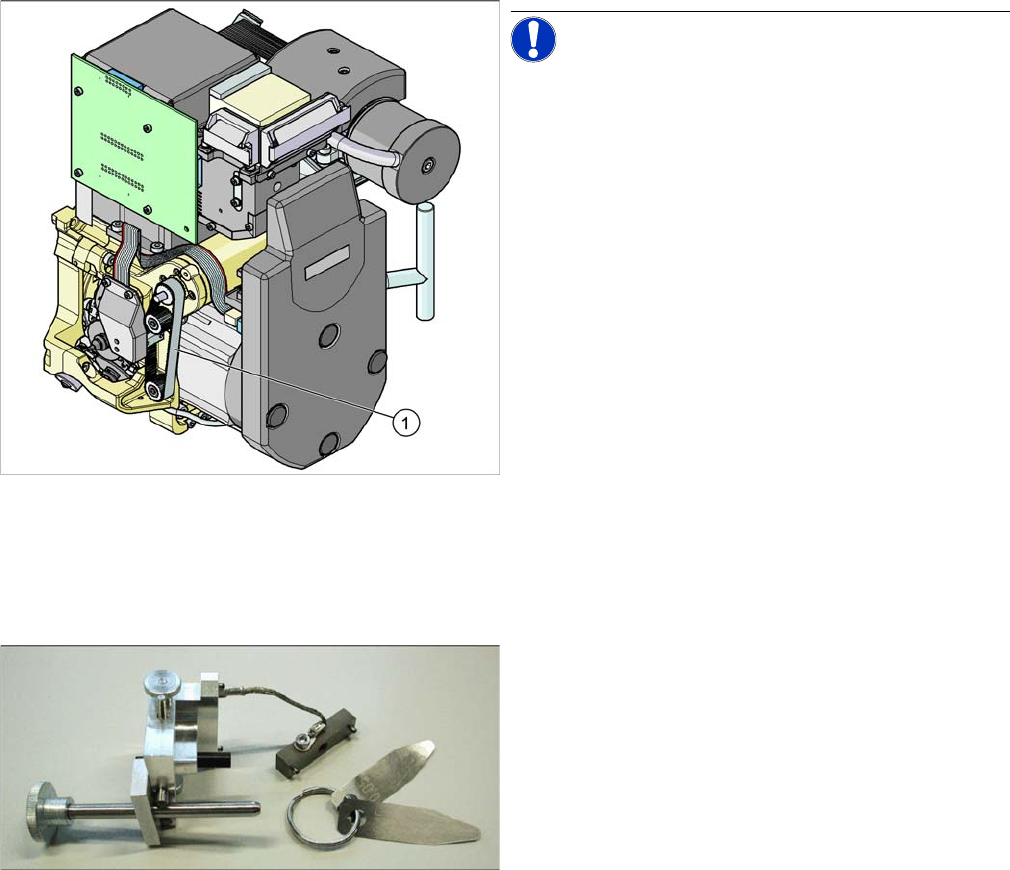
6.5.6 Setting the Z axis Belt Tension
Setting the Z axis Belt Tension
6.5.7
6.5.7 Adjusting the Stop for the Z Axis
Adjusting the Stop for the Z Axis
6.5.7.1
6.5.7.1 Tools and Equipment
Tools and Equipment
6.5.7.2
6.5.7.2 General
General
From software version 601.01 onwards, during the reference run, the Z axis moves into the star position
with +/-6250/6750 digits downwards or up into the crank, to determine the Z axis zero point correction
factor. The prerequisite for this is the correct setting of the upper end position stop of the Z axis. This
ensures that the Z axis is in the center of the raceway and that the Z axis zero point can be correctly
determined.
Preconditions:
Before you begin adjustment work, check the belt tension and the correct installation of the belt lock at
the Z axis.
Measurement point for belt tension
NOTICE! The measurement point on the meas-
urement head should be in the middle, between two de-
flection pulleys.The measurement head should be kept at
a distance of maximum 2 - 3 mm from the toothed belt.
Legend
1. Measurement point for the belt tension
► Hold the measuring head of the belt tension measur-
ing device in front of the toothed belt (1) .
► Strike the toothed belt, to reach a stimulation of vibra-
tion of the open ended toothed belt.
► If the belt tension frequency does not match the value
280 Hz ±10 Hz, tension or relax the belt via the drive
motor fastening.
► Repeat these instructions until the belt tension is cor-
rect.
Gauge for Z end stopper
▪ Set of DIN 911 Allen keys
▪ Gauge for Z axis end stopper - star gauge
[03019865-xx]
Settings
Collect&Place Head 6.5.7 Adjusting the Stop for the Z Axis
236 Service Manual SIPLACE D1/D1i/D2/D2i
6.5.7.3
6.5.7.3 Settings
Settings
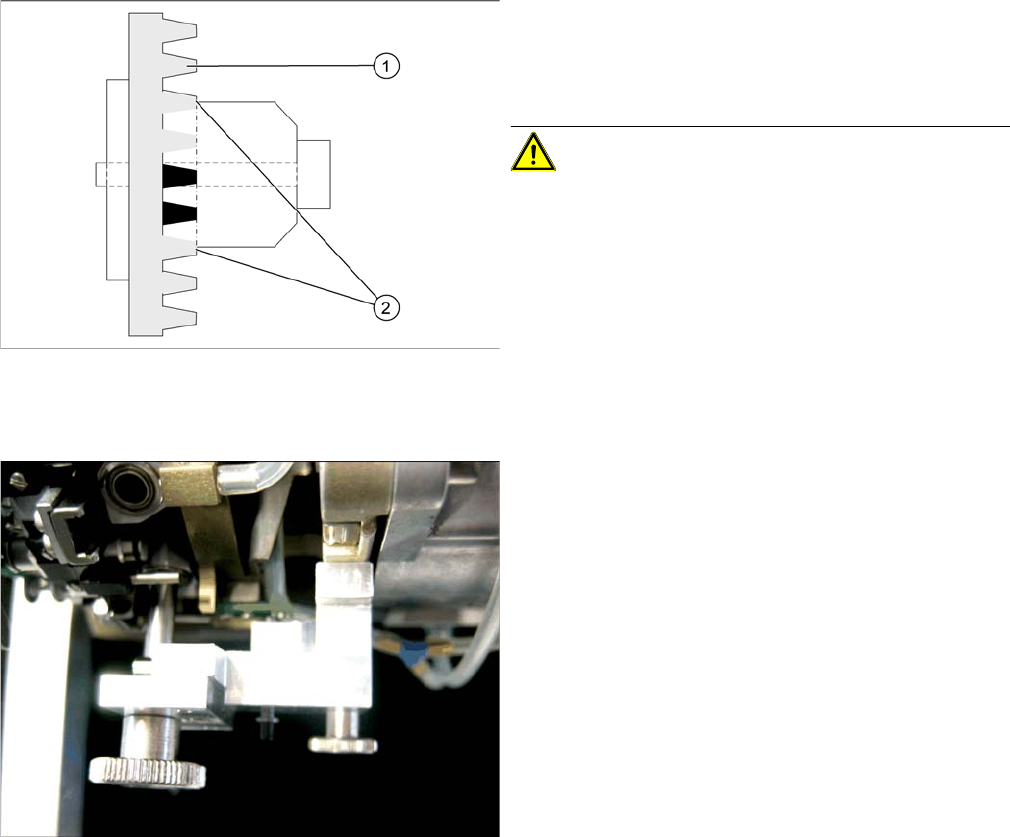
Clamping device Z axis
Legend
1. Belt tension Z Axis
2. Tension jack is positioned on the teeth at the top and
bottom
CAUTION! Make sure that both ends of the ten-
sion jack lie on the teeth of the toothed belt.
Z end stopper star gauge mounted
► Switch off the machine. This setting can be per-
formed directly at the machine.
► The star gauge for setting the Z end stopper is mount-
ed on the C&P head in exactly the same way as the
zero point gauge for the star.
► Remove segment 1 and rotate the star until the
gauge pin fits into the segment guidance.
The star gauge ensures that the star is in the correct po-
sition and that the Z axis is pressed upwards.
► For better access to the Z axis end stopper, unscrew
the cable clamp at one side and turn it to the side.
Then carefully push the flat ribbon cable to the side.
► Check whether the 5/100 mm feeler gauge passes
easily (without resistance) between the Z axis end
stopper and the tension jack (see Fig.).
► If this is not the case, you will need to adjust the Z axis
end stopper setting!